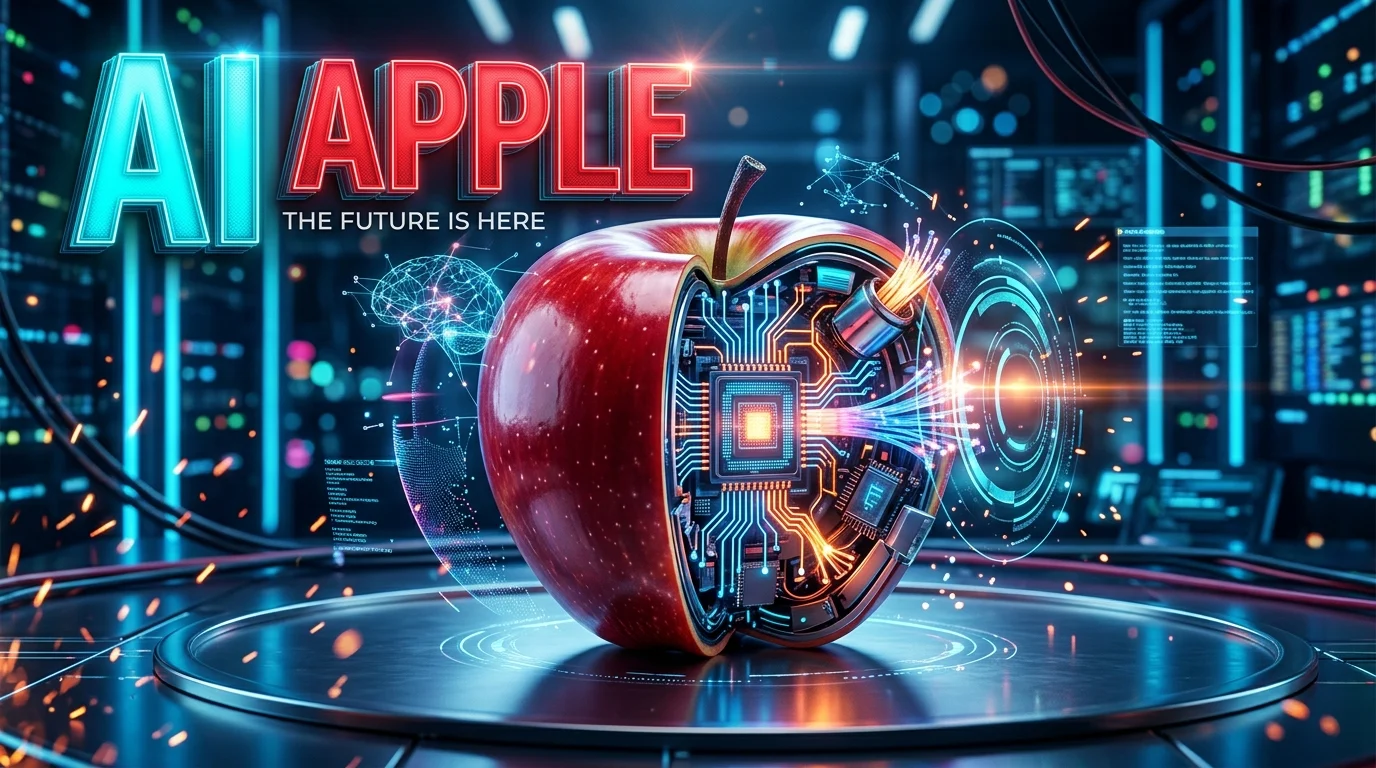
AI Apple refers to Apple’s artificial intelligence ecosystem, primarily powered by Apple Intelligence, which brings AI writing tools, image creation, visual recognition, and intelligent assistance to compatible devices. Its newer Siri AI experience adds conversational assistance and personal context, while on-device processing and Private Cloud Compute support Apple’s privacy-focused approach.
AI Apple at a Glance
What it is
Apple Intelligence, Apple’s built-in AI system for supported devices and applications.
Main capabilities
Writing assistance, Siri AI, image generation, photo editing, visual search, and communication tools.
Compatible devices
Selected recent iPhones, iPads, Macs, Apple Watch models, and Apple Vision Pro.
Privacy approach
On-device processing for supported tasks, with Private Cloud Compute for more demanding requests.
Cost and availability
Many features are included with compatible devices and software, but usage limits, eligibility, and future paid access can vary.
What Is AI Apple?
AI Apple is a broad search term for Apple’s artificial intelligence technology, rather than the name of a single application. The central product is Apple Intelligence, a collection of AI models, system features, and integrations designed to make everyday tasks easier.
Instead of requiring users to open a separate AI chatbot for every request, Apple integrates intelligence into its operating systems and familiar applications. This includes writing messages, summarizing information, editing photos, understanding visual content, and interacting with Siri.
Apple’s strategy emphasizes three areas:
- Personal usefulness: AI that works within the apps and information people already use.
- System integration: Features available across compatible Apple devices and applications.
- Privacy-conscious processing: A combination of on-device computation and cloud processing designed to limit exposure of personal data.
Apple Developer Documentation+1
Apple Intelligence is therefore different from an independent chatbot such as ChatGPT. It is an integrated system that can also connect with external AI services for certain tasks.
AI Apple vs. Apple Intelligence vs. Siri AI
These terms are related, but they do not mean exactly the same thing.
| Term | Meaning |
|---|---|
| AI Apple | A general search phrase for Apple’s AI technology and products. |
| Apple Intelligence | Apple’s integrated AI platform for compatible devices and software. |
| Siri AI | Apple’s newer, more capable AI-powered assistant experience, rolling out in beta. |
| ChatGPT integration | An optional connection that lets supported Apple Intelligence features use OpenAI’s service. |
| Apple Foundation Models | Models that power Apple’s own AI features, including supported on-device and cloud tasks. |
Apple announced its next-generation Apple Intelligence architecture in June 2026 and began rolling out its latest software platforms in September. Siri AI is rolling out as a beta in English, with further language availability dependent on Apple’s rollout schedule.
Key Features of Apple Intelligence
Apple Intelligence focuses on practical features built into everyday workflows. The exact selection depends on the device, operating system, language, and region.
1. Siri AI and Conversational Assistance
Siri AI is one of Apple’s most significant AI developments. The newer experience is designed to understand more context, answer broader questions, recognize what’s on the screen, and connect requests with relevant information across supported apps.
For example, a user might ask Siri to find information related to a message, explain something displayed on the screen, or help organize information for a task.
Apple has also introduced a more conversational experience and deeper system integration. However, beta availability matters: users should not assume every announced capability is fully available on every device or in every country.
2. Writing Tools
Writing Tools help users improve text without switching to another application.
Depending on the supported feature, users can:
- Rewrite text in a different tone.
- Proofread spelling and grammar.
- Summarize longer passages.
- Extract key points from documents.
- Improve messages, emails, and notes.
- Use supported AI composition features through Siri or ChatGPT integration.
These capabilities are useful for students preparing notes, professionals drafting emails, and anyone who wants clearer writing.
They should still be treated as editing assistance rather than a substitute for reviewing important facts, names, numbers, and professional communications.
3. Image Generation and Editing
Apple Intelligence includes creative tools for generating and modifying visual content.
Generate original images from descriptions and modify visual ideas using supported styles.
Clean Up removes distractions, while other supported tools can extend an image or adjust its framing.
Create personalized emoji and turn rough sketches into generated images in supported applications.
These tools can help with casual creative projects, personal messages, and photo improvements. Some features, particularly those relying on server-side models, may have usage limits.
4. Visual Intelligence
Visual Intelligence lets users interact with information found in images, objects, and on-screen content.
Depending on the device and supported software, users can search for objects, ask questions about displayed content, or take actions based on visual information.
Practical examples include identifying an unfamiliar object, understanding a screenshot, looking up a product, or retrieving relevant details from a document.
The experience is expanding beyond its original iPhone use cases to supported iPad, Mac, and Apple Vision Pro workflows. Feature availability still varies by hardware and software version.
5. Smarter Communication and Everyday Tasks
Apple Intelligence also supports communication and productivity features across supported applications.
Examples include:
- Summaries and suggested actions in Messages and Mail.
- Translation features in supported languages.
- More useful notification summaries.
- Intelligent search and information retrieval.
- AI-assisted workflows in compatible system applications.
These features are most valuable when they reduce repetitive work without forcing users to learn a new application.
The distinction is important: Apple Intelligence is not a guarantee that every app becomes fully autonomous. Individual actions and integrations depend on the capabilities Apple and third-party developers make available.
How AI Apple Works
Apple Intelligence combines machine learning, generative AI, operating-system integration, and cloud infrastructure. Rather than relying on a single model for every request, the system can use different processing approaches depending on the task.
On-device AI processing
Some tasks run directly on a compatible device. Apple’s models can help with supported writing, language, and other intelligent functions without requiring every request to be sent to a remote AI server.
On-device processing can reduce dependence on network connectivity and keep certain information on the user’s hardware. Its capabilities are limited by the device’s available memory, processing resources, and the model used for the task.
Private Cloud Compute
More demanding requests may require cloud-based models. Apple developed Private Cloud Compute (PCC) to extend its privacy architecture to server processing.
Apple says PCC processes requests without storing users’ personal data or making that data accessible to Apple. The company also describes a system designed to allow independent experts to verify important privacy properties. These are Apple’s stated architectural commitments, not a guarantee that every third-party AI service follows the same rules.
External AI integrations
Apple Intelligence can also connect with external AI services, including ChatGPT, for supported requests. This gives users access to capabilities that may go beyond Apple’s built-in models.
ChatGPT integration is a separate service connection. Users can connect eligible free or paid ChatGPT accounts through Apple Intelligence settings, where supported.
The practical takeaway is that Apple AI is a layered system, not one chatbot running entirely on an iPhone.
Compatible Devices and System Requirements
Not every Apple device supports Apple Intelligence. Hardware requirements matter because newer AI models need more processing power and memory than older devices provide.
The following is a useful compatibility overview based on Apple’s published requirements for its current software generation. Individual features may have additional restrictions.
| Device category | General compatibility |
|---|---|
| iPhone | iPhone 15 Pro and 15 Pro Max, plus supported iPhone 16 models and newer compatible generations |
| iPad | Supported iPad models with M1 or later, and iPad mini with A17 Pro |
| Mac | Compatible Macs with M1 or later |
| Apple Watch | Supported newer models, including Series 9 or later, Ultra 2 or later, and SE 3 when paired with an eligible iPhone |
| Apple Vision Pro | Supported models, subject to regional and software requirements |
How to check compatibility
- Open your device’s Settings.
- Check the current operating-system version and available software updates.
- Look for Apple Intelligence & Siri in Settings on supported devices.
- Review the feature’s language and regional requirements.
- Check Apple’s official Apple Intelligence page for the latest compatibility details.
Do not buy a new iPhone solely because a retailer advertises AI. Verify the exact model and the specific features you want to use.
Does AI Apple work in Pakistan?
Availability depends on Apple’s supported languages, local restrictions, device eligibility, and the individual feature. Apple’s current language list includes English, but some AI experiences have separate rollout schedules and regional restrictions.
For users in Pakistan, the sensible approach is to check the device’s region and language settings, install a supported software version, and verify that the desired feature appears. Do not assume that every Siri AI capability or external AI integration is available locally just because the device supports Apple Intelligence.
Is AI Apple Free? Pricing Explained
Apple Intelligence is integrated into compatible hardware and software, so many built-in features do not require a separate AI subscription. However, that does not mean every capability has unlimited access or that every connected service is free.
Three cost considerations matter most.
- Compatible hardware: You may need a newer device to use Apple Intelligence.
- Usage limits: Certain server-powered features have daily limits that can vary by feature and request.
- Third-party services: ChatGPT has its own free and paid plans, account requirements, and usage limits.
Apple has also indicated that expanded access to certain server-based capabilities may be offered for a fee. Check the current terms before relying on unlimited usage.
| Cost area | What to check |
|---|---|
| Built-in Apple Intelligence | Whether the feature is included on your device |
| Siri AI and image generation | Daily usage limits and regional eligibility |
| ChatGPT integration | Account requirements and external service limits |
| New hardware | Whether upgrading is necessary for your intended tasks |
For most people, the most important cost is not a standalone Apple AI subscription. It is the price of obtaining compatible hardware and any additional services they choose to use.
Privacy and Security: What Users Should Know
Privacy is a central part of Apple’s AI strategy. The company combines local processing with Private Cloud Compute for supported requests that need more powerful models.
That architecture can reduce the need to send personal information to external services. Still, privacy depends on which feature is being used, what information is submitted, and whether a third-party provider becomes involved.
What Private Cloud Compute is designed to do
Apple describes PCC as a cloud environment that extends privacy protections from its devices to server-based AI processing. Its stated design includes limiting data retention, using information for the relevant request, and enabling outside verification.
What users should check
Before using AI for sensitive work, consider these questions:
- Does the task run on-device or require a cloud request?
- Is an external provider, such as ChatGPT, involved?
- What information will the prompt or attached content contain?
- Are the feature’s terms and privacy controls suitable for the information?
- Could the generated response expose confidential information if copied elsewhere?
For example, summarizing a public article is a low-risk use case. Submitting confidential business documents, legal correspondence, or personal financial records requires more care.
Apple’s privacy design is relevant, but it should not be confused with a blanket guarantee covering every third-party service. Nor should general privacy claims be interpreted as proof of a specific certification or a universal zero-data-retention policy.
Benefits and Limitations of Apple Intelligence
Apple Intelligence has practical advantages, but its value depends on how well the features match your daily tasks.
Main benefits
- Convenience: AI tools appear within familiar Apple applications.
- Reduced task switching: Users can edit text, summarize information, and perform supported actions without constantly opening another app.
- Creative assistance: Image generation and photo editing support everyday creative projects.
- Personal context: Siri AI is designed to retrieve relevant information from supported personal content.
- Privacy-oriented architecture: On-device processing and PCC offer an alternative to sending every request to a conventional cloud chatbot.
Important limitations
- Hardware restrictions: Older devices may not qualify.
- Uneven availability: Language, region, and feature eligibility can differ.
- Usage caps: Server-powered capabilities may impose daily limits.
- External dependencies: Some tasks rely on third-party AI services.
- Potential errors: AI can produce incorrect summaries, interpretations, or generated content.
- Limited transparency: Users may not always know which model or processing route handled a particular request.
The biggest practical limitation is fragmentation. A feature advertised for the Apple ecosystem may not be available on your particular device, in your region, or under your chosen language settings.
AI Apple vs. ChatGPT, Google Gemini, and Microsoft Copilot
Apple Intelligence competes with other AI assistants in some areas, but the products have different priorities. Apple focuses on operating-system integration, while standalone assistants and productivity platforms offer their own combinations of chat, research, creation, and integrations.
| Platform | Primary strength | Best suited for | Main consideration |
|---|---|---|---|
| Apple Intelligence | Built-in device and app integration | iPhone, iPad, and Mac users | Requires supported hardware and software |
| ChatGPT | General-purpose conversation, writing, analysis, and creative tasks | Broad personal and professional use | Plan limits and service-specific privacy terms |
| Google Gemini | Google’s AI ecosystem and supported productivity integrations | Users invested in Google services | Capabilities vary by product and subscription |
| Microsoft Copilot | AI assistance across supported Microsoft products | Microsoft 365 and Windows users | Features and entitlements depend on the product and plan |
There is no universal winner across every task. Apple Intelligence can be more convenient for supported device-level actions, while a standalone chatbot may suit longer research sessions, complex writing, or workflows outside Apple’s ecosystem.
For a fair comparison, test the same task in each product. Compare answer quality, factual accuracy, response time, privacy terms, available integrations, and total cost rather than relying on marketing claims.
Latest AI Apple Developments in 2026
Apple’s AI strategy has continued to evolve, with the next generation of Apple Intelligence and Siri AI becoming central to its current software releases.
Three developments are especially relevant.
1. Siri AI is becoming more conversational
Apple announced its next-generation Siri in June 2026 and began rolling it out in beta with its September software releases. The updated assistant is designed to understand personal context, respond to broader questions, interpret on-screen content, and perform more actions across supported apps.
The important distinction is between announced capabilities and features available to every user. Beta software can change, and availability remains dependent on device, language, and region.
2. Apple’s AI infrastructure now involves external technology partners
Apple announced a collaboration with Google involving Gemini technology to help build its next-generation Apple Foundation Models. It also described expanding Private Cloud Compute infrastructure through partnerships involving Google Cloud and NVIDIA.
This illustrates an important industry trend: companies can develop their own integrated AI experiences while relying on outside technology and infrastructure. Apple’s consumer-facing system does not necessarily run every task on a model developed entirely in-house.
3. Visual AI and everyday app integration are expanding
Apple’s current feature set includes AI-assisted photo editing, visual intelligence, writing assistance, and more capable system interactions. These capabilities are increasingly distributed across supported devices and applications rather than confined to a single assistant interface.
For users, the real measure of progress is whether these features reliably save time. A broader feature list matters less than consistent performance on everyday tasks.
Who Should Use AI Apple?
Apple Intelligence is most relevant to people who already use compatible Apple devices and want AI assistance without changing their normal workflow.
Draft emails, summarize text, refine documents, and use supported system actions to reduce repetitive work.
Organize study notes, improve writing, and summarize material. Verify important facts rather than treating AI output as authoritative.
Edit images, brainstorm ideas, refine captions, and improve drafts with supported creative tools.
Find information, manage supported tasks, improve messages, and interact with personal content more naturally.
AI Apple may be less suitable for people using older hardware, those who need unrestricted access to advanced AI models, or businesses requiring detailed contractual controls over every stage of data processing.
Developers may also find Apple’s Foundation Models framework useful for building intelligent features into apps. Apple provides developer APIs and frameworks for integrating supported on-device models and Apple Intelligence capabilities.
Practical Tips for Getting Better Results
You do not need advanced AI knowledge to use Apple Intelligence effectively. A few habits can improve the usefulness of its responses.
- Give specific instructions. Instead of saying “fix this,” ask Siri to rewrite the message in a professional tone while preserving its meaning.
- Provide relevant context. Explain the audience, desired length, and purpose of a draft.
- Review generated content. Check names, dates, figures, translations, and claims before sharing.
- Check feature availability. If a tool is missing, verify device, software, language, and regional requirements.
- Protect sensitive information. Avoid submitting confidential content to an external AI service unless its terms and your organization’s policies permit it.
- Compare tools for complex work. Use Apple Intelligence for convenient device-integrated tasks, then consider a dedicated AI assistant when you need deeper research or specialized capabilities.
These practices help users benefit from AI without assuming that every answer is accurate or every action will work as expected.
Frequently Asked Questions
1. What is AI Apple used for?
AI Apple generally refers to Apple’s AI ecosystem, especially Apple Intelligence. It helps users write and summarize text, edit photos, generate images, understand visual content, and interact with Siri on compatible devices.
2. Is Apple Intelligence available on every iPhone?
No. Apple Intelligence requires supported hardware and software. Eligible iPhones include the iPhone 15 Pro and iPhone 15 Pro Max, along with supported iPhone 16 models and newer compatible generations. Individual features may have additional requirements.
3. Is Apple AI free to use?
Many built-in Apple Intelligence features are included with compatible devices and software. However, some server-powered features have usage limits, and third-party integrations may have separate account requirements, subscription plans, or usage restrictions.
4. Is Apple Intelligence private?
Apple designs Apple Intelligence around on-device processing and Private Cloud Compute for supported tasks. Apple says PCC does not store users’ personal data or make it accessible to Apple. Privacy practices still depend on the specific feature and any external service involved.
5. How is Apple Intelligence different from ChatGPT?
Apple Intelligence is integrated into supported Apple devices, operating systems, and apps. ChatGPT is a general-purpose AI assistant with its own interface and capabilities. Apple Intelligence can also use ChatGPT integration for supported requests, so the services can complement each other.
Conclusion: Is AI Apple Worth Exploring?
AI Apple is Apple’s broader push to make artificial intelligence a practical part of everyday computing. Apple Intelligence brings writing assistance, creative tools, visual understanding, and a more capable Siri experience into supported devices and applications.
Its strongest advantage is integration. Users can access AI features within familiar workflows instead of relying exclusively on separate chatbots. However, hardware compatibility, language support, regional availability, usage limits, and external service dependencies all affect the experience.
If you already own a compatible Apple device, explore the included features before paying for another AI subscription. If you are considering an upgrade, evaluate the specific capabilities you will use rather than buying hardware for AI marketing alone.
The most useful AI system is the one that reliably solves your actual problems while meeting your privacy, accessibility, and budget requirements.

Oliver Wilson is an AI researcher and tech writer living at the intersection of human creativity and machine intelligence. At AixOrbit.com, he decodes complex neural networks, generative AI and emerging tech trends into actionable insights making sure humans stay one step ahead of the algorithms.