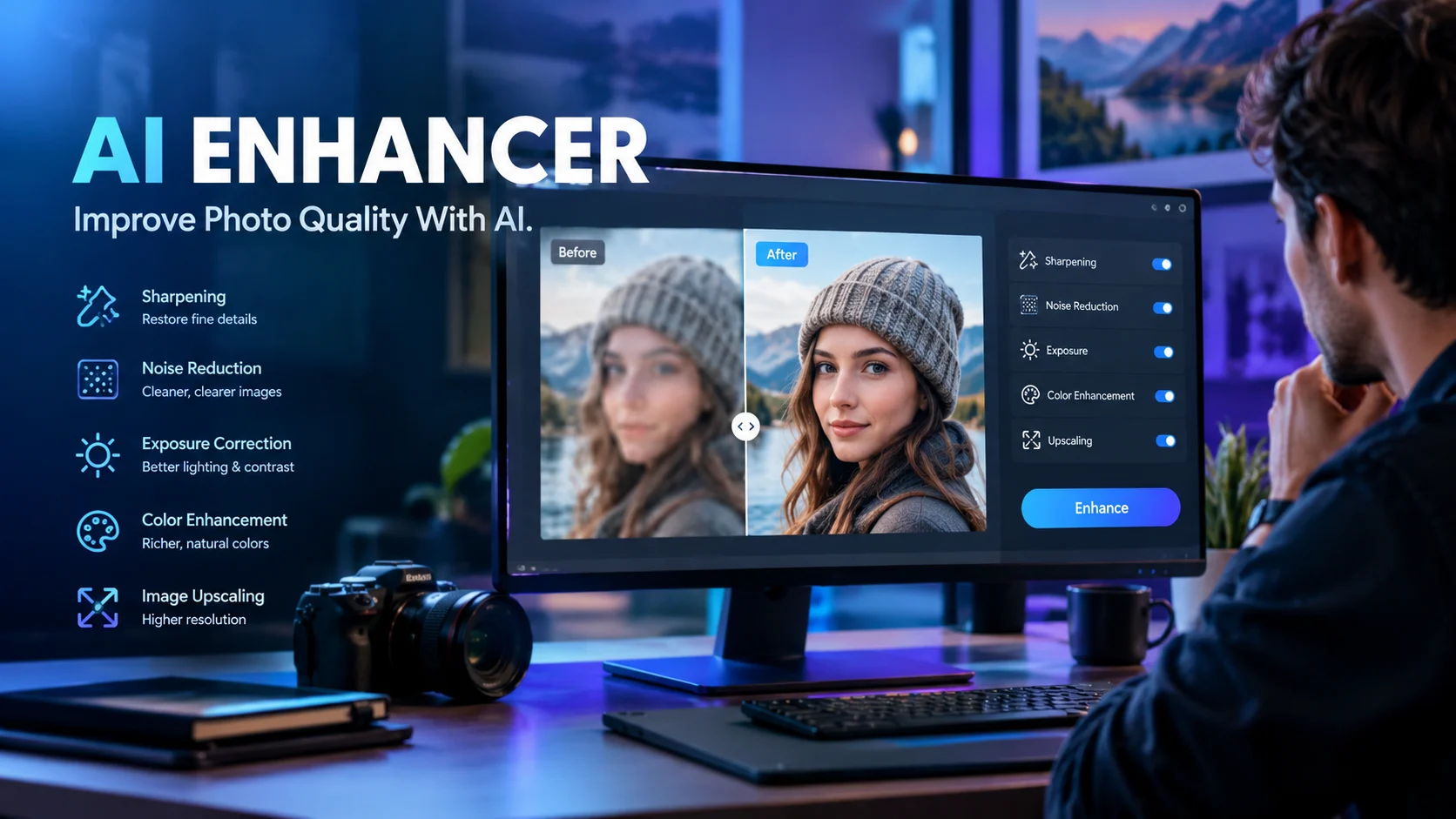
An AI enhancer is a tool that uses artificial intelligence to improve image quality by reducing blur, removing noise, correcting lighting, sharpening details, or increasing resolution. AI Enhancer can refer to a general category of photo-editing tools or a specific product, so users should verify the exact website, available features, pricing, and privacy terms before choosing one.
At a Glance
- Purpose: Improve image clarity, sharpness, exposure, color, and resolution.
- Main uses: Restore old photos, improve product pictures, enhance portraits, and prepare images for websites or social media.
- How it works: Machine-learning models analyze image patterns and estimate how to improve or reconstruct visual details.
- Accessibility: Some AI enhancers run in a browser, while others require a mobile app or desktop software.
- Pricing: Options range from limited free access to subscriptions or credit-based plans.
- Important limitation: AI-generated detail can look convincing without accurately reproducing the original subject.
What Is AI Enhancer?
AI Enhancer is a term used for software that improves photographs and other visual content through artificial intelligence. Depending on the product, it can sharpen soft images, reduce digital noise, improve brightness, restore old photographs, remove backgrounds, or upscale small images.
Unlike traditional editing, which often relies on manually adjusting sliders, an AI photo enhancer can analyze an image and apply several corrections automatically. More advanced systems can also generate plausible details when the original image lacks sufficient information.
One important distinction matters when researching this keyword. AI enhancer is not the name of one universally recognized application. Multiple websites and mobile apps use similar names, but their features, pricing, and capabilities differ.
For example, AI Enhancer presents a browser-based image-editing service focused on image quality and targeted photo corrections. A separate platform, AIEnhancer.co, promotes a broader creative workspace for generating and transforming images and videos. These are different services, so their pricing and features should not be treated as interchangeable
1. Image analysis
The system examines characteristics such as edges, textures, brightness, color variation, and noise. Some tools also identify faces, objects, or backgrounds to apply more targeted corrections.
2. Restoration and enhancement
The selected model estimates how to reduce blur, remove noise, improve exposure, or reconstruct missing visual information. These tasks may use different models rather than one universal enhancement algorithm.
3. Resolution improvement
An AI upscaler increases an image’s pixel dimensions. Depending on the model, it may infer additional texture and edge detail rather than simply stretching existing pixels.
This can make an image more useful for printing, cropping, or displaying on larger screens. However, a larger output file does not guarantee that every reconstructed detail is authentic.
4. Final processing
The tool produces an edited image for review and download. Good workflows let users compare the result with the original and adjust the strength of the enhancement.
Why this matters: A convincing preview is not enough. Inspect facial features, fine text, product edges, and other important details before using an enhanced image professionally.
Key Features of AI Enhancer
Available features vary by provider. The following are common capabilities across AI photo enhancement products, not a guarantee that every application includes them.
Helps improve soft edges and reduce the appearance of blur. Results depend on whether the original image contains enough recoverable information.
Reduces grain and distracting artifacts in images captured in low light or at high camera sensitivity.
Improves exposure, contrast, white balance, and color consistency without requiring extensive manual editing.
Increases resolution and can reconstruct plausible details for larger displays or prints.
Some tools repair scratches, improve faded colors, and reconstruct damaged areas in scanned photographs.
The specific AI Enhancer website also advertises tools for background editing, image reframing, and other photo adjustments. Its feature catalog should be checked directly before relying on a particular capability.
Main Uses of AI Enhancer
Personal photography and old memories
People often use AI enhancers to improve family portraits, restore scanned photographs, and make older images easier to view. These tools can help with faded colors, mild blur, scratches, and low resolution.
However, heavily damaged photographs require particular care. Facial reconstruction can alter small but meaningful features, so preserve the original scan and compare the result closely.
E-commerce and product photography
Online sellers can use enhancement tools to improve lighting, reduce noise, and prepare product photos for store listings. More consistent images can make catalogs look organized and professional.
For product accuracy, avoid edits that change a product’s shape, color, texture, or included components. An attractive image is not useful if it misrepresents the item customers will receive.
Content creation and social media
Creators can improve photographs for thumbnails, blog articles, advertisements, and social posts. Upscaling can also help when the original image is too small for the intended layout.
AI enhancement should not replace good composition or appropriate image dimensions. Start with the highest-quality source available, then enhance it for the specific platform.
Real estate and business photography
Real estate professionals may use enhancement tools to correct exposure and improve interior photographs. Businesses can also prepare cleaner images for presentations, websites, and marketing materials.
Edits should preserve the scene’s essential facts. Artificially adding windows, changing property conditions, or removing material defects can mislead viewers.
Scanned documents and graphics
Some tools improve the readability of scanned images, diagrams, or graphics. Nevertheless, AI reconstruction may alter letters, numbers, and fine lines.
For legal records, invoices, scientific figures, or other evidence, retain the original file. Never assume that AI-reconstructed text is accurate without checking it against the source.
Benefits of Using AI Enhancer
AI enhancement can simplify several common editing tasks, especially when users need quick improvements rather than detailed manual control.
- Less manual work: Automatic corrections can reduce the time spent adjusting multiple image settings.
- Improved presentation: Better lighting, contrast, and sharpness can make images easier to view.
- More flexible resolution: Upscaling can help prepare smaller images for certain larger-format uses.
- Accessible editing: Browser-based tools can reduce the need to install specialized software.
- Broader restoration options: Some applications combine sharpening, denoising, color correction, and background editing.
- Repeatable workflows: Teams can apply similar enhancement steps across multiple images, although results still need review.
These benefits depend on the quality of the original file and the particular tool. AI enhancement is not a substitute for good source material, professional judgment, or accurate documentation.
AI Enhancer Pricing: What Does It Cost?
Pricing depends on which product you mean. For the specific browser-based service at aienhancer.com, the published pricing page lists three monthly subscription plans. The prices below are the advertised rates in US dollars, checked on October 24, 2026.
| Plan | Advertised price | Monthly credits |
|---|---|---|
| Starter | $15/month | 1,000 |
| Pro | $30/month | 2,500 |
| Studio | $50/month | 5,000 |
Source: Official AI Enhancer pricing page. Prices and plan terms may change.
How the credit system works
The service states that a Standard fix costs four credits, a Pro fix costs 12 credits, and a Max fix costs 44 credits. Background removal costs one credit, while upscaling starts at three credits. Video generation has separate usage costs based on the selected settings.
This means the number of images you can process depends on the operation and quality setting, not just the subscription price.
Before subscribing, consider these details:
- Free trial: The website advertises four starter credits for new accounts, enough for one Standard fix.
- Monthly reset: Unused subscription credits do not roll over into the next month.
- Quality settings: Higher-quality processing consumes more credits.
- Plan changes: Upgrades take effect immediately, while downgrades and cancellations take effect at the end of the paid period.
- Storage: The service says uploaded photos remain in the user’s library and can be permanently deleted.
These are the provider’s published terms, not an independent audit of billing or storage practices. Review the current checkout details before paying.
Limitations and Risks to Consider
An AI enhancer can produce impressive results, but enhancement has technical limits. Understanding them helps prevent disappointing results and misleading edits.
AI cannot always recover the original detail
If a photo is severely blurred, missing pixels cannot always be reconstructed accurately. A model may generate a plausible eye, texture, or edge that differs from the original scene.
This is especially important when restoring family photographs, improving identification images, or preparing scientific material.
Overprocessing can damage image quality
Excessive sharpening may create bright halos around edges. Aggressive denoising can erase skin texture, hair, fabric details, or other subtle features.
Compare the enhanced image with the original at full size. If the result looks artificial, reduce the enhancement or try a different method.
Resolution does not guarantee accuracy
Upscaling increases the dimensions of an image, but it does not guarantee genuine new information. Generated textures and reconstructed details should not be mistaken for verified evidence.
For commercial product photography, preserve important visual characteristics. For archival or evidentiary material, retain the untouched original.
Internet access and file handling matter
Browser-based enhancement may require uploading images to a remote service. Processing speed can depend on file size, server demand, connection quality, and the selected operation.
Users handling confidential business images or private family photographs should examine the privacy policy, retention period, deletion process, and any third-party processing disclosures.
Credit limits can affect production costs
Credit-based subscriptions may become expensive when processing large batches or repeatedly regenerating images. Estimate the credits required for your typical workload before choosing a plan.
For example, a workflow that requires repeated Max-quality edits will consume credits much faster than one using Standard corrections.
Privacy and Security: What Should You Check?
Do not assume that an AI enhancer is private simply because it runs in a browser or offers a paid subscription.
Before uploading sensitive material, investigate the following:
- Data collection: What personal information and image metadata does the service collect?
- Storage and retention: How long are uploaded files and generated results retained?
- Deletion: Can you delete individual images and account data, and what happens to backups?
- Third-party processors: Are images sent to external AI model providers or cloud services?
- Training use: Does the provider explain whether uploaded images may be used to train or improve models?
- Business requirements: Does the service document security controls and contractual protections appropriate for your organization?
The AI Enhancer website provides links to its privacy policy and terms. Read those documents before uploading confidential content. The existence of a policy alone does not establish that a service meets a particular security standard.
If your organization requires SOC 2 reports, contractual data-processing terms, or Zero Data Retention (ZDR), ask the provider for specific documentation. SOC 2 and ZDR are different concepts, and neither should be assumed from the other.
AI Enhancer Alternatives Compared
The right alternative depends on whether you want quick portrait restoration, detailed photo editing, or specialized image reconstruction.
Best suited to portrait and old-photo enhancement
Remini promotes face enhancement, photo restoration, and visual improvements for low-quality images. It is worth considering when people and portraits are the main focus.
Best suited to detailed editing and creative control
Photoshop offers generative image editing and enhancement features, including Generative Upscale. Adobe also documents AI Sharpen and AI Denoise features powered by a partner model from Topaz Labs. Some features use generative credits.
Best suited to specialized image enhancement
Topaz Photo focuses on tasks such as sharpening, denoising, upscaling, lighting adjustments, and photo restoration. Its local desktop processing options may suit users who prefer an installed workflow. Confirm the current plan and hardware requirements before purchasing.
Best suited to a browser-based correction workflow
The service at aienhancer.com combines image-quality correction with additional editing tools in one browser-based workspace. Its credit system is worth evaluating if you process images regularly.
Comparison table
| Tool | Target user | Main strength | Pricing transparency | Main consideration |
|---|---|---|---|---|
| AI Enhancer | Casual users and creators | Browser-based correction and editing | Published credit plans | Credit usage and online file handling |
| Remini | Portrait-focused users | Face enhancement and restoration | Check current app or website terms | Results may alter facial details |
| Adobe Photoshop | Designers and professional editors | Extensive editing and generative tools | Subscription and feature-credit details | More features to learn |
| Topaz Photo | Photographers | Specialized enhancement workflows | Published plan options | Subscription and hardware requirements |
The table compares positioning rather than measured image quality. No independent, standardized benchmark is provided here to establish which tool produces the most accurate results across all image types.
For broader discovery, Product Hunt can help surface newly launched creative tools, while the Hugging Face Hub is useful for exploring models and datasets. These are discovery resources, not direct substitutes for a complete photo-editing application.
Who Should Use AI Enhancer?
AI enhancement tools are useful when they solve a specific image-quality problem. The best fit depends on your source images, desired results, budget, and privacy requirements.
- Casual users: Improve personal photos without learning advanced editing software.
- Photographers: Reduce noise, sharpen images, and prepare selected photographs for larger displays.
- Online sellers: Improve product-image presentation while preserving accurate product details.
- Bloggers and marketers: Prepare visuals for articles, landing pages, and social media.
- Small businesses: Standardize routine image corrections across marketing materials.
- Archival users: Improve scanned photographs while retaining unedited originals for reference.
Users who need precise color management, batch-processing controls, offline workflows, or strict data-handling guarantees should verify those requirements before choosing a browser-based service.
How to Get Better Results With AI Enhancer
A few practical steps can improve your results regardless of which product you use.
- Start with the best available source. Use the original photograph instead of a compressed screenshot or repeatedly saved copy.
- Identify the main problem. Determine whether the image needs sharpening, denoising, exposure correction, or upscaling.
- Choose the appropriate setting. Use stronger processing only when the image requires it.
- Compare before and after. Inspect faces, fine textures, edges, and small text at full size.
- Check the output dimensions. Make sure the final resolution and file format suit the intended platform.
- Keep the original. Save a separate enhanced copy so you can reverse the process if necessary.
- Track the cost. For credit-based tools, record how many credits typical edits consume before committing to a subscription.
A useful test is to process three representative images: a portrait, a low-light photograph, and a compressed or low-resolution image. This reveals more about a tool’s practical value than judging it from a single promotional example.
Frequently Asked Questions
1. What is AI Enhancer used for?
AI Enhancer is used to improve image clarity, reduce noise, correct lighting, sharpen details, and increase resolution. Depending on the product, it may also support photo restoration, background removal, and other image-editing tasks.
2. Is AI Enhancer free to use?
Some AI enhancer tools offer free access or starter credits, while others require subscriptions or paid credits. The service at aienhancer.com advertises four free credits for new accounts and paid monthly plans.
3. Can AI Enhancer make blurry photos clear?
AI Enhancer can reduce some types of blur and improve perceived sharpness. However, severe blur and missing information may prevent accurate recovery, and the AI can reconstruct details that were not present in the original image.
4. Is AI Enhancer safe for private photos?
Safety depends on the specific provider’s data practices, security controls, and retention policy. Review how images are stored, whether third parties process them, and whether deletion and training-use policies meet your needs before uploading private photographs.
5. What are the best alternatives to AI Enhancer?
Alternatives include Remini for portrait-focused enhancement, Adobe Photoshop for detailed editing and generative features, and Topaz Photo for specialized photo restoration and enhancement. Compare their capabilities, costs, and workflows against your actual requirements.
Conclusion
AI Enhancer tools can make image editing easier by improving sharpness, reducing noise, correcting exposure, and increasing resolution. The service at aienhancer.com combines these functions with a broader set of browser-based editing tools and credit-based pricing.
Before choosing a product, test it on your own images, inspect the output carefully, calculate the likely cost, and review its privacy terms. For everyday photo improvements, convenience may be enough. For professional photography, sensitive material, or evidence-based work, accuracy and control deserve equal attention.

Oliver Wilson is an AI researcher and tech writer living at the intersection of human creativity and machine intelligence. At AixOrbit.com, he decodes complex neural networks, generative AI and emerging tech trends into actionable insights making sure humans stay one step ahead of the algorithms.