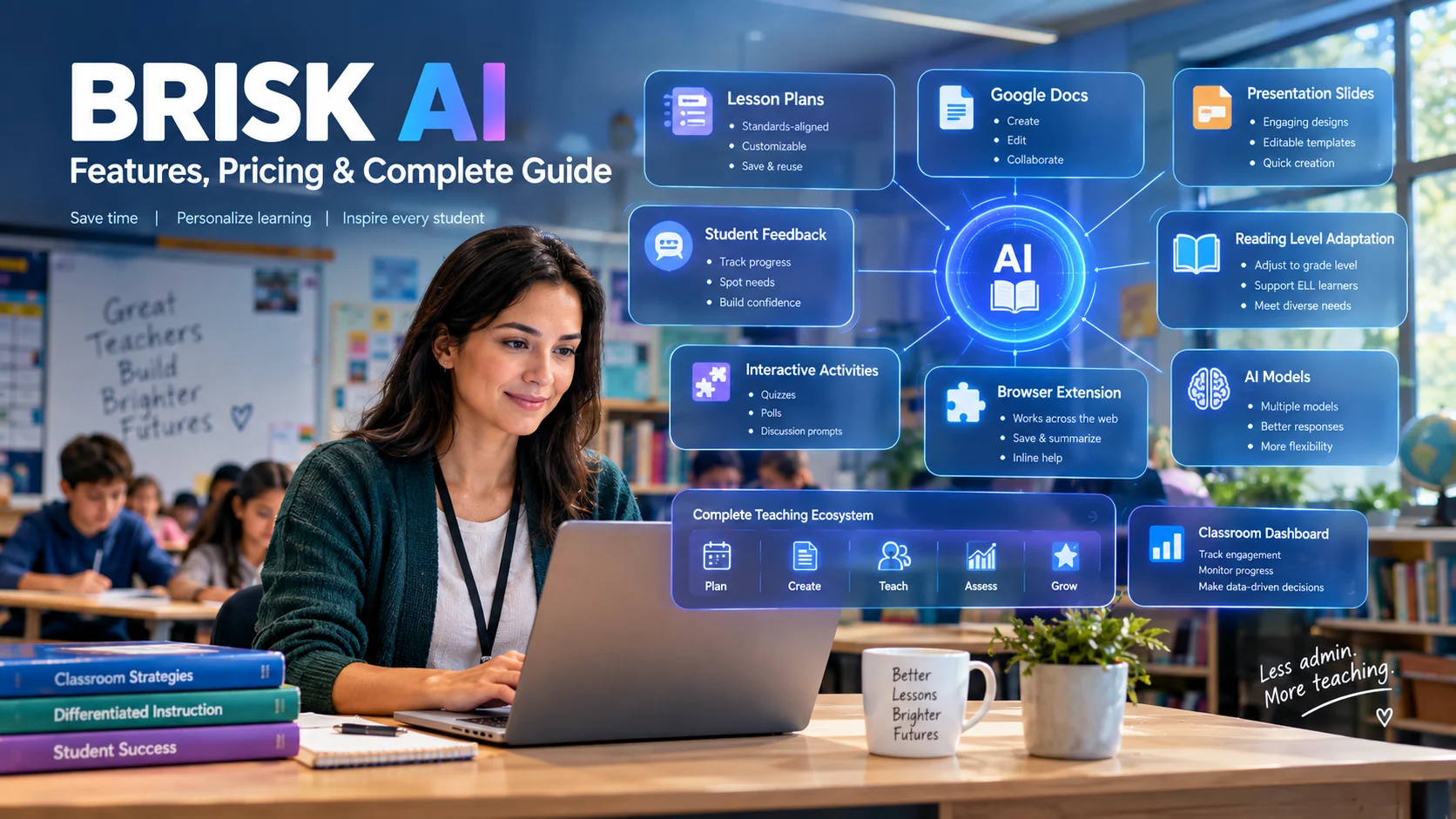
Brisk AI, officially Brisk Teaching, is an education-focused AI platform that helps teachers create lessons, adapt resources, give feedback, and build student activities inside tools they already use. It combines a Chrome and Edge extension with Brisk Boost and Brisk Next for teacher, student, school, and district workflows.
Brisk AI at a Glance
- What it is: An AI platform built specifically for education.
- Primary users: Teachers, schools, districts, and education leaders.
- Core workflow: AI assistance directly inside documents, presentations, webpages, PDFs, videos, and learning platforms.
- Free access: Brisk currently offers a free educator plan with 20+ core AI tools.
- Paid access: School and district plans use custom pricing.
- Key differentiator: Brisk focuses on bringing AI into the teacher’s existing workflow instead of requiring a separate AI workspace.
What Is Brisk AI?
When people search for Brisk AI, they are generally referring to Brisk Teaching.
Brisk Teaching is an AI-powered education platform designed around the daily work of educators. Instead of functioning primarily as a standalone chatbot, Brisk places AI tools inside familiar teaching environments.
Teachers can use it with Google Docs, Google Slides, Microsoft Word, PowerPoint, PDFs, webpages, YouTube content, and learning management systems.
The idea is straightforward: instead of copying material into an AI chatbot, generating an answer, and copying the result back, Brisk brings AI assistance closer to the original teaching task.
Brisk has expanded beyond its original browser extension. Its current product ecosystem includes the Brisk Extension, Brisk Boost, and Brisk Next.
The extension handles in-the-moment work. Brisk Boost provides teacher-controlled student activities. Brisk Next acts as a broader content and planning hub.
That makes Brisk less like a single AI writing tool and more like an education-focused AI workflow layer.
Who Is Brisk AI For?
Brisk is primarily designed for education rather than general business productivity.
Its main audiences include:
- K-12 teachers
- School administrators
- District technology teams
- Curriculum leaders
- Instructional coaches
- Education organizations
- Teachers using Google Workspace
- Teachers using Microsoft education tools
A teacher might use Brisk to turn an article into a lesson activity. An English teacher could use it to provide feedback on student writing. A school administrator could use district-level dashboards to understand adoption and usage.
The platform is therefore relevant to both individual educators and institutional buyers.
How Does Brisk AI Work?
Brisk’s main advantage is its placement within the existing teaching workflow.
A typical workflow looks like this:
- Open a document, webpage, video, PDF, or other teaching resource.
- Launch Brisk from the browser.
- Choose an AI task or describe what you want to create.
- Brisk analyzes the relevant material.
- Generate a lesson, quiz, presentation, feedback, differentiated resource, or activity.
- Review and edit the result.
- Use the finished material with students.
The important distinction is that Brisk is designed to work from the content teachers are already using.
This can reduce repetitive copy-and-paste work and preserve more of the original classroom context.
What AI Models Does Brisk Use?
Brisk is not presented as a single proprietary large language model.
The company says it uses customized models based on OpenAI and Anthropic technologies for educational use cases. It also says it does not rely on one provider and updates its models periodically.
That matters because Brisk should be understood as an AI application and orchestration layer, not simply another general-purpose LLM.
In practical terms, users interact with Brisk’s education-focused workflows rather than selecting and managing raw language models themselves.
Key Brisk AI Features
Brisk’s feature set has grown considerably, so its value is easier to understand by looking at the major workflows.
Lesson and Resource Creation
Brisk can help educators create instructional materials from existing resources.
Examples include:
- Lesson plans
- Quizzes
- Presentations
- Worksheets
- Discussion activities
- Rubrics
- Student activities
- Podcasts
- Other classroom resources
The teacher remains responsible for reviewing the generated material.
That distinction is important. AI-generated educational content can contain incorrect information, inappropriate difficulty levels, or weak instructional sequencing.
Brisk speeds up the first draft. It does not remove the need for professional judgment.
Reading-Level Adaptation
One of Brisk’s practical classroom use cases is adapting existing material for different learners.
Teachers can change the reading level of an article or document instead of rewriting the material manually.
This can be useful in mixed-ability classrooms where students are working toward the same learning objective but need different versions of the source material.
Brisk also supports multilingual workflows, including material generation in more than 50 languages on current plans.
AI Feedback for Student Work
Brisk includes several feedback workflows.
Depending on the plan and feature, educators can work with:
- Targeted feedback
- Glow and Grow feedback
- Rubric-based feedback
- Next Steps feedback
- Batch feedback
Batch workflows are particularly relevant to teachers handling large numbers of student submissions.
The important benefit is not simply that AI can write comments. The stronger use case is helping teachers produce structured feedback that they can inspect, edit, and personalize.
Inspect Writing
Inspect Writing is another distinctive feature.
Rather than judging only the final document, the tool can provide a replay of the student’s writing process.
This can help a teacher examine how a piece of writing developed over time.
For educators concerned with understanding student revision and writing behavior, process information can sometimes be more useful than a simple AI-generated classification.
However, teachers should not treat any automated signal as definitive evidence of academic misconduct. Human review and classroom context remain important.
Brisk Boost
Brisk Boost is the student-facing side of the platform.
It provides teacher-controlled AI activities that students can interact with.
This creates an important separation between unrestricted access to a general AI chatbot and an activity designed and configured by a teacher.
Teachers can establish the activity and instructional context before students interact with the AI.
Brisk Next
Brisk Next extends the platform beyond the browser extension.
It functions as a content and planning hub for generating, refining, bundling, and sharing instructional materials.
For educators who want a central place to manage AI-assisted instructional work, this expands Brisk beyond its original in-document workflow.
Brisk AI Integrations
Brisk is designed around compatibility with existing education tools.
Current documentation lists support for environments including:
- Google Docs
- Google Slides
- Google Forms
- Microsoft Word
- Microsoft PowerPoint
- YouTube
- PDFs
- Webpages
- Google Classroom
- Canvas
- Schoology
- Blackboard
- Turnitin
Support can vary by feature and workflow, so schools should verify the exact integration they need before purchasing.
The browser-extension approach also creates a practical consideration: schools may need to allow-list Brisk or approve the extension through their IT policies.
For managed school devices, that administrative step can matter as much as the AI features themselves.
Brisk AI Pricing in 2026
Pricing is one area where older articles about Brisk can be misleading.
The current official plans page lists three main levels:
| Plan | Target User | Pricing | Main Positioning |
|---|---|---|---|
| Free | Individual teachers | $0 | Core AI tools for everyday educator workflows |
| Premium | Schools and districts | Custom pricing | Standards, feedback, administration, visibility, and additional tools |
| Intelligence | Districts | Custom pricing | Curriculum, pacing, scope and sequence, and deeper district customization |
The free educator plan currently provides 20+ core AI tools.
New users can also receive a 14-day Premium experience before moving to the Free Forever plan.
For institutional buyers, Brisk states that district pricing is based on student enrollment. Schools and districts need to contact the company for a quote.
A Pricing Detail Buyers Should Notice
Some older third-party articles still mention individual paid educator pricing.
The current official Brisk plans page does not present an individual monthly or annual educator price in the same way. It instead lists the educator plan as free and positions Premium and Intelligence as custom-priced institutional plans.
For anyone budgeting for Brisk, the current official pricing page should therefore take precedence over older reviews.
Brisk AI Privacy and Security
Privacy is particularly important when an AI system operates around student information.
Brisk states that it is designed for education and says it complies with FERPA and COPPA. Its privacy documentation also discusses GDPR and other education privacy requirements.
The company says it does not use student or teacher inputs to train or improve its AI models.
It also states that it does not sell personal data.
However, schools should distinguish between a vendor’s privacy commitments and the specific contractual protections applicable to their organization.
Brisk’s documentation says it stores user inputs and generated outputs in some workflows. It also explains that underlying student work processed for feedback is not stored in the same way, although student names included in prompts or generated outputs can become part of stored information.
That distinction is easy to overlook.
Is Brisk AI SOC 2 Certified?
Brisk’s current privacy documentation states that the company is SOC 2 Type II compliant.
That is a meaningful security assurance, but it should not be confused with Zero Data Retention.
SOC 2 and ZDR address different questions.
SOC 2 concerns controls around security, availability, confidentiality, processing integrity, and related operational practices. Zero Data Retention concerns whether submitted information is retained after processing.
Therefore, a SOC 2 claim does not automatically mean that an AI platform provides ZDR.
Schools evaluating Brisk should review the current privacy documentation, data-processing agreements, retention policies, and contractual terms for their specific deployment.
Benefits of Brisk AI
It Fits Existing Teacher Workflows
The browser-based approach is central to Brisk’s product design.
Teachers can work from the documents and resources they already use rather than constantly switching between applications.
It Supports Multiple Teaching Tasks
Brisk covers lesson planning, resource creation, differentiation, feedback, student activities, and writing analysis.
That breadth can reduce the need for several narrowly focused tools.
It Has Institutional Features
District administrators can access controls, usage information, and other management features through paid plans.
That makes Brisk relevant beyond individual teacher experimentation.
It Offers a Free Entry Point
Teachers can test core functionality without paying for an individual subscription.
That lowers the barrier for educators who want to determine whether the workflow fits their classroom.
Limitations and Things to Consider
Brisk is not a substitute for teacher expertise.
AI Accuracy Still Matters
Generated lessons, questions, explanations, and assessments can contain errors.
Teachers should verify:
- Facts
- Standards alignment
- Reading levels
- Mathematical calculations
- Assessment quality
- Cultural context
- Student appropriateness
Brisk itself acknowledges limitations with some AI-generated mathematics content.
Browser Dependence Can Matter
The extension model works well for educators who already use supported browsers and platforms.
It may be less convenient for organizations that restrict browser extensions or operate heavily outside supported environments.
Institutional Pricing Is Not Fully Transparent
Individual teachers can access the free plan, but schools and districts need custom quotes.
That makes direct price comparison more difficult for procurement teams.
Before purchasing, administrators should ask about:
- Per-student costs
- Minimum enrollment
- Contract length
- Included support
- Professional development
- Feature limits
- Data-processing agreements
- Renewal terms
- Integration support
More AI Does Not Automatically Mean Better Instruction
A platform can generate a lesson in seconds, but good teaching requires objectives, sequencing, assessment, differentiation, feedback, and knowledge of the learners.
The strongest use of Brisk is therefore as an instructional assistant, not an autonomous teacher.
Brisk AI vs. Alternatives
Brisk operates in a competitive education-AI market.
Several alternatives overlap with parts of its feature set, but their workflows differ.
| Platform/Tool | Target User | Key Strength | Pricing Transparency | Core Difference |
|---|---|---|---|---|
| Brisk Teaching | Teachers, schools, districts | AI embedded in existing teaching workflows | Free educator tier; institutional pricing by quote | Browser and document-centered workflow |
| MagicSchool AI | Teachers and schools | Large collection of dedicated educator tools | Individual pricing is more visible | Standalone AI workspace |
| Diffit | Teachers | Reading-level adaptation and differentiated resources | Free and paid options are publicly presented | More focused on content differentiation |
| SchoolAI | Teachers and students | Teacher-controlled student AI experiences | Plan-dependent | Strong emphasis on supervised student AI use |
| Claude for Teachers | Eligible K-12 educators | General AI assistant with education-specific resources | Availability varies by program | General-purpose model ecosystem rather than Brisk’s workflow layer |
This comparison is not about declaring one platform universally superior.
The practical question is where the teacher wants AI to live.
If the workflow centers on documents, webpages, Google Workspace, Microsoft tools, and existing classroom resources, Brisk’s embedded approach is particularly relevant.
If a teacher prefers opening a dedicated AI workspace with a large menu of specialized tools, a standalone platform may feel more natural.
Brisk AI vs. ChatGPT and Claude
Brisk and general-purpose AI assistants can overlap, but they solve the problem differently.
With a general AI assistant, the user typically starts with a blank conversation and supplies instructions, context, files, or source material.
Brisk puts more of the workflow into predefined education-oriented tools.
That can reduce prompt-writing requirements for common teacher tasks.
The trade-off is flexibility.
General-purpose AI systems can be useful for broader research, brainstorming, analysis, coding, and writing tasks. Brisk is more tightly focused on education workflows.
There is also an increasingly interesting convergence.
Brisk’s current ecosystem includes integrations with major AI platforms, and its administrators page says Brisk can work inside ChatGPT, Claude, Gemini, and Copilot workflows.
That suggests the company is positioning Brisk less as a replacement for every general AI model and more as an education-specific layer around AI capabilities.
Who Should Use Brisk AI?
Brisk is worth evaluating if you are:
- A teacher who works heavily in Google Docs or Microsoft tools
- An educator who frequently creates differentiated resources
- A teacher who gives large amounts of written feedback
- A school exploring structured AI adoption
- A district seeking administrative visibility
- An instructional leader building AI-supported workflows
- A teacher who wants AI assistance without relying entirely on open-ended prompting
It may be less suitable if your main need is general-purpose research, software development, advanced data analysis, or unrestricted conversational AI.
How to Evaluate Brisk AI Before Adoption
A short classroom pilot can reveal more than a feature list.
Test Brisk with real but appropriately protected teaching scenarios.
1. Test One Complete Workflow
Do not test ten isolated features.
Choose one workflow, such as:
Article → differentiated reading → quiz → student activity → feedback
Then evaluate the complete experience.
2. Measure Editing Time
AI output is only useful if it reduces total work.
Track how much time you spend correcting and adapting generated material.
3. Test Accuracy
Check factual claims, assessment questions, standards alignment, and reading-level changes.
4. Review Privacy Requirements
Ask your IT or privacy team to review:
- Data retention
- Data processing
- Subprocessors
- Student-data handling
- Account deletion
- Administrative controls
- Contractual protections
- AI training policies
5. Test the Actual Devices
A platform that works well for one teacher may behave differently under a district’s managed browser environment.
Test Chrome, Edge, Google Workspace, Microsoft environments, LMS connections, and school network restrictions before a broad rollout.
Common Mistakes When Using Brisk AI
Treating AI Output as Finished Work
Generated material should be reviewed before reaching students.
Adding Sensitive Information Unnecessarily
Use the minimum information required for the task.
Avoid putting personally identifiable student information into prompts unless the approved workflow and school agreement support it.
Choosing Tools by Feature Count
Twenty useful tools can be more valuable than one hundred rarely used tools.
Focus on recurring classroom problems.
Ignoring the Teacher’s Role
AI can generate content, but teachers still determine whether that content is pedagogically appropriate.
Buying Before Testing the Workflow
A polished demo cannot reproduce every school’s technology environment.
Run a real classroom pilot whenever possible.
Latest Brisk AI Developments
Brisk has been expanding beyond its original Chrome-extension model.
Recent product development includes:
- Brisk Next
- More Microsoft integrations
- Student-facing Brisk Boost experiences
- Batch feedback
- Curriculum Intelligence
- District-level libraries
- Administrative dashboards
- New integrations with AI platforms
- Additional tools for student writing workflows
The direction is significant.
Brisk appears to be evolving from a convenient teacher browser extension into a broader AI infrastructure layer for education.
That shift matters for school and district buyers because the purchasing question becomes larger than “Does this generate lesson plans?”
It becomes:
Can this platform fit into the entire instructional workflow while meeting the organization’s privacy, curriculum, technology, and governance requirements?
Frequently Asked Questions
What is Brisk AI?
Brisk AI generally refers to Brisk Teaching, an AI-powered education platform for teachers and schools. It helps educators create instructional materials, adapt resources, provide feedback, analyze writing, and build student activities within familiar teaching tools.
Is Brisk AI free?
Yes. Brisk currently offers a free educator plan with 20+ core AI tools. New users can also receive 14 days of Premium access before moving to the Free Forever plan. School and district plans use custom pricing.
What can Brisk AI do for teachers?
Brisk can help teachers create lesson plans, quizzes, presentations, rubrics, differentiated resources, student activities, and feedback. It can also support writing-process analysis and batch feedback, depending on the available plan and workflow.
Is Brisk AI safe for schools?
Brisk states that it follows education privacy requirements including FERPA and COPPA and says it does not use student or teacher inputs to train its AI models. Schools should still review the current privacy documentation, retention practices, data-processing agreements, and local requirements before adoption.
Does Brisk AI use ChatGPT?
Brisk is not simply a ChatGPT wrapper. The company says it uses customized models based on OpenAI and Anthropic technologies and uses different language models for different use cases. Its product is designed around education-specific workflows rather than a single general-purpose chatbot.
Conclusion
Brisk AI, more accurately known as Brisk Teaching, is an education-focused AI platform built around the way teachers already work.
Its strongest differentiator is workflow integration. Instead of asking educators to move everything into a separate AI chatbot, Brisk brings AI assistance into documents, presentations, webpages, videos, PDFs, and learning environments.
The free educator plan makes it relatively easy to test, while school and district plans add standards alignment, administrative controls, curriculum context, and broader institutional features.
The main issues to evaluate are not simply the number of AI tools. Schools should examine output quality, privacy, data retention, integrations, device restrictions, pricing, and the amount of human review required.
For teachers, the most useful question is simple: Does Brisk reduce meaningful work without reducing instructional quality?
For districts, the bigger question is whether its AI workflow, governance controls, curriculum capabilities, and privacy terms fit the organization’s actual requirements.

Oliver Wilson is an AI researcher and tech writer living at the intersection of human creativity and machine intelligence. At AixOrbit.com, he decodes complex neural networks, generative AI and emerging tech trends into actionable insights making sure humans stay one step ahead of the algorithms.