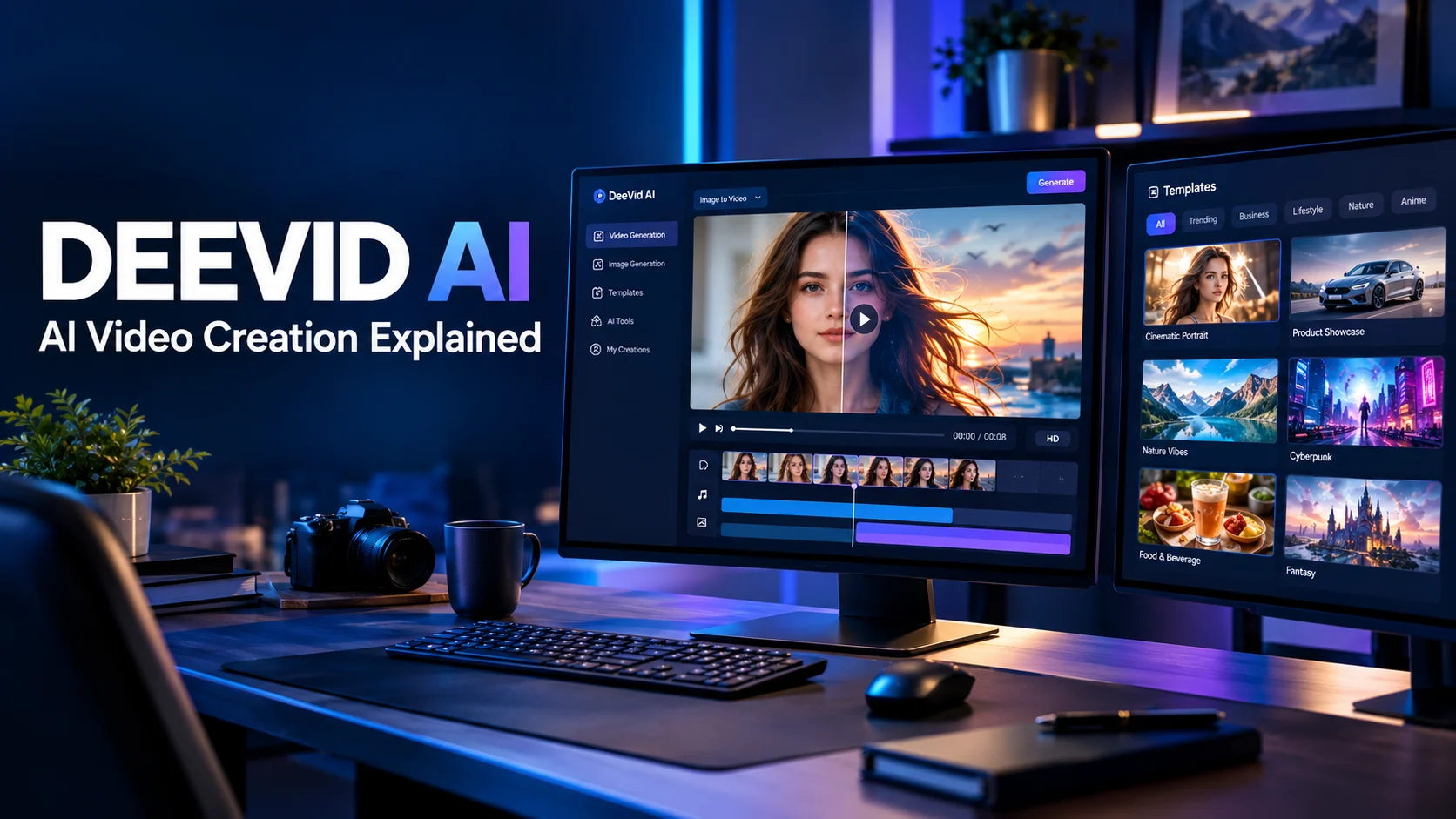
DeeVid AI is an AI-powered content creation platform that generates and edits videos, images, and other creative assets from text prompts, photos, and existing media. It offers tools such as image-to-video, text-to-video, visual effects, and AI-assisted editing, with available features and usage limits depending on the plan and platform.
At a Glance
- What it does: Creates and transforms visual content using generative AI.
- Main features: Text-to-video, image-to-video, image generation, video restyling, templates, and other creative tools.
- Who it serves: Social media creators, marketers, small businesses, and video enthusiasts.
- Free access: The official website advertises free access, with new users receiving a limited number of credits.
deevid.ai+1
- Pricing model: Subscription plans and additional credit purchases, with allowances that vary by plan.
- Main consideration: Check credit consumption, output quality, commercial-use terms, and privacy practices before relying on it for regular production.
What Is DeeVid AI?
8
DeeVid AI is a generative AI platform for creating and modifying digital content. Its official website presents it as an integrated creative workspace for video, images, avatars, voice, music, and AI-assisted production.
Instead of recording every scene manually, users can start with a written idea, an existing photograph, or video footage. The platform then provides AI generation and editing workflows for turning those inputs into new creative assets.
For example, a creator could animate a product photograph, generate a visual scene from a prompt, or restyle an existing clip. A marketer could use these capabilities to develop advertising concepts or social media variations.
DeeVid AI is primarily relevant to people who want to produce visual content without managing every step of a conventional video-production workflow.
However, AI-generated output is not automatically publication-ready. Users still need to review visual consistency, factual accuracy, branding, licensing, and the suitability of the final result.
Who makes DeeVid AI?
The DeeVid AI website operates at deevid.ai. Its mobile application is also listed in major app stores under the DeeVid AI Video Generator name. The Apple App Store identifies the app developer as ALWAYS RISING PTE. LTD.
Be careful not to confuse deevid.ai with similarly named services on other domains. Their product features, prices, and terms may differ.
How Does DeeVid AI Work?
DeeVid AI combines user-provided inputs with generative AI workflows to create or transform content. The exact process depends on the tool selected.
1. Choose your input
Start with one of the supported input types:
- Text prompt: Describe a scene, visual style, subject, or action.
- Image: Supply a photograph or reference image for animation or transformation.
- Video: Use supported editing or restyling tools to modify existing footage.
- Other creative inputs: Certain workflows also support audio or reference material.
The official platform advertises text, photos, video, and audio as inputs across its creative workflows. Specific capabilities depend on the feature being used.
2. Select a generation workflow
Choose the task that matches your goal. Image-to-video works from a still image, while text-to-video begins with a written description.
Other workflows may support image generation, background changes, AI avatars, music, or video restyling. Avoid assuming that every feature is available on every subscription or device.
3. Describe the result you want
For prompt-based creation, explain the subject, action, environment, camera movement, and desired visual style.
For example:
A modern electric car driving along a coastal road at sunset, cinematic tracking shot, natural reflections, realistic motion, warm highlights, and a stable vehicle design.
A specific prompt gives the generation system clearer direction. It cannot guarantee perfect physics, consistent text, or accurate details in every frame.
4. Generate and refine
After generating a result, inspect it for visual problems. If the output needs improvement, adjust the prompt or use available editing and regeneration options.
DeeVid’s app listing describes workflows for modifying prompts, regenerating content, and continuing into editing.
5. Export and publish
Review the available resolution, aspect ratio, watermark conditions, and download options before exporting.
For commercial projects, also confirm that your plan and the applicable terms cover your intended use. A technically successful generation does not automatically establish ownership of every input or output element.
Key Features of DeeVid AI
DeeVid’s feature set extends beyond basic text-to-video generation. The official website and app listings describe several tools for producing, editing, and repurposing visual content.
Animate a still image into a moving clip. This can help turn portraits, travel photos, illustrations, and product images into short videos.
Describe a scene in natural language and use AI to generate a video. The available models, duration, and output settings depend on the selected workflow.
Create promotional concepts and social content from product inputs or preset styles. Check labels, packaging, and product appearance before publishing an advertisement.
Supported workflows can transform existing footage, modify visual elements, or continue editing a generated result. The amount of direct editing control varies by tool.
DeeVid also advertises AI avatar and music-generation features, along with text-to-speech capabilities. Confirm which tools are available on your plan before building a production workflow around them.
These capabilities are described in DeeVid’s own product materials. Their availability and performance should not be treated as independently benchmarked facts.
AI-assisted creative workflow
The official site also promotes a workflow built around an AI agent, a canvas for creating and refining assets, and an editor for finishing content.
This approach is intended to bring several production steps into one environment. Its practical value depends on how reliably the tools work together and whether users can make the detailed edits their projects require.
What Can You Create With DeeVid AI?
The platform’s combination of video generation, image tools, and creative effects makes it relevant to several use cases.
Social media videos
Creators can turn photographs, text prompts, and visual ideas into short-form content for platforms such as TikTok, Instagram Reels, and YouTube Shorts.
Templates may help users experiment with different visual styles. Before publishing, check aspect ratio, clip duration, captions, and the target platform’s content rules.
Marketing and product advertisements
Small businesses can explore AI-generated product scenes, promotional clips, and alternative creative concepts without filming every variation from scratch.
For example, a skincare brand could begin with a product photograph and generate a scene featuring soft lighting and a clean studio environment. A human editor should verify the packaging, logo, product color, and any advertising claims.
Storytelling and concept development
Writers, designers, and independent filmmakers can use text-to-video generation to explore visual interpretations of a scene.
This is useful for storyboards, mood references, and early creative drafts. It should not be confused with a finished production, particularly when continuity and precise character direction matter.
E-commerce content
Online sellers can experiment with animated product images, lifestyle scenes, and promotional assets.
The key limitation is product fidelity. AI may alter the proportions, labels, textures, or other details of an actual item, so generated visuals need close inspection.
Educational and explanatory content
Creators can use generated scenes as supporting visuals for lessons, presentations, or short explainers. They should independently verify facts and avoid presenting invented visual details as evidence of real events.
DeeVid AI Pricing: Plans, Credits, and Hidden Costs
DeeVid AI offers a credit-based subscription model. The official pricing page currently lists three main plans with different credit allowances and output specifications.
The following figures are the prices displayed on the official pricing page when checked on October 18, 2026.
| Plan | Monthly equivalent with annual billing | Credits per month | Advertised output |
|---|---|---|---|
| Lite | $10, billed as $120 annually | 200 | Up to 720p |
| Pro | $25, billed as $300 annually | 600 | Up to 1080p |
| Premium | $119, billed as $1,428 annually | 3,000 | Up to 1080p |
The website also displays higher month-to-month rates. Check the live checkout page for current billing terms, taxes, and applicable regional pricing.
The pricing page advertises up to 40 videos per month on Lite, 120 on Pro, and 600 on Premium. These are estimates supplied by the provider, not guaranteed output counts for every model or generation setting.
Is DeeVid AI free?
DeeVid advertises 20 free credits for new users, described as enough for approximately four videos. Free output is subject to the platform’s current conditions, and the pricing FAQ says free-user videos have watermarks.
A free allowance is useful for testing the interface and reviewing output quality. It is not necessarily enough to evaluate a high-volume commercial workflow.
How do DeeVid AI credits work?
Credits act as usage units for generation. Different models and tasks may consume different amounts, so the number of credits does not translate into a fixed quantity of finished content.
Before buying a plan, check:
- The credit cost for your preferred model and output length.
- Whether failed generations consume credits.
- Whether unused credits expire.
- Whether additional credit packs are available.
- Whether credits are shared between video, image, and audio tools.
- Whether subscriptions renew automatically.
The official pricing FAQ states that subscriptions renew automatically until canceled and that purchased credits have a one-year validity period. It also describes conditions for using remaining credits after cancellation. Read the current terms before relying on these details for budgeting.
What is the real cost per video?
A low monthly subscription price can be misleading if each usable clip requires multiple attempts.
To estimate your effective cost, divide the total monthly spend by the number of videos you successfully generate and actually use. Include extra credit purchases and the cost of editing or correcting flawed results.
For a business, compare the cost of a usable finished asset rather than the cost of a single generation. This provides a more realistic basis for deciding whether the platform fits your budget.
DeeVid AI Benefits and Limitations
DeeVid AI combines multiple creative workflows in one platform. That can reduce the need to move between separate tools, but it does not remove the practical limitations of generative media.
| Potential benefit | Limitation to consider |
|---|---|
| Generates videos from prompts and images | Outputs may contain visual artifacts |
| Offers multiple creative tools | Not every feature is available in every workflow |
| Provides templates for faster experimentation | Templates may limit creative control |
| Supports several output resolutions | Higher resolutions may require a more expensive plan |
| Offers subscription credits and top-ups | Heavy use can increase the effective cost |
| Supports commercial creation on advertised paid plans | Commercial use remains subject to applicable terms and rights |
Where DeeVid AI may struggle
Visual consistency: Faces, clothing, product labels, and background objects can change during generation. This can be especially noticeable across multiple shots.
Prompt interpretation: The model may misunderstand complex instructions or produce a scene that only partially matches the description.
Repeatability: Generating the same prompt twice does not guarantee identical results. Repeated attempts can consume additional credits.
Editing precision: AI generation is not a substitute for detailed timeline editing, compositing, or frame-by-frame correction when a project requires exact control.
Production economics: A subscription may look affordable until you account for unsuccessful generations, credit top-ups, and post-production work.
For casual social media content, these limitations may be manageable. For paid campaigns, client projects, and product demonstrations, review each output against the original brief.
DeeVid AI Privacy and Security
Before uploading photos, footage, voice recordings, or business assets, review the privacy policy and terms for the exact DeeVid service you use.
The Apple App Store listing reports developer-disclosed data practices that may include identifiers used for tracking, device identifiers linked to the user, and information associated with app functionality. Apple notes that these disclosures have not been verified by Apple.
These disclosures do not, by themselves, establish how every web-based feature processes uploaded content. The applicable privacy policy is the appropriate starting point for understanding those practices.
What to check before uploading content
- Data retention: How long does the provider retain uploaded files and generated results?
- Model training: Can submitted content be used to improve or train AI models?
- Deletion: Can you delete uploaded content and account data?
- Third-party processing: Which external providers may receive your content?
- Commercial confidentiality: Are private projects and client materials handled under terms suitable for your work?
- Account cancellation: What happens to stored files and unused credits when your subscription ends?
The platform advertises private creation on its paid plans, but that marketing description should not be interpreted as proof of zero data retention or an independently verified security certification.
If you work with confidential client assets, obtain any necessary approvals and confirm the provider’s data-handling terms before uploading them.
DeeVid AI Alternatives
DeeVid AI is not the only platform for AI-generated video. The right alternative depends on whether you prioritize creative effects, advanced editing, image animation, or integration with an established production workflow.
Consider Runway if you want to explore AI video generation alongside more developed creative-production workflows.
Worth investigating for prompt-based video creation and stylized visual effects, particularly for short creative content.
Compare Kling AI if your main interest is generating video from images or text and exploring realistic motion.
Consider Firefly if you already use Adobe’s creative ecosystem or need AI-assisted tools within a broader design and editing workflow.
These platforms have different capabilities and pricing structures. The descriptions above identify possible alternatives, not a verified ranking of output quality.
Platform comparison
| Platform | Main use case | Pricing approach | Key consideration |
|---|---|---|---|
| DeeVid AI | Integrated AI content creation | Subscription credits and top-ups | Model-specific credit costs |
| Runway | AI video and creative production | Plan-based access; verify current rates | Workflow and feature availability |
| Pika | AI video and creative effects | Check current plans | Effects and generation limits |
| Kling AI | Text-to-video and image-to-video | Check current plans | Output consistency and controls |
| Adobe Firefly | AI-assisted creative production | Plan and credit details vary | Fit with your existing editing workflow |
For a fair comparison, generate similar clips with the same input images, prompts, aspect ratios, and intended use. Then compare quality, cost, editing time, and the amount of correction each result requires.
Who Should Use DeeVid AI?
DeeVid AI may be useful for several audiences.
- Beginners: People who want to experiment with AI video without learning a complex editing workflow first.
- Content creators: Users producing short-form videos, animated photos, and creative social posts.
- Marketing teams: Businesses that need multiple visual concepts for campaigns and advertisements.
- E-commerce sellers: Merchants exploring product-focused visual content, provided they carefully check product accuracy.
- Creative professionals: Editors and designers using AI to explore concepts or produce supporting assets.
It may be less suitable for projects that demand precise frame-level control, guaranteed character continuity, fully predictable production costs, or independently documented enterprise privacy controls.
Before adopting it for a team, test the actual workflow rather than relying solely on feature descriptions.
Common Mistakes to Avoid
- Assuming every model costs the same. Check the credit cost for each generation setting.
- Buying an annual plan too early. Test the service and calculate likely usage first.
- Ignoring automatic renewal. Record your renewal date and cancellation terms.
- Trusting every generated detail. Verify text, product labels, faces, and factual visual claims.
- Assuming commercial rights cover everything. You still need appropriate rights to source images, music, trademarks, and likenesses.
- Uploading sensitive material without checking the policy. Confirm how the service handles and retains your content.
Frequently Asked Questions
1. Is DeeVid AI free to use?
DeeVid AI advertises 20 free credits for new users, described as enough for approximately four videos. Free generations may include watermarks, while paid plans offer additional credits and other benefits. Check the current official pricing page for the latest conditions.
2. Can DeeVid AI turn an image into a video?
Yes. DeeVid AI advertises image-to-video generation that animates still photographs into video clips. Users can also explore text-to-video and other creative workflows, depending on the available features and generation settings.
3. How much does DeeVid AI cost?
The official pricing page lists Lite at $10 per month equivalent, Pro at $25, and Premium at $119 when billed annually. Each plan includes a different credit allowance. Check the live checkout page because prices and offers can change.
4. Can I use DeeVid AI videos commercially?
DeeVid advertises commercial use for its paid plans. However, you should review the current terms and confirm that you have the necessary rights to all source materials, music, likenesses, and other content used in your project.
5. Is DeeVid AI safe for business content?
Its suitability depends on your confidentiality requirements and the provider’s data practices. Review the privacy policy, retention terms, deletion options, and third-party processing arrangements before uploading confidential client files or sensitive business material.
Conclusion
DeeVid AI is a generative content platform for creating and editing videos, images, and other creative assets. Its combination of image-to-video, text-to-video, templates, and additional AI tools may appeal to social media creators, marketers, and small businesses.
The most important factors are output quality, credit consumption, subscription terms, commercial rights, and privacy. Test the free allowance where available, compare the cost of usable results, and verify the specific features you need before committing to a paid plan.

Oliver Wilson is an AI researcher and tech writer living at the intersection of human creativity and machine intelligence. At AixOrbit.com, he decodes complex neural networks, generative AI and emerging tech trends into actionable insights making sure humans stay one step ahead of the algorithms.