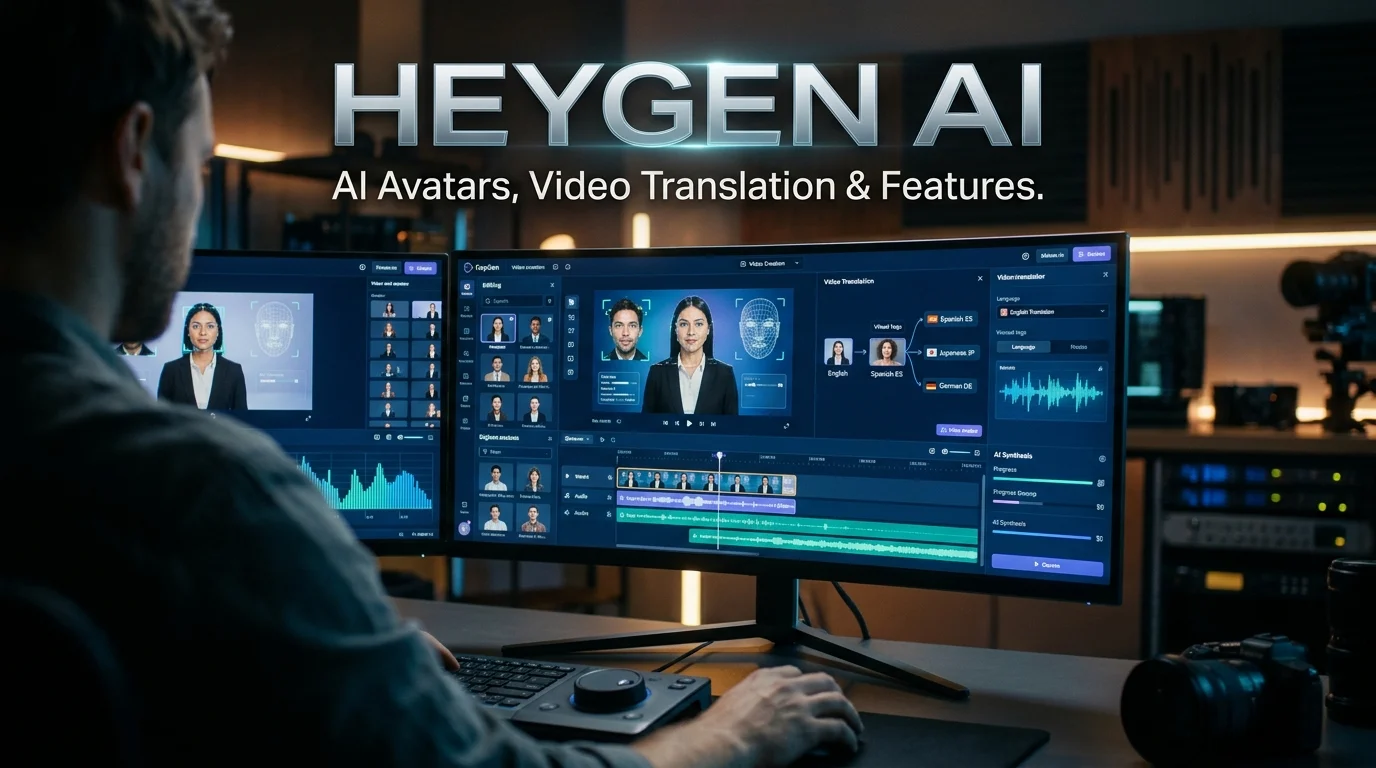
HeyGen AI is an AI-powered video creation platform that generates presenter-style videos, animated digital avatars, voiceovers, and multilingual video translations from scripts, images, and other inputs. It is designed for content creators, marketers, educators, and businesses that want to produce video content without recording every presentation themselves, although pricing limits, editing requirements, and occasional AI errors still matter.
HeyGen AI at a Glance
HeyGen – AI Spokesperson Video Creator
What it does
Creates AI presenter videos, digital avatars, voiceovers, and localized video content.
Best suited for
Marketing teams, educators, creators, sales professionals, and business communications teams.
Key capabilities
AI avatars, voice cloning, script-to-video creation, video translation, and lip synchronization.
Starting price
Free plan available; paid individual plans start at $29 per month on monthly billing.
Language support
HeyGen advertises support for more than 175 languages and dialects on eligible plans, with exact availability varying by feature.
Pricing and feature information checked against HeyGen’s official pages on October 29, 2026. Features and allowances can change. HeyGen+1
What Is HeyGen AI?
Informational and commercial investigation intent
HeyGen AI is a browser-based generative AI video platform that helps people turn written content and visual assets into finished videos featuring digital presenters. Instead of filming every announcement, tutorial, or product explanation, users can create an avatar-led presentation and generate its speech using AI.
The platform is particularly relevant to organizations that produce recurring video content. It can help create employee training materials, product demonstrations, marketing videos, sales presentations, and localized versions of existing content.
HeyGen also supports custom avatars based on a person’s likeness, subject to its consent and creation requirements. Its newer avatar technology aims to reproduce more natural facial expressions, gestures, and vocal delivery.
Unlike a conventional video editor, HeyGen can generate a presenter’s performance rather than simply arranging footage recorded by a human. However, it does not eliminate every production task. Scripts still need editing, translations require review, and complex scenes may need additional creative work.
The platform’s primary appeal is straightforward: create, revise, and localize presenter-led videos without repeatedly organizing camera shoots.
How Does HeyGen AI Work?
HeyGen combines several AI-assisted processes into a single video creation workflow. The exact steps depend on whether you are making a talking-avatar video, animating a photo, or translating an existing recording.
1. Prepare a script or visual input
Write your narration, supply an idea, upload a suitable image, or import an existing video. A clear script usually produces a more coherent result.
2. Choose or create an avatar
Select a stock presenter, create a personal avatar, or use a supported photo-animation workflow. Custom likenesses require appropriate permission.
3. Generate speech and movement
The platform generates or processes speech and coordinates the avatar’s mouth movements, expressions, and gestures according to the selected tool and model.
4. Edit and export
Review the generated footage, adjust the script or scene, check pronunciation and captions, and export using the resolution and format available on your plan.
What happens behind the scenes?
Generative AI models produce or transform media based on the provided inputs. Speech synthesis generates spoken audio, while avatar-generation systems create corresponding visual movement.
For video translation, HeyGen can generate speech in a target language and synchronize the presenter’s mouth movements with that speech. The result is intended to resemble a person speaking the translated language, rather than simply placing subtitles over the original footage.
This process is not a guarantee of perfect realism. Pronunciation, facial motion, translation accuracy, and scene consistency can vary with the input and generation method.
Key Features of HeyGen AI
HeyGen has expanded beyond simple talking-head videos. Its current product combines avatar creation, voice generation, translation, editing, and additional generative video tools.
1. AI avatars and digital twins
HeyGen provides ready-made presenters and options for creating a digital version of yourself. A personal avatar can reproduce aspects of your appearance, voice, and delivery, depending on the creation method.
The platform’s newer Avatar V model uses reference video to capture movement and expressiveness. Avatar IV also supports photo-based animation and other avatar workflows. These models have different capabilities and credit costs, so they are not interchangeable in every situation.
This feature is useful for professionals who need to present regularly but do not want to record every update from scratch.
2. Text-to-video creation
Users can transform a script or idea into an avatar-led video. Depending on the workflow, HeyGen can combine generated speech, visual scenes, and editing tools.
This works particularly well for explainers, product introductions, internal announcements, and educational presentations. It is less suitable when a project depends on spontaneous human interaction or highly specific live-action performances.
3. AI voice generation and cloning
HeyGen offers AI voices and voice-cloning functionality on eligible plans. Voice cloning can help creators maintain a recognizable speaking style across multiple videos.
However, synthetic voices can mispronounce names, abbreviations, and technical terminology. Review pronunciation and pacing before publishing, especially for professional or educational material.
4. Video translation and lip synchronization
Video translation is one of HeyGen’s more distinctive use cases. It can revoice an existing video in another language and synchronize the speaker’s mouth movements with the translated audio.
The platform provides different translation modes. Its documented options include audio-only translation, a Speed mode with lip synchronization, and a Precision mode designed for more complex footage.
One important limitation: translating speech does not automatically translate every graphic, label, or piece of text embedded in the original video. Those elements may require separate editing.
5. Video Agent and creative video tools
HeyGen also offers Video Agent, which helps users build videos from prompts, and access to additional generative media models through supported workflows.
These tools can expand the platform beyond presenter videos, but they use credits differently. A prompt-based video generation task may cost substantially more than a basic avatar presentation, depending on the selected model and settings.
6. Editing, branding, and integrations
HeyGen includes AI Studio for editing generated videos. Paid plans add capabilities such as removing platform branding, higher-resolution exports, and longer video limits.
Business plans also list shared workspaces, brand assets, centralized billing, SSO, and integrations with services such as Zapier, Make, HubSpot, and n8n. These features matter more to teams with repeatable production processes than to occasional individual users.
What Can You Use HeyGen AI For?
The strongest use cases are those in which the message needs a consistent presenter, but traditional filming would add time or cost.
Marketing and social media
Create product explainers, promotional clips, campaign variations, and short educational videos for different audiences.
員工揪團離職竟和「集體訓練」有關?新人訓練做對3件事,就能有效預防-李河泉跨世代溝通學院|商周
Employee training and onboarding
Produce repeatable introductions, compliance explainers, software tutorials, and internal training modules. Review all factual and policy details before distribution.
6 Steps to Transform a Course to Cohort-Based – Teachable → Teachable
Education and online courses
Turn lesson scripts into presenter-led content and update explanations without organizing a new recording session.
Media & Advertising Sales Training Program – Griffin Hill
Sales and customer communication
Prepare product demonstrations, prospect education, onboarding messages, and customer support explainers.
翻訳会社でできること、すべて。多言語からAI融合、画像・PDF対応、そしてトランスクリエーションまで徹底解説!
Multilingual communication
Localize existing training or marketing videos instead of producing a separate live recording for every target language.
A practical example
Imagine an online business that sells accounting software. Its marketing team needs the same product introduction in English, Spanish, French, and Arabic.
With HeyGen, the team could prepare the original presentation, generate a presenter-led video, and translate the footage into the required languages. A reviewer would then check terminology, on-screen graphics, pronunciation, and lip synchronization before publishing.
This workflow could reduce repetitive production work. It would not remove the need for language reviewers or guarantee that every localized version communicates the same meaning.
HeyGen AI Pricing in 2026
HeyGen offers a free plan, paid creator plans, business subscriptions, and enterprise arrangements. The important distinction is that a subscription price does not necessarily represent the cost of every video you can generate.
The following prices are listed in US dollars on the official pricing page as checked on October 29, 2026. Taxes, regional offers, annual billing, and future plan changes may affect the amount you pay.
| Plan | Listed monthly price | Main allowance or benefit |
|---|---|---|
| Free | $0 | 3 videos per month, up to 1 minute each |
| Creator | $29 | 600 credits, up to 1080p export |
| Pro | $49 | 1,000 credits at the entry tier, up to 4K export |
| Business | $149 | 1,500 credits, team features and videos up to 60 minutes |
| Enterprise | Custom | Negotiated usage, administration, and support |
The Creator plan’s annual billing option may reduce its effective monthly cost. Check the checkout page for the current total and commitment period.
The hidden cost: credit consumption
Credits are the most important pricing detail to understand before subscribing.
HeyGen’s published rates for credit-based plans include the following examples:
| Feature | Published credit rate |
|---|---|
| Avatar IV, photo look | 16 credits per minute |
| Avatar IV, video look | 31 credits per minute |
| Avatar V | 48 credits per minute |
| Video translation, audio only | 4 credits per minute |
| Video translation, Speed mode | 6 credits per minute |
| Video translation, Precision mode | 10 credits per minute |
These are standard published rates, and actual usage can vary by account, model, and generation settings. The platform displays the applicable cost before generation.
Consider a two-minute Avatar V video. At 48 credits per minute, it would consume approximately 96 credits before any other chargeable work.
That is a meaningful difference from a workflow that uses a lower-cost avatar engine. Repeated renders, alternative scenes, and additional generative video assets can further increase consumption.
Before choosing a plan, estimate the cost of a finished video, not just its initial generation. Previewing scenes, checking scripts, and correcting pronunciation before rendering can help avoid unnecessary credit use.
Benefits and Limitations of HeyGen AI
HeyGen can simplify video production, but it is not a universal replacement for cameras, editors, or human presenters.
| Benefits | Limitations |
|---|---|
| Reduces the need for repeated recording sessions | Synthetic expressions and gestures can look unnatural |
| Supports multilingual video localization | Translation and pronunciation still need review |
| Offers reusable stock and custom avatars | Advanced generation can consume credits quickly |
| Helps standardize recurring training content | Human creative direction remains important |
| Provides editing and team-oriented features | Higher-tier capabilities may require paid plans |
| Supports video production through browser-based workflows | Output quality depends on the input and selected model |
Where HeyGen performs well
The platform is particularly useful when content follows a repeatable format. A company can update a product explanation, generate a new presenter-led version, and adapt it for another audience without repeating the entire filming process.
It can also make video production more accessible to small teams without dedicated recording studios.
Where it can fall short
AI avatars may show awkward gestures, inconsistent facial expressions, unusual pauses, or imperfect lip synchronization. These problems become more noticeable in close-up shots and high-stakes presentations.
A generated video may also sound polished while containing an inaccurate statement. AI presentation quality is not evidence of factual accuracy, so subject-matter review remains essential.
For brand storytelling, interviews, emotional narratives, or footage requiring authentic human interaction, conventional filming may still be the better choice.
Privacy Security and Responsible Use
HeyGen processes personal and visual information when users upload footage, create avatars, or clone voices. This makes privacy and consent important considerations, particularly for companies and professional creators.
What does HeyGen say about security?
HeyGen’s official security page states that the platform is SOC 2 Type II certified and describes safeguards such as encryption, access controls, security audits, and data-deletion procedures. It also identifies AWS infrastructure in the United States for customer data storage. These are company-published statements, not an independent assessment of every workflow or configuration.
SOC 2 Type II is an assurance framework concerning controls over a defined period. It does not automatically mean that a service offers Zero Data Retention (ZDR), under which data is not retained beyond the specified processing requirements.
Before uploading confidential material, review the current privacy policy, contractual retention terms, subprocessors, and any applicable enterprise agreements. If your organization requires ZDR or specific data-residency arrangements, obtain written confirmation for the exact product and plan.
Can you use AI avatars of other people?
You should have appropriate authorization before creating or distributing a digital likeness of another person. HeyGen requires consent for its video-based Digital Twin workflow and prohibits unauthorized impersonation under its terms.
Responsible use also means avoiding misleading presentations. Disclose synthetic media when required by law, platform rules, or the circumstances in which the video will be viewed.
Is HeyGen AI free for commercial use?
Do not assume that the free plan includes commercial rights. HeyGen’s terms distinguish free-plan output, which is restricted to personal, noncommercial, and internal evaluation purposes, from eligible paid-plan output. Review the current terms before using videos in advertisements, client projects, or monetized content. HeyGen+1
HeyGen AI Alternatives Which Tool Should You Compare?
HeyGen is not the only platform for creating videos with AI presenters. The best alternative depends on whether you need training content, custom avatars, creative video generation, or a conventional editing workflow.
Best to evaluate for structured business videos, training materials, and presenter-led learning content. It offers templates, AI avatars, and dubbing. Its free plan and paid subscriptions use credits and have defined allowances.
Worth comparing when your primary requirement is animating portraits or building talking-avatar experiences. Review its current video limits, watermark rules, and API pricing before committing.
Consider it for creative, cinematic, and generative video workflows rather than choosing it as a direct substitute for every avatar feature. Compare its current models and usage-based costs.
A useful comparison for creators who prioritize transcript-based editing, spoken-content production, and conventional video post-production over lifelike avatar generation.
Comparison at a glance
| Platform | Primary strength | Pricing transparency | Main consideration |
|---|---|---|---|
| HeyGen | AI presenters and multilingual video | Public plan pricing and credit rates | Advanced avatars consume credits |
| Synthesia | Business and training videos | Public plan pricing and credit allowances | Check the included video minutes |
| D-ID | Talking portraits and avatar workflows | Public plans; verify current limits | Check output restrictions and licensing |
| Runway | Generative and cinematic video | Public plans; model usage varies | Not a direct replacement for avatar-led videos |
| Descript | Transcript-based editing | Public plans; feature limits vary | Better suited to editing recorded content |
These are functional comparisons, not results from a controlled benchmark. Pricing and feature availability can change, so compare current official plans before making a purchase.
Common Mistakes to Avoid When Using HeyGen
A few production habits can prevent wasted credits and disappointing results.
- Writing an overly long script. Long narration can sound monotonous. Break complex material into clear sections and use shorter sentences.
- Skipping pronunciation checks. Review brand names, abbreviations, numbers, and technical terms before rendering.
- Assuming translation is fully automatic. Have a fluent reviewer check meaning, terminology, captions, and visual elements.
- Rendering too early. Preview speech and individual scenes before generating the final video, particularly when using expensive avatar models.
- Ignoring credit consumption. Check the cost of the chosen engine and the remaining allowance before generating.
- Using an avatar without permission. Obtain the necessary consent and rights for any person’s likeness or voice.
- Publishing without fact-checking. Review claims, dates, prices, instructions, and any regulated information before distribution.
These practices are particularly important for businesses that produce multiple videos each month. A small improvement in the review process can prevent unnecessary rerenders across an entire campaign.
Who Should Use HeyGen AI?
HeyGen is worth considering if you produce recurring presenter-led videos and need a practical way to scale them.
It may suit:
- Content creators who publish tutorials, explainers, and educational videos.
- Marketing teams that need repeatable product presentations and localized campaigns.
- Educators and trainers who create structured learning materials.
- Sales teams that prepare product demonstrations and customer education.
- International businesses that want to adapt video content for multiple languages.
- Developers and technical teams that want to explore programmatic video generation through an API.
It may be less suitable if your work depends on natural interviews, live performance, highly customized cinematography, or extremely strict control over every facial movement.
For occasional users, the free plan offers a way to explore the workflow. Regular creators should compare the Creator and Pro credit allowances against their actual monthly production needs. Businesses should also evaluate collaboration, access controls, retention terms, and integration requirements.
Latest HeyGen AI Developments in 2026
HeyGen’s product direction increasingly combines digital presenters with more expressive avatar generation and broader AI video creation.
One notable development is Avatar V, announced in September 2026. HeyGen says the model can use a short reference video to reproduce aspects of a person’s movement, gestures, and expressiveness. Avatar IV continues to support photo-based animation and other workflows.
The company also announced Voice Director alongside its Avatar IV updates in October 2026, emphasizing more expressive speech and performance control.
These announcements indicate a shift from basic talking-head generation toward more directed digital performances. However, vendor announcements describe intended capabilities, not independent proof that every output will appear natural.
For buyers, the practical question is whether these newer features improve the specific videos they produce enough to justify their additional credit costs.
Frequently Asked Questions About HeyGen AI
1. Is HeyGen AI free to use?
Yes. HeyGen offers a free plan with three videos per month, each up to one minute long, according to its current pricing page. The free plan has limitations, so check its watermark, export, and usage restrictions before choosing it for a project. HeyGen+1
2. Can HeyGen AI create videos from text?
Yes. HeyGen can turn scripts and prompts into presenter-led videos using AI avatars, generated speech, and supported video creation tools. The available workflow depends on the selected feature, and users should review the output before publishing.
3. Does HeyGen AI support multiple languages?
Yes. HeyGen advertises support for more than 175 languages and dialects across its video and voice features. Video translation can include generated speech and lip synchronization, but language availability and translation quality vary by workflow. HeyGen Help Center+1
4. Is HeyGen AI safe for business use?
HeyGen publishes security information covering SOC 2 Type II, encryption, access controls, and data handling. However, suitability depends on your organization’s requirements. Review retention terms, consent requirements, subprocessors, and contractual privacy protections before uploading sensitive material. HeyGen+1
5. Is HeyGen AI better than Synthesia?
Neither platform is universally better. HeyGen is worth evaluating for digital avatars and multilingual video workflows, while Synthesia is also a strong candidate for structured business and training videos. Compare output quality, credit allowances, language requirements, and team features using your own scripts.
Conclusion
HeyGen AI is a video creation platform for producing digital presenters, voiceovers, and multilingual videos without repeatedly filming a person. Its avatar technology and translation tools make it particularly relevant to content creators, educators, marketers, and businesses that produce videos at scale.
Its main trade-offs are credit-based usage, the need to review generated content, and limitations in synthetic expressions and translation accuracy. Privacy and consent also deserve careful attention when creating digital likenesses.
The most practical approach is to test the free plan, generate a representative sample, and estimate the cost of producing a finished video. Compare that result with competing tools before committing to a subscription.

Oliver Wilson is an AI researcher and tech writer living at the intersection of human creativity and machine intelligence. At AixOrbit.com, he decodes complex neural networks, generative AI and emerging tech trends into actionable insights making sure humans stay one step ahead of the algorithms.