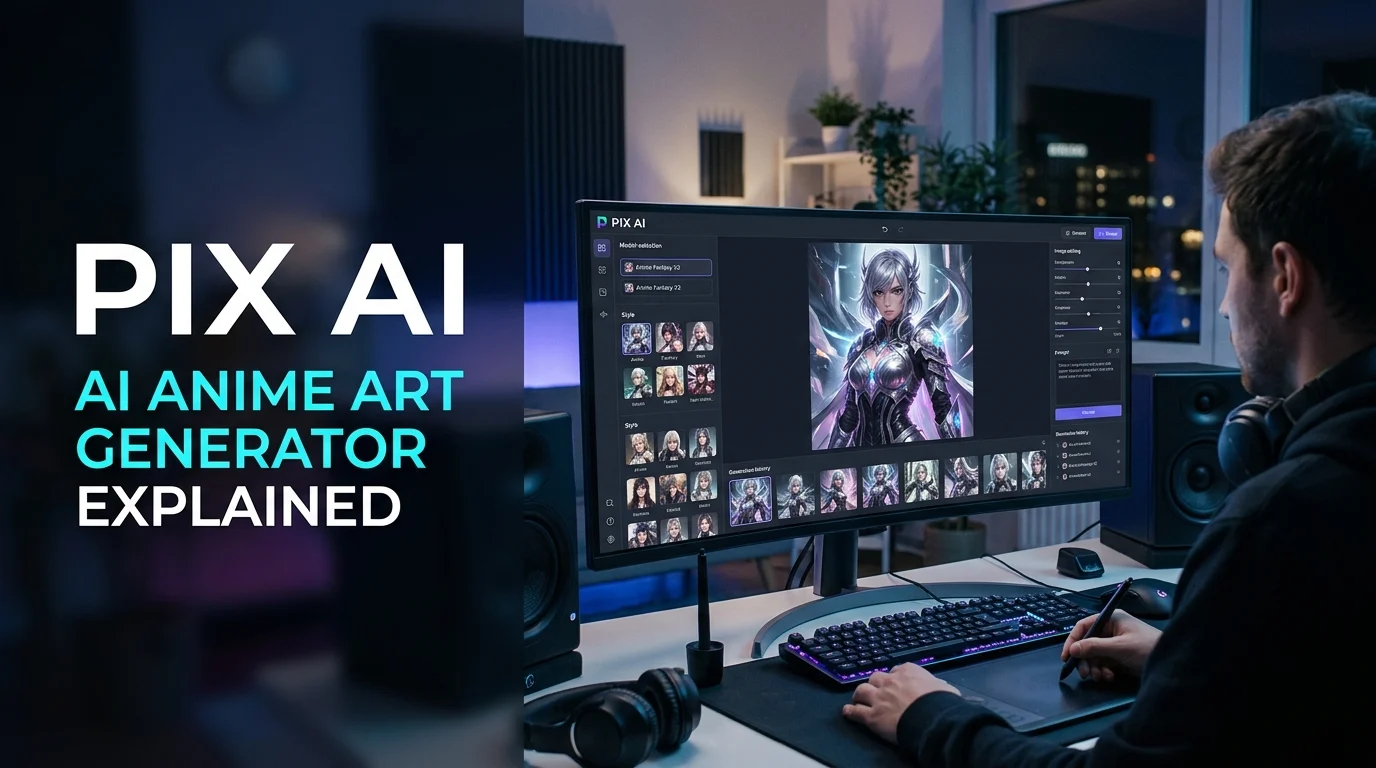
Pix AI commonly refers to PixAI, an AI-powered art creation platform designed for generating anime illustrations, manga-style characters, and other digital artwork from text prompts. It offers community-created models, image editing, character design, and mobile access, with free daily credits and optional paid memberships.
At a Glance: Pix AI
An AI art generation and editing platform focused on anime, manga, and illustration.
Free access
The official platform advertises daily free credits, subject to its current credit and generation rules.
Main features
Text-to-image generation, community models, LoRAs, image editing, upscaling, and animation tools.
Where it works
Web browsers, iOS, and Android.
Best suited for
Anime fans, character designers, illustrators, hobbyists, and digital content creators.
Important consideration
Check model licenses, commercial-use terms, content rules, and privacy settings before using artwork professionally.
What Is Pix AI?
Pix AI is a search term commonly used for PixAI, an AI art platform that transforms written descriptions into digital illustrations. Its main focus is anime-inspired artwork, manga characters, fantasy scenes, stylized portraits, and original character creation.
The official PixAI platform is available at pixai.art. Its tools let users choose generation models, experiment with visual styles, edit existing images, and explore artwork shared by other creators.
Unlike a general-purpose AI chatbot, PixAI concentrates on visual creativity. Users describe an image, select suitable generation settings, and refine the resulting artwork rather than relying entirely on manual drawing.
The platform also supports a community-driven workflow. Users can discover models and LoRAs, which are lightweight model adaptations that influence how generated images look.
A naming clarification matters: “Pix AI” can also refer to other products or websites using similar names. This article focuses on PixAI at pixai.art, the anime and illustration platform. Confirm the domain and app publisher before creating an account or making a payment.
How Does Pix AI Work?
PixAI uses generative AI models to produce images from prompts and other inputs. The exact process depends on the selected model and tool, but the general workflow is straightforward.
1. Write an Image Prompt
Start by describing the image you want. Include the subject, appearance, setting, lighting, mood, and artistic style.
For example:
“An original anime explorer standing in a magical forest, detailed blue clothing, glowing fireflies, soft cinematic lighting, intricate background, expressive eyes.”
A detailed prompt gives the model more direction than a vague instruction such as “make anime art.”
However, a longer prompt does not automatically produce a better image. Clear, consistent descriptions usually work better than contradictory instructions.
2. Choose a Model and Style
PixAI provides a model marketplace with community-created models and LoRAs. These options can influence character appearance, artistic style, composition, and other visual characteristics.
Beginners can start with a suitable general model. More experienced users may prefer specialized models for particular anime aesthetics, character designs, or illustration techniques.
Read each model’s description and licensing information before using it in a commercial project.
3. Generate and Review the Results
Submit the prompt and let the platform process it. Depending on the settings, the generator may produce one or several images.
Inspect the results for facial details, hands, clothing, proportions, background consistency, and unwanted visual elements. You may need several attempts to achieve the intended composition.
4. Refine and Export the Artwork
Use available editing tools to correct specific areas, adjust the composition, or improve image resolution. PixAI’s official materials describe editing, upscaling, and image animation capabilities. Availability can vary by tool, model, or platform version.
Save the finished image and check the applicable usage terms before publishing it.
Key Pix AI Features
PixAI combines image generation with tools for refining artwork and managing creative projects. Its practical value depends on which features you need and how much control you want over the results.
Create anime characters, manga-inspired scenes, fantasy illustrations, avatars, wallpapers, and concept art from text descriptions. The final quality depends on the model, prompt, and generation settings.
Develop characters with distinct appearances, outfits, expressions, and environments. Reference-based workflows and LoRA training can help maintain a recognizable design across multiple images.
Refine existing images, repair selected regions, expand compositions, or upscale artwork where supported. These tools can reduce repetitive manual editing, although they may introduce new visual errors.
Explore specialized models and lightweight adaptations for different art styles. Community resources expand creative options, but their quality, documentation, and licenses are not necessarily uniform.
Turn selected still images into short animated clips using available animation tools. Results depend on the input image and motion-generation capabilities; movement may distort faces, hands, or backgrounds.
These capabilities are described in PixAI’s official product documentation and app information. The exact toolset can change as the platform introduces updates.
What Can You Create With Pix AI?
PixAI is especially relevant to users who want stylized artwork rather than conventional photography or business graphics.
Anime and Manga Characters
Create original protagonists, supporting characters, fantasy heroes, villains, and character portraits. You can experiment with hairstyles, clothing, facial expressions, color palettes, and settings.
For manga creators, generated images can help explore character concepts before investing time in detailed illustrations. They should not automatically be treated as finished, publication-ready comic panels.
Social Media Avatars and Wallpapers
Generate personalized profile pictures, desktop backgrounds, phone wallpapers, and themed illustrations. Adjusting the prompt lets you explore different moods and visual styles without starting every concept from scratch.
Check platform dimensions and image resolution before using artwork in banners, printed materials, or other fixed-size layouts.
Game and Story Concepts
Writers, independent game developers, and tabletop role-playing enthusiasts can use PixAI to explore character appearances, fantasy environments, costumes, and visual references.
It can support early-stage concept development, but a generated image is not a substitute for a complete game asset pipeline. Animation rigs, layered source files, consistent perspective, and production-specific requirements may require additional software or human work.
Creative Experiments
Hobbyists can test different prompts, discover community models, and compare artistic approaches. This experimentation can be useful for learning how descriptive language affects generated images.
When sharing work publicly, distinguish generated artwork from hand-drawn illustrations where that distinction matters to your audience.
Is Pix AI Free? Pricing and Credits Explained
PixAI offers free access with daily credits, alongside paid membership options. Its official website advertises 10,000 free credits per day, although the amount of artwork you can generate depends on the selected model and settings.
Rather than treating the free tier as unlimited image generation, understand how its credit system works.
| Pricing factor | What to know |
|---|---|
| Free credits | The platform advertises daily credits for eligible accounts. |
| Generation cost | Credit usage can vary with model, resolution, and generation settings. |
| Paid memberships | Paid options provide additional credits and access to premium capabilities, according to the platform. |
| Credit balance | Review the account’s credit details and applicable expiration or carryover rules. |
| Mobile subscriptions | Compare app-store and web checkout prices, billing conditions, and cancellation instructions before purchasing. |
Pricing note: Exact membership prices and entitlements are not listed here because they can change. Check the current official pricing page and your account’s checkout screen before paying.
How to Get More Value From Free Credits
- Start with smaller or less expensive generations while testing prompts.
- Choose a model that matches your intended style instead of repeatedly switching models.
- Refine prompts before requesting high-resolution results.
- Check credit consumption before running large batches.
- Review whether a premium feature is necessary for your project.
The biggest pricing mistake is judging value by the number of credits alone. A credit balance means little without knowing how many credits a particular generation consumes.
Before purchasing a membership, check whether unused credits expire, carry over, or remain available after cancellation. Do not assume that all credit types follow identical rules.
Pix AI Privacy and Security: What Should You Check?
Privacy matters when a creative platform processes uploaded images, personal photographs, original character designs, or unpublished commercial concepts.
PixAI’s published privacy policy states that user-uploaded images are not used to train or improve its foundational AI models without explicit user consent. It also describes data handling and security safeguards, while acknowledging that internet-based data transmission cannot be guaranteed completely secure.
That policy is useful, but it does not mean every possible privacy concern disappears.
Before Uploading Images
Consider these precautions:
- Remove sensitive information. Avoid uploading identity documents, private photographs, confidential client files, or other material the service does not need.
- Check consent requirements. Obtain permission before uploading someone else’s image, particularly when the image is private or intended for commercial work.
- Review publishing settings. Understand whether your creations, prompts, or model configurations will be visible to other users.
- Read the current privacy policy. Check how long data may be retained, how account deletion works, and what information is shared with service providers.
- Use official access points. Visit PixAI’s official website or follow its official app links rather than installing unfamiliar copies.
Does PixAI Guarantee Zero Data Retention?
No such conclusion should be drawn from its general privacy statements. A policy about using uploaded images for foundation-model training is not the same as a guarantee that every uploaded file, prompt, or associated record is deleted immediately.
Likewise, a security statement does not establish SOC 2 certification or prove that a service meets every organization’s compliance requirements. Businesses handling confidential material should evaluate the current contractual terms and technical safeguards directly.
Can You Use Pix AI Images Commercially?
Commercial use requires more care than downloading an image for personal enjoyment.
PixAI’s published materials describe generated images as usable by their creators, subject to its terms. The service’s terms also distinguish between generated content, uploaded content, and third-party user content. Its image generator page notes that commercial use is subject to the Terms of Service and attribution requirements.
Before using an image to sell merchandise, illustrate a book, promote a brand, or support a paid client project, consider four separate questions.
- Platform permission: Does your current account or membership permit the intended commercial use?
- Model licensing: Does the selected model or LoRA impose additional restrictions?
- Third-party rights: Does the image reproduce protected characters, logos, artwork, or recognizable people in a way that creates legal concerns?
- Ownership and protection: What rights can you claim over the final image in the relevant jurisdiction?
Permission to use an image commercially does not automatically guarantee copyright protection or eliminate infringement risks. Laws concerning AI-generated works differ across jurisdictions, and the details of how an image was created may matter.
For a commercial project, save the relevant terms and model-license information at the time you generate the artwork. Seek qualified legal advice when the work has significant financial or reputational consequences.
Pix AI Advantages and Limitations
PixAI offers a focused workflow for image creation, but its suitability depends on the job.
| Advantages | Limitations |
|---|---|
| Anime-focused models and illustration styles | Results may require multiple attempts |
| Daily free credits for experimentation | Credits can restrict high-volume use |
| Character creation and image editing tools | Character consistency is not guaranteed |
| Browser and mobile access | Complex workflows may be easier on a desktop |
| Community models and LoRAs | Quality and licenses vary between community resources |
| Upscaling and image animation options | Enhancement and animation can introduce artifacts |
Where PixAI Can Struggle
Anatomy and fine details: Generative models can produce inconsistent hands, jewelry, text, and overlapping objects. Review important details instead of assuming the output is correct.
Character consistency: Two generations of the same character may differ in facial structure, clothing, or proportions. Reference images and suitable LoRAs can help, but they do not guarantee identical results.
Prompt interpretation: A model may ignore parts of a long prompt or combine conflicting instructions. Simplifying the description and changing one variable at a time can make troubleshooting easier.
Professional production requirements: A flattened image may not meet requirements for editable vector art, layered illustration files, print-ready color management, or game-engine integration.
The practical lesson is that PixAI can accelerate concept creation, but output quality still needs human review.
Pix AI Alternatives: How Does It Compare?
PixAI is one option in a wider AI image-generation market. The right alternative depends on whether you prioritize anime styles, general-purpose image generation, artistic control, or a professional design workflow.
Offers community models, character workflows, image editing, and anime-oriented generation. Its credit system and community model licenses deserve attention.
For stylized images and visual exploration
Worth evaluating for cinematic scenes, concept art, and distinctive visual compositions. Compare its current subscription terms and controls with your needs.
For design and editing workflows
Consider it when image generation needs to fit into an established design process. Check the terms of the specific Firefly tool and plan you intend to use.
For model experimentation and customization
Relevant to creators who want to explore compatible models and different generation interfaces. Hardware needs, licenses, and setup complexity vary by implementation.
For broader creative asset generation
An alternative to investigate for character concepts, visual assets, and image workflows. Compare its current generation limits, available tools, and usage terms.
These are practical alternatives to evaluate, not a claim that all platforms have identical capabilities or pricing.
AI Art Platform Comparison
| Platform | Target user | Pricing transparency | Main consideration |
|---|---|---|---|
| PixAI | Anime artists and character creators | Free credits and paid options; verify current checkout | Credit consumption and community licenses |
| Midjourney | Digital artists and concept creators | Subscription details published online | Workflow and plan restrictions |
| Adobe Firefly | Designers and creative teams | Plan-dependent; check current pricing | Feature and license terms vary |
| Stable Diffusion | Technical creators and artists | Depends on software, hosting, and model | Setup, hardware, and model licensing |
| Leonardo AI | Illustrators and asset creators | Plan-dependent; check current pricing | Generation limits and usage rights |
For additional discovery, Hugging Face is useful for exploring available machine-learning models, while Product Hunt can help surface newer creative products. These directories are discovery resources, not guarantees of quality, licensing, or security.
Who Should Use Pix AI?
PixAI may be a good fit if your main goal is generating anime illustrations and experimenting with character designs.
- Anime fans: Create personalized avatars, wallpapers, and fan-inspired artwork while respecting applicable intellectual property rules.
- Hobbyist artists: Explore new styles and use generated images as references for further creative work.
- Character designers: Test different appearances, costumes, and environments before finalizing a design.
- Writers and game developers: Build early visual concepts for stories, role-playing games, and fictional settings.
- Social media creators: Produce illustrations for posts and creative projects, subject to usage rights and platform requirements.
It may be less suitable for teams that require guaranteed visual consistency, extensive editable source files, strict enterprise controls, or documented compliance assurances.
If you are a beginner, start with free credits and a simple project. If you are an experienced creator, evaluate the model marketplace, editing options, and licensing conditions before committing to a paid workflow.
Common Pix AI Mistakes to Avoid
Small workflow changes can make AI-generated artwork more useful and reduce unnecessary credit consumption.
Writing Vague Prompts
A prompt such as “beautiful anime character” leaves many details unspecified. Describe the subject, pose, setting, lighting, and intended style to guide the result.
Changing Too Many Settings at Once
When a generation looks wrong, adjust one or two variables at a time. This makes it easier to understand whether the model, prompt, or settings caused the problem.
Ignoring Model Licenses
A community model may have conditions that differ from the platform’s general terms. Check its license before using its output in a paid product or client deliverable.
Assuming Free Means Unlimited
Daily credits are not the same as unlimited generation. Check the cost of the selected model and resolution before running repeated batches.
Uploading Sensitive Material Without Reviewing the Policy
Avoid sharing confidential images or unpublished work until you understand the platform’s applicable data practices, publication settings, and deletion procedures.
FAQs About Pix AI
1. What is Pix AI used for?
Pix AI commonly refers to PixAI, a platform for generating and editing AI artwork. It is particularly focused on anime illustrations, manga-style characters, fantasy art, avatars, and creative concept images.
2. Is Pix AI free to use?
PixAI offers daily free credits for image generation, alongside paid memberships. The number of images you can create depends on credit consumption, model selection, and generation settings. Check the official website for current limits and membership details.
3. Is Pix AI safe to use?
PixAI publishes a privacy policy describing its data practices and security safeguards. Users should still review the current policy, avoid uploading sensitive material unnecessarily, and verify the authenticity of the website or mobile app they use.
4. Can I use Pix AI-generated images commercially?
Commercial use depends on the applicable platform terms, account or membership conditions, and any relevant model licenses. Users should also consider copyright, trademark, and other third-party rights before selling or publishing generated artwork.
5. Does Pix AI have a mobile app?
Yes. PixAI offers official iOS and Android apps, as well as browser-based access. Its app information describes image generation, editing, community models, and other creative tools, although individual features may vary by version.
Conclusion
PixAI is an AI-powered art platform built around anime illustrations, character design, and creative image generation. Its daily free credits, community models, editing tools, and mobile apps make it worth exploring for users interested in anime-inspired artwork.
The main considerations are credit costs, model licensing, output consistency, and privacy. Start with a small project, test the available tools, and check the current terms before paying or using generated images commercially.
For casual creators, PixAI can be a practical way to turn written ideas into visual concepts. Professional users should also consider how much editing, legal review, and quality control their projects require.

Oliver Wilson is an AI researcher and tech writer living at the intersection of human creativity and machine intelligence. At AixOrbit.com, he decodes complex neural networks, generative AI and emerging tech trends into actionable insights making sure humans stay one step ahead of the algorithms.