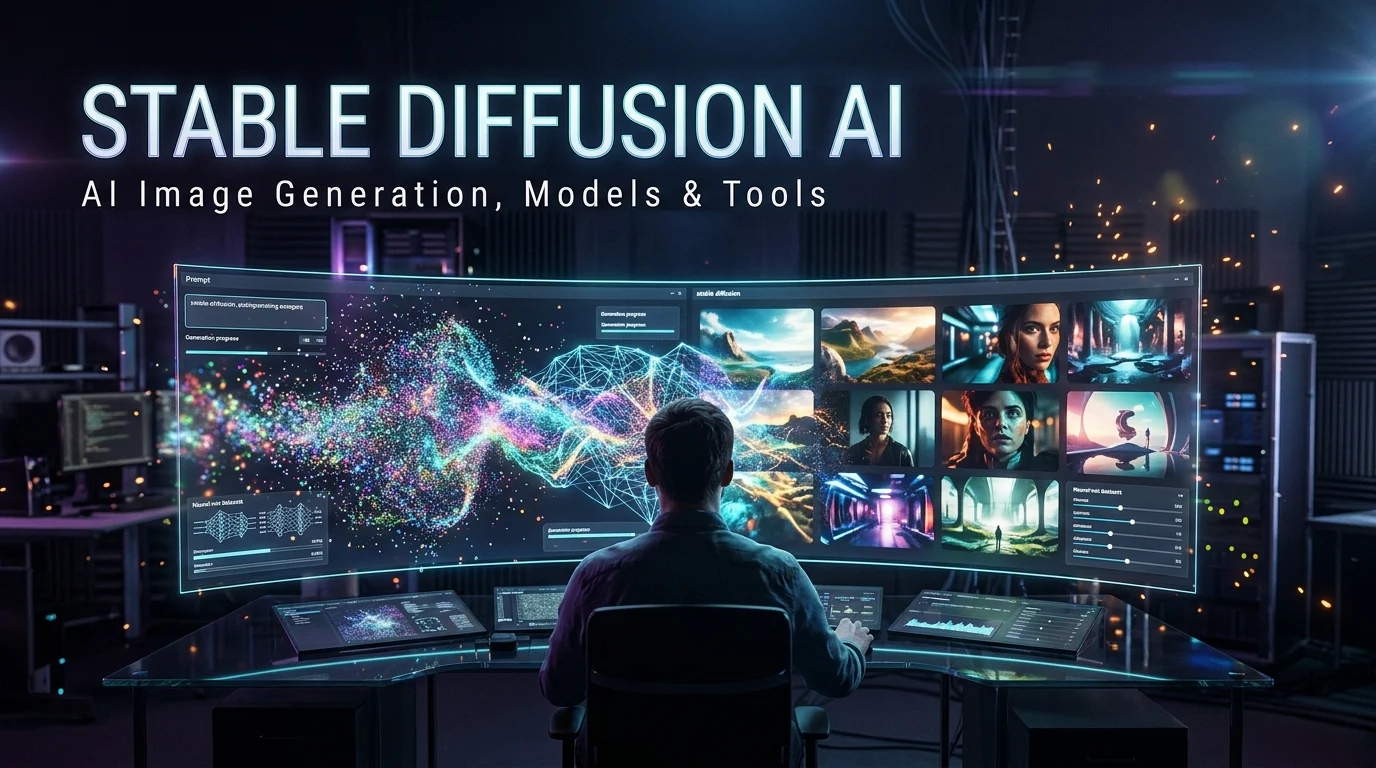
Stable Diffusion AI is a family of generative AI image models that creates and edits images from text prompts and visual inputs. Developed by Stability AI and research collaborators, it supports workflows ranging from browser-based image generation to customizable local installations, with model licensing, hardware requirements, and output quality varying by version.
Stable Diffusion AI at a Glance
Generates and edits digital images using text prompts, image inputs, and other supported controls.
Digital art, marketing visuals, concept design, illustrations, product mockups, and image editing.
Online image-generation services, APIs, or local interfaces running compatible models.
Some models can be downloaded without a purchase fee under their applicable licenses. Hosted services and APIs may charge for usage.
A flexible ecosystem of model variants, community tools, custom workflows, and image-generation controls.
What Is Stable Diffusion AI?
Stable Diffusion AI is a family of generative image models associated with Stability AI. The models can create images from written descriptions and, depending on the version and workflow, transform existing images, modify selected regions, or follow visual references.
For example, you could enter a prompt describing a futuristic city at sunset, a minimalist product photograph, or a watercolor illustration. The model uses learned visual patterns to generate an image that approximates the requested scene.
Stable Diffusion became notable because model weights and supporting code for several releases were made available for downloading and customization. This gave developers and artists more control over image generation than many closed, hosted-only tools offered.
However, Stable Diffusion is not one website or one fixed model. It refers to a broader family of models and an ecosystem of interfaces, fine-tunes, extensions, and hosted services.
That distinction matters when choosing a tool. One service may provide a simple prompt box, while another gives you detailed control over sampling, model selection, image composition, and local processing.
How Does Stable Diffusion AI Work?
Stable Diffusion uses a type of generative machine learning called diffusion modeling. Rather than assembling an image from a database of finished pictures, the model learns statistical patterns that help it generate new visual content.
1. It interprets the prompt
A text encoder converts your description into a representation the image-generation model can use. The wording, relationships between objects, and level of detail can influence the final composition.
For example, “a red bicycle beside a brick wall at golden hour” gives the model several distinct visual elements to represent.
2. It starts with noise
In a typical text-to-image workflow, generation begins with a random noise representation. The model progressively transforms that representation toward an image consistent with the prompt.
Many Stable Diffusion models perform this process in a compressed representation called latent space. This approach reduces the computational work compared with processing every pixel directly at each step.
3. It progressively creates the image
A process called sampling or denoising moves the representation toward a result. The sampler, number of steps, guidance settings, and model architecture can affect image quality, composition, and generation time.
More steps do not automatically produce a better result. Different models respond differently to these settings, so practical testing matters more than blindly increasing every value.
4. It decodes the final image
A decoder converts the final latent representation into a viewable image. The result can then be saved, edited, upscaled, or passed into another image-processing workflow
Conceptual illustration of the diffusion process, from noise to a generated image.
What is a seed in Stable Diffusion?
A seed is a number used to initialize the random starting point for generation. Reusing a seed with the same model, prompt, and settings can help reproduce a similar result.
Reproducibility is not always exact across different software versions, hardware configurations, or generation implementations. Save the model name, prompt, seed, and settings when consistency matters.
Stable Diffusion AI Models Which Version Should You Choose?
Not every Stable Diffusion model behaves the same way. Different releases vary in image quality, prompt interpretation, hardware requirements, speed, and licensing.
Stable Diffusion 3.5
The Stable Diffusion 3.5 family includes Large, Large Turbo, and Medium variants. Stability AI introduced the family in October 2024, with Medium following later that month.
- Stable Diffusion 3.5 Large: An option for users prioritizing detailed image generation and prompt adherence.
- Stable Diffusion 3.5 Large Turbo: A variant designed to generate images in fewer steps.
- Stable Diffusion 3.5 Medium: A smaller model family intended to balance quality, customization, and computational demands.
These are different trade-offs rather than a universal ranking. Test the variants against your own prompts before choosing a production model.
Stable Diffusion XL (SDXL)
SDXL 1.0 is an earlier generation that remains relevant in established workflows. It has a large ecosystem of compatible checkpoints, LoRAs, extensions, and community tutorials.
Its continued availability can make it useful for creators who already have SDXL-based projects. However, a newer model may perform better on some prompts, so compatibility and output quality should both inform your decision.
Stable Diffusion 1.5 and 2.x
Older Stable Diffusion releases remain important to the community because many custom models and workflows were built around them. They can be useful for experimentation, legacy projects, and specialized styles.
Their age also matters. Older models may struggle with some complex prompts, text rendering, anatomy, or modern production requirements. Check each model’s license and compatibility before using it commercially.
How to choose the right model
| Your priority | What to evaluate |
|---|---|
| High-detail images | Large models and representative quality tests |
| Faster generation | Turbo or other distilled variants |
| Lower hardware demands | Smaller models and supported optimizations |
| Existing community workflows | Compatibility with your checkpoints and extensions |
| Consistent brand imagery | Fine-tuning options, reference controls, and reproducibility |
| Commercial deployment | The exact model license and your organization’s eligibility |
The model name alone is not enough. Check the official model card, supported resolution, hardware requirements, and license before installing or deploying a checkpoint.
Key Features of Stable Diffusion AI
Stable Diffusion’s appeal comes from its flexible generation and editing ecosystem. The exact feature set depends on the model and interface.
Text-to-image generation
This is the standard workflow. Describe a subject, setting, style, composition, and lighting, then generate one or more image variations.
For example:
A premium product photograph of a matte black wireless headphone on a sculpted stone pedestal, soft studio lighting, subtle reflections, neutral background, realistic materials, commercial photography.
Specific details help guide the composition, although the model may not follow every instruction perfectly.
Image-to-image generation
Image-to-image uses an existing image as a starting point. You can use it to explore alternative art styles, redesign a concept, or create variations of an initial composition.
A setting often called denoising strength controls how much the output can change. Lower values generally preserve more of the input, while higher values allow greater transformation.
Inpainting and outpainting
Inpainting modifies a selected area of an image. You might replace an object, change a background detail, or correct a visual element.
Outpainting extends an image beyond its original borders. It can help expand a landscape, create a wider banner, or adapt artwork to a new aspect ratio.
These functions usually require an interface or model workflow that supports them.
ControlNet and reference-based control
ControlNet-style workflows use additional guidance, such as an edge map, pose skeleton, or depth map, to influence image composition.
This is particularly useful when a project needs consistent positioning or a specific pose. Stability AI has also released ControlNet-related components for Stable Diffusion 3.5 Large.
Compatibility is important. A ControlNet model designed for one architecture may not work with another.
LoRA and custom fine-tuning
A Low-Rank Adaptation model, commonly called a LoRA, adds specialized learned behavior to a compatible base model. Creators use LoRAs to influence styles, characters, objects, or visual concepts without replacing the entire base model.
A LoRA is not automatically compatible with every Stable Diffusion version. Check its intended base model, license, and usage instructions before combining it with another checkpoint.
What Can You Create With Stable Diffusion AI?
Stable Diffusion is useful across creative, commercial, and technical workflows.
Digital art and concept design
Explore characters, environments, mood boards, game assets, and visual directions before committing to a final design.
Marketing and advertising
Produce concept visuals, campaign drafts, social media artwork, and product-scene variations. Check packaging, labels, and fine details manually.
Architecture and interior design
Explore visual styles and interior concepts using reference images. Treat generated imagery as visualization, not verified construction documentation.
Illustration and publishing
Develop artwork concepts, background illustrations, and visual variations for books or digital publications. Review rights and consistency before commercial release.
Custom creative pipelines
Integrate image generation into batch workflows, editing tools, or applications that require repeatable visual outputs.
A real-world workflow example
Imagine a small online retailer preparing a seasonal product campaign. The designer begins with a product photograph and generates several background concepts using image-to-image tools.
The team then selects the most suitable scene, refines the composition, and uses inpainting to correct selected areas. Before publishing, the designer checks product accuracy, typography, shadows, and any legal requirements.
This workflow can speed up concept exploration. It should not replace product photography when exact physical details must remain accurate.
How Much Does Stable Diffusion AI Cost?
Stable Diffusion does not have one universal subscription price. Costs depend on whether you run a model locally, use a hosted generation platform, or access an API.
Local installation: model access without per-image fees
Some Stable Diffusion models can be downloaded and run on compatible hardware without paying a per-image generation fee. You still need to account for electricity, storage, hardware, installation, and maintenance.
Stability AI’s current Community License covers specified Core Models, including the Stable Diffusion 3.5 family, with commercial-use eligibility tied to the license terms. Its published terms generally allow eligible individuals and organizations with annual revenue below US$1 million to use covered models commercially without a model license fee. Organizations exceeding the threshold may need an Enterprise License.
Do not assume every model called Stable Diffusion has the same license. Older releases, third-party checkpoints, fine-tunes, and community downloads may have different terms.
Hosted services and APIs
Hosted services handle the computing infrastructure for you. They may charge per image, through credits, or with a subscription.
Stability AI’s developer pricing page lists credit-based rates for services including Stable Diffusion 3.5 Large, Large Turbo, and Medium. Those rates can change, and the amount charged depends on the service and selected operation.
Other platforms may offer different pricing and access to different models. Check whether credits expire, whether failed generations consume credits, and whether commercial use is permitted.
What is the cheapest option?
The answer depends on your volume and hardware.
| Usage pattern | Option to evaluate | Main cost consideration |
|---|---|---|
| Occasional experimentation | Free hosted tiers, where available | Daily limits and watermarks |
| Frequent personal creation | Local installation | Hardware and electricity |
| Professional design work | Local or paid hosted tools | Editing time and generation volume |
| Automated image production | API or self-hosted deployment | Compute, scaling, retries, and maintenance |
| Large commercial operation | Enterprise or self-hosted arrangements | Licensing, support, and infrastructure |
A free model download does not mean the entire workflow is free. Likewise, a paid service can be more economical if it saves substantial setup and maintenance time.
How to Use Stable Diffusion AI
If you are new to Stable Diffusion, start with a hosted interface or a guided local installation. A hosted tool is generally easier to try, while a local setup offers more control.
Option 1: Use a hosted image generator
Choose a service that clearly identifies the model it uses. Enter your prompt, select the available image settings, generate a few variations, and refine the strongest result.
This route is convenient if your computer lacks a suitable graphics processor. However, your images and prompts may be processed by the service provider, so review its privacy and retention policies.
Option 2: Run a local interface
Experienced users can explore interfaces such as ComfyUI or AUTOMATIC1111 Stable Diffusion WebUI.
ComfyUI uses connected nodes to create configurable image-generation workflows. AUTOMATIC1111 offers a browser-based interface with text-to-image, image-to-image, inpainting, and other extensions or processing features.
Before installation:
- Check the model’s minimum hardware requirements.
- Confirm that your Python, GPU, and software versions are compatible.
- Download model files from trusted sources.
- Review extension permissions and installation instructions.
- Keep checkpoints and large files organized so you can switch models easily.
A local setup may provide greater privacy because processing can happen on your own machine. That does not automatically guarantee privacy if you install untrusted extensions or connect to external services.
Stable Diffusion AI Alternatives
Stable Diffusion is one option among several image-generation systems. The right alternative depends on your desired output, editing controls, budget, and tolerance for technical setup.
Worth considering if you prefer a managed creative service with a streamlined workflow. Check current subscription requirements, usage allowances, and image privacy options.
Consider it for creative workflows connected to Adobe’s editing ecosystem. Review the terms, feature availability, and plan-specific generative credit allowances.
A relevant model family to test when comparing prompt adherence, image quality, and customizable generation workflows. Available weights and licensing vary by model.
An alternative for users who want prompt-based image creation through supported OpenAI products and APIs, without managing a local Stable Diffusion installation.
| Tool | Target user | Key strength | Pricing transparency | Main limitation |
|---|---|---|---|---|
| Stable Diffusion | Creators, developers, technical users | Customization and local workflows | Model licenses and hosted rates vary | Setup and compatibility can be complex |
| Midjourney | Digital artists and designers | Managed creative workflow | Subscription-based plans | Less control over the underlying system |
| Adobe Firefly | Creative professionals | Integration with Adobe tools | Plans and credits vary | Feature access depends on subscription |
| FLUX | Creators and developers | Multiple model and deployment options | Varies by model and provider | Licensing and hosting differ |
| OpenAI image generation | General users and developers | Integrated prompt-based generation | Product and API pricing vary | Less direct control over model weights |
This comparison describes broad product differences rather than a benchmark ranking. For professional work, generate the same sample images with each candidate and compare composition, editing effort, rights, and total cost.
Privacy Copyright and Responsible Use
Stable Diffusion raises several practical questions about image ownership, training data, and the handling of personal information. The answers depend on the model, its license, the service you use, and applicable law.
Can you use Stable Diffusion AI images commercially?
Commercial use may be permitted under the applicable model license. For covered Stability AI Core Models, the Community License provides commercial-use terms for eligible users and businesses, while organizations above the stated revenue threshold may need an Enterprise License.
However, three separate issues matter:
- Model licensing: Does the license permit your intended commercial use?
- Third-party rights: Does the generated image infringe a person’s likeness, a trademark, copyright, or another protected right?
- Platform terms: Does your hosting provider impose additional restrictions?
Permission to use a model does not automatically resolve every copyright question surrounding its outputs. For valuable commercial projects, keep records of the model version, license, prompt, and any editing or reference assets used.
Is Stable Diffusion AI private?
Local generation can keep prompts and images on your computer when the workflow runs entirely offline. Hosted services and APIs may process data on external infrastructure.
If you are working with unreleased products, client assets, or personal photographs, check the service’s data retention, training-use, and deletion policies. Also review any extensions or integrations that may transmit data elsewhere.
What about deepfakes and misleading images?
Image generation can be misused to create deceptive imagery or non-consensual depictions. Avoid generating or distributing intimate imagery of real people without consent, impersonating individuals to mislead others, or creating fabricated evidence.
For commercial publishing, consider disclosing synthetic imagery when it could reasonably mislead viewers. Follow the applicable laws and platform policies for your intended use.
Common Stable Diffusion AI Problems and How to Fix Them
Even experienced users need to refine prompts and settings to get reliable results.
| Problem | Likely cause | Practical fix |
|---|---|---|
| Incorrect hands or anatomy | Difficult pose or insufficient model capability | Simplify the pose, generate variations, or correct the area with inpainting |
| Misspelled text | Image models can struggle with exact typography | Add text in a graphic editor or use a model with suitable text-rendering capabilities |
| Prompt ignored | Conflicting instructions or model limitations | Put the main subject first and remove contradictory details |
| Inconsistent characters | Different seeds, models, or compositions | Use compatible reference tools, a consistent model, and controlled settings |
| Slow generation | Limited compute or demanding settings | Reduce resolution or steps, or use a suitable faster variant |
| Out-of-memory errors | Insufficient GPU memory | Lower resolution, reduce batch size, or choose a smaller model |
| Poorly matched extensions | Incompatible model architecture | Verify the extension and checkpoint requirements |
A good workflow focuses on iteration rather than writing an excessively long prompt. Start with the essential subject and composition, then refine lighting, style, background, and smaller details.
Latest Stable Diffusion AI Developments
As of October 2026, Stable Diffusion remains part of a wider Stability AI ecosystem that includes image, audio, and other generative media models.
Stable Diffusion 3.5 remains a key model family
Stability AI continues to list Stable Diffusion 3.5 Large, Large Turbo, and Medium among its Core Models. The company’s current licensing documentation identifies which models are covered by its Community and Enterprise arrangements.
For users, the key point is to verify the exact model version before downloading it. A model’s appearance in a community workflow does not establish its licensing terms or compatibility with other components.
More ways to deploy and customize models
Stability AI has also highlighted deployment options such as NVIDIA NIM for enterprise inference and access to model weights through Hugging Face. These options support different approaches to local experimentation and managed infrastructure.
Meanwhile, tools such as ComfyUI continue to make complex, node-based workflows accessible to users who want more control over generation.
For technical teams, the direction is clear: model choice is only one part of the decision. Workflow reproducibility, GPU costs, licensing, extension compatibility, and deployment requirements also shape the overall result.
Who Should Use Stable Diffusion AI?
Stable Diffusion may be a good fit if you want to create custom images and control how they are generated.
- Digital artists: Explore styles, compositions, and concept variations.
- Designers: Develop visual drafts and marketing concepts.
- Content creators: Generate blog illustrations, thumbnails, and social media assets.
- Developers: Build image-generation applications and automated workflows.
- Researchers: Experiment with model behavior, fine-tuning, and image synthesis.
- Businesses: Evaluate custom generation pipelines when licensing and infrastructure requirements are manageable.
It may be less suitable if you need a completely managed service, guaranteed typography, exact product details, or consistently accurate results without manual editing.
Beginners should start with a hosted tool or guided interface. Advanced users may prefer local execution for greater control over models and generation settings.
Frequently Asked Questions About Stable Diffusion AI
1. Is Stable Diffusion AI free to use?
Some Stable Diffusion models can be downloaded and run without a purchase fee. However, hardware, hosted services, and API usage may cost money. Commercial use also depends on the specific model license and your eligibility under its terms.
2. Can Stable Diffusion AI run on a normal computer?
Yes, if the computer meets the requirements of the selected model and software. Local generation typically benefits from a compatible GPU with sufficient memory, although hardware requirements vary. Hosted services are an alternative if your computer cannot run the model comfortably.
3. Can I use Stable Diffusion AI images commercially?
Commercial use is permitted under certain model licenses, subject to their conditions. You should check the exact model’s license, any third-party rights affecting the image, and the terms of the platform you use. Do not assume all community models have identical permissions.
4. What is the difference between Stable Diffusion and SDXL?
Stable Diffusion refers to a family of generative image models, while SDXL is a specific model family introduced as a later generation than Stable Diffusion 1.x. SDXL has its own model requirements and ecosystem of compatible checkpoints and extensions.
5. What is the best interface for Stable Diffusion AI?
The right interface depends on your experience and workflow. ComfyUI suits users who want node-based control over complex generation pipelines, while AUTOMATIC1111 offers a browser-based interface with familiar image-generation and editing controls. Beginners may prefer a hosted service.
Conclusion
Stable Diffusion AI is a flexible family of image-generation models that can turn text prompts and visual references into original artwork. Its main strengths are customization, a broad community ecosystem, and the option to run compatible models locally.
The trade-offs include hardware requirements, technical setup, inconsistent output details, and model-specific licensing. Hosted services simplify access but may introduce recurring costs and additional data-handling considerations.
Start by identifying your creative goals, selecting a compatible model, and testing a small set of prompts. Before commercial use, verify the model license, check image rights, and calculate the full cost of your workflow.

Oliver Wilson is an AI researcher and tech writer living at the intersection of human creativity and machine intelligence. At AixOrbit.com, he decodes complex neural networks, generative AI and emerging tech trends into actionable insights making sure humans stay one step ahead of the algorithms.