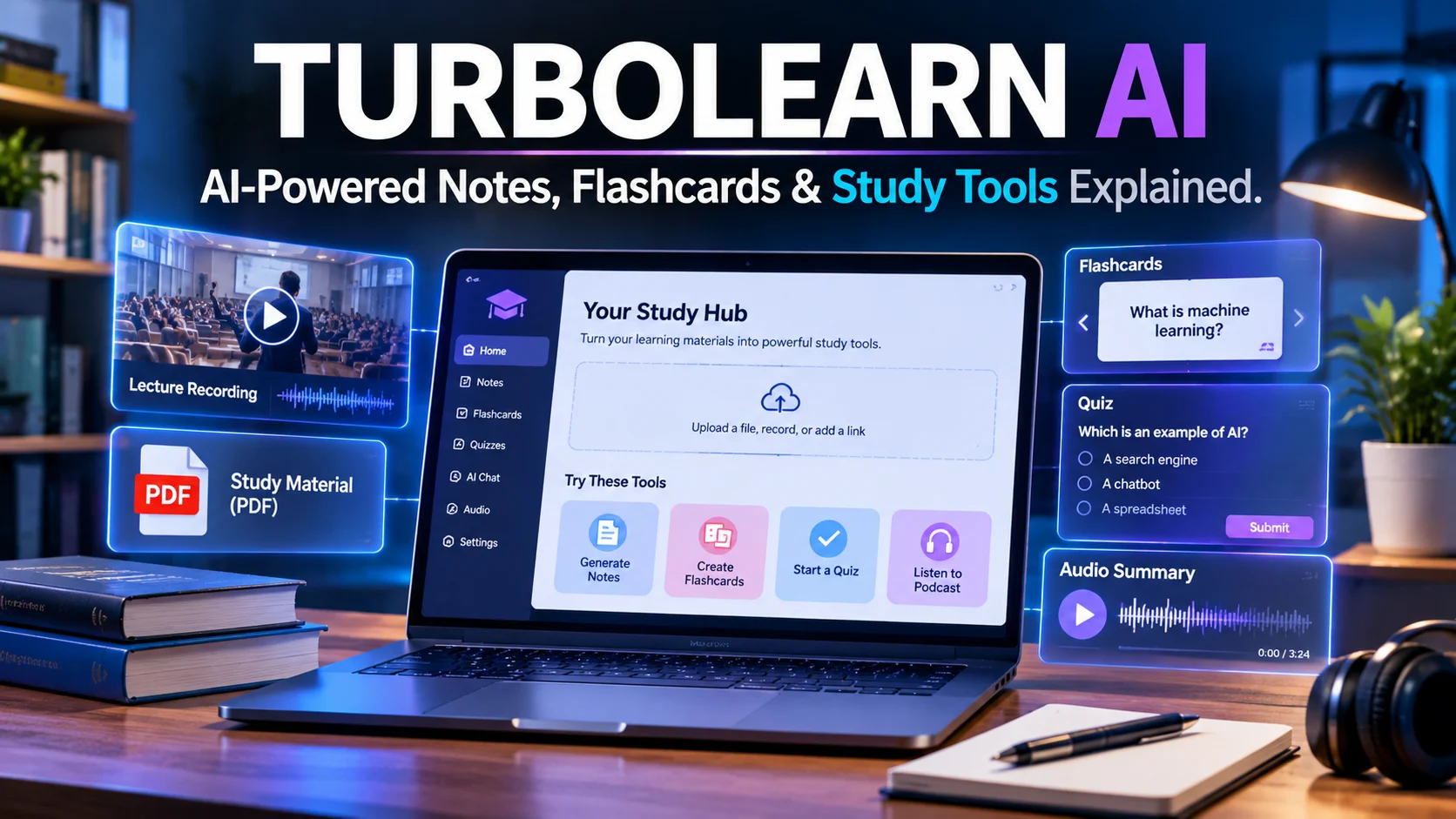
TurboLearn AI is an AI-powered study assistant that converts lectures PDFs videos and other learning materials into notes flashcards quizzes summaries and podcasts. The platform has been renamed Turbo AI but its core study features and existing user accounts remain available under the new brand.
TurboLearn AI at a Glance
- Current name: Turbo AI, formerly TurboLearn.
- Main purpose: Convert learning materials into interactive study resources.
- Supported inputs: Audio recordings, PDFs, documents, presentations, videos, YouTube links, and notes.
- Study features: AI-generated notes, flashcards, quizzes, summaries, podcasts, and AI chat.
- Availability: Web, iOS, and Android.
- Pricing: Free access is available, with paid subscription options. Exact prices and limits can vary by platform and offer.
What Is TurboLearn AI?
TurboLearn AI is the former name of Turbo AI, an AI-powered learning platform designed to make studying more organized and interactive.
Instead of manually writing every lecture point, students can upload their learning materials or record lectures. The platform processes the content and generates study resources such as structured notes, flashcards, practice questions, and audio summaries.
The service is designed for students who want to spend less time organizing information and more time understanding it.
Its features also extend beyond traditional note-taking. Users can ask questions about their uploaded materials, edit generated notes, and access their study content across supported devices.
Why Did TurboLearn AI Change Its Name?
TurboLearn shortened its name to Turbo AI as the company expanded its product identity beyond lecture note generation.
The official rebrand announcement explains that the platform changed its name and domain while keeping existing accounts, data, mobile apps, and pricing arrangements. The former turbolearn.ai domain redirects users to the new website.
Therefore, people searching for TurboLearn AI are generally looking for the same product now marketed as Turbo AI.
How Does TurboLearn AI Work?
Turbo AI uses AI-powered processing to turn uploaded learning materials into structured study resources.
The general workflow is straightforward:
- Upload your material: Add a PDF, presentation, document, video, or audio recording.
- Let the platform process it: Turbo AI analyzes the submitted content and prepares study materials.
- Review generated notes: Read the organized summary and check important concepts.
- Create learning activities: Generate flashcards, quizzes, or podcasts from the material.
- Ask questions: Use the AI chat feature to explore topics and clarify difficult sections.
- Continue studying: Access and review your materials through supported devices.
The goal is to turn one source into several learning formats.
For example, a student studying biology could upload a lecture recording. Turbo AI might produce organized notes, a set of flashcards about cell structures, and practice questions about cellular functions.
However, the generated material still needs review. AI can misunderstand speech, omit context, or produce incorrect answers.
Key Features of TurboLearn AI
Turbo AI combines several study tools in one platform. Here are the features that matter most to students.
1. AI Lecture Notes
Lecture note generation is one of the platform’s central features.
Students can record lectures and use Turbo AI to create organized notes. The platform promotes formatted outputs that can include headings, tables, diagrams, and equations.
This can be useful when instructors speak quickly or cover several topics in one session.
Instead of trying to write every sentence, students can concentrate on the lecture and review the generated notes afterward.
Practical example: A university student records a permitted economics lecture. Turbo AI can turn the recording into structured notes covering supply, demand, market equilibrium, and key definitions.
Always compare important information with the original lecture, especially when studying technical subjects.
2. PDF and Document Summaries
Students often work with lengthy textbooks, research papers, lecture slides, and course documents.
Turbo AI can process supported learning materials and turn them into more manageable notes.
This can help users:
- Identify important concepts.
- Review lengthy documents more quickly.
- Organize information by topic.
- Prepare revision material.
- Create questions from uploaded content.
It is particularly useful when students need to revisit a large amount of material before an examination.
However, a summary is not a substitute for reading the original source when detailed explanations or specific evidence matter.
3. AI-Generated Flashcards
Flashcards help students practice recalling information instead of simply rereading it.
Turbo AI can generate flashcards from uploaded study materials. These cards can help learners revise definitions, terminology, formulas, historical events, and other important concepts.
For example, a chemistry student could create flashcards covering:
- Chemical elements.
- Molecular structures.
- Chemical reactions.
- Important equations.
- Scientific definitions.
The main advantage is convenience. Students do not have to create every question and answer manually.
Still, review the cards before relying on them. An incorrectly generated answer can reinforce a misunderstanding.
4. Practice Quizzes and Questions
Turbo AI can create practice questions based on submitted learning materials.
These quizzes give students another way to test their understanding.
Rather than only reading notes, learners can answer questions and identify topics that need more attention.
This approach is useful for:
- Exam preparation.
- Classroom revision.
- Self-assessment.
- Reviewing difficult chapters.
- Identifying knowledge gaps.
The quality of a quiz depends on the quality of the source material and the AI-generated questions. Students should verify important answers against textbooks or instructor-provided resources.
5. AI Chat With Study Materials
The AI chat feature allows students to ask questions about their uploaded content.
For example, someone studying physics could upload lecture notes and ask:
- What is Newton’s second law?
- Can you explain this equation in simple language?
- What is the difference between velocity and acceleration?
- Can you give me an example of this concept?
This makes the platform more interactive than a basic summarization tool.
One important distinction is that an answer generated from uploaded notes is not automatically correct. If the source material is incomplete, the response may also be incomplete.
6. AI Podcasts and Audio Learning
Turbo AI can transform study materials into podcast-style audio content.
This gives students another way to revisit information without continuously reading a screen.
Audio summaries may be useful while commuting, walking, or completing routine tasks.
However, podcast-style explanations should support active study rather than replace it. Listening alone does not guarantee that someone understands or remembers the material.
7. Editable Notes and Cross-Device Access
Turbo AI also provides an editor for modifying generated notes.
This matters because AI-generated content may need corrections, additional explanations, or personal examples.
The platform promotes synchronization between its website and mobile applications, allowing students to access study resources across supported devices. turbo.ai
What Can You Use TurboLearn AI For?
Turbo AI is primarily designed for education, but its input formats make it useful for several learning and productivity situations.
| Use case | How Turbo AI can help |
|---|---|
| University lectures | Convert recordings into organized notes |
| Exam preparation | Create flashcards and practice quizzes |
| Textbook reading | Summarize supported documents |
| Online courses | Turn video lessons into revision material |
| Science subjects | Organize formulas and technical explanations |
| Language learning | Review vocabulary and key concepts |
| Professional learning | Summarize permitted training materials |
| Personal learning | Turn educational content into study activities |
The strongest use case is a repeated study workflow: capture information, organize it, test understanding, and revisit difficult concepts.
Turbo AI is not a complete replacement for teachers, textbooks, or specialist educational resources.
Is TurboLearn AI Free?
Yes. Turbo AI offers a free tier, according to its official website.
The company describes free access as including features such as note generation, flashcards, and quizzes. Paid subscriptions unlock additional access and advanced capabilities.
However, there is an important pricing limitation: the public information reviewed does not provide a clear, complete list of free-tier usage allowances.
Before relying on the free plan, check:
- How many uploads are included.
- Whether recording time is restricted.
- Which study features are available.
- Whether AI chat has usage limits.
- Whether generated materials can be accessed after upgrading or downgrading.
A free account is useful for testing the workflow, but users should not assume that every feature is unlimited.
Turbo Learn AI Pricing What Does It Cost?
Turbo AI offers Free, Pro, and Unlimited subscription tiers. Its terms explain that subscriptions can be monthly or annual and automatically renew unless canceled. Prices may change and are displayed at checkout.
The company’s own published comparison articles have quoted these US prices:
| Billing option | Reported price |
|---|---|
| Monthly subscription | $20 per month |
| Annual subscription | $120 per year |
| Annual equivalent | $10 per month |
These are published company figures, not a guarantee of the price currently offered to every account.
Why Can the Price Be Different?
App Store listings can display different in-app purchase options. The Pakistan App Store listing, for example, shows several Turbo AI subscription prices in Pakistani rupees.
These listings do not necessarily represent one universal price. Promotions, billing periods, platform offers, and regional storefronts can affect the amount shown.
Before subscribing, check the final checkout screen. Confirm the billing period, renewal price, taxes, trial conversion date, and cancellation procedure.
Important Subscription and Refund Details
Turbo AI’s terms state that subscriptions renew automatically unless canceled. Users must cancel at least 24 hours before the end of the current billing period to avoid the next renewal charge.
The terms also describe fees as generally non-refundable, with a limited exception for unresolved technical malfunctions under the stated conditions. turbo.ai
For students, this is an important part of the buying decision. Read the current terms before entering payment information, especially when accepting a trial or promotional offer.
Is TurboLearn AI Safe and Private?
Privacy deserves careful attention because Turbo AI may process lecture recordings, personal notes, documents, and other uploaded materials.
The company’s privacy policy, last updated December 1, 2025, explains that it collects account information, usage information, and content submitted through its services.
It also states that Turbo AI does not operate its own in-house AI models. Instead, it uses external AI providers, including OpenAI, Grok, Anthropic, and Modal Labs, to process content for certain features.
This is important because uploaded content may be transmitted to third-party providers.
What Should Users Know Before Uploading Files?
There are several practical considerations:
- Sensitive information: The privacy policy advises users not to upload sensitive personal information.
- Third-party processing: Content submitted to AI features may be processed by external providers.
- Data retention: The policy says information is retained as needed for stated purposes and may remain in archives after deletion from active systems.
- AI accuracy: The terms warn that generated outputs may contain errors or hallucinations.
- Recording permissions: Users must follow applicable school, university, copyright, and privacy rules.
The terms also state that the platform is not intended to serve as the permanent storage system for original materials. The company does not guarantee that uploaded recordings or other inputs will remain available after processing.
For these reasons, keep original recordings and important documents in your own secure storage.
Do not upload confidential research, private student records, medical information, passwords, or other sensitive material.
Does Turbo AI Guarantee Accurate Notes?
No. Its terms explicitly state that AI-generated outputs can contain errors and may not be correct, complete, or error-free.
That means students should treat generated notes as study aids, not authoritative academic sources.
For important subjects, verify:
- Mathematical calculations.
- Scientific formulas.
- Legal definitions.
- Medical terminology.
- Dates and historical details.
- References and quotations.
A polished-looking summary can still contain mistakes.
TurboLearn AI Pros and Cons
Turbo AI offers a convenient collection of study tools, but it also has limitations.
| Advantages | Limitations |
|---|---|
| Converts different materials into study resources | AI-generated content requires checking |
| Generates notes, flashcards, and quizzes | Free-plan limits are not clearly quantified publicly |
| Supports audio-based learning | Recording requires appropriate permission |
| Includes AI chat and podcast features | External AI providers process some content |
| Offers web and mobile access | Paid subscriptions renew automatically |
| Provides an editable notes experience | Uploaded recordings are not guaranteed to remain stored |
The biggest advantage is convenience. Its biggest concern is that students must still verify the accuracy and availability of their learning materials.
Best TurboLearn AI Alternatives
Turbo AI is not the only platform that helps students organize information and prepare for exams.
The right alternative depends on whether someone prioritizes document-based research, flashcards, lecture recording, or long-term memorization.
1. NotebookLM
Best for exploring uploaded sources and asking questions grounded in reference materials. It also offers audio overviews and study-oriented features.
2. Knowt
Useful for students who focus on flashcards, practice tests, and different study modes.Visit Knowt
3. StudyFetch
Offers an AI-focused study environment with tools for turning course materials into learning activities.Visit StudyFetch
4. Anki
A strong option for learners who want control over flashcard creation and spaced repetition. It is more focused on memorization than automatic lecture processing.Visit Anki
Turbo AI vs. Its Alternatives
| Platform | Best suited for | Main strength | Main limitation |
|---|---|---|---|
| Turbo AI | Lecture-based study | Notes, quizzes, flashcards, podcasts, and chat in one workflow | Pricing and usage limits need checking |
| NotebookLM | Source-based research | Questions and explanations based on supplied sources | Different workflow from a dedicated lecture recorder |
| Knowt | Flashcard-based revision | Study modes and practice tests | Less focused on the full lecture-to-notes workflow |
| StudyFetch | AI-assisted exam preparation | Multiple AI study features | Check plan limits and feature availability |
| Anki | Long-term memorization | Customizable spaced repetition | More manual setup |
No single platform is ideal for every student. Compare the actual workflow, free limits, export options, and subscription terms before choosing.
Who Should Use TurboLearn AI?
Turbo AI may be useful for people who regularly work with educational content.
University and College Students
Students can use it to organize lecture recordings, prepare revision notes, and generate practice questions.
It may be especially useful for courses with frequent lectures and large reading lists.
Online Learners
People taking online courses can turn supported videos and documents into structured study materials.
This can make it easier to revisit important concepts without repeatedly searching through long recordings.
Students in Technical Subjects
The platform promotes support for formulas, equations, diagrams, and code snippets.
Students in engineering, mathematics, chemistry, and physics may find this helpful. However, they should verify technical outputs carefully because even small errors can change the meaning of a calculation.
Professionals and Independent Learners
Turbo AI also describes uses beyond traditional classroom study, including meeting summaries and personal learning.
However, users should consider workplace recording rules and confidentiality requirements before uploading professional material.
Common Mistakes to Avoid When Using Turbo AI
AI study tools can save time, but poor habits can reduce their educational value.
Avoid these common mistakes:
- Trusting every generated answer: Check important facts against reliable sources.
- Uploading unclear recordings: Poor audio quality can lead to inaccurate transcripts and notes.
- Skipping active practice: Read, recall, and test yourself instead of only reviewing summaries.
- Ignoring copyright rules: Obtain permission when required before recording or uploading course material.
- Using it as permanent storage: Keep original documents and recordings separately.
- Overlooking subscription renewals: Check billing dates and cancellation conditions before upgrading.
- Sharing sensitive information: Avoid uploading private or confidential content.
The most effective approach is to use Turbo AI as a study assistant while remaining responsible for understanding and checking the material.
Frequently Asked Questions
1. Is TurboLearn AI the same as Turbo AI?
Yes. TurboLearn AI was renamed Turbo AI. The company says existing accounts, data, mobile apps, and core features continued under the new name. The former website redirects users to the current Turbo AI platform.
2. What does TurboLearn AI do?
TurboLearn AI, now Turbo AI, converts learning materials such as lecture recordings, PDFs, videos, and notes into study resources. These include organized notes, flashcards, quizzes, summaries, podcasts, and AI-powered chat.
3. Is TurboLearn AI free?
Turbo AI offers a free tier with access to selected study features. Paid plans provide additional capabilities, but users should check the current website or app checkout for exact limits and prices.
4. Can TurboLearn AI record lectures and make notes?
Yes. Turbo AI promotes lecture recording and AI-generated note creation. However, students must follow their institution’s recording policies and obtain any required permission before recording lectures.
5. Is TurboLearn AI accurate and safe to use?
Turbo AI can help organize study materials, but its terms warn that AI-generated outputs may contain errors. Its privacy policy also describes processing through external AI providers, so users should avoid uploading sensitive or confidential information.
Conclusion
TurboLearn AI, now known as Turbo AI, is an AI-powered study platform that turns lectures, documents, videos and other learning materials into interactive study resources.
Its combination of notes, flashcards, quizzes, podcasts, and AI chat makes it useful for students who want a more organized revision process. However, generated content still requires fact-checking and subscription costs, renewal conditions and privacy practices deserve attention.
Before paying, test the free tier, compare the available features, and confirm the current checkout price. Most importantly, use the platform to strengthen your understanding rather than replace active learning.

Oliver Wilson is an AI researcher and tech writer living at the intersection of human creativity and machine intelligence. At AixOrbit.com, he decodes complex neural networks, generative AI and emerging tech trends into actionable insights making sure humans stay one step ahead of the algorithms.