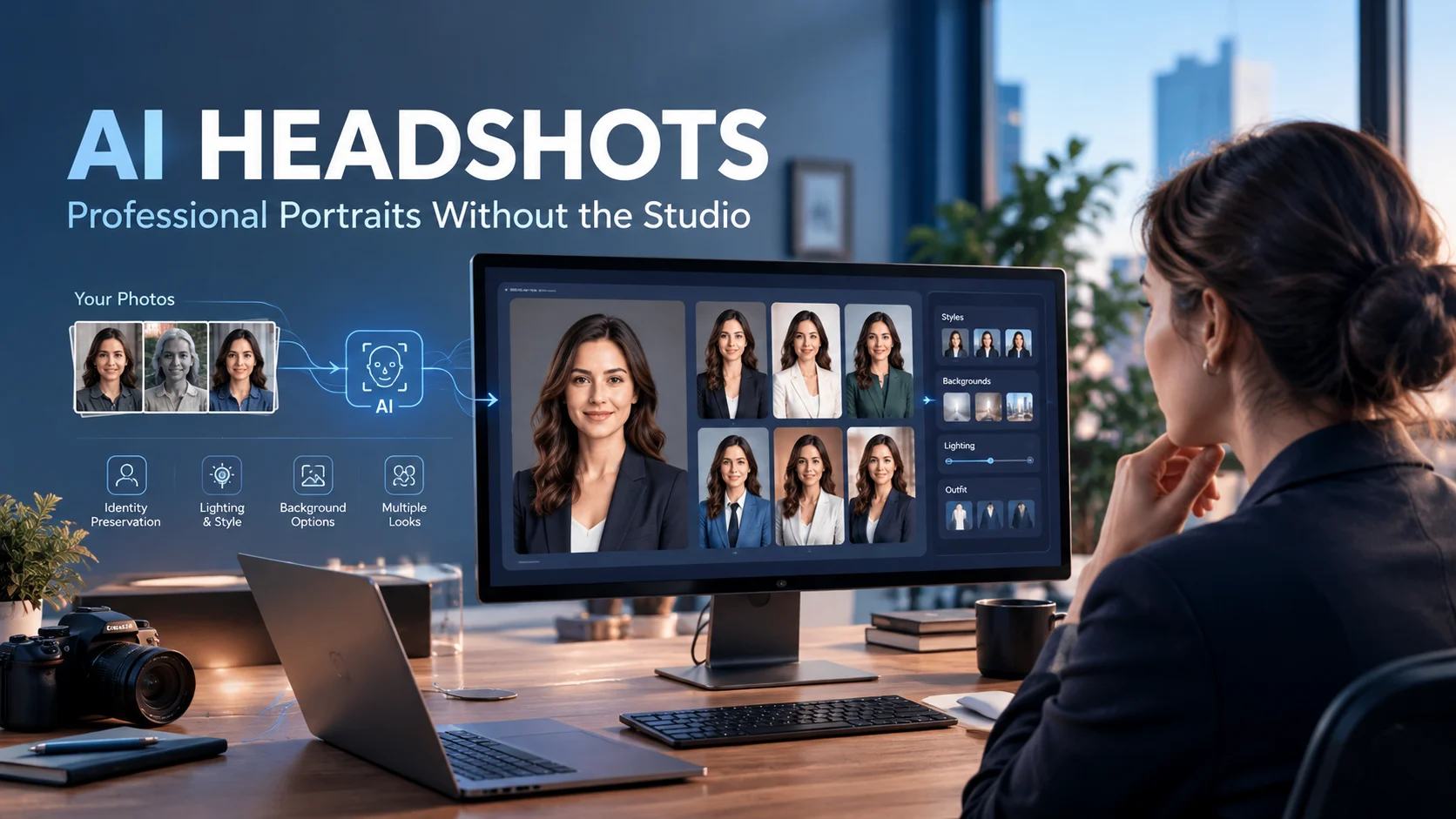
AI headshots are professionally styled portraits generated or enhanced from your selfies using artificial intelligence, without requiring a traditional studio photoshoot. They can create polished images for LinkedIn, resumes, company websites, speaker profiles, and personal branding, but quality, likeness, privacy, and usage rights vary by provider.
AI Headshots at a Glance
- AI headshots turn selfies into professional-looking portraits using generative image models and identity-preserving techniques.
- Typical paid services cost roughly $15 to $80 for an individual package, although pricing models differ significantly.
- The quality of your source photos matters because the AI learns your facial features, hair, skin tone, proportions, and expressions from them.
- The biggest risk is not resolution. It is inaccurate identity. A polished image that does not actually look like you can hurt professional credibility.
- Privacy deserves special attention because uploaded selfies are personal biometric-related data and may be stored temporarily for processing.
- AI headshots work well for many professional profiles, but they should not be treated as automatically suitable for passports, licenses, visas, or other identity documents.
What Are AI Headshots?
AI headshots are computer-generated professional portraits created from photographs of a real person.
Instead of booking a photographer, you upload selfies or other personal photographs to an AI headshot platform. The system analyzes those images and generates new portraits with different clothing, lighting, poses, backgrounds, and compositions.
The goal is usually not to invent a completely new person. It is to create a more professional representation of the same person.
That distinction matters.
A useful AI headshot should preserve recognizable characteristics such as:
- Facial structure
- Eye shape and spacing
- Nose and mouth proportions
- Skin tone
- Hair characteristics
- Face shape
- Approximate age and overall appearance
The output can then place those features into a more controlled photographic environment.
This makes AI headshots particularly attractive for LinkedIn profiles, resumes, company directories, websites, portfolios, speaker bios, and professional social media accounts.
How Do AI Headshots Work?
Most AI headshot services hide the technical process behind a simple upload interface, but the underlying workflow typically involves several stages.
1. You Upload Reference Photos
The first step is providing photographs that show what you actually look like.
Some platforms ask for several selfies. Others increasingly advertise workflows requiring only one or a few images.
More photos can give an image-generation system additional information about your appearance, but quantity alone does not guarantee better results.
Useful reference photos generally show your face clearly from different angles and under reasonable lighting.
2. The System Learns Your Visual Identity
The platform processes the uploaded images to establish a representation of your appearance.
Depending on the system, this can involve specialized image-generation or identity-preservation models rather than a conventional text-only large language model.
The system is trying to answer a visual question:
What characteristics should remain consistent when the scene changes?
That might include your facial proportions, hair, complexion, and other recognizable traits.
3. The Model Generates New Portraits
The service then generates new images according to selected styles.
You might choose:
- Corporate office
- Studio portrait
- Executive
- Casual professional
- Creative
- Outdoor
- Neutral background
- Formal business clothing
The AI changes the environment while attempting to preserve your identity.
4. You Select and Edit the Results
Most professional headshot platforms generate multiple variations rather than one image.
This is important because not every generation will be equally convincing.
One image might capture your likeness well but produce unnatural hands. Another might have excellent lighting but subtly alter your jawline.
The practical workflow is therefore:
Upload → Generate → Review → Reject weak results → Edit or regenerate → Download the strongest image.
Why Are AI Headshots So Popular?
Traditional professional photography still has advantages, but AI changes the economics and convenience of creating multiple portraits.
A photographer requires scheduling, travel or studio access, clothing preparation, lighting, posing, shooting, and post-production.
AI headshots compress much of that workflow into an online service.
For example, current commercial platforms advertise packages ranging from dozens of generated images to single-image purchasing. HeadshotPro currently lists individual packages starting at $29, Aragon lists plans starting at $35, BetterPic starts at $35, while Headshots.com offers a different model at $15 per downloaded image after a free preview. (HeadshotPro)
The important point is that price alone does not tell you the real value.
A $29 package that produces only two usable images may be less useful than a $49 package that produces several strong portraits.
What Are AI Headshots Used For?
AI headshots have moved beyond simple LinkedIn profile pictures.
LinkedIn Profiles
A professional social profile is one of the most common use cases.
A headshot needs to remain recognizable at a small thumbnail size, so excessive background detail usually adds little value.
A clean crop, natural expression, realistic skin texture, and accurate likeness are generally more important.
Resumes and Job Applications
Job seekers may use AI headshots when a professional photograph is appropriate for their industry or region.
However, adding a photo to a resume is not universally expected. Hiring conventions vary by country, industry, and employer.
The image should support your professional presentation rather than distract from it.
Company Websites
Businesses can use AI-generated portraits to create more consistent team pages.
This can be particularly useful for distributed companies where employees live in different locations and cannot easily attend the same photoshoot.
Team-oriented services increasingly offer centralized style selection and administrative controls for this purpose.
Speaker Profiles
Conference speakers, consultants, authors, coaches, and podcast guests often need a professional image for multiple websites.
AI headshots can produce several variations while maintaining a relatively consistent appearance.
Personal Branding
Entrepreneurs and creators may need different photographs for:
- Websites
- News articles
- Social profiles
- Media kits
- Presentations
- Newsletters
- Author pages
Generating several styles can reduce the need for repeated photography sessions.
What Makes a Good AI Headshot?
A professional-looking AI headshot is not simply the sharpest or most glamorous image.
The strongest output usually balances likeness, realism, composition, lighting, and professional context.
Likeness Comes First
Ask someone who knows you whether the image immediately looks like you.
Do not judge only by your own reaction. People become accustomed to seeing their own faces and can overlook subtle changes.
Watch for:
- Changed jaw shape
- Different nose proportions
- Altered eye spacing
- Artificial skin
- Unusual teeth
- Changed hairline
- Excessive face slimming
- Unnatural age changes
A technically impressive image is still a poor headshot if it represents a different version of you.
Avoid Excessive Retouching
AI can remove wrinkles, alter skin texture, change facial structure, and make features look unusually symmetrical.
Some editing is normal in professional photography.
The problem begins when the final image becomes noticeably different from your real appearance.
Your headshot should look like you on a very good day, not like a fictionalized version of you.
Choose a Background That Fits the Role
A financial professional may benefit from a restrained office or studio environment.
A designer, photographer, or creator may have more freedom.
The background should support your professional identity rather than compete with your face.
How Much Do AI Headshots Cost?
There is no single industry pricing model.
Current providers use several approaches.
| Pricing model | How it works | Best suited to |
|---|---|---|
| One-time package | Pay once for a fixed number of images | Individuals |
| Per-image | Pay for individual downloads | People who need one or two images |
| Credit system | Buy credits and spend them on generations or edits | Frequent users |
| Team credits | Buy batches for multiple employees | Businesses |
| Subscription | Pay monthly or annually | High-frequency creators |
As of October 2026, examples include HeadshotPro packages from $29 to $59, Aragon individual packages from $35 to $75, and BetterPic packages from $35 to $79. Headshots.com takes a different approach, allowing users to preview an AI-enhanced headshot and pay $15 per download. Prices and package contents can change, so buyers should confirm the provider’s checkout page before purchasing. (HeadshotPro)
Look Beyond the Headline Price
A package may advertise 50 or 100 images, but that does not mean you will want 50 or 100 of them.
Before paying, check:
- Number of generated images
- Resolution
- Number of styles
- Number of outfits
- Editing credits
- Regeneration policy
- Refund conditions
- Commercial-use rights
- Credit expiration
- Delivery time
- Additional editing fees
These details can change the actual cost considerably.
AI Headshots vs. Professional Photography
AI headshots are not a universal replacement for photographers.
They solve a different problem.
| Factor | AI headshots | Professional photographer |
|---|---|---|
| Cost | Usually lower | Usually higher |
| Convenience | Remote | Requires scheduling |
| Number of variations | Often dozens | Usually fewer final selections |
| Physical realism | Can be very convincing, but variable | Captured directly from you |
| Creative direction | Mostly preset or AI-assisted | Human-directed |
| Team consistency | Can be easier at scale | Requires coordinated shoots |
| Authenticity | Synthetic image | Actual photograph |
| Control over environment | Digital | Physical |
| Best for | Fast professional portraits | High-stakes branding and authentic photography |
For a LinkedIn refresh, AI can be practical.
For a major advertising campaign, executive portrait campaign, magazine feature, or brand shoot, professional photography may still offer greater control.
Privacy: What Happens to Your Photos?
This is one of the most important questions when evaluating AI headshots.
You are not simply uploading an ordinary image. You are giving a service detailed visual information about your face.
Read the provider’s privacy policy before uploading sensitive photographs.
Look for answers to these questions:
- How long are uploaded photos stored?
- Are photos used to train AI models?
- Are images shared with third-party processors?
- Can you request deletion?
- When are generated images deleted?
- Does the company retain account information?
- Are business customers offered a data-processing agreement?
- Is the service transparent about its subprocessors?
Policies differ.
For example, HeadshotPro says its input photos and generated headshots are not used to train its generative models and states that input photos are automatically deleted 30 days after the gallery is generated, or sooner if deleted by the user. BetterPic’s privacy policy states that uploaded photos used for generation are deleted from its servers within seven days and can be deleted earlier. (HeadshotPro)
These statements apply to those providers. They should not be generalized to the entire AI headshot market.
SOC 2 Is Not the Same as Zero Data Retention
This distinction is worth emphasizing.
A company may have a SOC 2 report and still retain uploaded photographs for a defined period.
SOC 2 concerns controls related to areas such as security, availability, processing integrity, confidentiality, and privacy, depending on the scope of the engagement.
It does not automatically mean zero data retention.
If your organization has strict privacy requirements, ask specifically about retention, deletion, model training, subprocessors, and contractual data-processing terms.
Comparing Popular AI Headshot Platforms
Several services currently appear frequently in AI headshot searches.
| Platform | Typical target user | Notable strength | Pricing approach | Important consideration |
|---|---|---|---|---|
| HeadshotPro | Professionals and teams | Large image packages and team workflows | One-time packages and team credits | Check resolution and package details |
| Aragon AI | Individual professionals | Multiple outfits, backgrounds, and fast generation | One-time packages | Higher tiers provide broader customization |
| BetterPic | Professionals and businesses | 4K output and editing options | One-time packages | Compare editing and redo terms |
| Headshots.com | People needing one or a few images | Single-selfie workflow and preview before purchase | Per-download | Different model from bulk generators |
Current vendor pages list HeadshotPro from $29, Aragon from $35, and BetterPic from $35. Headshots.com currently advertises $15 per downloaded AI headshot after previewing results. (HeadshotPro)
This comparison should not be interpreted as a permanent ranking. The services change their models, packages, generation systems, and policies frequently.
How to Choose an AI Headshot Generator
Instead of asking which platform is universally best, start with your actual requirement.
If You Need One Professional Photo
A single-image or preview-first service can make more sense.
You may not need a package that generates dozens of portraits.
If You Want Multiple LinkedIn and Website Options
A package-based generator can provide more variety.
Look for strong likeness preservation, multiple backgrounds, and useful editing tools.
If You Need Team Headshots
Prioritize administrative controls.
Important features include:
- Centralized billing
- Employee invitations
- Consistent styles
- Bulk downloads
- Brand controls
- Data-processing agreements
- Security documentation
The technical image quality still matters, but operational consistency becomes equally important.
If Privacy Is Your Priority
Start with the privacy policy, not the marketing page.
A provider that clearly explains deletion and training practices is easier to evaluate than one that simply says your data is “secure.”
How to Get Better AI Headshots
Your input photographs strongly influence the final result.
Use several clear photographs when the platform requests them.
Try to provide:
- Good natural lighting
- Clear facial visibility
- Different angles
- Minimal filters
- Neutral expressions mixed with natural smiles
- Current photographs
- Different clothing where useful
- No sunglasses
- No heavy obstruction of the face
Avoid uploading photos where your face is partially hidden.
Also avoid submitting heavily edited selfies. The AI needs a reliable reference for your real appearance.
Review Every Image Carefully
Do not automatically download the first attractive portrait.
Zoom in.
Check:
- Eyes
- Teeth
- Ears
- Hairline
- Jewelry
- Glasses
- Clothing
- Skin texture
- Background edges
AI image systems can produce subtle artifacts that look convincing at thumbnail size but become obvious when enlarged.
Common AI Headshot Mistakes
Choosing the Most Glamorous Image
Professional does not always mean dramatic.
An executive profile can become less credible if the image looks heavily stylized.
Making Yourself Look Younger
A small amount of flattering retouching may be acceptable.
Changing your apparent age substantially can make the photograph misleading.
Using an Unrealistic Outfit
AI can place people in clothing they would never normally wear.
Make sure the final wardrobe fits your actual profession and personal brand.
Ignoring Facial Accuracy
This is the most important mistake.
If coworkers hesitate because the image does not quite look like you, regenerate it.
Uploading Sensitive Photos Without Reading the Policy
Convenience should not replace due diligence.
Check storage and deletion terms before uploading a large collection of personal photographs.
Are AI Headshots Suitable for LinkedIn?
They can be, provided the image accurately represents you and does not create a misleading professional identity.
The key issue is authenticity, not whether a camera or AI model produced the final pixels.
A sensible standard is simple:
Would someone who meets you recognize the person in the photograph?
If the answer is yes, and the image does not falsely imply qualifications, appearance, or circumstances that are not yours, it is much easier to defend as a professional portrait.
However, platform policies and professional expectations can change. Check the current rules of the service where you plan to publish the image.
Can AI Headshots Be Used for Passports or IDs?
Do not assume that a professional-looking AI portrait qualifies as an official identity photograph.
Government documents can have strict requirements concerning whether an image must represent an actual photograph taken under specified conditions.
An AI-generated portrait may fail those requirements even if it looks realistic.
For passports, visas, licenses, background checks, or other official identification, follow the issuing authority’s current photo rules.
Who Should Use AI Headshots?
AI headshots are particularly useful for:
- Job seekers
- Freelancers
- Entrepreneurs
- Consultants
- Remote employees
- Sales professionals
- Creators
- Speakers
- Authors
- Small businesses
- Distributed teams
They are less suitable when the photographic process itself is part of the value.
A fashion campaign, editorial portrait, luxury brand shoot, or highly controlled corporate campaign may require a professional photographer and physical production.
The Bottom Line
AI headshots have become a practical alternative for many routine professional portraits.
Their main advantage is not simply lower cost. It is the ability to create many polished variations without scheduling a traditional photoshoot.
The important evaluation criteria are likeness, realism, editing control, pricing structure, usage rights, and privacy.
For individuals, current options such as HeadshotPro, Aragon AI, BetterPic, and Headshots.com illustrate four different approaches to the market. (HeadshotPro)
Before buying, compare what happens to your uploaded photos, how long they are retained, what you actually receive, and what happens when the generated images do not look like you.
The best AI headshot is ultimately not the most artificial-looking one. It is the image that looks professional while still looking unmistakably like you.
FAQs About AI Headshots
Are AI headshots worth it?
AI headshots can be worthwhile when you need professional-looking portraits quickly and do not want to organize a traditional photoshoot. Their value depends on likeness quality, pricing, editing options, privacy terms, and how many usable images you actually receive.
How many photos do I need for an AI headshot?
The required number varies by platform. Some services ask for multiple selfies, while others now support single-image workflows. Follow the provider’s current upload instructions and prioritize clear, recent photographs that show your face accurately.
Do AI headshots look real?
Modern AI headshots can look highly realistic, but results vary between services and individual generations. Common problems include altered facial features, unnatural skin, strange teeth, incorrect accessories, and subtle changes to identity. Always review the final image closely.
Are AI headshots safe for privacy?
Privacy depends on the provider’s policies and technical practices. Before uploading photographs, check whether the service trains models on your images, how long it retains them, whether deletion is available, and which third parties may process your data.
Can I use an AI headshot for LinkedIn?
An AI headshot can be appropriate for LinkedIn when it accurately represents you and does not create a misleading identity. Before publishing, check LinkedIn’s current policies and make sure the image remains recognizable as your real appearance.
Conclusion
AI headshots make it easier to create polished professional portraits without a traditional studio session. They can save time and offer flexible options for LinkedIn profiles, resumes, websites, and business branding. However, results depend on the quality of the input photos, the AI tool, and the chosen style. Before selecting a service, compare image quality, privacy policies, pricing, customization options, and how uploaded photos are handled.

Oliver Wilson is an AI researcher and tech writer living at the intersection of human creativity and machine intelligence. At AixOrbit.com, he decodes complex neural networks, generative AI and emerging tech trends into actionable insights making sure humans stay one step ahead of the algorithms.