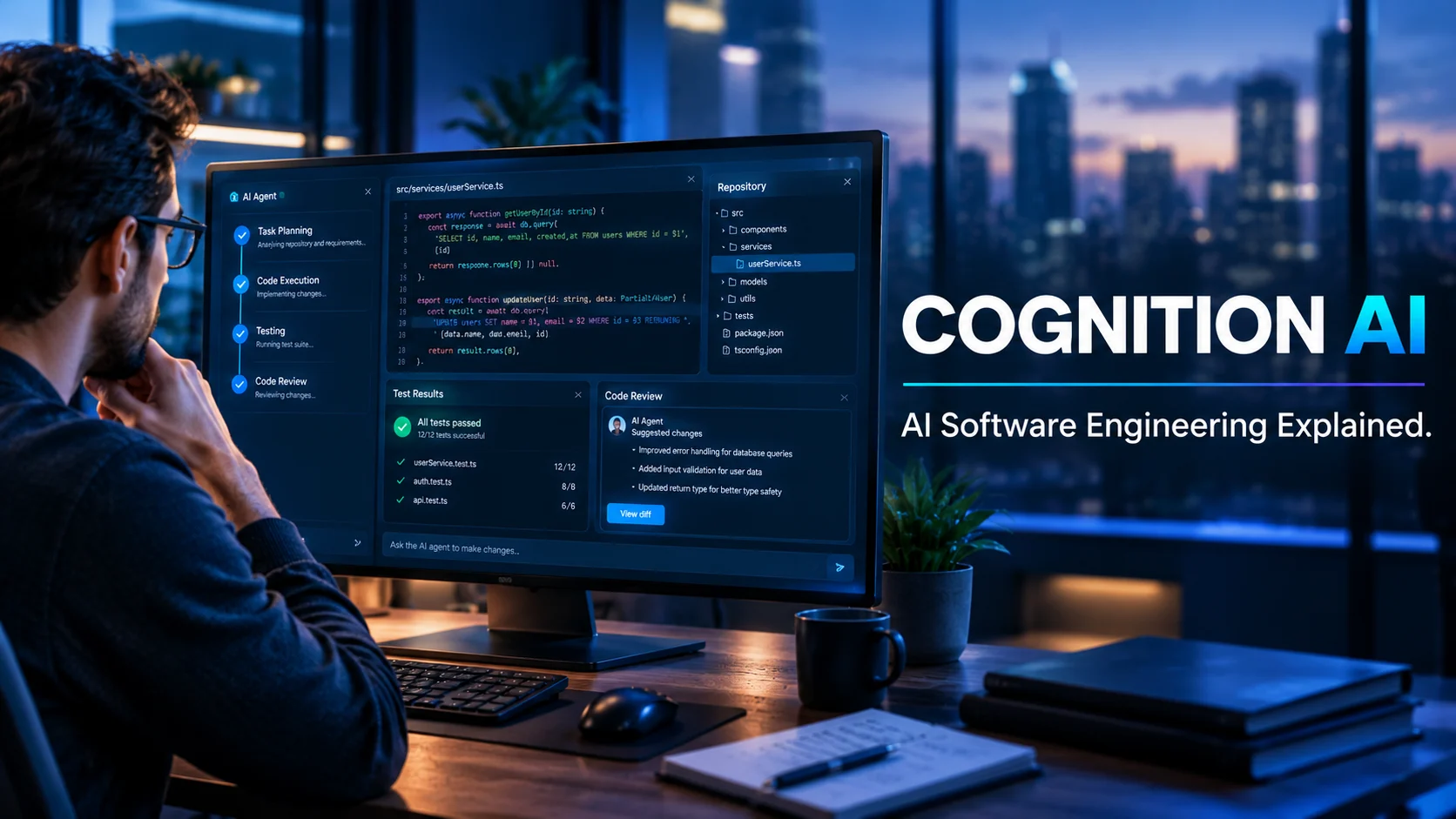
Cognition AI is an artificial intelligence company focused on software engineering, best known for Devin, an AI agent designed to plan, write, test, and help deliver code, and for its acquisition of the Windsurf coding platform. It can help developers automate selected engineering tasks, but teams should evaluate code quality, human review requirements, usage costs, integrations, and data controls before adopting it.
Cognition AI at a Glance
- What it is: An AI company developing tools for software engineering.
- Best-known product: Devin, an AI software engineering agent.
- Another key product: Windsurf, an AI-powered development environment acquired by Cognition in 2025.
Cognition+1
- Main use cases: Coding tasks, debugging, codebase maintenance, software migrations, and developer workflows.
- Pricing: Self-serve plans include Free, Pro, Max, Teams, and Enterprise, with published prices for some tiers.
- Main consideration: AI-generated code still needs appropriate testing, security checks, and human oversight.
What Is Cognition AI?
Cognition AI is an AI company building software engineering tools intended to take on parts of the development process. Instead of focusing only on autocomplete or single-line code suggestions, its products aim to help developers delegate larger tasks and work across a software project.
Its best-known product is Devin, which Cognition describes as an autonomous AI software engineer. The company says Devin can plan work, write code, run tests, and operate within a codebase and its surrounding tools. These are company-described capabilities, not a guarantee that every task will finish correctly or without intervention.
Cognition’s product portfolio also includes Windsurf, an AI coding environment. The company announced a definitive agreement to acquire Windsurf in July 2025, with the goal of combining agent-based task delegation with tools developers use while coding.
This makes Cognition AI relevant to two related audiences: developers who want AI help inside their coding workflow and engineering teams looking to delegate defined tasks to an AI agent.
How Does Cognition AI Work?
Cognition’s approach centers on AI agents that can work through a task in several stages rather than returning a single response. The exact workflow depends on the product, the task, and the available integrations.
1. The developer defines a task
A developer might ask an agent to investigate a bug, implement a small feature, update documentation, or migrate code. Clear instructions help define the desired outcome, constraints, and how success should be measured.
A request such as “fix the failing tests in this module without changing the public API” gives the agent more useful boundaries than “improve the application.”
2. The agent examines the project
The agent needs relevant context to understand the task. Depending on the environment and permissions, that can involve reviewing project files, navigating code, inspecting errors, and using development tools.
Large or unfamiliar codebases can make this step difficult. Missing documentation, outdated tests, complex dependencies, and unclear requirements may lead to incorrect assumptions.
3. It plans and executes work
Devin is designed to break engineering tasks into steps and use tools such as a code editor, terminal, and browser in its working environment. Cognition introduced these capabilities when it launched Devin in March 2024.
In practical terms, an agent may edit files, execute commands, run tests, and revise its approach when it encounters errors. However, a successful tool call does not necessarily mean the final code is correct, secure, or suitable for production.
4. A developer reviews the result
The final stage is essential. Developers should inspect the changes, review the test results, assess security implications, and confirm that the implementation matches the requirements.
For production systems, human review and established software delivery controls remain important. Treat the agent as a contributor whose work must be verified, not as an unquestionable authority.
Key Cognition AI Products and Features
Cognition’s tools serve different parts of software development. The most useful choice depends on whether you want to delegate a task, write code interactively, or introduce AI into a larger engineering organization.
Devin: An AI software engineering agent
Devin is designed to handle engineering tasks that involve multiple steps. Rather than simply suggesting the next line, it aims to work through a defined assignment and return a result for review.
Potential tasks include:
- Investigating and fixing selected bugs.
- Implementing bounded features.
- Writing or updating tests.
- Maintaining documentation.
- Handling repetitive code changes.
- Helping with codebase modernization and migrations.
Cognition markets Devin for use inside existing codebases and engineering workflows. Its real-world effectiveness will depend on task complexity, code quality, available context, and the review process.
Windsurf: An AI-assisted coding environment
Windsurf provides a development environment built around AI assistance. Cognition announced its acquisition in July 2025 and said it would invest in integrating Windsurf’s capabilities into its broader product suite.
An AI-enabled editor and an autonomous agent solve related but different problems. An editor supports developers as they make decisions and edit code; an agent is designed to take on a larger assignment with less continuous direction.
Teams may find value in both approaches, but they should verify current product availability, integration details, and plan entitlements before choosing a setup.
Related tools and services
Cognition has also offered products such as Ask Devin, DeepWiki, and Devin Review. In an April 2026 pricing update, the company announced that these products would move from free access or preview arrangements into paid usage for self-serve customers. Availability and entitlements may vary by plan.
That matters when comparing plans: do not assume a related feature is permanently free just because it was previously available at no cost.
Main Use Cases for Cognition AI
Cognition AI is most relevant when a software task can be described clearly and checked against an observable result. It is less suitable for work that depends on undocumented business rules or high-stakes judgment without reliable tests and human supervision.
Bug investigation and debugging
An agent can help trace an error, inspect relevant files, propose a fix, and run tests. This can be useful for reproducible bugs with clear symptoms.
However, passing tests does not prove that a bug is fully resolved. A test suite may miss edge cases, and a code change can fix one problem while introducing another.
Legacy code maintenance
Older applications often contain repetitive tasks, inconsistent patterns, and limited documentation. AI agents may help developers map parts of a codebase, update selected files, or make systematic changes.
For larger migrations, split the work into smaller tasks. Review compatibility, dependencies, data integrity, and rollback options before deploying changes.
Feature development
Developers can delegate a bounded feature, such as adding input validation or implementing a small API endpoint. The agent may help with implementation and tests, while the developer retains responsibility for architecture and acceptance criteria.
For complex features, provide design notes, examples, and explicit constraints. A vague request can produce code that looks plausible but does not fit the intended system.
Testing and documentation
AI agents can assist with test creation, test maintenance, and technical documentation. These tasks often benefit from clear input and output requirements.
Still, generated tests can repeat assumptions made by the implementation itself. Developers should check whether tests cover meaningful failure cases rather than merely confirming the code’s current behavior.
Repetitive engineering work
Routine updates, mechanical refactoring, and selected maintenance tasks may be good candidates for delegation. The potential benefit is not simply writing code faster; it is freeing developers to focus on decisions that need their context and expertise.
The best starting point is a task that is frequent, low-risk, measurable, and easy to reverse.
Benefits of Cognition AI
Cognition’s approach may offer several practical benefits when a team chooses the right tasks.
- More task delegation: Developers can assign defined work rather than manually directing every code edit.
- Support across multiple steps: Devin is designed to plan work, use development tools, and iterate on results.
- Help with engineering backlogs: Teams can test whether agents are useful for maintenance, documentation, and selected codebase improvements.
- A complementary workflow: An AI coding environment and an agent can support different stages of development.
- Potential productivity gains: Teams may reduce time spent on repetitive tasks, but the size of any gain needs to be measured in their own environment.
Cognition publishes its own product descriptions and research about its tools. Those materials are useful for understanding intended capabilities, but vendor claims should be distinguished from independent evidence. Results from a benchmark or a company demonstration may not predict performance on your codebase.
A sensible pilot measures the complete task, including prompt preparation, failed attempts, review time, rework, and testing. Counting only the time spent generating code can make an AI workflow look more efficient than it actually is.
Limitations and Risks to Consider
AI coding agents can produce useful work, but they also introduce risks that teams should evaluate before granting broad access.
Generated code can be wrong
An agent may misunderstand a requirement, miss an edge case, select an unsuitable dependency, or implement a change that passes limited tests but fails in production.
Review code changes and run tests independently. For sensitive applications, include security review and the same approval controls used for human-written code.
Complex projects need context
Agents work best when they can access the relevant files, requirements, tools, and test results. Unclear specifications or missing documentation can reduce the quality of the result.
Large codebases also contain hidden dependencies. A change that seems local may affect other modules, deployment processes, or downstream systems.
Usage costs can be difficult to predict
AI agent workloads vary. A small edit may require little computation, while a task involving repeated investigation, large code changes, and multiple test runs can use considerably more.
Before adopting a paid plan, check the included quota, how usage is measured, what happens when the allowance runs out, and how additional usage is billed. Do not compare plans using subscription price alone.
Human oversight remains necessary
Autonomous execution does not remove responsibility for software quality. Teams still need code review, access controls, testing, release approval, and monitoring.
It is especially important to limit permissions when agents can access repositories, terminals, credentials, production systems, or sensitive data.
Performance varies by task
A tool that works well on a self-contained bug may struggle with an ambiguous architecture change. Results can also vary with the language, framework, dependencies, repository conventions, and available tests.
Run a representative pilot instead of assuming that a successful demo proves broad reliability.
Cognition AI Pricing: What Does Devin Cost?
Cognition announced updated self-serve plans for Devin in April 2026. The published lineup included Free, Pro, Max, Teams, and Enterprise. The company listed Pro at $20 per month, Max at $200 per month, Teams as usage-based with a minimum spend of $80 per month, and Enterprise with custom pricing.
Pricing below reflects Cognition’s published April 14, 2026 announcement. Check the official pricing page for current rates, quotas, and eligibility before purchasing.
| Plan | Published pricing | Intended use |
|---|---|---|
| Free | Free | Trying Devin with limited access |
| Pro | $20/month | Individual developers with regular usage |
| Max | $200/month | Individuals with heavier usage needs |
| Teams | Usage-based, $80/month minimum spend | Team collaboration and centralized administration |
| Enterprise | Custom pricing | Organizations with larger-scale or specific requirements |
Source: Cognition’s official pricing announcement.
What should you check before subscribing?
Included usage: Confirm how much work is covered by the plan and when the allowance refreshes.
Overage charges: Cognition’s announcement says additional self-serve usage beyond included quotas will be priced and billed in dollars. Check the applicable rate and billing rules before enabling extra usage.
Feature access: Ask whether features such as Ask Devin, DeepWiki, and Devin Review are included in the plan you want. The company announced that these products would become paid for self-serve customers.
Team requirements: Confirm whether you need centralized billing, administrative controls, collaboration features, or enterprise deployment options.
Total cost: Include the subscription, extra usage, onboarding, review time, and any additional infrastructure costs in your evaluation.
For a fair comparison, measure the cost per completed, accepted task rather than the subscription fee alone. A low monthly price may not be economical if the tool needs extensive correction; a more expensive plan may be worthwhile if it reliably removes substantial manual work.
Privacy, Security, and Enterprise Considerations
An AI coding agent may need access to source code, development tools, issue trackers, and other engineering information. That makes security and data handling important parts of the buying decision.
Cognition offers enterprise-oriented options, and its Microsoft Marketplace listing describes a virtual private cloud deployment option in which customer data remains in a controlled environment and is not used for model training. These are specific vendor-described enterprise capabilities, not proof that every plan has identical controls.
Before adopting Cognition AI for proprietary work, ask the vendor and your security team to confirm:
- What source code, prompts, logs, and outputs are collected.
- How long each type of data is retained.
- Whether submitted data is used for model training.
- Which subprocessors and external services may handle data.
- What authentication, role-based access, and audit controls are available.
- Whether private deployment or network restrictions meet your requirements.
- How secrets, credentials, and production access are isolated.
- What contractual terms apply to incident reporting and data deletion.
Do not assume that enterprise branding, a private deployment option, or a security certification automatically guarantees Zero Data Retention. ZDR is a specific data-retention commitment that must be verified in the applicable documentation and contract.
For a low-risk pilot, use a test repository with synthetic or non-sensitive data. Expand access only after you understand the tool’s permissions, retention settings, and failure modes.
Cognition AI vs. Other AI Coding Tools
Cognition operates in a competitive market that includes AI-enabled code editors, coding assistants, and autonomous agents. The best alternative depends on how much control developers want and how much work they intend to delegate.
| Tool | Target user | Key strength | Pricing transparency | Main consideration |
|---|---|---|---|---|
| Cognition Devin | Developers and engineering teams | Delegating multi-step coding tasks | Published self-serve tiers, plus enterprise pricing | Task success, usage limits, and review overhead |
| Windsurf | Developers who prefer an AI-assisted editor | AI support within the coding environment | Check current official plans | Editor workflow differs from fully delegated tasks |
| GitHub Copilot | Individual developers and teams | AI assistance integrated with coding workflows | Public plan information is available | Capabilities and limits depend on plan and feature |
| Cursor | Developers using an AI-oriented editor | Interactive coding and codebase assistance | Check current official plans | Best fit depends on preferred editing workflow |
| Open-source coding agents | Developers and technical teams | More flexibility over models and deployment choices | Software may be free, but infrastructure and model usage can cost money | Setup, maintenance, security, and reliability burden |
The products change frequently, so this is a category-level comparison rather than a claim that one tool currently outperforms another. Check each provider’s official documentation for current features, model access, usage limits, and commercial terms.
When should you choose an alternative?
Choose a coding assistant or AI editor if you prefer to remain in control of each change and want suggestions as you work. Consider an autonomous agent if your priority is to delegate a well-defined task and review the resulting changes afterward.
An open-source option may appeal to teams that need greater deployment flexibility. However, self-hosting can shift responsibility for infrastructure, model selection, access control, and maintenance onto the team.
For teams already using a particular editor, repository host, or issue tracker, integration quality may matter more than a long feature list. Test the tool inside the actual workflow before making a decision.
Who Should Use Cognition AI?
Cognition AI may be worth evaluating if you have a real software engineering workload that can be divided into clear, testable tasks.
It may suit:
- Software developers who want to delegate bounded coding or debugging assignments.
- Engineering teams with maintenance backlogs, repetitive code changes, or documentation work.
- Technical leads who want to experiment with agent-based development while retaining review and release controls.
- Businesses evaluating AI-assisted software delivery at team or enterprise scale.
- Developers working with large repositories who can provide relevant context and reliable ways to validate changes.
It may be a weaker fit for people who want a general-purpose chatbot, nontechnical users who expect flawless applications from vague instructions, or organizations that cannot grant the required access and establish appropriate oversight.
The practical question is not whether an AI agent can write code. It is whether it can complete your tasks reliably at an acceptable total cost.
How to Evaluate Cognition AI Before Adopting It
A short pilot is more informative than a feature comparison alone.
- Select representative tasks. Include a bug fix, a small feature, and a maintenance task that reflects your actual workload.
- Define acceptance criteria. Specify expected behavior, test requirements, coding conventions, and prohibited changes.
- Use a controlled repository. Begin with non-sensitive code and limited permissions.
- Measure the whole workflow. Track successful completion, defects, retries, review time, and usage costs.
- Inspect the final changes. Check tests, dependencies, security implications, and compatibility with your existing system.
- Compare against your baseline. Measure whether the agent saves time or improves outcomes compared with your current development process.
- Review the commercial terms. Confirm pricing, included usage, data retention, and feature availability before expanding access.
A useful evaluation should include unsuccessful tasks as well as successful ones. Otherwise, your results may overstate the tool’s real-world value.
Frequently Asked Questions
1. What is Cognition AI used for?
Cognition AI develops AI tools for software engineering. Its Devin agent is designed to help with multi-step coding tasks, including implementation, debugging, testing, and selected maintenance work. Developers should review and validate its output before using it in production.
2. Is Cognition AI the same as Devin?
No. Cognition AI is the company, while Devin is its AI software engineering agent. Cognition also acquired the Windsurf coding platform, expanding its presence in AI-assisted software development.
3. Is Cognition AI free to use?
Cognition announced a Free tier for Devin in April 2026, alongside paid Pro, Max, Teams, and Enterprise plans. Free access is limited, and quotas, prices, and feature entitlements can change. Check the official pricing page before signing up.
4. Can Cognition AI replace software developers?
Cognition’s tools are designed to automate parts of software engineering, not eliminate the need for engineering judgment. Developers still need to define requirements, review code, evaluate security, test behavior, and make architectural decisions. The extent of useful automation depends on the task and the quality controls in place.
5. Is Cognition AI suitable for business use?
It may be suitable for businesses that can define clear engineering tasks and enforce appropriate access, testing, and review controls. Organizations should evaluate data handling, deployment options, integration requirements, usage costs, and contractual protections before allowing an agent to work with sensitive code.
Conclusion
Cognition AI is a company focused on AI-assisted and agent-based software engineering. Devin is designed to handle multi-step coding tasks, while Windsurf offers an AI-oriented coding environment.
Its potential value lies in delegating well-defined engineering work, not in removing the need for developers. Before committing, evaluate task quality, review overhead, usage costs, integrations, and data controls using a representative pilot. That will provide a stronger basis for deciding whether Cognition fits your workflow.

Oliver Wilson is an AI researcher and tech writer living at the intersection of human creativity and machine intelligence. At AixOrbit.com, he decodes complex neural networks, generative AI and emerging tech trends into actionable insights making sure humans stay one step ahead of the algorithms.