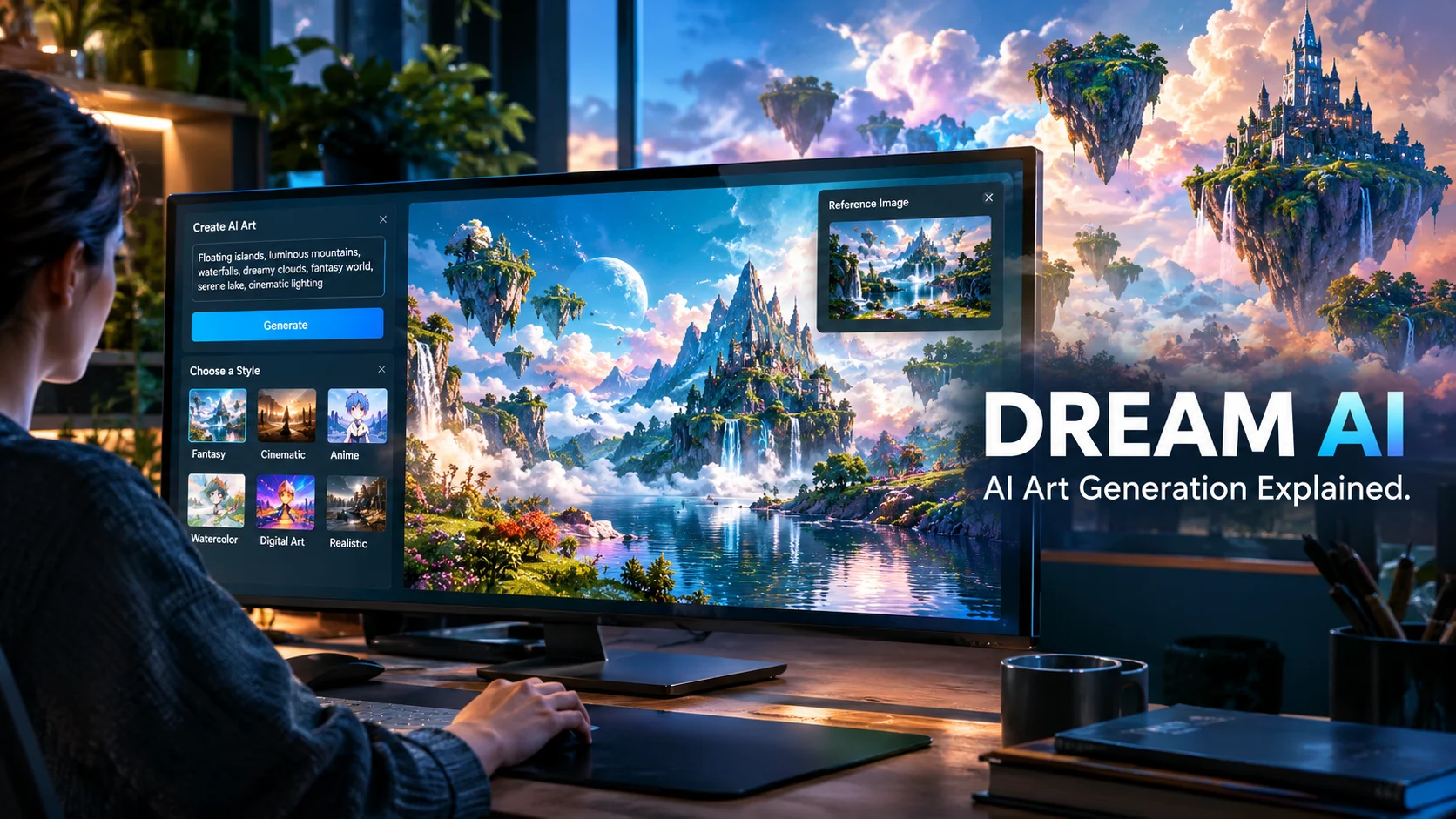
Dream AI commonly refers to AI-powered tools that turn text prompts or reference images into digital artwork, including Dream by WOMBO, which offers an accessible way to create images in different artistic styles. Its usefulness depends on the specific Dream AI product you choose, the creative controls it provides, its pricing, and the usage rights attached to generated images.
At a Glance
- What it is: A name used by several AI-powered creative tools, including AI art and image generators.
- Main purpose: Turn written descriptions into images, illustrations, portraits, and other visual concepts.
- Notable platform: Dream by WOMBO, available through its official website and mobile apps.
- Key features: Text-to-image generation, selectable art styles, reference-image input, and multiple aspect ratios on the web version.
- Pricing: Depends on the product and platform. Some versions offer free access alongside paid features or subscriptions.
- Main limitation: Results may need refinement, and commercial use, privacy, and subscription conditions require careful review.
What Is Dream AI?
Dream AI is a search term associated with multiple artificial intelligence products rather than one universally identifiable platform. Some tools use the name for AI image generation, while others focus on dream interpretation, AI companions, or creative applications.
One prominent example is Dream by WOMBO, a creative tool that transforms text descriptions into AI-generated artwork. Its web interface offers different visual styles and aspect ratios, allowing users to experiment with images without traditional drawing skills.
For someone searching for Dream AI to create digital art, the most useful starting point is the official website at Dream.ai.
However, identifying the exact product matters. A similarly named app may have a different developer, feature set, subscription, privacy policy, and intended purpose.
How Does Dream AI Work?
Most AI image generators follow a similar process. They interpret a written prompt, use a trained generative model to produce an image, and return a result based on the requested subject and visual style.
The general workflow looks like this:
- Enter a prompt: Describe the image you want to create.
- Choose a style: Select an available aesthetic, such as realistic, anime, surreal, or painterly artwork.
- Adjust the settings: Where supported, choose an aspect ratio or upload a reference image.
- Generate the artwork: The AI processes your request and produces an image.
- Refine the result: Modify the description or settings to improve the composition.
- Save or share: Export or share the finished result using the options provided by the platform.
The exact controls vary by product and version. For example, Dream by WOMBO’s current web generator lists multiple style generations and supports reference-image input and several aspect ratios.
Key Features of Dream AI
The following features describe Dream by WOMBO and common AI art-generation workflows. They should not be assumed to exist in every app called Dream AI.
1. Text-to-Image Generation
Text-to-image generation is the core capability of an AI art tool. You describe a scene using ordinary language, and the model creates a visual interpretation.
For example, a prompt such as “a glass greenhouse floating above the clouds at sunset, cinematic lighting, intricate botanical details” gives the model a subject, setting, mood, and visual direction.
This feature can help beginners explore ideas that would otherwise require drawing or digital illustration skills.
2. Multiple Artistic Styles
Dream by WOMBO provides a selection of visual styles, including realistic, anime, surreal, cartoon, and other artistic treatments. Some styles and model versions are marked as premium in its web interface.
Style selection is useful when the same idea needs different visual treatments.
For instance, a fantasy castle might become a watercolor illustration, a stylized concept-art scene, or a more realistic architectural image. The output still depends on the prompt and the model’s interpretation.
3. Reference-Image Support
Dream by WOMBO’s web generator includes an optional reference-image input. This provides an additional visual starting point instead of relying entirely on text.
Reference images can help communicate composition, subject appearance, or visual direction. However, the degree of control over the final result depends on the available implementation.
Do not assume that uploading a reference guarantees an exact reproduction.
4. Aspect Ratio Selection
The web generator lists several aspect ratios, including square, portrait, landscape, and widescreen formats.
This matters because different projects need different dimensions.
- 1:1: Square artwork and profile graphics.
- 9:16: Vertical mobile content and story-style visuals.
- 16:9: Website banners, video thumbnails, and landscape compositions.
- 3:4 or 4:3: Portrait artwork and traditional landscape images.
Always check the final resolution and export options before preparing images for professional publication.
5. Creative Exploration
AI image generation makes it easy to test several visual directions before committing to one. A creator can experiment with colors, lighting, environments, and art styles without rebuilding an entire illustration manually.
This is particularly useful during brainstorming. It can help transform an abstract concept into a visual reference that a designer or illustrator can develop further.
6. Web and Mobile Access
Dream by WOMBO has an official web-based creation experience and a mobile app listed on Google Play. Its availability and features may vary by device and region.
Web access can be convenient for larger-screen workflows, while mobile access suits quick experiments and social content. Compare the available controls and subscription terms on your preferred platform before choosing one.
How to Use Dream AI to Create Better Images
Using an AI art generator is straightforward, but the quality of the prompt makes a noticeable difference. A vague description gives the model more room to interpret your idea, while a detailed prompt helps establish a clearer direction.
Step 1: Start With a Clear Subject
Identify the main thing you want to create. It could be a landscape, fantasy character, product concept, animal portrait, or futuristic city.
Instead of writing “a beautiful city,” describe the scene more precisely:
A futuristic coastal city at sunset, glass skyscrapers, reflections on calm water, warm golden lighting, cinematic wide-angle composition.
Step 2: Specify the Artistic Style
Add a style that matches your intended result. For example, request watercolor illustration, photorealistic landscape, anime concept art, or vintage oil painting.
Avoid combining too many unrelated styles in one prompt. A focused description generally makes it easier to evaluate and refine the result.
Step 3: Describe Lighting and Composition
Visual details help communicate the mood of an image.
Consider specifying:
- Lighting: Soft daylight, dramatic shadows, golden-hour sunlight, or studio lighting.
- Composition: Close-up portrait, wide landscape, overhead view, or centered subject.
- Color palette: Muted earth tones, cool blues, warm pastels, or monochrome.
- Atmosphere: Peaceful, mysterious, dramatic, playful, or dreamlike.
Step 4: Generate and Refine
Review the first image rather than expecting perfection immediately. If the composition is good but the colors are wrong, change the color instructions instead of rewriting the entire prompt.
For example, replace “warm golden lighting” with “cool blue moonlight with subtle silver reflections.” This makes the next experiment more targeted.
Step 5: Check the Final Image
Before publishing, inspect faces, hands, text, object proportions, and background details. AI-generated artwork can contain visual errors that are easy to overlook in a thumbnail.
Also confirm that the image dimensions, resolution, and usage rights suit your project.
Main Use Cases of Dream AI
Dream AI image generation can support several creative activities, although it is not equally suitable for every production task.
Generate fantasy landscapes, surreal artwork, character concepts, and experimental compositions. Artists can use the outputs as starting points for more detailed work.
Create visual concepts for posts, profile graphics, inspirational content, and creative campaigns. Add final typography separately when precise text placement matters.
Explore settings, character appearances, and cover concepts. Professional publishing projects still need careful composition, typography, licensing checks, and editorial review.
Visualize a color scheme, interior concept, fictional environment, or campaign direction before investing in a finished design.
Try unfamiliar styles, explore variations, and turn written ideas into visual references. This is useful for beginners and experienced creators alike.
For client work, branded campaigns, or commercial publishing, treat generated images as creative assets that require review rather than finished deliverables by default.
Benefits of Dream AI
The main appeal of Dream AI-style image generators is their ability to reduce the effort required to move from an idea to a visual concept.
Accessible Creative Tools
Users do not need professional illustration training to describe an image and experiment with different visual treatments. This makes AI art useful for beginners, students, writers, and hobbyists.
Faster Idea Exploration
Traditional illustration can take hours or days. AI generation can produce initial concepts quickly, helping users compare different moods and compositions before deciding which direction to pursue.
Actual generation times vary with the model, image complexity, and server demand.
Flexible Visual Styles
A single concept can be explored through several artistic approaches. This can help creators develop a consistent visual direction or discover a style they had not considered.
Useful for Early Design Work
Generated images can help communicate an idea during planning. A writer can visualize a fictional setting, while a marketer can test a campaign’s visual mood before commissioning finished assets.
Potential Cost Savings
For personal projects and early-stage brainstorming, an accessible generator may reduce the need to commission every initial sketch. However, subscription costs, editing time, and professional quality requirements still matter.
AI art is not automatically cheaper for complex commercial work. A designer may need to correct anatomical errors, adjust composition, recreate typography, or produce consistent versions across a campaign.
Dream AI Pricing: Is It Free?
Pricing is one of the most important details to verify before committing to an AI art generator.
Dream by WOMBO offers a web creation experience, while its mobile app listings show in-app purchases and paid subscription options. The available plans and prices can differ by platform, country, and offer.
| Pricing consideration | What to check |
|---|---|
| Free access | Which generation features are available without paying? |
| Premium styles | Are certain models or styles restricted to subscribers? |
| Image generation | Are there daily limits, queues, or other restrictions? |
| Video features | Are video generations included, or do they require a separate entitlement? |
| Subscription | Is billing weekly, monthly, or annually? |
| Trial offers | Does the trial automatically convert to a paid subscription? |
| Renewal and cancellation | How do you cancel, and when does access end? |
Important: Do not assume that a free website experience means every feature is free. Likewise, do not assume that a subscription purchased through a mobile app includes every web feature.
For the latest details, check the official Dream website and the official iOS app listing before paying.
If you use another product named Dream AI, verify its developer and pricing separately. Its terms may have nothing to do with WOMBO.
Dream AI Privacy and Security
Privacy deserves attention whenever an image generator receives personal photographs, prompts, or reference images.
Dream by WOMBO’s Apple App Store listing includes developer-provided privacy disclosures. These indicate that information such as contact details, user content, identifiers, and usage data may be linked to users for specified purposes. Apple notes that the developer supplies these disclosures and that the information has not been independently verified by Apple.
This does not establish that the service is unsafe. It does mean users should review the applicable policy instead of assuming that their creations remain private.
Privacy Checks Before Uploading Images
- Read the current privacy policy and terms of service.
- Check how uploaded images, prompts, and account information may be processed.
- Understand whether your creations can be displayed publicly or used for promotional purposes.
- Avoid uploading confidential business assets, sensitive personal photographs, or client material unless you have verified the relevant protections.
- Review account deletion and content-removal options.
- Confirm the rules for public sharing and the use of reference images.
The developer’s privacy policy is a useful starting point for Dream by WOMBO users.
Can You Use Dream AI Images Commercially?
Commercial use and copyright ownership are related, but they are not identical.
Before using an image in an advertisement, book, product, or client campaign, review the current terms governing your particular product and account. Check any attribution requirements, restrictions on third-party intellectual property, and permissions relating to promotional use.
Copyright protection for AI-generated material also depends on the applicable law and the degree of human creative contribution. Do not assume that every output is automatically protected by copyright or that you have exclusive rights over every element.
For high-value commercial projects, keep records of your prompts, edits, source materials, and the terms that applied when you created the image. Seek qualified legal advice if ownership or licensing is central to the project.
Limitations of Dream AI
Although Dream AI can simplify image creation, it has limitations that matter when choosing a tool for serious creative work.
1. Prompts Do Not Guarantee Exact Results
The model interprets your instructions rather than following them like a traditional design program. Small details may be omitted, misplaced, or rendered differently from what you expected.
2. Fine-Grained Editing May Be Limited
Preset styles and prompt-based controls are convenient, but they may not provide the precision of a professional image editor. If you need exact object placement, consistent branding, or pixel-level adjustments, additional editing software may be necessary.
3. Text and Small Details Can Be Unreliable
AI-generated lettering, logos, hands, and complex objects may contain mistakes. For business graphics and promotional artwork, add important text and branding in a dedicated design tool.
4. Consistency Can Be Difficult
Creating the same character across several scenes may require repeated adjustments. This can be a challenge for comic books, illustrated stories, product campaigns, and projects with strict visual guidelines.
5. Usage Rights Need Verification
An image that can be downloaded is not necessarily cleared for every commercial purpose. Copyright, third-party rights, attribution rules, and the service’s terms all affect how you should use the output.
6. Pricing and Feature Access Can Change
Mobile subscriptions and web features may differ. Before purchasing, check the exact plan, billing interval, generation limits, and cancellation process rather than relying on an old review.
Dream AI Alternatives: Which Tools Should You Consider?
If Dream AI does not provide the control, consistency, or workflow you need, several established image-generation platforms are worth comparing.
Best for users who want to create images through conversational instructions and refine a result by describing changes. It is useful when the task involves several rounds of creative direction.
Worth exploring for highly stylized artwork, visual experimentation, and detailed creative compositions. Review its current plans and workflow before subscribing.
Consider it when AI generation needs to fit into a broader design workflow. Its tools and integrations may be useful for editing and production tasks.
Worth evaluating for game-art concepts, character exploration, and creative image workflows. Check which controls and export options are available under its current plan.
An option for users who want to explore configurable image-generation workflows. Setup, hardware requirements, licensing, and model-specific restrictions vary depending on the implementation.
Dream AI vs. Other Image Generators
| Platform | Target user | Key strength | Pricing transparency | Main consideration |
|---|---|---|---|---|
| Dream by WOMBO | Beginners and casual creators | Accessible, style-driven art generation | Web and app pricing should be checked separately | Fine-grained control may be limited |
| ChatGPT Images | General users and creators | Conversational image creation and refinement | Check current plan and usage limits | Access depends on product availability and plan |
| Midjourney | Digital artists and visual creators | Stylized visual exploration | Review current subscription plans | Workflow may require learning its controls |
| Adobe Firefly | Designers and creative teams | Integration with creative workflows | Check current plans and credits | Some features may require paid access |
| Leonardo AI | Game artists and digital creators | Creative image workflows | Check current plans and limits | Capabilities differ by model and subscription |
| Stable Diffusion | Technical and creative users | Configurable implementations | Depends on hosting and software | Setup and licensing require more attention |
These are practical alternatives, not a controlled benchmark ranking. Image quality varies by prompt, model version, settings, and task. Pricing and feature availability can also change, so compare the live product pages before making a purchase.
Dream AI vs. Dream AI: Why the Name Matters
The phrase “Dream AI” can refer to unrelated products, which creates a common search problem.
For example, Dream AI on dreamai.art advertises an image-generation service with its own pricing and feature claims. Dream by WOMBO operates through dream.ai, with a separate web experience and mobile app. Other products use similar names for dream journaling, interpretation, or AI companionship.
Before downloading an app or entering payment details, check three things:
- Developer identity: Confirm the publisher listed on the official website or app store.
- Product purpose: Determine whether the tool generates images, interprets dreams, or provides another service.
- Official terms: Read the matching privacy policy, pricing page, and subscription conditions.
This simple check prevents confusion between products that share a name but offer different services.
Who Should Use Dream AI?
Dream by WOMBO is worth considering if you want an approachable way to explore AI-generated artwork without learning a complex design application.
It may suit:
- Beginners who want to experiment with digital art.
- Hobbyists interested in fantasy scenes, portraits, and unusual visual styles.
- Writers who need early concepts for characters or settings.
- Content creators who need ideas for social posts and visual projects.
- Designers who want a quick source of inspiration before producing polished assets.
It may be less suitable as a standalone solution for professional workflows that demand exact typography, repeatable character designs, precise product rendering, or guaranteed brand consistency.
Businesses handling confidential assets should also examine the service’s data practices before using it.
Tips for Getting Better Results With Dream AI
A few practical habits can improve the usefulness of generated artwork.
- Lead with the subject: Explain what the image should show before describing its style.
- Add meaningful details: Include the environment, lighting, mood, and composition.
- Choose one dominant style: Avoid contradictory instructions that compete for the model’s attention.
- Use reference images carefully: Upload only material you have permission to use.
- Refine one variable at a time: Change lighting, color, or composition separately to understand what improves the output.
- Inspect the final result: Look for distorted objects, inconsistent details, and accidental text.
- Keep commercial requirements in mind: Verify resolution, file format, licensing, and usage rights before publishing.
For example, a prompt that says “a cat” is simple but open-ended. A more specific version, such as “a ginger cat sitting beside a rainy window, soft natural light, watercolor illustration, muted blue and amber palette, centered composition,” provides a clearer visual direction.
No prompt guarantees a perfect image. The goal is to reduce ambiguity and make refinement more productive.
Frequently Asked Questions About Dream AI
1. Is Dream AI free to use?
Some Dream AI products offer free access, while others use subscriptions, in-app purchases, or feature restrictions. Dream by WOMBO has a web-based generator and a mobile app with in-app purchases. Check the exact product and platform for current limits and prices.
2. Is Dream AI the same as Dream by WOMBO?
Not always. Dream AI is a name used by multiple products. Dream by WOMBO is one identifiable AI art and image-generation platform, but similarly named services may have different developers, features, and terms. Verify the official website before signing up.
3. Can Dream AI generate images from text?
Yes, text-to-image generation is a central feature of Dream by WOMBO. Users enter a description and select an available visual style. The web interface also offers reference-image input and aspect-ratio choices. Other products called Dream AI may provide different capabilities.
4. Can I use Dream AI images commercially?
Commercial use depends on the specific service’s current terms, the rights attached to the output, and applicable copyright law. Review licensing and attribution requirements, and avoid using protected characters, logos, or photographs without appropriate permission.
5. What is the best alternative to Dream AI?
The right alternative depends on your goals. ChatGPT Images supports conversational image creation, Midjourney focuses on creative image generation, Adobe Firefly fits into design workflows, Leonardo AI supports visual content creation, and Stable Diffusion offers configurable implementations. Compare current features, pricing, and licensing before choosing.
Conclusion
Dream AI can make digital art more accessible by turning written ideas into visual concepts. Dream by WOMBO is one option for experimenting with artistic styles, creating illustrations, and exploring image-generation workflows without traditional drawing skills.
Its suitability depends on your goals. Casual creators may value its accessibility, while professional designers may need more precise editing, consistent outputs, or advanced production controls.
Before choosing a Dream AI tool, verify the developer, current pricing, available features, privacy policy, and commercial usage rights. Testing the actual workflow is the most reliable way to determine whether it meets your needs.

Oliver Wilson is an AI researcher and tech writer living at the intersection of human creativity and machine intelligence. At AixOrbit.com, he decodes complex neural networks, generative AI and emerging tech trends into actionable insights making sure humans stay one step ahead of the algorithms.