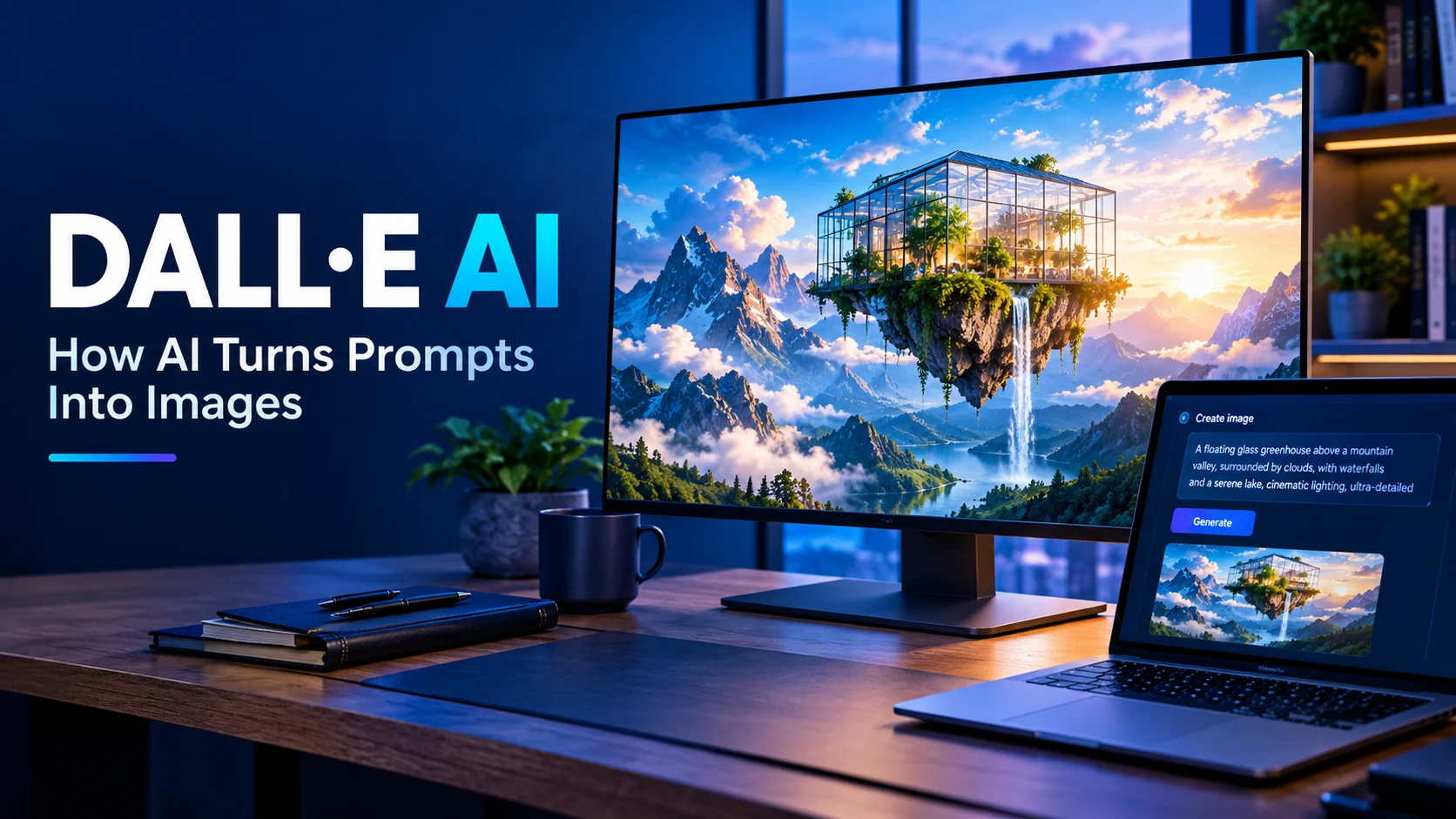
DALL·E AI is OpenAI’s text-to-image technology that generates images from natural-language descriptions, helping users create illustrations, concepts, and visual assets without traditional drawing skills. Its usefulness depends on the image-generation experience available in ChatGPT or through supported developer tools, the quality of the prompt, and the limitations of AI-generated visuals.
At a Glance
- What it is: An AI image-generation technology developed by OpenAI.
- Primary purpose: Turning written descriptions into visual content.
- Who can use it: Creative professionals, marketers, educators, students, and everyday users, depending on available access.
- Common applications: Illustrations, concept art, marketing graphics, storyboards, and visual brainstorming.
- Main limitation: Generated images can contain visual inconsistencies, inaccurate details, or imperfect text.
- What to check: Current availability, usage limits, editing capabilities, and applicable content and privacy policies.
DALL·E AI: What It Is and How It Works
DALL·E AI refers to OpenAI’s text-to-image generation technology, which helped make AI-created images accessible to everyday users. However, the product landscape has changed: as of October 2026, OpenAI has retired its official DALL·E GPT in ChatGPT, and its developer documentation lists DALL·E 2 and DALL·E 3 as retired API models. Users who want to create or edit images should look at the newer ChatGPT Images experience and supported GPT Image models.
This distinction matters because many articles still describe DALL·E 3 as though it were OpenAI’s current image-generation option. Understanding the difference between the legacy DALL·E name and OpenAI’s newer image tools helps users choose the right workflow.
What Is DALL·E AI?
DALL·E is an image-generation system developed by OpenAI. It interprets written descriptions and produces corresponding images, allowing people to turn ideas into visual concepts without manually drawing every detail.
The name combines a reference to the surrealist artist Salvador Dalí and the animated robot WALL·E. The system became widely known for generating imaginative scenes, illustrations, and compositions from natural-language prompts.
Earlier generations established several important capabilities:
- Creating images from detailed text descriptions.
- Combining objects and concepts in unusual ways.
- Producing visuals in different artistic styles.
- Generating variations of an idea.
- Editing or extending existing images, depending on the model and interface.
DALL·E helped popularize generative AI for visual creativity. Its broader significance is that users can describe what they want instead of learning a complex graphics application first.
Today, the practical question is not simply whether DALL·E works. It is which current image-generation tool provides the capabilities, access, and output quality a particular project requires.
How Does DALL·E AI Work?
DALL·E uses machine-learning techniques to connect language with visual patterns. During training, image-generation systems learn statistical relationships between visual information and descriptive text. They can then use those learned relationships to create new images from a prompt.
The exact architecture and implementation vary between generations, so older descriptions of DALL·E should not automatically be applied to newer GPT Image models.
1. Understanding the prompt
The process starts when a user enters a description such as:
“A small glass greenhouse in a snowy forest at sunrise, photographed with soft natural lighting.”
The model interprets the subject, setting, lighting, mood, and style. More specific descriptions give it clearer guidance about the intended result.
2. Connecting language with visual concepts
The model uses learned relationships between words, objects, scenes, and visual features. It does not simply retrieve a photograph from a database that matches the sentence.
Instead, it generates an image based on patterns learned during training and the instructions in the prompt.
3. Generating the image
The image-generation model constructs the visual output according to its learned representations and generation process. The result might be photorealistic, illustrated, abstract, or stylized, depending on the instructions and the model’s capabilities.
4. Reviewing and refining the result
The first image may not match every detail. Users can revise the prompt, request an edit, or try another variation where the interface supports those actions.
For example, a user might change “a snowy forest” to “a misty autumn forest” while keeping the greenhouse, composition, and lighting consistent.
This iterative process is often more effective than trying to write one enormous prompt that anticipates every possible detail.
DALL·E AI vs. Newer OpenAI Image Tools
The distinction between legacy DALL·E products and current OpenAI image tools is essential for anyone searching for access, pricing, or API instructions.
| Tool or generation | Status as of October 2026 | Practical implication |
|---|---|---|
| DALL·E 2 | Retired as an API model | Do not assume its API remains available |
| DALL·E 3 | Retired as an API model | Older tutorials may describe a discontinued workflow |
| Official DALL·E GPT in ChatGPT | Retired on August 30, 2026 | Use ChatGPT Images instead |
| ChatGPT Images | Current image-creation and editing experience | Suitable for conversational image workflows |
| GPT Image API models | Current developer options documented by OpenAI | Suitable for supported application integrations |
OpenAI’s documentation identifies gpt-image-2.5-sunburst and gpt-image-2.5-flare among its newer API image models. Its guide describes Sunburst as an option when editing precision matters and Flare as an option for fast, high-quality everyday generation. These are vendor descriptions, not an independent guarantee of performance for every task.
For most people, the takeaway is straightforward: search for DALL·E if you want to understand the technology, but check current ChatGPT Images documentation if you want to create images today.
Key Features and Capabilities
DALL·E’s historical capabilities helped establish what users expect from modern AI image generators. Current capabilities depend on the specific product and model being used.
Text-to-image generation
A written prompt can describe a subject, environment, artistic style, camera angle, lighting, and mood. The model translates those instructions into a visual composition.
This is useful for quickly exploring concepts that would otherwise require drawing, photography, or stock-image research.
Image editing
Modern image-generation workflows can support changes to existing images. Depending on the tool, users may be able to replace backgrounds, adjust objects, modify colors, or transform a visual style.
OpenAI’s current image-generation documentation describes both generating images from scratch and editing existing images.
Style exploration
A single idea can be described in multiple visual styles, including watercolor, editorial illustration, cinematic photography, and minimalist graphic design.
However, style instructions do not guarantee exact reproduction of an artist’s technique or a perfectly consistent result across multiple images.
Text inside images
Image-generation models have improved at rendering words, labels, and other text elements. OpenAI’s current documentation specifically highlights text rendering as a capability of its newer image-generation technology.
Even so, text should be checked carefully before publishing. Long passages, small lettering, complicated layouts, and exact brand details may still require manual correction.
Conversational refinement
Newer workflows can let users describe successive changes rather than start over after every attempt. OpenAI’s Responses API supports multi-turn image workflows, allowing applications to refine generated images through follow-up instructions.
This is particularly helpful when the broad composition is correct but individual details need adjustment.
What Can You Create With DALL·E AI?
Although DALL·E is a legacy product name in some contexts, its text-to-image approach remains relevant across creative and commercial work.
Artists and designers can explore characters, environments, fictional worlds, color palettes, and early visual concepts before committing to detailed production work.
Marketing and social media
Marketing teams can prototype campaign visuals, blog illustrations, social media concepts, and promotional graphics. Final assets still need brand and factual review.
Education and learning
Educators can develop explanatory illustrations, imaginative classroom materials, and visual aids. Scientific and historical details should be checked for accuracy.
Product and architectural concepts
Designers can explore packaging, product appearances, room concepts, and building exteriors. Generated visuals are useful for ideation but do not replace engineering drawings or construction documentation.
Other applications include book illustrations, presentation graphics, storyboards, game assets, personal projects, and visual brainstorming.
The best use cases are those where a generated image provides a starting point or a finished visual that can be checked before use.
How to Write Better DALL·E AI Prompts
Prompt quality can influence the relevance, composition, and style of an AI-generated image. A useful prompt explains what the image should contain and how it should look.
Use a clear prompt structure
A practical prompt can include five elements:
- Subject: What should appear in the image?
- Setting: Where does the scene take place?
- Composition: What should be in the foreground or background?
- Visual style: Should the result look photographic, illustrated, or cinematic?
- Lighting and mood: What atmosphere should the image communicate?
For example, instead of writing “a futuristic city,” provide a more complete description.
Example prompt
A photorealistic futuristic city at blue hour, viewed from a rooftop, with elegant glass skyscrapers, elevated public transport, subtle cyan lighting, realistic atmospheric haze, detailed architecture, cinematic wide-angle composition, and natural reflections. Keep the skyline clean and believable.
Copy prompt
This gives the model a more specific visual target. It does not guarantee that every architectural detail will be correct, but it reduces ambiguity.
Describe the result, not just the subject
Useful prompts communicate visual intent. Consider these improvements:
| Basic prompt | More descriptive prompt |
|---|---|
| A product photo | A premium product photograph with soft studio lighting and a neutral background |
| A cartoon dog | A cheerful cartoon dog with expressive eyes, clean outlines, and a colorful children’s-book style |
| A mountain | A dramatic mountain landscape at sunrise, with layered peaks and realistic atmospheric perspective |
| A business office | A modern professional workspace with natural window light, restrained colors, and realistic materials |
Refine one detail at a time
If an image is almost correct, identify the specific problem. Ask for a brighter background, a wider camera angle, a different color palette, or a more realistic material.
Changing too many unrelated details at once can make it harder to understand which instruction improved the result.
For images containing text, logos, product labels, or important human features, inspect the final output closely. Generate alternatives or edit the image when necessary.
Benefits of DALL·E AI
The original DALL·E technology demonstrated several advantages that remain relevant to AI image generation.
Lower creative barriers. People without advanced illustration skills can express ideas visually using everyday language.
Faster concept exploration. Teams can compare several directions before investing time in detailed production.
Flexible visual styles. The same broad concept can be explored as a photograph, illustration, painting, or stylized graphic.
Useful for early-stage design. Generated images can help communicate an idea to colleagues, clients, or collaborators.
Support for creative experimentation. Users can test unusual combinations of objects, settings, colors, and moods that might be expensive to photograph or draw.
These benefits are strongest when image generation complements human judgment. A compelling concept still needs editing, fact-checking, and design decisions before it becomes a reliable final asset.
Limitations and Common Mistakes
DALL·E and newer image-generation systems can produce impressive results, but they are not dependable substitutes for professional review.
Incorrect details
An image can look convincing while containing inaccurate objects, anatomy, architecture, scientific details, or product features. Photorealism should not be confused with factual accuracy.
For example, an image depicting a medical procedure may look professional while showing an incorrect instrument or technique.
Imperfect text and logos
Models can render text more effectively than earlier systems, but exact spelling, typography, logos, and dense layouts remain important review points. For commercial materials, manually verify every word and brand element.
Inconsistent revisions
Editing a generated image can unintentionally change details that were already correct. If character appearance, product dimensions, or brand colors must remain consistent, inspect each revision against the original requirements.
Copyright and likeness concerns
An image being AI-generated does not automatically make every possible use lawful. Copyright, trademark, publicity rights, licensing requirements, and applicable local laws can affect whether a visual is suitable for publication or commercial use.
Avoid uploading images or requesting depictions that violate another person’s privacy or rights. Review the applicable platform rules before using generated images commercially.
Misleading or fabricated imagery
Photorealistic generation can produce scenes that viewers mistake for real photographs. Label synthetic imagery when context requires it, especially in journalism, research, documentary work, or public-interest communication.
DALL·E AI Pricing and Availability
There is no single current DALL·E price that applies to every user or workflow. The legacy DALL·E products, ChatGPT Images, and GPT Image API models have different availability and billing arrangements.
ChatGPT Images
OpenAI’s current Help Center says ChatGPT Images is available across ChatGPT tiers. However, the available usage limits and particular capabilities can differ by plan and product configuration. The former official DALL·E GPT is retired.
Check the official ChatGPT Images guide for the current workflow and availability details.
API pricing for developers
Developers integrating image generation into an application should consult the OpenAI image-generation API guide.
API costs depend on the supported model and the relevant generation settings, such as output size and quality. Developers should also account for retries, editing requests, application traffic, and any other infrastructure costs.
Before choosing an implementation, check:
- Current supported model names and lifecycle status.
- Per-image costs or other applicable usage charges.
- Supported output sizes, formats, and quality settings.
- Rate limits and any organization-verification requirements.
- Whether the chosen API supports the editing workflow the application needs.
Older tutorials may contain model identifiers and pricing information that no longer apply. Verify these details against current documentation rather than copying legacy code into a production application.
Privacy, Security, and Commercial Use
Anyone creating images for clients, customers, or a business should consider how prompts, uploads, and generated assets are handled.
Protect sensitive inputs
Avoid including confidential client information, private documents, unpublished product designs, or identifiable personal data unless the relevant service and account settings are appropriate for that information.
Check the current privacy documentation for the product you use. Data handling can differ between consumer services, business offerings, and API integrations.
Understand data retention
Do not assume that an image-generation service provides Zero Data Retention simply because its provider offers enterprise security controls or holds a security certification.
Retention and training policies should be evaluated separately. For API use, review the applicable OpenAI policies and service terms, including the rules that apply to your account and configuration.
Review ownership and usage rights
OpenAI’s terms address ownership of output, but ownership language does not guarantee that an image is unique, copyrightable in every jurisdiction, or free from third-party rights.
Before using an image in advertising, packaging, merchandise, or client deliverables, review the applicable terms and legal requirements. Obtain additional review for high-value commercial assets or sensitive industries.
Keep a human review process
For business use, create a simple approval checklist covering factual accuracy, brand consistency, prohibited content, privacy, and rights clearance. This is especially important when images are published at scale or generated automatically through an API.
DALL·E AI Alternatives: Which Tools Should You Compare?
If you want to generate images today, compare active products rather than relying on discontinued DALL·E tutorials. The right choice depends on the visual style, editing workflow, budget, and licensing considerations.
Midjourney
Useful for exploring stylized imagery, artistic compositions, and visually distinctive concepts. Its official plans include subscription tiers, with features and generation allowances varying by plan.
Pricing reference: Midjourney plans.
Midjourney
Adobe Firefly
Relevant for users who want image generation and editing within Adobe’s creative ecosystem. Its plans use generative credits for certain features, so review the allowance for your intended workflow.
An option for users who prefer conversational image creation and refinement through Google’s AI assistant. Availability depends on supported regions, account types, and product access.
A natural option for people already using OpenAI products. ChatGPT Images supports conversational creation and editing, while the API supports programmatic image workflows.
Comparison at a glance
| Platform | Potential user | Main strength | Pricing transparency | Main consideration |
|---|---|---|---|---|
| ChatGPT Images | General users and creators | Conversational creation and editing | Check current plan limits | Access and usage vary |
| GPT Image API | Developers and businesses | Programmatic generation and editing | Consult API pricing | Requires integration and cost management |
| Midjourney | Visual artists and designers | Artistic image exploration | Subscription tiers published | Plan features and generation allowances differ |
| Adobe Firefly | Creative professionals | Integration with Adobe creative tools | Plans and credits published | Credit consumption varies by feature |
| Google Gemini | General users | Conversational image creation | Check current account and plan details | Availability varies by region and account |
These platforms are not identical, and their capabilities change over time. This is a practical comparison of workflows, not a controlled benchmark or a claim that one model produces superior results in every situation.
For a fair evaluation, test each tool with the same representative prompts. Compare the results for composition, text accuracy, editing consistency, cost per usable image, and the time needed for corrections.
Who Should Use DALL·E AI or a Modern Alternative?
The right image-generation workflow depends on what you want to produce and how much control you need.
- Beginners: Start with a conversational image tool that makes prompt writing and revisions straightforward.
- Bloggers and SEO professionals: Use image generation to create original article illustrations, featured images, and visual concepts. Check factual accuracy and image dimensions before publishing.
- Graphic designers: Evaluate image editing, composition control, style consistency, and compatibility with existing design software.
- Marketing teams: Check commercial-use requirements, brand consistency, approval processes, and the cost of producing usable assets at scale.
- Developers: Compare API capabilities, supported models, latency, usage costs, and integration requirements before committing to a provider.
- Educators and researchers: Verify that generated illustrations accurately represent the subject and clearly distinguish synthetic visuals from real evidence.
For a small personal project, convenience may matter most. For a commercial workflow, consistency, rights, cost, and review requirements can be more important than the initial image quality.
Frequently Asked Questions About DALL·E AI
1. Is DALL·E AI still available in 2026?
The official DALL·E GPT in ChatGPT was retired on August 30, 2026, and DALL·E 2 and DALL·E 3 are listed as retired API models. OpenAI directs users to ChatGPT Images for current image creation and editing.
2. Is DALL·E AI free to use?
There is no single current price for every DALL·E-related workflow. ChatGPT Images is available across ChatGPT tiers, but usage limits may differ. API image generation has separate usage-based costs, so check the current pricing and access rules before starting a project.
3. How do you generate images with DALL·E AI?
Historically, users entered a written description and received an AI-generated image. Today, you can use ChatGPT Images to describe a new image or upload an existing image for editing, then refine the result through follow-up instructions.
4. Can AI-generated images be used commercially?
Potentially, yes, but commercial use depends on the applicable service terms, local law, and any third-party rights involved. Review the image for trademarks, likenesses, copyrighted material, and other restrictions before using it in advertising or products.
5. What is the difference between DALL·E and GPT Image?
DALL·E refers to OpenAI’s earlier image-generation models, including DALL·E 2 and DALL·E 3. GPT Image is the newer model family documented by OpenAI for image generation and editing. The available capabilities and integration methods depend on the particular model and product.
Conclusion
DALL·E AI helped establish text-to-image generation as an accessible creative tool, but the legacy DALL·E products are no longer the default route for new OpenAI image-generation workflows. In 2026, users should explore ChatGPT Images for conversational creation and editing or GPT Image models for supported API integrations.
The important factors are prompt quality, editing control, image accuracy, usage limits, cost, and commercial-use requirements. Choose a tool based on the images you actually need, test it with representative prompts, and review the results before publishing.

Oliver Wilson is an AI researcher and tech writer living at the intersection of human creativity and machine intelligence. At AixOrbit.com, he decodes complex neural networks, generative AI and emerging tech trends into actionable insights making sure humans stay one step ahead of the algorithms.