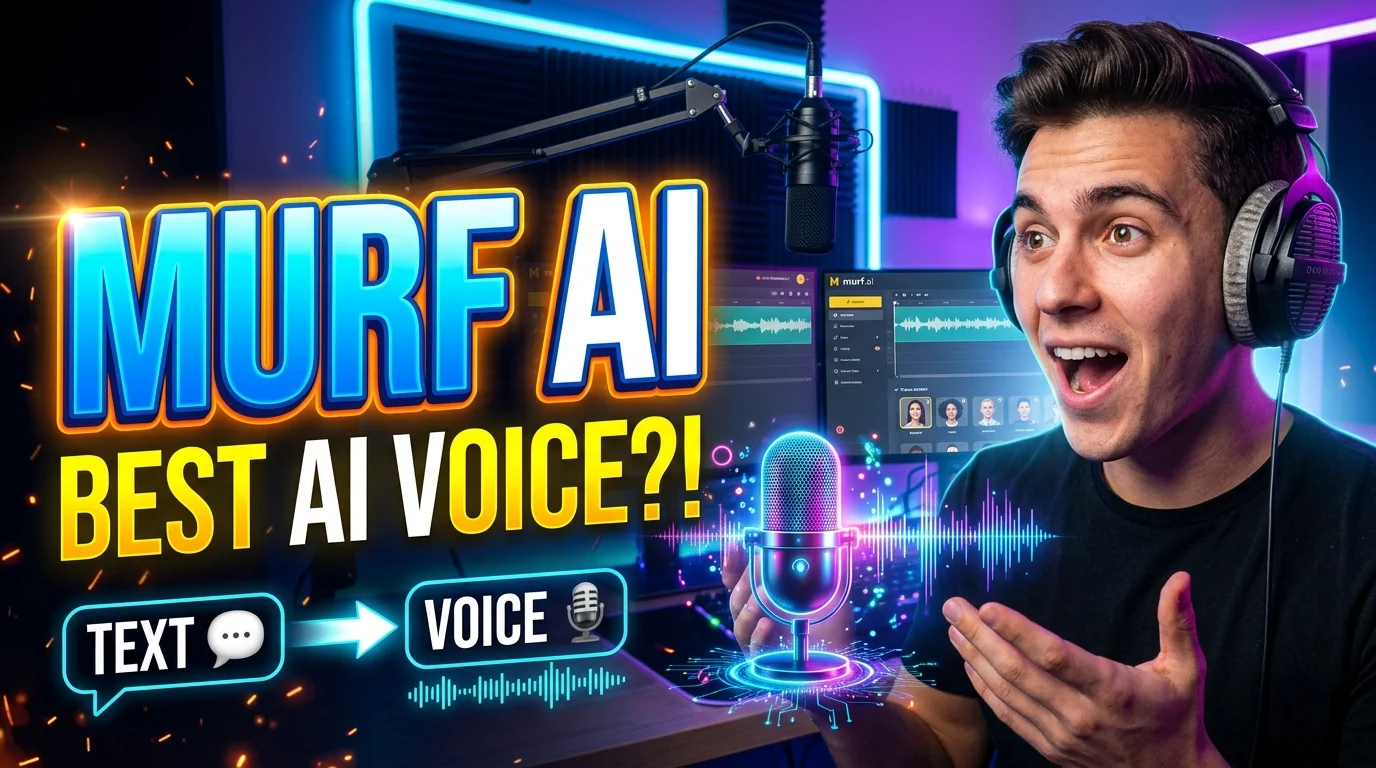
Murf AI is an AI-powered voice generation platform that converts written scripts into realistic speech for videos, presentations, e-learning, marketing, and other audio projects. It also offers tools for voice customization, AI dubbing, voice changing, and developer integrations, with availability and usage limits depending on the product and plan.
Murf AI at a Glance
Core purpose
Converts text into AI-generated speech and voiceovers.
Voice customization
Adjust supported voice settings, including speed, pronunciation, emphasis, and delivery.
Additional capabilities
Voice changing, AI dubbing, translation, voice cloning, and API access, depending on the product.
Ideal audiences
Content creators, educators, marketers, businesses, and developers.
Pricing
Free trial options, paid Studio subscriptions, usage-based API plans, and custom enterprise arrangements.
Important limitation
Voice generation allowances, export rights, and available features vary by plan and product.
What Is Murf AI?
Murf AI is a speech-generation platform designed to make professional audio production more accessible. Instead of recording every line with a microphone, users can enter a script, select an AI voice, adjust its delivery, and generate narration.
The platform serves several related needs. Murf Studio focuses on voiceovers and audio production, while Murf Dub supports dubbing workflows and Murf’s API allows developers to integrate speech capabilities into applications.
For example, a teacher can turn lesson notes into narrated training material. A YouTube creator can generate narration for an explainer video, while a business can produce consistent audio for product demonstrations.
The main appeal is control over the production process. Users can revise a script and regenerate the affected narration without organizing an entirely new recording session.
However, generated speech still requires review. Pronunciation, emphasis, pacing, and emotional delivery can vary with the script, selected voice, and language.
How Does Murf AI Work?
Murf AI uses text-to-speech technology, commonly abbreviated as TTS. This technology processes written language and generates corresponding audio through trained speech-synthesis models.
The practical workflow is straightforward.
- Prepare your script. Write or paste the narration you want the system to speak. Clear punctuation and natural sentence structure help establish appropriate pauses.
- Choose a voice. Select an available voice that fits your audience, language, accent, and content style.
- Adjust delivery. Use supported controls to refine pronunciation, speaking speed, emphasis, and other voice characteristics.
- Preview the result. Listen for unnatural phrasing, incorrect names, awkward pauses, and inconsistent tone.
- Edit and export. Refine the script, regenerate sections, and export the finished audio using the options available on your plan.
What happens behind the scenes?
Modern neural text-to-speech systems learn patterns connecting written language with speech characteristics. Depending on the model, these patterns can include pronunciation, rhythm, intonation, and speaker identity.
The system then generates audio that approximates those learned patterns. It does not simply read words aloud using a fixed robotic voice.
Murf does not require most Studio users to build or train their own speech model. The platform provides an interface for selecting and configuring available voices, while API users can connect speech generation to their own software.
Key Murf AI Features
Murf’s tools cover more than basic text-to-speech. The exact selection depends on whether you use Studio, Dub, or the API.
1. AI Text-to-Speech
Text-to-speech is the central feature. Users transform written content into narrated audio without recording each sentence themselves.
This can help with educational lessons, business presentations, product walkthroughs, marketing videos, and internal training. It also makes revisions easier when a script changes after the initial recording.
The quality still depends on the chosen voice and script. Technical terminology, unusual names, abbreviations, and mixed-language sentences deserve extra attention.
2. Voice Selection and Customization
Murf provides a library of AI voices across supported languages and accents. Its tools also allow users to customize aspects of delivery, although individual controls differ by plan and voice.
Useful adjustments include:
- Speed: Change how quickly the narration progresses.
- Pronunciation: Improve how names, acronyms, and specialized terms sound.
- Emphasis: Highlight important words when the selected plan supports it.
- Pauses: Shape sentence breaks and improve comprehension.
- Delivery style: Choose a voice and supported tonal qualities appropriate to the material.
A professional narration does not always need an expressive voice. Compliance training may require calm consistency, while an advertisement may benefit from a more energetic delivery.
3. AI Voice Cloning
Voice cloning creates a synthetic voice based on recordings of a consenting speaker. Businesses may use this capability to maintain a consistent voice identity across approved content.
Potential applications include recurring educational series, branded narration, and updated training materials.
Voice cloning requires particular care because a person’s voice is identifiable. Murf’s terms require explicit written consent for third-party voice recordings submitted for cloning. The terms also describe how training recordings and generated audio may be handled for quality assurance.
Before choosing a cloning plan, confirm the applicable consent process, access controls, permitted uses, retention terms, and deletion procedure. Do not assume that every Studio subscription includes custom voice cloning.
4. AI Dubbing and Translation
Murf offers separate tools for translating and dubbing audio or video content. These workflows can help organizations adapt existing material for audiences who speak different languages.
Dubbing is more involved than translating a script. The output must also fit the timing of the original content, use suitable voices, and preserve the intended meaning.
Automated results should be reviewed by a fluent speaker, especially for training, legal, medical, or customer-facing material. Cultural references and industry terminology may require additional editing.
5. Voice Changer and Audio Tools
Murf also provides voice-changing capabilities that transform an existing recording into a different supported AI voice. This can be useful when a creator wants to preserve elements of a recorded performance while changing its vocal presentation.
The result depends on the source recording, supported input formats, and the specific product. Test a short sample before committing a large project.
6. Video and Presentation Workflows
Murf supports workflows for adding narration to video and presentation content. Its product ecosystem also includes integrations and add-ons for tools such as Canva and presentation software. Availability varies by integration and plan.
This matters for teams producing frequent training modules, internal presentations, and product demonstrations. A connected workflow can reduce the need to move files between several applications.
7. Murf AI API
Developers can use Murf’s API to integrate speech generation and related audio capabilities into software products. Possible applications include spoken notifications, conversational interfaces, accessibility features, and automated narration.
API users should evaluate more than voice quality. Request limits, concurrency, character-based pricing, latency, supported languages, error handling, and usage rights all affect implementation.
Murf’s API documentation lists separate trial and paid usage arrangements, so its pricing should not be confused with the Studio subscription model.
Best Uses for Murf AI
Murf AI is most useful when a project needs repeatable narration, frequent script updates, or multiple voice versions.
Turn lessons, onboarding materials, and training scripts into narrated modules. Review technical terms and pronunciations before distributing educational content.
Create narration for explainers, tutorials, product reviews, and short-form videos without recording every revision.
Produce alternative scripts, promotional narration, and localized versions. Check commercial-use permissions for the selected plan.
Develop onboarding, internal training, and product-support audio with consistent presentation across updates.
Integrate generated speech into software using the API, subject to technical limits, pricing, and applicable usage terms.
Benefits of Using Murf AI
The strongest benefits emerge when narration is a recurring production task rather than a one-time recording.
- Faster revisions: Change a script and regenerate audio instead of scheduling another recording session.
- Consistent presentation: Reuse an approved voice for related projects.
- Flexible production: Experiment with different voices and delivery settings before finalizing a script.
- Scalable localization: Generate voiceovers in supported languages and build on translation or dubbing workflows.
- Less recording equipment: Many workflows can begin with a script and a browser-based production environment.
- Integration options: Connect audio production with supported creative tools or applications through available integrations and APIs.
These benefits do not automatically make synthetic narration cheaper or better in every situation. Editing time, subscription costs, voice-generation allowances, review requirements, and the value of a human performance all matter.
Limitations to Consider Before Buying
Murf AI can simplify voice production, but it does not remove every production challenge.
Synthetic delivery may need editing
A voice can sound convincing in one sentence and awkward in another. Sarcasm, emotional nuance, complex dialogue, and unusual pronunciations may need repeated adjustments.
Listen to complete sections rather than judging a tool from a short promotional sample.
The subscription may not cover every workflow
Studio, Dub, and API have distinct plans and limits. A feature advertised across the wider Murf ecosystem may require a different product or subscription.
Confirm the exact product, generation allowance, export format, collaboration options, and commercial rights before purchasing.
Usage limits affect long projects
Murf’s Studio pricing page lists generation-time allowances for its paid plans. For example, the displayed Creator plan includes 24 hours of voice generation annually, while Business includes 96 hours annually when billed yearly. These are published plan allowances, not a guarantee that every workflow will consume credits in the same way.
Long-form narration, frequent revisions, and multilingual production can increase consumption. Estimate your monthly workload and check how the platform measures usage.
Human review remains important
Generated audio can mispronounce specialist vocabulary, misread numbers, or deliver a sentence with the wrong emphasis. Reviewers should verify both the script and the final audio.
For sensitive content, use qualified reviewers and established approval processes instead of relying on automated generation alone.
Voice rights require attention
Do not clone another person’s voice without the required authorization. Businesses should also clarify who owns or licenses source recordings, generated outputs, and any branded voice assets.
These questions become especially important when several employees, contractors, or agencies share access to the same project.
Murf AI Pricing: What Does It Cost?
Murf AI uses different pricing structures for Studio, Dub, and API services. The appropriate option depends on whether you need a voiceover editor, video localization, or speech generation inside an application.
The following Studio prices were listed on Murf’s official pricing page when checked for this article. They are displayed monthly equivalents for annual billing, not necessarily the prices for month-to-month subscriptions.
| Plan | Published price | Main considerations |
|---|---|---|
| Free | $0 | 10 minutes of voice generation; no downloads or commercial rights |
| Creator | $19/month | Billed annually at $228; 24 hours of annual voice generation |
| Business | $66/month | Billed annually at $792; 96 hours of annual voice generation |
| Enterprise | Custom | Tailored usage, collaboration, and enterprise features |
Source: Murf’s official Studio pricing page. Prices and allowances may change. Confirm the current checkout terms before subscribing.
Official pricing: Murf AI plans and pricing.
Which plan should you choose?
Free: Suitable for exploring voices, testing short scripts, and evaluating the editor. The published free Studio plan does not include downloads or commercial rights, so it is not a substitute for a production license.
Creator: Worth evaluating for individual creators and freelancers who need regular voiceover production, downloadable files, and commercial rights.
Business: Consider this tier if you need more generation time, advanced voice controls, or additional production capabilities listed in the plan.
Enterprise: Relevant for organizations that need tailored usage, collaboration, custom arrangements, or enterprise-specific requirements.
What about Murf AI API pricing?
API pricing is separate from Studio. Murf’s published API pricing lists its Falcon text-to-speech option at $0.01 per 1,000 characters and studio-quality text-to-speech at $0.03 per 1,000 characters. Other endpoints have different rates.
For example, generating 100,000 characters at the published $0.03 rate would cost $3 before applicable taxes or other charges, assuming that rate applies to the chosen endpoint and all characters are billable at that rate.
API buyers should also check free credits, rate limits, concurrency, supported models, and any minimum purchase requirements. Use the official pricing calculator rather than extrapolating a Studio subscription price to API usage.
Privacy, Security, and Commercial Rights
Voice generation can involve scripts, recordings, personal information, and synthetic voice assets. Privacy and licensing should therefore be part of the buying decision.
Murf’s official materials list SOC 2 Type II certification, ISO 27001 certification, GDPR compliance, and HIPAA compliance. These are company-published statements about its security and compliance posture, not a substitute for checking the documentation and contractual terms that apply to your account.
Keep three questions separate:
- Data protection: How does Murf collect, process, store, and delete your data?
- AI training: Will your content or voice recordings be used to train models, and what contractual options apply?
- Usage rights: Does your subscription permit the intended commercial use of the generated audio?
Murf’s pricing page lists a specific Enterprise commitment of no training on your data. Do not assume that this exact commitment applies to every plan.
Likewise, a security certification does not establish zero data retention. If your organization needs a specific retention period, regional data storage, or restrictions on staff access, obtain confirmation for the exact product and contract.
Before uploading sensitive recordings, review Murf’s privacy policy, terms of service, and applicable data protection documentation.
Murf AI vs. Alternatives
Murf is one of several platforms competing in AI voice generation. The right comparison depends on whether you prioritize voiceovers, expressive speech, video editing, or developer integrations.
The following comparison summarizes each product’s primary focus, not a universal quality ranking. Pricing and feature availability should be verified on each provider’s current website.
| Platform | Primary focus | Best suited for | Pricing approach |
|---|---|---|---|
| Murf AI | Voiceovers, speech customization, dubbing, API | Training content, presentations, business narration | Studio subscriptions, usage-based API, custom plans |
| ElevenLabs | Expressive speech, voice cloning, audio generation | Creators, audio producers, developers | Free tier, subscriptions, and API usage options |
| Descript | Text-based audio and video editing, AI speech | Podcasters, video creators, editors | Free tier, paid subscriptions, and custom enterprise plans |
| WellSaid Labs | Professional AI narration | Business learning, corporate communications | Check current plans and enterprise terms |
Official references: ElevenLabs pricing, Descript pricing, and WellSaid Labs website. Murf’s published plans are available at Murf pricing.
Murf AI vs. ElevenLabs
Compare these tools if your priority is voice quality, voice variety, voice cloning, or multilingual narration.
Murf offers a voiceover-oriented workflow with script editing and production controls. ElevenLabs offers a broad audio-generation ecosystem that includes expressive speech models, voice cloning, and developer APIs.
Test both using the same script. Include proper names, numbers, long sentences, and emotional passages. The most convincing voice on a short sample may not remain the most suitable over a full narration.
Murf AI vs. Descript
Descript is particularly relevant when voice generation forms part of a larger audio or video editing workflow. Its text-based editing and Overdub feature can help creators correct or replace spoken content within recordings.
Murf is worth comparing when the primary job is generating narration and controlling its delivery. Descript may be a better workflow fit when transcription, dialogue editing, screen recording, and video production are equally important.
How should you evaluate alternatives?
Instead of choosing based on marketing claims, compare the same practical criteria across shortlisted tools:
- Naturalness and consistency across a full script.
- Support for your required language and accent.
- Control over pronunciation, pacing, and emphasis.
- Commercial licensing and voice-cloning permissions.
- Export quality and production integrations.
- Monthly limits, API costs, and collaboration features.
- Data retention, access controls, and enterprise terms.
This approach gives you a more useful comparison than relying on a generic “best AI voice generator” list.
Who Should Use Murf AI?
Murf AI may suit you if you regularly produce narrated content and want a repeatable editing workflow.
It is particularly relevant for:
- Educators: Narrating online courses, learning modules, and instructional videos.
- Video creators: Producing voiceovers for explainers, tutorials, and marketing content.
- Businesses: Standardizing narration across training, presentations, and product documentation.
- Marketing teams: Generating approved promotional audio and localized variations.
- Developers: Adding speech generation to software through API integrations.
It may be less suitable if your project depends on highly nuanced acting, a spontaneous human conversation, or a distinctive performance that synthetic voices cannot reproduce consistently.
A human voice actor may remain the better choice for character-driven storytelling, emotionally sensitive work, or projects where an individual performance is central to the creative result.
Practical Tips for Better Murf AI Voiceovers
You can improve the output considerably before changing tools or upgrading your subscription.
Write for speech, not just reading
Long written sentences often sound unnatural when spoken aloud. Use shorter sentences, clear punctuation, and conversational wording.
Rewrite dense passages instead of expecting the voice generator to solve every readability problem.
Test difficult words early
Create a short test containing brand names, technical terms, dates, abbreviations, and numbers. Adjust pronunciation settings where necessary and listen to the complete passage.
This is especially important for educational and corporate content, where a small pronunciation error can undermine credibility.
Match the voice to the audience
A bright, energetic delivery may suit a product advertisement but distract from a serious compliance lesson. Choose the voice according to the content rather than personal preference alone.
Review the finished audio
Listen for clipped words, awkward pauses, inconsistent volume, and unnatural emphasis. For video, check that narration aligns with the relevant scenes and captions.
Track usage before production scales
Estimate how many minutes of finished narration you need each month. Include revisions, alternate versions, and localization when calculating your allowance.
For API projects, measure character consumption and test latency under realistic conditions before deploying at scale.
Frequently Asked Questions About Murf AI
1. Is Murf AI free to use?
Murf AI offers a free Studio plan with limited voice generation. Its published pricing lists 10 minutes of generation, but excludes downloads and commercial rights. Check the current plan terms before using it for a published project.
2. Can I use Murf AI voiceovers commercially?
Murf’s published Creator and Business Studio plans include commercial rights. The free plan does not. Verify the license for your specific product, subscription, and intended use before publishing or monetizing generated audio.
3. Does Murf AI support multiple languages?
Yes. Murf supports multiple languages and accents, with availability varying by product and voice. Its official materials describe multilingual voice generation, translation, and dubbing. Test your target language and pronunciation requirements before starting a large localization project.
4. Is Murf AI better than ElevenLabs?
Neither platform is automatically better for every project. Murf emphasizes voiceover production and editing, while ElevenLabs offers expressive speech and a broader audio-generation ecosystem. Compare both using your own script, language, licensing needs, and budget.
5. Can Murf AI clone my voice?
Murf offers voice-cloning capabilities, subject to product availability and applicable requirements. Its terms require explicit written consent for third-party speakers. Confirm eligibility, pricing, access controls, and permitted uses before creating a custom voice.
Conclusion
Murf AI turns written scripts into customizable synthetic speech and supports broader voiceover, dubbing, and developer workflows. It can be useful for educators, creators, marketers, and businesses that produce narrated content regularly.
The most important considerations are voice quality, editing control, usage allowances, commercial rights, and privacy requirements. Test your actual script, compare the full cost of production, and verify the terms of your selected plan before committing.

Oliver Wilson is an AI researcher and tech writer living at the intersection of human creativity and machine intelligence. At AixOrbit.com, he decodes complex neural networks, generative AI and emerging tech trends into actionable insights making sure humans stay one step ahead of the algorithms.