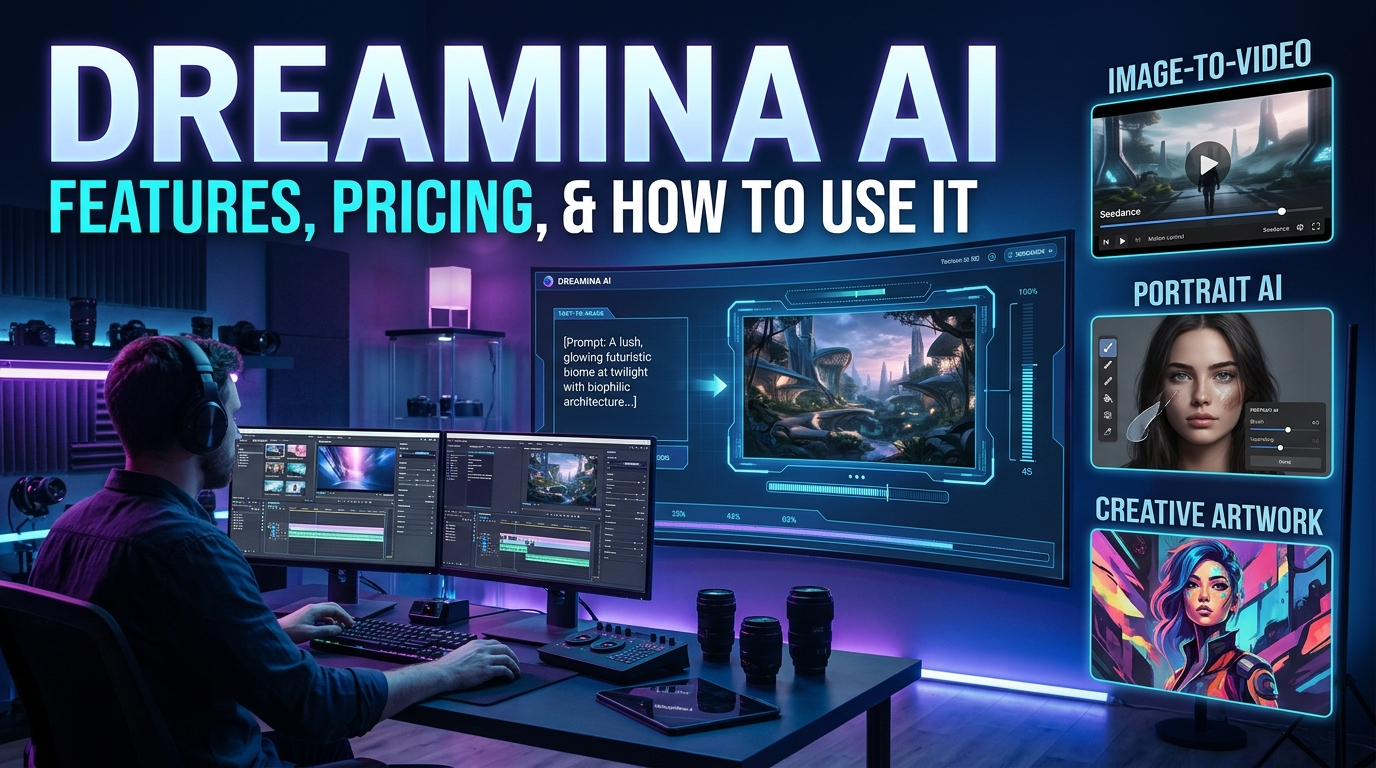
Dreamina AI is an AI-powered creative platform associated with CapCut that helps users generate images and videos from text prompts and visual references. It provides creative tools for producing digital artwork, marketing visuals, portraits and video concepts without requiring advanced design or editing skills.
At a Glance
- Category: AI image and video generation.
- Platform: Dreamina, associated with CapCut.
- Main purpose: Turn text prompts and reference images into creative content.
- Main users: Designers, creators, marketers, and beginners.
- Pricing: Free access and paid plans, with credits and features depending on the account and region.
- Main consideration: Output quality, available credits, commercial rights, and privacy terms should be evaluated before relying on it professionally.
What Is Dreamina AI?
Dreamina AI is a creative-generation platform developed under ByteDance’s CapCut ecosystem. It allows users to transform written descriptions and reference images into visual content.
Unlike traditional graphic design software, Dreamina uses generative AI models to interpret creative instructions. Users can describe a scene, select available settings, and generate an image or video.
The platform supports several creative workflows:
- Text-to-image generation.
- Image-to-image transformation.
- Text-to-video generation.
- Image-to-video animation.
- AI photo editing and restyling.
- AI avatars and talking characters.
- Creative templates and promotional visuals.
Dreamina’s official help center also lists Seedream image models and Seedance video models, alongside other available generation models. Getting Started and Common Questions
Important: Use the official Dreamina website when creating an account. Other websites using similar names may be separate products.
How Does Dreamina AI Work?
Dreamina combines generative AI models with a browser-based creative interface. The models interpret prompts or reference images and produce new visual content.
The basic process involves four stages.
1. User Input
Users provide instructions through text prompts or supported reference images.
For example:
A futuristic electric car driving through a neon-lit city at night, cinematic lighting, realistic reflections, wide-angle composition.
The more specific the description, the easier it is to communicate the intended result.
2. AI Model Processing
Dreamina sends the creative input to an available generative model.
Image-generation models interpret visual concepts, objects, styles, and composition. Video-generation models also attempt to interpret movement, camera direction, and scene progression.
3. Content Generation
The selected model creates an image or video based on the supplied instructions and settings.
Results can vary between generations. A prompt does not guarantee identical outputs every time.
4. Editing and Refinement
Users can review their results and adjust prompts or settings to improve the composition.
This iterative process helps creators get closer to their intended visual style.
Key Features of Dreamina AI
Dreamina offers several creative tools. Their availability can depend on the account, region, subscription, and selected model.
1. AI Image Generator
7 mejores generadores de arte DnD de IA | Crea personajes asombrosos
The AI image generator transforms written descriptions into visual artwork.
Users can explore different creative directions, including:
- Photorealistic images.
- Digital illustrations.
- Fantasy environments.
- Character portraits.
- Product concepts.
- Social media graphics.
- Artistic compositions.
This feature can help creators develop visual concepts without building every element manually.
2. Text-to-Video Generation
Générez des vidéos IA : transformez vos idées en films époustouflants
Text-to-video generation converts written scene descriptions into short video clips.
For example, a creator could describe a drone flying above a tropical island while the camera follows its movement.
The AI attempts to interpret the scene, motion, and camera instructions.
Dreamina’s help center currently lists Seedance models among its video-generation options. Getting Started and Common Questions
3. Image-to-Video Animation
This feature gives movement to an existing image.
A creator might upload a landscape photograph and request moving clouds, flowing water, or a gradual camera zoom.
It can be useful for:
- Animated social media posts.
- Product showcases.
- Short promotional clips.
- Cinematic visual experiments.
- Motion-based storytelling.
However, generated movement may introduce visual inconsistencies, especially around faces, hands, and complex objects.
4. AI Photo Editing
Dreamina also provides AI-assisted editing and image transformation tools.
Depending on available features, users can explore background changes, image restyling, photo enhancement, and creative modifications.
These tools are useful when an existing photograph needs a different appearance rather than a completely new composition.
5. AI Avatars and Talking Characters
Dreamina’s help center lists several avatar-related tools, including talking avatars and text-to-speaking-avatar workflows.
These tools can help creators develop character-based visual content.
Potential applications include:
- Educational videos.
- Social media storytelling.
- Digital presentations.
- Promotional content.
- Animated character concepts.
Check the available avatar features in your account before planning a production workflow around them.
6. Creative Templates and Marketing Tools
Dreamina also provides creative workflows for posters, logos, icons, and promotional visuals.
Templates can help beginners start with an existing design direction rather than writing a detailed prompt from scratch.
These options can be particularly useful for small businesses and social media creators.
How to Use Dreamina AI: Step-by-Step Guide
Getting started does not require professional design experience.
Follow these steps to create your first AI-generated image or video.
Step 1: Visit the Official Website
Open Dreamina in your browser.
Sign in using the available account options. Some services may require a CapCut account.
Step 2: Choose Your Creative Tool
Select the tool that matches your project.
For example:
- Choose AI image generation for artwork.
- Select text-to-video for a new video concept.
- Use image-to-video to animate an existing picture.
- Explore photo editing for image transformations.
Step 3: Write a Detailed Prompt
A good prompt explains what you want the AI to create.
Include these elements:
- Subject: What should appear?
- Environment: Where should the scene take place?
- Style: Should it look realistic, cinematic, or illustrated?
- Lighting: What lighting conditions should appear?
- Composition: How should the camera frame the subject?
- Movement: What should happen in the video?
Step 4: Select Available Settings
Choose the available model, aspect ratio, quality, and other generation settings.
Options may differ between image and video tools.
Step 5: Generate Your Content
Submit your prompt and allow the model to process it.
Generation time can vary according to the selected model, settings, and platform demand.
Step 6: Review and Improve
Examine the generated result carefully.
If something looks incorrect, refine the prompt and generate another version.
For example, specify more natural facial expressions, consistent clothing, realistic lighting, or smoother camera movement.
Step 7: Download Your Final Result
When satisfied, use the available download option.
Review the applicable watermark, resolution, usage rights, and export restrictions before publishing.
Best Dreamina AI Prompt Examples
Prompt quality plays an important role in generative AI results.
Here are three practical examples that beginners can adapt.
Example 1: Product Photography
Create a premium photorealistic product advertisement
featuring a luxury perfume bottle on a polished marble
surface. Use soft studio lighting, realistic reflections,
a dark elegant background, and professional commercial
photography composition. Maintain sharp product details.
Example 2: Cinematic Video
Create a cinematic video of a futuristic city at sunset.
Flying vehicles move between modern skyscrapers while
warm sunlight reflects across glass buildings. Use
smooth camera movement, realistic environmental details,
natural motion, and cinematic lighting.
Example 3: Digital Portrait
Create a photorealistic editorial portrait of a fictional
young adult fashion model wearing contemporary clothing.
Use natural skin texture, soft studio lighting, detailed
facial features, and a professional magazine aesthetic.
These prompts provide a starting point. Adjust them according to the model and creative outcome you want.
Main Use Cases of Dreamina AI
Dreamina can support different types of creative projects.
| Use Case | How Dreamina Can Help |
|---|---|
| Social media | Create visual posts and short videos |
| Digital marketing | Develop advertising concepts |
| E-commerce | Produce product visuals |
| Blogging | Generate featured images and illustrations |
| Education | Create explanatory visual content |
| Entertainment | Experiment with characters and cinematic scenes |
| Graphic design | Explore posters and creative concepts |
Content Creators and Bloggers
Bloggers can use AI-generated visuals to support articles, tutorials, and social media campaigns.
For example, a technology blogger could create an illustration showing how artificial intelligence transforms digital photography.
Small Businesses
Small businesses can experiment with product visuals and promotional concepts.
This may reduce the need to commission every early-stage design concept.
However, final advertising materials should receive human review before publication.
Video Creators
Video creators can experiment with AI-generated scenes, animated photographs, and short promotional clips.
Dreamina may be useful for visual experimentation, but complex productions still require careful editing and quality control.
Designers and Digital Artists
Designers can use generative tools to explore ideas, create references, and experiment with different artistic styles.
It is better understood as a creative assistant than a complete replacement for professional design judgment.
Dreamina AI Pricing: Is It Free?
Dreamina provides free access alongside paid subscription options. However, free access does not mean every model or feature is unlimited.
The platform uses a credit-based system for many generation features. Credit consumption can change depending on the model, generation type, resolution, and settings. Getting Started and Common Questions
Understanding Dreamina’s Pricing
Dreamina’s official pricing page lists several subscription levels.
| Plan | General Purpose | What to Check |
|---|---|---|
| Free | Testing basic creative tools | Free credits and model access |
| Basic | Occasional content creation | Monthly credits and export options |
| Standard | Regular creative work | Higher credit allowance |
| Advanced | Frequent generation | Generation limits and priority |
| Ultra | Heavy creative workloads | Large credit allowance and model access |
These are plan categories, not a guarantee that every feature is included in every region.
Important pricing considerations:
- Promotional prices may increase after the introductory period.
- Monthly and annual billing can have different effective costs.
- Some models consume credits faster than others.
- Watermark removal may require a paid subscription.
- Credit allowances and included features can change.
For example, Dreamina’s pricing page displays regional currency options and promotional offers. It also distinguishes introductory subscription prices from renewal prices. Dreamina
Is Dreamina AI Worth Paying For?
That depends on how frequently you create content.
Free access is a sensible starting point for beginners. Regular creators should compare monthly credits with their actual generation requirements.
Before subscribing, calculate the cost of producing usable images and videos, not simply the number of credits advertised.
Check the current offer directly on the Dreamina pricing page.
Dreamina AI Benefits
Dreamina offers several advantages for people interested in AI-powered creative production.
1. Beginner-Friendly Creative Workflow
Users can describe their ideas instead of learning complex graphic design software first.
This makes experimentation more accessible to beginners.
2. Multiple Creative Capabilities
Image generation, video generation, editing, and avatar tools provide different ways to develop visual content.
3. Faster Concept Development
Creators can explore multiple visual directions without manually building every initial concept.
4. Useful for Social Media
Short videos, illustrations, promotional graphics, and creative portraits can support digital marketing campaigns.
5. Reference-Based Creativity
Supported workflows allow users to start with existing visual material and transform it into something new.
6. Multiple AI Models
Dreamina’s interface lists models from its Seedream and Seedance families, alongside other available models. This gives users different generation options within one platform. Getting Started and Common Questions
Limitations and Disadvantages of Dreamina AI
Despite its creative capabilities, Dreamina has limitations that users should understand.
1. AI Generation Is Not Always Accurate
AI-generated images can contain incorrect details.
Common problems include:
- Distorted hands and fingers.
- Inconsistent facial features.
- Incorrect text inside images.
- Unrealistic object proportions.
- Unexpected background elements.
Always inspect the final output.
2. Video Consistency Can Be Difficult
Maintaining the same character, clothing, and environment across multiple scenes can be challenging.
Longer creative projects may require several generations and additional editing.
3. Credit Consumption Can Become Expensive
Frequent video generation may consume credits quickly.
Users should test different models and settings before purchasing a large subscription.
4. Limited Creative Control
Generated content does not always provide the precision of traditional editing software.
Designers who need pixel-level control may still require Photoshop, Illustrator, or professional video-editing applications.
5. Internet Access Is Required
Dreamina operates as an online creative platform.
Users generally need a stable internet connection to access generation features and process content.
6. Commercial Rights Require Attention
A paid subscription should not automatically be interpreted as unrestricted commercial permission.
Dreamina’s terms describe the services as generally intended for private, non-commercial use and refer to additional terms for certain commercial uses.
The terms also contain a broad license concerning uploaded and generated assets. Users should review these provisions carefully before submitting valuable creative work or using outputs in commercial projects. Dreamina
Dreamina AI Privacy and Security
Privacy deserves particular attention when using an online AI image or video generator.
Dreamina’s privacy policy, last updated April 30, 2026, explains that the platform may collect:
- Account information.
- Uploaded photographs and videos.
- Text prompts and generated content.
- Device and technical information.
- Usage information.
- Purchase information.
The policy also explains that user information may be used to operate, maintain, improve, and develop the platform, including training and improving machine-learning technology. Dreamina
Should You Upload Personal Photographs?
Be careful when uploading private photographs, confidential business material, or sensitive documents.
Before uploading content:
- Review the current privacy policy.
- Avoid sharing confidential information unnecessarily.
- Obtain permission before uploading someone else’s photographs.
- Check how uploaded content may be processed.
- Review the deletion and data-request options.
Dreamina’s privacy policy describes data retention periods that depend on the information type and processing purpose. It does not establish a blanket Zero Data Retention guarantee. Dreamina
Dreamina AI vs. Other AI Creative Tools
Dreamina is not the only platform offering AI-generated images and videos.
Several established competitors serve similar audiences, although their workflows and strengths differ.
Comparison Table
| Platform | Target User | Key Strength | Pricing Transparency | Main Limitation |
|---|---|---|---|---|
| Dreamina | Beginners and creators | Integrated image and video workflows | Official credit-based pricing | Credits and usage rights need attention |
| Midjourney | Digital artists and designers | Artistic image generation | Published subscription tiers | Different workflow from an all-in-one editor |
| Runway | Video creators and production teams | Video generation and editing | Published plans and credits | Higher-volume production can become costly |
| Adobe Firefly | Designers and creative professionals | Adobe creative ecosystem | Published plans and usage allowances | Some advanced features require paid access |
| Kling AI | AI video creators | AI video generation | Plan and credit details vary | Results and availability depend on model and settings |
1. Dreamina vs. Midjourney
Midjourney focuses heavily on AI-generated visual artwork.
It is worth considering when artistic image creation is the main priority.
Dreamina offers a broader combination of image, video, and creative tools. The better choice depends on whether you prioritize artistic image exploration or a wider creative workflow.
2. Dreamina vs. Runway
Runway provides a broader video-production environment with generation and editing capabilities.
Its official product documentation describes text-to-video, image-to-video, video editing, and scene refinement. Runway AI
Dreamina is worth exploring for users who want image and video generation within one creative platform.
Runway may suit creators who need more extensive video-editing workflows.
3. Dreamina vs. Adobe Firefly
Adobe Firefly is another option for AI-assisted creative work.
It is particularly relevant to designers already using Adobe’s creative applications.
Dreamina may appeal to beginners who prefer a dedicated online generation environment, while Firefly can fit more naturally into an existing Adobe workflow.
4. Dreamina vs. Kling AI
Kling AI is a relevant alternative for people focused on AI video generation.
The two platforms should be compared using the same prompts, video lengths, and output settings.
This produces a more meaningful comparison than relying on promotional examples.
Editorial recommendation: Test at least two platforms before purchasing a subscription. Compare output consistency, generation costs, editing flexibility, and licensing terms.
Who Should Use Dreamina AI?
Dreamina can be useful for several types of users.
| User Type | Potential Value |
|---|---|
| Beginners | Experiment with AI-generated visuals |
| Bloggers | Develop article illustrations |
| YouTubers | Create visual concepts and short clips |
| Social media managers | Produce promotional content |
| Small businesses | Explore advertising concepts |
| Designers | Generate creative references |
| Video editors | Experiment with AI-generated scenes |
However, professional production teams should evaluate licensing, consistency, output quality, and workflow compatibility before adopting it at scale.
Common Mistakes to Avoid When Using Dreamina
Even a capable AI platform can produce disappointing results when users provide unclear instructions.
Avoid these common mistakes:
1. Writing overly short prompts: A prompt such as “beautiful city” provides little creative direction.
2. Adding conflicting instructions: Asking for several unrelated artistic styles can confuse the intended composition.
3. Ignoring aspect ratios: Choose the correct format for your intended platform.
4. Expecting perfect text generation: AI-generated typography may require manual correction.
5. Ignoring credit consumption: Test generation costs before starting a large project.
6. Publishing without reviewing: Check faces, objects, movement, spelling, and visual consistency.
7. Ignoring licensing: Read the applicable usage terms before commercial publication.
Latest Dreamina AI Developments
Dreamina’s official help center currently lists several newer creative model options, including Seedream 5.0 Pro, Seedream 5.0 Lite, and Seedance 2.5.
Its platform also lists other models, including Nano Banana Pro, Sora 2, and Veo 3.1. Availability can depend on the region and account. Getting Started and Common Questions
These developments reflect a broader shift toward creative platforms that bring multiple generative models into one interface.
For users, the important question is not simply which model is newest. It is whether that model produces reliable results for their particular project.
Frequently Asked Questions
1. What is Dreamina AI used for?
Dreamina AI is used to generate images, videos, and other creative visual content from text prompts and reference images. It also offers AI editing, image transformation, and avatar-related tools.
2. Is Dreamina AI free to use?
Yes. Dreamina offers free access alongside paid subscriptions. Available credits, models, and generation limits depend on the current account and regional offer.
3. Can Dreamina AI generate videos?
Yes. Dreamina supports text-to-video and image-to-video generation through its available AI video models. Users can create animated scenes and short visual clips.
4. Can I use Dreamina AI images commercially?
Commercial usage depends on the applicable terms, feature, and content involved. Review Dreamina’s current licensing conditions before using generated content in commercial projects.
5. Is Dreamina AI suitable for beginners?
Yes. Its prompt-based workflow makes it accessible to beginners who want to experiment with AI-generated images and videos without advanced design skills.
Conclusion
Dreamina AI is an interesting creative platform for people who want to explore AI-generated images, videos, and digital artwork.
Its combination of Seedream image models, Seedance video models, editing tools, and creative templates makes it useful for different content-production tasks.
However, users should consider credit consumption, output consistency, privacy, and commercial licensing before committing to a paid subscription.
For beginners, starting with free access is a practical way to understand its capabilities. Professional creators should compare Dreamina with alternatives such as Midjourney, Runway, and Adobe Firefly before choosing a long-term workflow.
Ultimately, the right platform is the one that consistently delivers the quality, flexibility, and value your projects require.

Alex Smith is an AI-focused tech writer at Aixorbit.com, sharing simple and actionable insights on artificial intelligence, automation and digital growth.