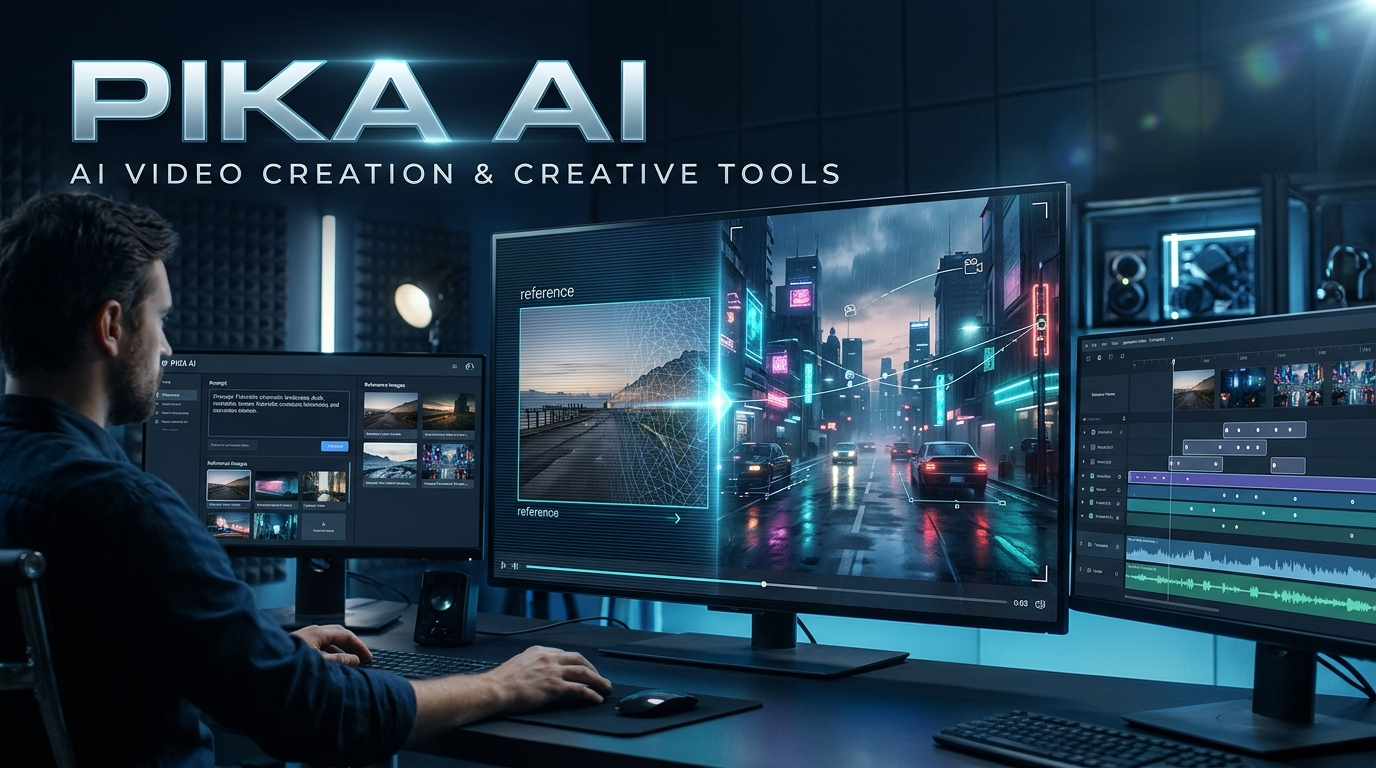
Pika AI is an AI-powered creative platform that helps users generate and edit videos, images, and audio using text prompts, reference media, and specialized creative tools. It combines its own models, including Pika 2.5 and Pika H3 Flex, with third-party generative models to support different content creation workflows.
Pika AI at a Glance
| Category | Details |
|---|---|
| Platform | Pika |
| Main Purpose | AI-powered creative content generation |
| Main Capabilities | Video, image, audio, and editing |
| Video Models | Pika 2.5, Pika H3 Flex, and third-party models |
| Input Methods | Text, images, video, and audio |
| Special Features | Pikaframes, Pikaffects, Pikaformance |
| Pricing | Free and paid subscription options |
| Commercial Use | Available on qualifying paid plans |
| Best For | Creators, marketers, designers, and video producers |
| Official Website | https://pika.art/ |
What Is Pika AI?
Pika AI is a generative AI platform designed to make visual content creation easier. It allows users to transform written descriptions, images, and existing media into creative digital content.
Instead of depending entirely on traditional video production software, creators can use AI to develop scenes, animate photographs, modify video elements, and generate supporting audio.
Pika originally gained attention for its AI video-generation capabilities. However, the platform has expanded considerably. Its current ecosystem includes video creation, image generation, sound generation, editing applications, and access to models from other AI companies.
This development makes Pika more than a conventional text-to-video generator.
It is becoming a broader creative workspace for people who want to produce digital content without managing several separate applications.
How Has Pika Evolved?
Pika’s development reflects the growing demand for accessible generative media tools.
Its earlier experience focused heavily on generating short videos from text and images. Over time, the company introduced specialized applications such as Pikaframes, Pikaffects, Pikadditions, and Pikaswaps.
In September 2026, Pika introduced a redesigned creative platform that brought multiple generative models and specialized applications together.
Its October 2026 announcements introduced Pika H3 Flex, an open-weight video model family developed through post-training of MiniMax H3.
The platform now offers access to different video, image, and audio models. Users can select models according to their creative requirements rather than relying on one generation system.
How Does Pika AI Work?
Pika uses generative AI models to interpret instructions and produce visual or audio content.
The basic workflow is straightforward. Users provide a prompt or reference file, select an appropriate application and model, configure available settings, and generate the result.
1. Text-to-Video Generation
Text-to-video generation transforms written descriptions into moving scenes.
For example, a user might enter:
“A cinematic aerial view of a futuristic city at sunset, with flying vehicles moving between illuminated skyscrapers.”
The selected AI model interprets the description and generates a video based on its learned visual patterns.
The quality depends on several factors, including prompt clarity, model selection, motion complexity, and generation settings.
2. Image-to-Video Generation
Image-to-video generation animates an existing photograph or illustration.
Users upload a reference image and describe the movement they want.
For example, a creator can upload a photograph of a mountain landscape and request moving clouds, flowing water, and a slow cinematic camera movement.
This approach is useful when the original composition needs to remain recognizable.
3. Reference-Based Generation
Reference-based workflows allow creators to provide additional visual or audio material.
Depending on the selected model, references can help guide character appearance, products, environments, motion, and creative style.
Pika’s newer applications also provide ways to save reusable characters and elements in a personal Library.
However, reference images do not guarantee perfect consistency. Results can still vary between generations and models.
4. AI Video Editing
Pika also provides specialized applications for changing existing videos.
These tools can help users add objects, replace subjects, create visual effects, and modify selected elements.
This approach can reduce the need to rebuild an entire scene when only a particular part requires modification.
Key Features of Pika AI
Pika’s feature collection is one of its main attractions. Different applications address different stages of the creative process.
1. Pika 2.5
Pika 2.5 is the company’s flagship video-generation model.
It supports text-to-video, image-to-video, and keyframe-based workflows.
Users can create short scenes from written descriptions or animate existing images.
Its available settings include different resolutions and video durations. The specific options depend on the generation method.
According to Pika’s current model documentation:
- Text-only generations support five-second videos.
- Image-based generations can support five- or ten-second videos.
- Keyframe workflows can use two to five ordered images.
- Supported outputs include 720p and 1080p, subject to workflow restrictions.
An important limitation is that Pika 2.5 does not generate sound directly. Users can add audio through Pika’s separate sound applications.
2. Pikaframes
Pikaframes is designed to animate transitions between multiple still images.
Users can upload two to five images and arrange them in the desired sequence.
The model generates movement between consecutive images.
This feature can help creators produce:
- Animated photo sequences.
- Product transformation videos.
- Short storytelling scenes.
- Cinematic transitions.
- Visual presentations.
Pikaframes is particularly useful when the creator wants more control over how a scene develops.
3. Pikaffects
Pikaffects focuses on creative visual transformations.
Users provide an image and select an available effect to generate an animated result.
These effects are particularly relevant to entertainment content, social media posts, and short-form videos.
They can help turn ordinary photographs into unusual visual experiences without requiring extensive editing skills.
4. Pikadditions and Pikaswaps
These applications focus on modifying video content.
Pikadditions allows users to introduce new elements into a scene.
Pikaswaps focuses on replacing subjects or elements.
For example, a creator might add a product to an existing scene or replace an object to produce a different visual concept.
The quality depends on the original footage, selected model, and complexity of the requested change.
5. Pikaformance
Pikaformance is an audio-to-video application that animates a still image according to an audio recording.
Users can provide a photograph and combine it with speech, music, or another voice recording.
The generated character can appear to talk, sing, or perform.
The application supports audio inputs of up to 30 seconds, according to its current product documentation.
Possible applications include:
- Talking avatars.
- Animated characters.
- Music-based social content.
- Digital presentations.
- Short promotional videos.
Users should obtain permission before animating another person’s likeness or voice.
6. Pika Soundtrack, Music, Speech and SFX
Pika has expanded beyond visual generation into audio creation.
Its audio applications include:
- Pika Soundtrack: Generates music, ambience, and sound effects designed to match video content.
- Pika Music: Creates music using descriptions, lyrics, and supported references.
- Pika Speech: Generates spoken audio from text.
- Pika SFX: Creates sound effects from written descriptions.
These capabilities can help creators develop more complete multimedia projects within one creative environment.
7. Pika H3 Flex
Pika H3 Flex is an important development announced on October 29, 2026.
Pika describes it as an open-weight, omni-generation video model family developed by post-training MiniMax H3.
Its announced capabilities include:
- Up to 12 references.
- Synchronized video and stereo audio.
- Video generation up to 15 seconds.
- Five separate audio stems.
- Output finishing at up to 4K.
- Support for creative editing tasks.
Pika also describes its technical approach as using six denoising steps, compared with 50 steps in its teacher model.
These are company-reported specifications and performance claims. They should not be treated as independently verified benchmark results.
The model is particularly interesting for creators who want more reference control and integrated audiovisual generation.
How to Use Pika AI Step by Step
Getting started does not require professional video-editing experience.
Follow these steps to create your first project.
Step 1: Visit the Official Website
Open https://pika.art/ in your browser.
Create an account or sign in using an available authentication option.
Step 2: Choose a Creative Application
Select the type of content you want to create.
For example:
- Video Studio for video generation.
- Image Studio for image creation.
- Music Studio for music generation.
- Speech Studio for voiceovers.
- SFX Studio for sound effects.
You can also explore specialized applications such as Pikaframes and Pikaformance.
Step 3: Select an AI Model
Choose a model that matches your project.
For short visual scenes, Pika 2.5 may be appropriate.
For reference-heavy video workflows, investigate Pika H3 Flex and other available models.
Remember that different models offer different input options, durations, resolutions, and audio capabilities.
Step 4: Write a Detailed Prompt
A useful prompt should explain:
- Main subject.
- Environment.
- Desired action.
- Camera movement.
- Lighting.
- Visual style.
For example:
“A professional product advertisement showing a premium black smartwatch on a reflective studio surface. Slowly rotate the watch while the camera moves closer. Use soft cinematic lighting, realistic reflections, and a luxury commercial aesthetic.”
Clear instructions generally provide a better starting point than vague descriptions.
Step 5: Upload Reference Media
If the application supports references, upload your image, video, or audio files.
Make sure you have permission to use the material.
Use references when maintaining a particular character, product, or visual composition matters.
Step 6: Configure Generation Settings
Review the available settings before generating.
These may include:
- Video duration.
- Resolution.
- Selected model.
- Reference inputs.
- Creative options.
- Audio settings.
Check the estimated credit requirement before starting.
Step 7: Generate and Review
Start the generation process and wait for the result.
Review the output carefully.
Look for unnatural movement, inconsistent objects, distorted details, and synchronization problems.
If the result needs improvement, change one part of the prompt at a time.
Step 8: Download Your Final Content
Once satisfied, download the finished media.
Review its licensing conditions before publishing it commercially.
What Can You Create With Pika AI?
Pika supports several practical creative workflows.
| Use Case | How Pika Can Help |
|---|---|
| Social Media | Create short visual clips and effects |
| Marketing | Develop promotional videos and product visuals |
| Education | Animate concepts and visual explanations |
| Entertainment | Produce experimental scenes and animated characters |
| E-commerce | Create product presentations |
| YouTube | Develop visual content and supporting assets |
| Storytelling | Animate illustrations and keyframe sequences |
| Advertising | Produce creative concepts and short advertisements |
Social Media Content
Creators can use Pika to develop attention-grabbing videos for platforms such as Instagram, TikTok, and YouTube Shorts.
Pikaffects and image-to-video workflows are especially relevant to this type of content.
Product Marketing
Businesses can animate product photographs and experiment with promotional scenes.
For example, an online store could turn a static product photograph into a short presentation showing different camera angles.
However, generated product details should always be checked against the real product.
Educational Videos
Teachers and educational creators can use AI-generated scenes to explain difficult subjects.
A historical illustration, scientific concept, or geographical landscape can become a short animated presentation.
Creative Storytelling
Writers and filmmakers can use keyframes and reference-based generation to explore visual storytelling ideas.
Pika can help produce concept scenes before investing in a larger production.
It can also provide supplementary footage for projects that combine AI-generated and traditionally filmed material.
Benefits of Pika AI
Pika offers several advantages for modern content creators.
Accessible Creative Workflow
Users can begin creating without mastering complex professional editing software.
Text prompts and reference uploads provide straightforward starting points.
Multiple Creative Applications
The platform includes tools for video, image, and audio generation.
This can reduce the need to move between several applications for simple creative projects.
Flexible Model Selection
Pika provides access to its own models and selected third-party models.
Users can explore different approaches instead of depending entirely on one model.
Useful Editing Capabilities
Tools such as Pikadditions, Pikaswaps, and Pikaframes address specific editing requirements.
They can help creators experiment with visual changes more quickly.
Rapid Creative Experimentation
AI generation allows users to test different ideas before committing to a complete production.
This is useful for brainstorming, storyboarding, and marketing concepts.
Limitations of Pika AI
Despite its capabilities, Pika has limitations that users should understand.
Inconsistent Generation Results
AI-generated videos can contain visual mistakes.
Objects may change appearance, hands may look unnatural, and movements may not match the prompt.
Complex scenes can require several attempts.
Limited Creative Precision
Traditional video-editing software provides detailed control over individual frames and timelines.
AI-generated results may not offer the same level of precise control.
Credit Consumption
Different models and generation settings require different amounts of credits.
Longer videos and higher resolutions can increase usage.
Users creating content frequently should calculate their expected monthly consumption.
Short Generation Durations
Some workflows are designed for short clips.
For example, Pika 2.5’s text-only generation supports five-second videos.
Longer projects may require multiple clips and additional editing.
Privacy Considerations
Pika’s current FAQ states that uploads and creations may be used to operate and improve its services, including its models.
Third-party model providers may have additional data practices.
Users should review the applicable privacy policies before uploading confidential business material, unpublished projects, or sensitive personal content.
Not a Complete Replacement for Professional Production
Pika can assist with creative production, but it does not eliminate every need for professional editing.
Projects requiring precise continuity, complex timelines, accurate product representation, or detailed visual effects may need additional software.
Pika AI Pricing: Is It Free?
Pika offers free access and several paid subscription options.
However, users should understand the difference between free access, monthly credits, and commercial usage rights.
Its current pricing information lists the following subscription structure:
| Plan | Published Monthly Price | Monthly Credits | Commercial Use |
|---|---|---|---|
| Free | $0 | Credit packs only | No |
| Starter | $10 | 900 | No |
| Creator | $35 | 3,150 | Yes |
| Fancy | From $95 | 8,550+ | Yes |
Annual billing may offer lower monthly-equivalent prices. The official pricing page should be checked before purchasing because plans and rates can change.
Does Pika Offer Free Credits?
Pika’s current help documentation describes its Free plan as providing access to the platform without a recurring monthly credit allowance.
Users can purchase one-time credit packs.
This is important because older articles may describe previous free-credit allowances that no longer apply to the current subscription structure.
How Does the Credit System Work?
Pika uses credits to measure generation consumption.
The amount required depends on:
- Selected model.
- Video duration.
- Resolution.
- Creative application.
- Generation settings.
The platform displays estimated costs before generation.
Users should check these estimates instead of assuming every video consumes the same number of credits.
Can You Use Pika AI Videos Commercially?
Commercial rights depend on the subscription.
Pika’s current FAQ states that Starter, Creator, and Fancy subscriptions include commercial use.
The Free plan does not include commercial rights.
Users must also have the necessary rights to uploaded material and follow the terms applicable to their selected models.
Pika AI vs Other AI Video Generators
Pika is not the only platform offering AI-powered video creation.
Several competitors target different creative requirements.
| Platform | Main Strength | Best For | Main Consideration |
|---|---|---|---|
| Pika AI | Creative applications and multiple models | Social content and experimentation | Credit consumption and model variation |
| Runway | Advanced video generation and editing | Filmmakers and production teams | Plan and generation costs |
| Kling AI | AI video generation and motion workflows | Creators seeking alternative video models | Availability and credit limits |
| Google Veo | Cinematic video generation and native audio | Professional visual content | Access and subscription requirements |
| Luma Dream Machine | Generative video and visual workflows | Creative experimentation | Output and plan restrictions |
Pika AI vs Runway
Runway is a strong alternative for users who want a broader video-production and editing workflow.
Pika is attractive when creators want specialized effects, reference-based generation, and access to different creative models.
The better choice depends on whether the project requires a focused creative application or more extensive production controls.
Pika AI vs Kling AI
Kling is another important competitor in generative video.
Users can compare both platforms for motion quality, subject consistency, generation duration, and credit consumption.
Neither platform should be selected based only on promotional demonstrations.
Pika AI vs Google Veo
Google Veo is relevant for users interested in cinematic video generation and integrated audio capabilities.
Pika offers a broader collection of creative applications and model choices.
Users producing dialogue-heavy or audio-driven content should compare the exact capabilities of the models available in each service.
Pika AI vs Luma Dream Machine
Luma is worth considering for creators interested in AI-generated visual scenes and image-to-video workflows.
Pika may be more appealing when users want specialized editing effects and multiple media-generation applications in one environment.
Who Should Use Pika AI?
Pika is suitable for several types of users.
Content Creators: People producing short-form videos can experiment with AI-generated scenes and visual effects.
Social Media Marketers: Marketing teams can develop creative concepts and promotional assets.
Small Businesses: Businesses can explore product visuals and advertising concepts without organizing a complete filming session.
Designers: Visual designers can animate illustrations and experiment with creative transformations.
Educators: Teachers can produce animated explanations and supporting educational material.
Filmmakers: Production teams can use AI generation for concept development, storyboarding, and supplementary footage.
However, users who need precise frame-level editing or consistent production assets should evaluate additional professional tools.
Privacy, Security and Copyright Considerations
Before uploading content, users should understand how the platform handles their material.
Pika’s FAQ explains that uploads and creations may be used to operate and improve its services.
It also warns that third-party model providers may apply their own data practices.
This matters for businesses and professionals handling confidential content.
Consider these precautions:
- Avoid uploading confidential client files without approval.
- Review Pika’s current Privacy Policy.
- Check the terms of third-party models.
- Obtain permission before using another person’s image or voice.
- Confirm commercial rights before publishing advertisements.
- Keep original project files and important downloads backed up.
A commercial-use subscription does not automatically grant ownership of every uploaded asset or permission to use copyrighted material.
Similarly, access to an AI generation feature should not be interpreted as a guarantee of copyright protection.
Tips for Getting Better Results With Pika AI
The quality of your prompt can influence the usefulness of generated content.
Use these practical techniques.
Describe the Main Subject Clearly
Instead of writing “a beautiful city,” describe the location, architecture, atmosphere, and time of day.
Explain the Desired Movement
Specify whether the subject should walk, rotate, fly, or remain stationary.
Keep the requested action realistic for the selected scene.
Include Camera Instructions
Camera directions can make prompts more specific.
Examples include:
- Slow camera push-in.
- Smooth aerial movement.
- Static wide-angle shot.
- Gentle tracking shot.
- Close-up cinematic framing.
Use High-Quality Reference Images
Reference images can provide visual guidance.
Choose clear images with recognizable subjects and appropriate lighting.
Avoid Overloading Prompts
Too many unrelated actions can make a scene difficult to generate consistently.
Focus on one main action and a few supporting details.
Check the Final Output
Never assume the generated video is ready for publication.
Review faces, objects, backgrounds, text, motion, and audio before using it professionally.
Latest Pika AI Developments in 2026
Pika’s development in 2026 shows a shift toward a broader generative media ecosystem.
Three developments deserve attention.
1. The Redesigned Pika Platform
In September 2026, Pika introduced a redesigned environment that combines specialized creative applications with multiple generative models.
2. Pika API Club
Pika introduced API Club in August 2026.
The service provides developers with access to more than 100 video, image, audio, and language models through an API.
Its billing is separate from the regular Pika creative platform. Developers should examine its documentation, access conditions, and pricing independently.
3. Pika H3 Flex
Announced on October 29, 2026, Pika H3 Flex represents a significant development in the company’s video-generation research.
Pika describes the model as an open-weight system with multiple references, synchronized audio, and video generation capabilities.
Its performance claims are company-reported and require independent evaluation.
These developments indicate that Pika is expanding beyond a single video-generation model into a larger creative and developer ecosystem.
Common Mistakes to Avoid When Using Pika AI
Beginners often make avoidable mistakes when generating AI videos.
Here are some common problems:
- Using vague prompts: Unclear instructions make it harder to communicate the desired result.
- Ignoring generation costs: Different settings can consume different amounts of credits.
- Expecting perfect realism: AI-generated movement and objects can contain errors.
- Uploading unsuitable references: Low-quality images may produce inconsistent results.
- Ignoring commercial licensing: Free access does not automatically include commercial rights.
- Skipping quality checks: Generated videos should be reviewed before publication.
- Assuming every model behaves identically: Each model has different capabilities and limitations.
Avoiding these mistakes can make the creative process more efficient.
Frequently Asked Questions
1. What is Pika AI used for?
Pika AI is used to generate and edit creative media, including videos, images, and audio. Its applications support text-to-video, image-to-video, visual effects, keyframe animation, and audio-driven avatar performances.
2. Is Pika AI free to use?
Yes, Pika offers a Free plan. Its current help documentation explains that free access does not include a recurring monthly credit allowance, but users can purchase additional credit packs.
3. Can Pika AI generate videos from text?
Yes. Pika supports text-to-video generation through compatible models and applications. Users describe a scene in a written prompt, select generation settings, and create a video.
4. Can I use Pika AI videos commercially?
Commercial use is included with qualifying paid subscriptions, including Starter, Creator, and Fancy. The Free plan does not include commercial rights, and users must also respect the rights of uploaded materials and applicable model terms.
5. What are the best alternatives to Pika AI?
Popular alternatives include Runway, Kling AI, Google Veo, and Luma Dream Machine. The right choice depends on video quality, editing requirements, available models, pricing, and generation limits.
Conclusion
Pika AI has developed from an AI video-generation tool into a broader creative platform for producing videos, images, and audio.
Its Pika 2.5 model, Pikaframes, Pikaffects, Pikaformance, and newer Pika H3 Flex technology provide different approaches to AI-assisted content creation.
The platform can be useful for social media creators, marketers, designers, educators, and filmmakers who want to experiment with generative media.
However, users should evaluate credit consumption, output consistency, privacy policies, commercial licensing, and model limitations before choosing a subscription.
The most practical approach is to test the available workflows with a small project first. Then select a plan based on actual production requirements rather than promotional demonstrations.

Oliver Wilson is an AI researcher and tech writer living at the intersection of human creativity and machine intelligence. At AixOrbit.com, he decodes complex neural networks, generative AI and emerging tech trends into actionable insights making sure humans stay one step ahead of the algorithms.