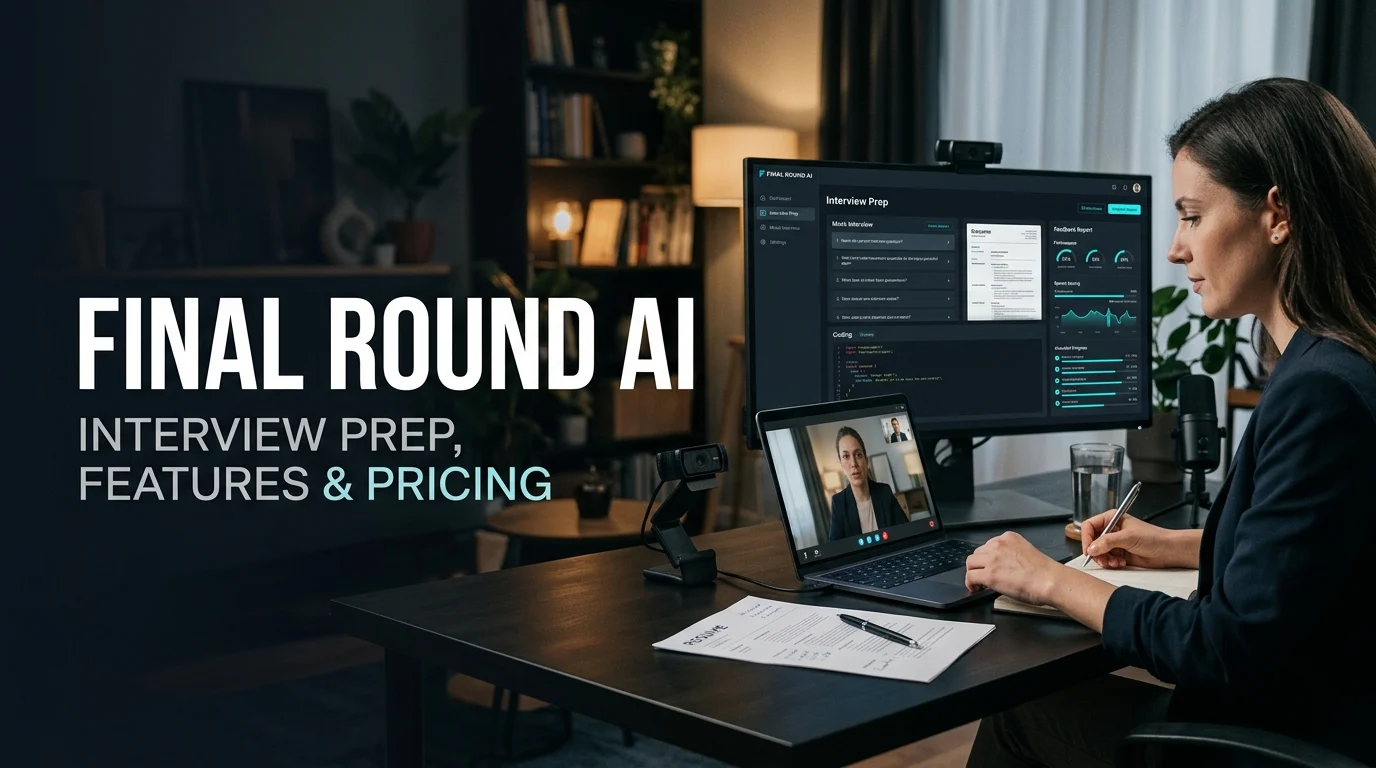
Final Round AI is an AI-powered interview preparation platform that offers practice interviews, resume tools, coding assistance, and a real-time Interview Copilot. Its usefulness depends on your preparation needs, current subscription terms, data privacy requirements, and whether your interviewer permits AI assistance during an assessment.
At a Glance
- What it is: An AI-assisted job interview preparation and support platform.
- Main features: Interview practice, live answer suggestions, coding support, and career document tools.
- Target audience: Job seekers preparing for behavioral, technical, and other interview formats.
- Pricing: Paid plans have been advertised from $25 per month with annual billing, while month-to-month pricing has been reported at $150. Verify the current checkout price.
- Main benefit: Combines several interview preparation activities in one workflow.
- Main concern: Live AI assistance can conflict with interview rules, and advertised stealth features do not guarantee that usage will go undetected.
What Is Final Round AI?
Final Round AI is a job interview preparation platform built around its Interview CoPilot. It combines preparation tools with AI-generated suggestions during live interviews, practice sessions, and post-interview feedback.
The official website describes a workflow built around preparing for a specific job, practicing or completing an interview, and reviewing the results afterward. Its product lineup includes Interview CoPilot, AI Mock Interview, Interview Debrief, Screen Help, and Stealth Mode.
Unlike a general-purpose chatbot, Final Round AI focuses on the job search and interview process. Its features aim to help candidates organize their experience, rehearse answers, work through technical problems, and identify areas for improvement.
The platform is especially relevant to candidates preparing for:
- Behavioral and competency-based interviews.
- Software engineering and coding assessments.
- System design and technical discussions.
- Product management and case interviews.
- Recruiter screenings and phone interviews.
Feature availability depends on the plan, and candidates should confirm the current supported operating systems and interview formats before subscribing.
Key Features of Final Round AI
The platform’s main advantage is that it brings several interview-related activities into one workflow. However, each feature serves a different purpose and should be evaluated on its own merits.
The flagship feature processes interview audio and generates suggested answers while the conversation is taking place. It is designed to provide concise prompts that candidates can adapt in their own words.
The official site lists support for platforms including Zoom, Google Meet, Microsoft Teams, and several coding interview environments.
Candidates can rehearse answers against simulated interview scenarios. The platform lists practice options for behavioral interviews, coding, system design, product cases, data and machine learning, salary negotiation, and recruiter screens.
This is one of the more practical ways to use interview AI because it lets users practice before a real assessment.
Screen Help is designed to interpret visible problems, diagrams, documents, and technical questions, then provide suggested solutions. This can help users study algorithms, understand unfamiliar concepts, and review possible approaches.
Treat generated code as a draft. Test it, explain its complexity, and verify edge cases instead of assuming the first answer is correct.
The platform describes automatic post-session summaries that help candidates review performance and identify areas to improve. Its published feature descriptions include transcripts, feedback, and suggested next steps.
Use this feedback as coaching input, not an objective measure of your likelihood of receiving an offer.
Final Round AI also advertises resume and career preparation tools. Its goal-based workflow lets candidates organize job details, resumes, and other materials around a specific opportunity.
These features can help organize a job search, although candidates should review generated documents for factual accuracy and their own voice.
How Does Final Round AI Work?
Final Round AI uses a prepare, practice or perform, and review workflow. The process is designed to connect the candidate’s target role with interview preparation and feedback.
Step 1: Prepare for a specific job
Start by identifying the role and interview type. Provide relevant career information and job materials when required by the selected feature.
A useful preparation profile includes the job description, your resume, key projects, relevant achievements, and the skills the employer wants to assess.
Step 2: Practice your answers
Use a mock interview to rehearse likely questions. For behavioral questions, structure your responses around the STAR method:
- Situation: Explain the context.
- Task: Describe your responsibility.
- Action: Explain what you personally did.
- Result: Share the outcome and what you learned.
For technical interviews, practice explaining your reasoning before writing a solution. Interviewers often evaluate communication, trade-offs, and problem-solving, not just the final result.
Step 3: Use feedback to improve
Review your practice results and identify recurring problems. These may include vague examples, lengthy answers, missing metrics, or difficulty explaining technical decisions.
Repeat the questions that expose weaknesses. This is more useful than repeatedly practicing answers you already know.
Step 4: Review the results
After a session, use available debriefs to guide your next practice round. Check whether the feedback reflects what actually happened, especially when automated transcription mishears names, technical terms, or unfamiliar accents.
The most important outcome is improved interview performance, not a high AI-generated score.
Final Round AI Pricing: What Should You Expect?
Pricing deserves careful attention because the advertised monthly equivalent may differ substantially from the amount charged upfront.
The official website currently advertises a free preparation option and Pro plans starting at $25 or more per month. Its product page states that live Copilot sessions require an active Pro subscription and that there is no free trial of live sessions.
The company’s published review also contains different price figures for monthly and quarterly billing. This inconsistency makes it important to confirm the live checkout page rather than relying on an older article or third-party comparison.
| Plan or option | Published information | What to check |
|---|---|---|
| Free | $0 for goals, resume materials, and job-description preparation | Whether practice interviews are included in your current account |
| Pro, annual billing | Advertised from $25 per month | Total annual charge, renewal date, and current discounts |
| Pro, shorter billing | Monthly and quarterly options have been advertised | Actual charge, session access, and refund terms |
| Premium options | Additional tiers or premium model access may be offered | Included features and the total commitment |
Prices and feature descriptions can change. Treat this table as a guide to the published plan structure, not a guaranteed quote.
Is the free plan enough?
The free option may be useful for organizing job materials and deciding whether the workflow fits your needs. However, the official page distinguishes this preparation access from paid live Copilot sessions.
If your primary reason for subscribing is real-time assistance, do not assume the free plan lets you test that feature fully. Confirm the trial conditions before entering payment information.
How can you avoid unexpected charges?
Before subscribing, check four things:
- The full amount charged today, not just the monthly equivalent.
- Whether the subscription renews automatically.
- The cancellation process and refund eligibility.
- Whether the plan includes the specific practice and live features you need.
A short job search may justify a different billing option from a six-month career transition. Compare the total cost for your expected period of use.
Benefits and Limitations of Final Round AI
A balanced evaluation should separate the platform’s useful preparation features from its limitations and the risks of using AI during an actual assessment.
Benefits
A connected preparation workflow. Candidates can organize job materials, rehearse responses, receive feedback, and prepare for different interview formats in one environment.
Structured answer practice. AI-generated prompts can help candidates turn broad experiences into focused examples. The STAR method is particularly useful for behavioral questions.
Support for technical preparation. Coding and system design assistance can help users explore solution approaches and review concepts before an interview.
Feedback after practice. Session summaries can help candidates notice habits that are difficult to recognize while speaking, such as rambling or failing to explain results.
Potential accessibility benefits. Candidates who interview in a second language may appreciate structured prompts and multilingual features advertised by the provider. Verify support for your particular language and use case before purchasing.
Limitations
AI answers can be wrong. A suggested response may contain inaccurate facts, weak reasoning, or code that fails under particular conditions.
Generated answers can sound generic. If you repeat an AI-written response without understanding it, follow-up questions may expose gaps in your knowledge.
Advanced technical questions remain difficult. Complex system design problems and specialized engineering questions require domain knowledge, sound assumptions, and careful validation.
The full live experience requires a paid plan. The official site does not offer a permanent free live Copilot tier under the published plan structure reviewed here.
There are ethical and policy concerns. Using undisclosed AI assistance during an interview may violate an employer’s rules. A technically functional feature is not necessarily an appropriate one to use in every setting.
Pricing and access can change. Check the current subscription terms, system requirements, and feature availability before committing.
Is Final Round AI Safe, Private, and Undetectable?
These are three separate questions. A responsible review should not treat them as interchangeable.
Privacy and data handling
Interview preparation can involve sensitive information, including resumes, employment history, project details, recordings, transcripts, and interview conversations.
Before using Final Round AI, read its current privacy policy and terms. Determine what information is collected, how long it is retained, whether third-party AI providers process it, and whether submitted data may be used for model improvement.
The available product descriptions explain the intended workflow but do not, by themselves, establish a particular data-retention period or guarantee zero data retention. Do not upload confidential employer material unless you have permission and understand the relevant terms.
What does Stealth Mode mean?
Final Round AI markets Stealth Mode as a feature that keeps its application windows out of supported screen shares and recordings. That is a technical claim about what appears in a shared display, not proof that an employer cannot discover AI use by other means.
For example, a feature that hides an overlay from screen capture does not establish that every operating system, monitoring tool, interview environment, or recording setup behaves identically.
No responsible user should interpret the term “undetectable” as a universal guarantee.
Could using it cost you the job?
Yes, if the employer prohibits unauthorized assistance and discovers its use, or if the assistance undermines an assessment’s requirements.
An employer may expect candidates to solve a problem independently, disclose permitted resources, or demonstrate unaided knowledge. Even when a tool works as advertised, using it against those rules can undermine trust and create hiring consequences.
Best practice: Use AI for preparation, rehearsal, and post-interview learning. During a real assessment, follow the employer’s stated rules and ask for clarification if AI assistance is permitted only under certain conditions.
Final Round AI Alternatives Compared
The right alternative depends on whether you need structured practice, coding support, feedback on speaking, or assistance with job applications.
The following platforms serve related but different needs. This is a functional comparison, not a ranking based on independently verified performance tests.
| Platform | Target user | Key strength | Pricing transparency | Core limitation |
|---|---|---|---|---|
| Final Round AI | Candidates seeking an integrated interview workflow | Live Copilot, practice, and debriefs | Public plans available; verify checkout | Paid access for live sessions and potential policy conflicts |
| Yoodli | Candidates improving delivery and communication | Speaking practice and communication feedback | Check its current plans | Does not replace role-specific technical preparation |
| interviewing.io | Software engineers preparing for technical interviews | Practice with human interviewers and technical interview formats | Check current session and subscription options | Human-led practice can require more time and money |
| Pramp | Candidates who want collaborative rehearsal | Peer practice and explaining solutions aloud | Verify current availability and terms | Practice quality depends partly on the session and partner |
| ChatGPT | Candidates building practice questions and refining answers | Flexible mock questions, explanations, and feedback | Depends on the current plan | Feedback quality depends on the prompt and information supplied |
These tools are not exact substitutes. Yoodli emphasizes communication, interviewing.io provides technical practice, and ChatGPT can help generate tailored rehearsal exercises. Availability and pricing may vary by region or change over time.
Which alternative should you choose?
- Choose Final Round AI if you want an integrated workflow and its paid features match your needs.
- Consider Yoodli if your main challenge is clear speaking, pacing, or presenting your experience.
- Consider interviewing.io if you need technical practice and value feedback from a human interviewer.
- Consider peer practice if you want to build confidence through reciprocal mock interviews.
- Consider ChatGPT for generating role-specific questions, practicing explanations, and reviewing draft answers before an assessment.
You can also combine free resources, such as a job description, a question list, and a practice partner. A dedicated subscription is not essential for every candidate.
Who Should Use Final Round AI?
Final Round AI may suit candidates who want a structured preparation process and are willing to verify the output rather than rely on it blindly.
Good fit
- Mid-career professionals preparing for a promotion or a more competitive role.
- Career changers who need help translating previous experience into a new industry’s language.
- Software engineers who want additional practice with algorithms and system design.
- Candidates who struggle with interview anxiety and benefit from rehearsing in a structured format.
- Job seekers managing several applications who want to keep role-specific materials organized.
Less suitable
The platform may be less attractive if you only need occasional practice, have a strict budget, or prefer human feedback.
It is also unsuitable for candidates who intend to use live assistance in an assessment that prohibits it. In those situations, practice features offer a more appropriate way to benefit from AI without compromising the integrity of the interview.
How to Get Better Results From Final Round AI
The value of an interview assistant depends on how you use it. A disciplined preparation process can help you gain more from the tool while reducing the risk of overreliance.
- Start with the job description. Identify the core skills, responsibilities, and examples the employer is likely to assess.
- Prepare real experiences. List projects, difficult decisions, mistakes, and measurable outcomes from your own work.
- Practice without reading a script. Use generated suggestions to organize your thinking, then answer naturally from memory.
- Validate technical solutions. Run code where possible, test edge cases, and explain complexity and trade-offs.
- Review feedback critically. Check transcripts for errors and compare automated feedback with your own observations.
- Repeat weak areas. Practice the questions that expose gaps rather than focusing only on comfortable topics.
- Respect interview policies. Confirm what tools are permitted before using any AI assistance during a live assessment.
A useful real-world example is a software engineer preparing for a system design interview. They can use AI to generate a sample problem, propose an architecture, compare trade-offs, and practice explaining their decisions. They should then solve a fresh problem independently to test whether the knowledge transfers beyond the original example.
That final independent test is important. Recognizing a good answer is easier than producing one under pressure.
Frequently Asked Questions
1. What is Final Round AI used for?
Final Round AI helps job seekers prepare for interviews through AI mock interviews, live answer suggestions, coding assistance, and post-session feedback. Its suitability depends on the candidate’s needs, subscription, and the rules governing the interview.
2. Is Final Round AI free?
Final Round AI advertises a free option for organizing job goals and preparation materials. Its published plan information requires an active paid Pro subscription for live Copilot sessions, so verify current trial access and feature limits before subscribing.
3. How much does Final Round AI cost?
The official website advertises Pro plans starting at $25 or more per month, with annual billing affecting the effective monthly rate. Actual prices and billing options may change, so check the current checkout total and renewal terms before purchasing.
4. Can employers detect Final Round AI?
Final Round AI advertises Stealth Mode to hide its application windows from supported screen shares and recordings. This does not guarantee that every form of monitoring or detection will fail, and candidates should follow their employer’s rules on AI assistance.
5. Is Final Round AI worth using?
Final Round AI may be useful for candidates who need structured practice, technical rehearsal, and interview feedback in one workflow. Its value depends on the subscription cost, the quality of the feedback for your role, and whether you can use the relevant features appropriately.
Conclusion
Final Round AI combines interview preparation, AI-generated answer suggestions, technical assistance, and post-interview review in one platform. It may help candidates organize their preparation and identify weaknesses, particularly when they practice consistently and verify the feedback.
Before subscribing, compare the full billing commitment, check the features included in your plan, and review the privacy terms. Most importantly, use AI to strengthen your skills rather than replace your understanding, and never assume that live AI assistance is permitted during an interview.
For many candidates, the most valuable use of Final Round AI is the work done before the interview: practicing clear answers, testing technical knowledge, and learning to communicate confidently without relying on a generated script.

Oliver Wilson is an AI researcher and tech writer living at the intersection of human creativity and machine intelligence. At AixOrbit.com, he decodes complex neural networks, generative AI and emerging tech trends into actionable insights making sure humans stay one step ahead of the algorithms.