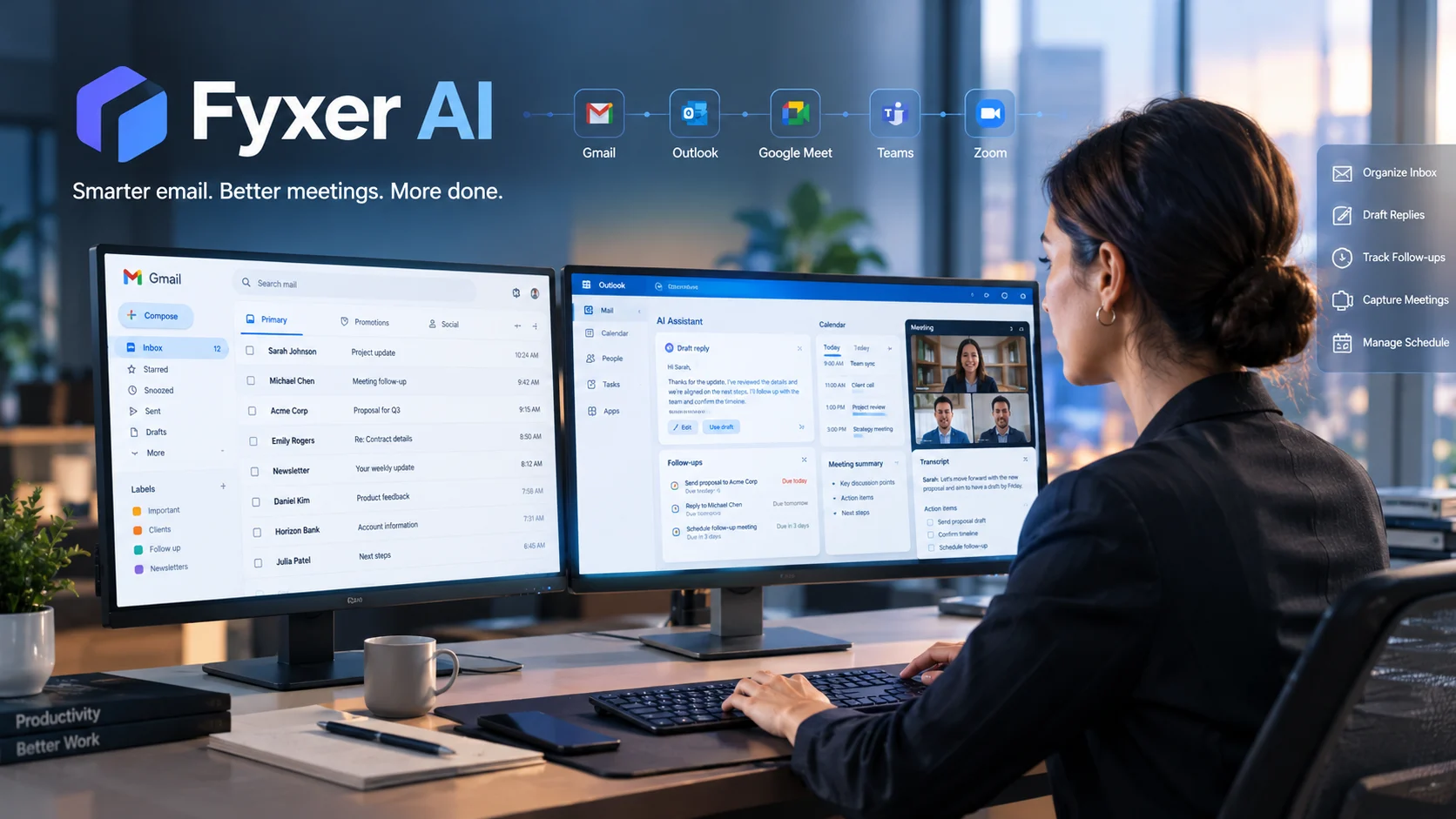
Fyxer AI is an AI-powered email and meeting assistant that works with Gmail and Outlook to organize inboxes, draft replies in your writing style, manage follow-ups, and capture meeting notes. It is designed mainly for professionals who want automation inside their existing email workflow rather than a completely new email client.
Fyxer AI at a Glance
- Core purpose: AI-assisted email management, drafting, scheduling, follow-ups, and meeting notes.
- Email support: Works with Gmail and Outlook through Google and Microsoft APIs.
- Meeting support: Supports Google Meet, Microsoft Teams, and Zoom through its Notetaker.
- Automation: It can categorize messages and prepare drafts without waiting for a manual prompt.
- Human approval: Fyxer says it does not send emails automatically. Users review and send drafts themselves.
- Pricing: Current public pages are undergoing a plan transition, so users should verify the exact plan and billing terms at signup.
What Is Fyxer AI?
Fyxer AI is an AI email assistant and meeting productivity platform built around a simple idea: reduce the administrative work surrounding email and meetings.
Instead of replacing Gmail or Outlook, Fyxer sits on top of those services. It connects to an existing mailbox and calendar, analyzes relevant messages, organizes the inbox, drafts responses, tracks follow-ups, and can produce notes from meetings.
That positioning matters.
Fyxer is not primarily a general-purpose chatbot like ChatGPT. It is also not a traditional email client that asks users to move their entire workflow into another application. Its main value comes from applying AI to an existing professional communication system.
The company says its product grew out of experience running an executive assistant agency. Its current product is aimed at professionals, freelancers, consultants, salespeople, executives, and teams that spend substantial time managing communication.
Fyxer currently promotes both Gmail and Outlook support and says setup can be completed through a connected account rather than by installing a conventional browser extension.
How Does Fyxer AI Work?
The basic workflow is straightforward.
1. Connect Gmail or Outlook
Fyxer uses OAuth-based connections to Google and Microsoft services. According to its documentation, it does not need your email or calendar password.
Depending on the features enabled, the service can access email, calendar information, and meeting-related data.
2. Fyxer analyzes your communication
The system examines relevant email context to determine which messages need attention.
It can classify incoming messages into categories such as messages requiring a response, informational mail, and marketing-related messages.
The goal is to reduce the amount of manual inbox triage.
3. It drafts responses
Fyxer learns from your existing writing patterns and uses that context when preparing email replies.
This is different from a conventional AI email generator where the user writes a prompt such as:
“Write a professional reply to this customer.”
With Fyxer, the intended workflow is more proactive. The system identifies messages that appear to need responses and prepares drafts before the user asks.
4. You review the draft
This distinction is important for business users.
Fyxer says it does not send emails on your behalf. Generated messages remain drafts that require user review and approval.
That keeps the final communication decision with the human user.
5. Meeting information can become follow-up work
Fyxer’s Notetaker can join supported online meetings, transcribe conversations, create summaries, identify action items, and help prepare follow-up communication.
Its documented meeting integrations include Google Meet, Microsoft Teams, and Zoom.
Key Fyxer AI Features
Fyxer is best understood as a collection of connected productivity features rather than a single AI writing tool.
AI Inbox Organization
Fyxer automatically organizes email so users can focus on messages that require action.
This is particularly relevant for people whose inboxes contain a mixture of:
- Customer requests
- Sales conversations
- Internal messages
- Newsletters
- Notifications
- Scheduling emails
- Marketing messages
- Follow-up threads
The appeal is not simply better search. The product tries to make the inbox more actionable before the user starts processing it.
AI Email Drafting
Fyxer can create reply drafts based on the user’s previous communication style.
The personalization angle is important because professional email rarely has one universal tone.
A salesperson may write differently to a prospect than to a long-term customer. An executive may use different language with a board member than with an internal colleague.
Fyxer’s approach attempts to capture those patterns rather than producing one generic corporate writing style.
Still, AI-generated drafts should be reviewed. A system can understand context and style without necessarily understanding the business judgment behind a particular response.
Follow-Up Assistance
Unanswered conversations are easy to lose in a busy inbox.
Fyxer tracks threads and can prepare follow-up drafts when a response appears overdue.
For salespeople, consultants, recruiters, and account managers, this can address a practical problem: remembering who needs a reply after the original conversation disappears beneath newer messages.
AI Meeting Notes
The Notetaker is another major part of the platform.
Fyxer says it can:
- Capture supported meetings
- Produce transcripts
- Summarize discussions
- Extract action points
- Prepare follow-up drafts
- Support scheduling workflows
Meeting bots are not completely frictionless, however.
Microsoft Teams organizations may restrict external participants or require a participant to admit the bot from a lobby. Zoom can also impose meeting-specific restrictions. Fyxer’s own documentation acknowledges that organizational settings can prevent the Notetaker from joining.
Scheduling
Fyxer also connects email and calendar context to scheduling.
The purpose is to reduce back-and-forth communication around availability.
This is more useful when scheduling depends on several people, time zones, or existing calendar commitments.
Fyxer Chat
Higher-level plans include Fyxer Chat, which allows users to ask questions about information available through their connected workspace.
That moves the product beyond simple email generation toward an internal knowledge interface.
However, users should distinguish this from a general enterprise RAG system. Fyxer’s value comes from the specific email, meeting, and workspace context it can access rather than from being a universal knowledge platform.
Who Is Fyxer AI For?
Fyxer makes the most sense for people whose work already revolves around email and meetings.
Freelancers and Consultants
Client communication can consume significant time even when individual messages are straightforward.
Automated triage, drafts, scheduling, and follow-up reminders can reduce repetitive administrative work.
Sales and Account Teams
Sales professionals often need to track many conversations simultaneously.
Drafted replies and follow-up preparation can help keep conversations moving without requiring every message to be written from scratch.
Executives and Founders
Executives frequently deal with high-value messages mixed with routine communication.
An assistant that organizes the inbox and prepares drafts can potentially reduce administrative workload while leaving final decisions with the executive.
Recruiting and Customer-Facing Roles
Recruiters, account managers, and other relationship-heavy professionals can benefit from consistent communication and better follow-up visibility.
The biggest variable is not the job title. It is email volume and repetition.
If someone receives only a few important emails per day, an AI assistant may provide limited value. If email processing consumes a large part of the working day, automation becomes more meaningful.
Fyxer AI Pricing in 2026
Pricing deserves extra attention because Fyxer’s current documentation appears to be transitioning between plan structures.
The Help Center says Fyxer introduced new plans and pricing in September 2026, with Pro, Team, and Enterprise plans. It also states that the new free trial lasts 14 days and that accounts move to a Free plan if users do not select a paid subscription.
However, another current Fyxer pricing page still publicly displays:
| Publicly displayed plan | Monthly price shown | Annual billing price shown | Notable features |
|---|---|---|---|
| Starter | $30/user/month | $22.50/user/month | One inbox, one calendar, drafts, meeting notes |
| Professional | $50/user/month | $37.50/user/month | Multiple inboxes/calendars, scheduling, Fyxer Chat, HubSpot integration |
| Enterprise | Bespoke | Bespoke | SSO, SCIM, customized security and onboarding |
The same page states a 7-day trial, while the newer Help Center says the current trial is 14 days.
That means buyers should verify the exact plan name, price, billing cycle, included credits, and trial duration displayed in their account before subscribing.
This is a better approach than treating an older pricing page as definitive.
The newer Help Center also documents a Free plan with 400 monthly credits. It says those credits can represent up to 40 chat messages if used only for Chat, or approximately 6 hours and 40 minutes of meeting recordings.
Those usage limits matter because the headline subscription price alone does not tell you the effective cost for a heavy user.
Fyxer AI Security and Privacy
Security is one of the most important considerations because Fyxer needs access to highly sensitive business communications.
Fyxer currently states that it is:
- SOC 2 Type II certified
- ISO 27001 certified
- GDPR compliant
- HIPAA compliant
It also states that customer data is not used to train third-party AI models.
Fyxer’s API documentation says Gmail and Outlook connections use OAuth 2.0. It also describes a least-privilege approach in which permissions depend on the features a user enables.
The service says it does not receive your email or calendar password.
Does Fyxer Store Your Email Data?
This question requires more nuance than a simple “yes” or “no.”
Fyxer’s security documentation says email and meeting information is processed to provide the service. Its deletion documentation says that deleting an account or removing an email connection stops further access and starts deletion of associated processing data, including draft history, meeting transcripts, summaries, and internal knowledge records.
Fyxer also says remaining backups are purged according to its retention policies.
Therefore, users should not interpret a security certification as proof of zero data retention.
SOC 2 Type II and ISO 27001 certification are security and control frameworks. They do not automatically mean that a service has Zero Data Retention.
Organizations with strict compliance requirements should review the vendor’s current data-processing terms, retention schedule, subprocessors, deletion procedures, and contractual commitments.
Fyxer AI Limitations to Consider
Fyxer solves a specific problem, but it is not a universal AI workplace agent.
AI Drafts Still Need Human Review
A draft can be grammatically correct and stylistically convincing while still being strategically wrong.
Users should check:
- Names
- Dates
- Prices
- Commitments
- Customer details
- Legal language
- Confidential information
- Tone
- Promises made on behalf of the company
The human review step remains important.
Inbox Access Is a Significant Permission
Connecting an AI system to an email account is fundamentally different from using a standalone writing assistant.
The tool can process information from your professional communication environment.
For sensitive organizations, security review should happen before deployment rather than after an incident.
Meeting Bots Can Encounter Platform Restrictions
Fyxer supports major meeting platforms, but meeting-bot behavior depends partly on the platform’s configuration.
Corporate Microsoft Teams policies, Zoom settings, waiting rooms, guest restrictions, and authentication requirements can affect whether the Notetaker joins successfully.
Plan Limits Can Affect Heavy Users
Credits and usage limits become relevant if you rely heavily on meeting recording or AI chat.
A buyer should estimate actual usage before selecting a plan.
It Is Not an Email Client Replacement
Fyxer works with Gmail and Outlook rather than replacing them.
That is an advantage for users who want to preserve their existing workflow. It may be less attractive to users who want a completely redesigned AI-native email application.
Fyxer AI vs Other AI Email Tools
The right comparison depends on the workflow rather than a generic “best AI email assistant” label.
| Platform | Primary workflow | Key strength | Pricing transparency | Main consideration |
|---|---|---|---|---|
| Fyxer | Gmail/Outlook assistant | Inbox organization, drafts, meetings | Currently transitioning between published plan structures | Verify current plans and usage limits |
| Superhuman | AI-focused email client | Speed-oriented email workflow | Public pricing available | Changes the email-client experience rather than simply adding an assistant |
| Shortwave | AI-native Gmail experience | AI search and Gmail-centered workflow | Public pricing available | Gmail-focused rather than a Gmail/Outlook overlay |
| Google Gemini | Google Workspace AI | Native Google ecosystem integration | Depends on Workspace plan | Best understood as part of a broader Google Workspace stack |
| Microsoft 365 Copilot | Microsoft 365 assistant | Outlook plus broader Microsoft 365 context | Public business pricing available | Requires the appropriate Microsoft 365 licensing |
| Inbox Zero | Email automation | Open-source approach and automation | Public pricing/self-hosting options | Better suited to users who value control and technical flexibility |
Microsoft currently lists Microsoft 365 Copilot Business from $18 per user per month on annual billing under a promotional offer, while Google Workspace plans include Gemini capabilities at different Workspace tiers. These prices should not be treated as direct Fyxer equivalents because the underlying product scope and licensing models differ.
The key architectural question is simple:
Do you want an AI assistant layered onto your existing inbox, or do you want an AI-first email environment?
Fyxer belongs primarily to the first category.
Fyxer AI vs Built-In Gmail and Outlook AI
Google and Microsoft have an important structural advantage: their AI assistants are already connected to their respective productivity ecosystems.
That means organizations already paying for Google Workspace or Microsoft 365 may have AI functionality available without introducing another vendor.
Fyxer’s proposition is different.
It focuses specifically on proactive inbox organization, personalized drafting, follow-ups, scheduling, and meeting capture across Gmail and Outlook.
The decision therefore depends on workflow overlap.
If your main requirement is occasional email summarization, built-in AI may be enough.
If the goal is continuous inbox triage and a dedicated assistant that prepares work before you ask for it, Fyxer’s approach is more directly aligned with that use case.
What to Test During a Fyxer AI Trial
A seven- or fourteen-day trial should not be treated as a simple “does it work?” experiment.
Test the product against real workflows.
Email Accuracy
Check at least 20 to 30 representative messages.
Measure:
- How often the correct category is assigned
- How much editing drafts require
- Whether important context is missed
- Whether the tone resembles your actual writing
Follow-Up Quality
Look at older conversations and see whether Fyxer identifies genuinely useful follow-ups.
A good system should reduce forgotten tasks without creating unnecessary noise.
Meeting Reliability
Test the Notetaker on the meeting platforms your organization actually uses.
Do not assume support for a platform guarantees successful participation in every corporate environment.
Privacy Controls
Ask your security or IT team to review:
- Data processing
- Retention
- Deletion
- Subprocessors
- Encryption
- Access controls
- Regulatory requirements
- Contractual commitments
Total Cost
Calculate the real annual cost per user.
Include:
- Monthly versus annual billing
- Number of inboxes
- Meeting usage
- AI credits
- Team seats
- Enterprise requirements
- Any required third-party services
This is more useful than comparing headline subscription prices.
Common Mistakes When Evaluating Fyxer AI
Mistake 1: Treating AI drafts as final answers
A draft is an assistant output, not a business decision.
Review important messages before sending them.
Mistake 2: Looking only at the monthly price
Usage limits and included functionality can change the economics for heavy users.
Mistake 3: Assuming certifications equal zero retention
SOC 2 and ISO 27001 are valuable security signals, but they do not automatically establish a Zero Data Retention policy.
Mistake 4: Ignoring inbox permissions
Email contains more information than most documents.
Review what an AI assistant can access before connecting a business account.
Mistake 5: Comparing different product categories
An AI email assistant, AI-native email client, meeting notetaker, and general-purpose AI assistant solve overlapping but different problems.
Compare the workflow, not just the feature list.
Should You Use Fyxer AI?
Fyxer is most relevant when email and meetings are recurring sources of administrative work.
It may suit a professional who wants:
- Automated inbox organization
- Personalized reply drafts
- Follow-up assistance
- Meeting notes
- Scheduling support
- Gmail and Outlook compatibility
- Human approval before emails are sent
It may be less compelling for users who already have a well-managed inbox, rarely write repetitive emails, or primarily want a general-purpose AI assistant.
Teams should also evaluate whether Fyxer’s collaboration, administration, privacy, and integration controls match their organizational requirements.
Latest Fyxer AI Developments in 2026
The most notable current change is Fyxer’s September 2026 plan transition.
Its Help Center now describes Pro, Team, and Enterprise plans, along with a Free tier and a newer trial structure. At the same time, parts of the public marketing site still display Starter and Professional pricing.
That makes the pricing transition itself important information for prospective customers.
Fyxer is also expanding beyond basic email drafting through features such as shared team context, Spaces, Flows, Fyxer Chat, file context, team administration, and enterprise controls.
The product is therefore moving toward a broader work assistant rather than remaining only an AI email writer.
FAQs About Fyxer AI
Is Fyxer AI free?
Fyxer currently documents a Free plan with limited functionality and monthly credits. Paid plans provide features such as automatic email labeling and tone-matched drafts. Because Fyxer changed its plans in September 2026, users should check the current signup page for the exact limits and plan terms.
Does Fyxer AI work with Gmail and Outlook?
Yes. Fyxer supports both Gmail and Outlook. Its integrations use Google Workspace APIs and Microsoft Graph, allowing it to work with existing email and calendar accounts rather than requiring users to move to a separate email client.
Does Fyxer AI send emails automatically?
No. Fyxer says it does not send emails on the user’s behalf. It creates drafts that the user reviews, edits if necessary, and sends manually.
Is Fyxer AI safe for business email?
Fyxer states that it has SOC 2 Type II and ISO 27001 certifications and follows GDPR and HIPAA requirements. It also says customer data is not used to train external AI models. Businesses should still review current retention, subprocessors, permissions, and contractual terms before connecting sensitive accounts.
What are the main alternatives to Fyxer AI?
Relevant alternatives include Superhuman, Shortwave, Google Gemini, Microsoft 365 Copilot, and Inbox Zero. The right alternative depends on whether you want an assistant layered onto Gmail or Outlook, a new AI-first email client, built-in ecosystem AI, or greater technical control.
Conclusion
Fyxer AI is best understood as an AI assistant for email, meetings, scheduling, and follow-up work rather than a general-purpose chatbot.
Its strongest differentiator is the attempt to automate inbox work proactively while keeping the user inside Gmail or Outlook. Personalized drafts, inbox organization, follow-ups, and meeting notes make it relevant to professionals who handle large volumes of communication.
The most important factors to evaluate are draft quality, inbox accuracy, meeting reliability, permissions, data retention, usage limits, and total subscription cost.
Fyxer’s September 2026 pricing transition also deserves attention. Prospective customers should verify the current plan shown in their account rather than relying on older pricing references.
For a short trial, use real email and meetings, measure how much editing the AI requires, and assess whether the automation actually removes work from your day.

Oliver Wilson is an AI researcher and tech writer living at the intersection of human creativity and machine intelligence. At AixOrbit.com, he decodes complex neural networks, generative AI and emerging tech trends into actionable insights making sure humans stay one step ahead of the algorithms.