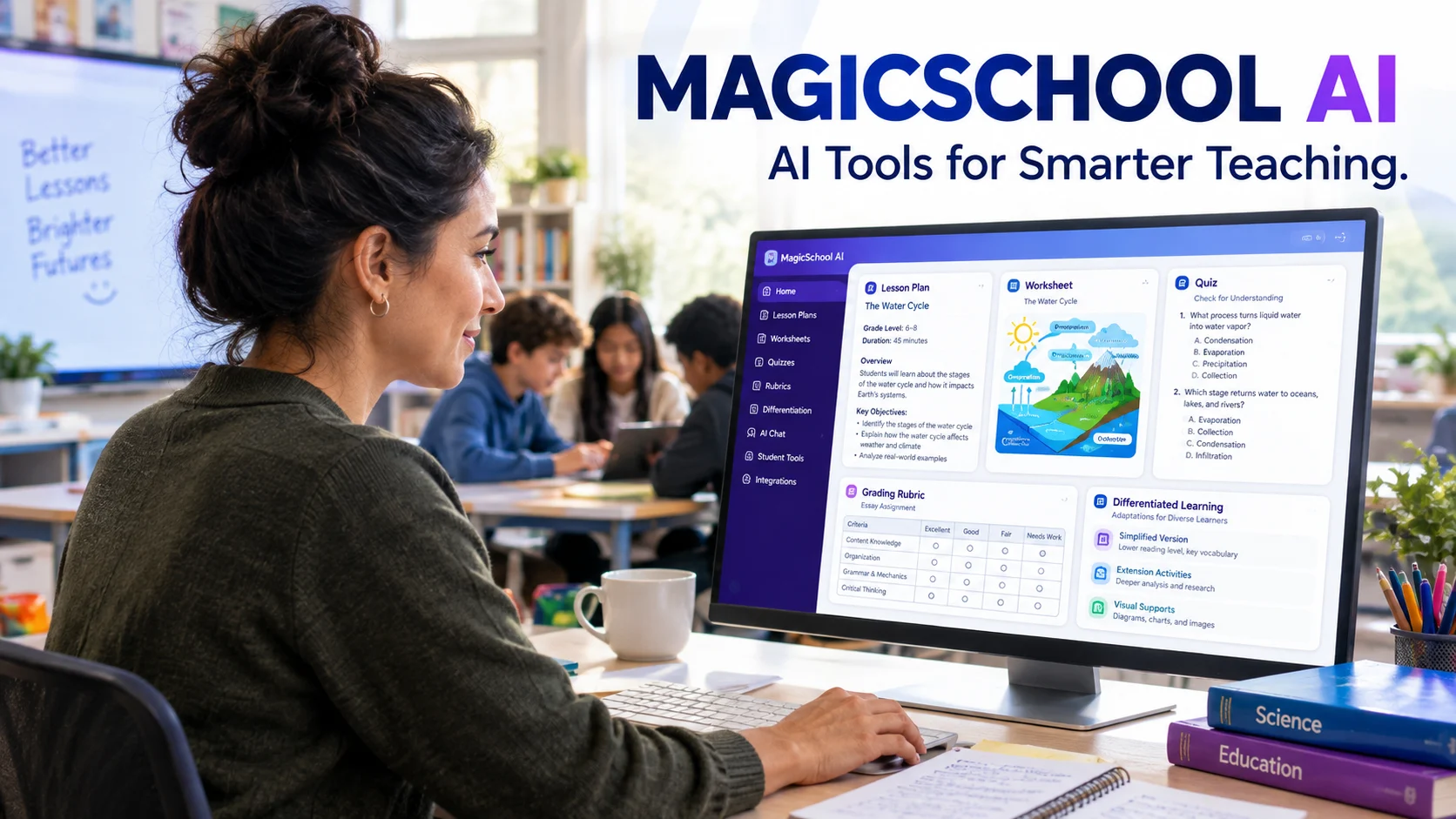
MagicSchool AI is an education-focused artificial intelligence platform that helps teachers create lesson plans, worksheets, quizzes, rubrics, and personalized learning materials. It also offers guided AI tools for students, helping schools introduce AI into learning with teacher oversight, safety controls, and classroom-focused workflows.
At a Glance
- Primary purpose: Help K–12 teachers plan lessons, develop learning resources, and streamline classroom tasks.
- Teacher tools: Lesson planning, assessment creation, differentiation, writing feedback, and instructional support.
- Student tools: Guided tutoring, writing assistance, practice activities, and structured AI interactions.
- Pricing: A free plan, a paid Plus plan, and custom-priced Enterprise options.
- Integrations: Supports selected educational platforms and productivity workflows, including Google Classroom and learning management systems.
- Main limitation: AI-generated content still requires human review for accuracy, curriculum alignment, fairness, and age appropriateness.
MagicSchool+1
Introduction
Artificial intelligence is changing how educators prepare lessons, assess student work, and respond to different learning needs. However, general-purpose AI chatbots often require teachers to build their own prompts, check every response, and establish classroom safeguards themselves.
MagicSchool AI approaches this challenge differently. It brings education-specific AI tools into a single platform, allowing teachers to generate instructional materials through workflows designed around everyday school responsibilities.
The platform is relevant to classroom teachers, instructional coaches, school administrators, and educators exploring responsible AI adoption. Its usefulness depends on the quality of the generated materials, the teacher’s workflow, and the school’s privacy requirements.
This guide explains how MagicSchool AI works, what it offers, how much it costs, and what educators should consider before using it.
What Is MagicSchool AI?
MagicSchool AI is an AI-powered education platform developed for teachers, students, and schools. Instead of focusing on open-ended chatbot conversations alone, it provides dedicated tools for specific teaching and learning tasks.
For example, a teacher can use an instructional planning tool to draft a lesson, generate questions for an assessment, or adapt reading material for different ability levels. The teacher can then review and modify the output before using it in class.
MagicSchool also offers student-facing tools designed to support learning through structured activities and teacher-directed experiences. Its Student Rooms feature allows educators to configure activities and share selected AI tools with students.
The platform is not a replacement for a teacher, curriculum specialist, or learning management system. It is better understood as an assistant that can reduce repetitive preparation work while leaving educational decisions with people.
Who Is MagicSchool AI Designed For?
The platform primarily targets K–12 education, although individual tools may also be useful to other educators.
Its main audiences include:
- Classroom teachers: Create lesson materials, quizzes, explanations, and classroom activities.
- Special education teachers: Draft differentiated resources and individualized education program (IEP) materials for professional review.
- Instructional coaches: Help teachers explore AI-supported teaching strategies.
- School administrators: Establish shared AI workflows and monitor adoption through available institutional controls.
- Students: Practice skills, explore concepts, and receive guided support when their teachers enable appropriate tools.
- School districts: Introduce AI with centralized settings, integrations, and district-specific guidance.
The platform is especially relevant to educators who want purpose-built teaching tools rather than a blank chatbot interface.
Key Features of MagicSchool AI
MagicSchool AI groups its tools around common classroom tasks. The exact features available depend on the user’s subscription and school configuration.
1. AI Lesson Planning
Teachers can generate lesson outlines, instructional activities, and supporting resources by entering details such as the subject, grade level, topic, and learning objectives.
For example, a seventh-grade science teacher preparing a lesson about ecosystems could request an outline covering food chains, biodiversity, and environmental relationships. The teacher can then adjust the content to match the school’s curriculum and available teaching time.
The main advantage is faster drafting. Teachers still need to check factual accuracy, learning objectives, and suitability for their students.
2. Worksheets, Quizzes, and Assessments
MagicSchool offers tools for developing classroom worksheets, question sets, rubrics, and formative assessments.
Teachers can use these resources to prepare exit tickets, review exercises, discussion questions, and practice quizzes. These materials can help educators assess understanding without writing every question from scratch.
However, generated questions may be ambiguous, repetitive, or too easy for the intended class. Review the answer key and confirm that each question measures the intended skill before assigning it.
3. Differentiated Learning Materials
Students often need different explanations or levels of support to understand the same topic. MagicSchool can help teachers adapt content for different reading levels and instructional needs.
An educator might simplify a complex passage, create additional practice questions, or produce alternative explanations of a difficult concept. Teachers can also draft individualized learning materials and IEP-related content for appropriate professional review.
These capabilities support differentiation, but AI cannot independently determine a student’s needs or replace qualified educational judgment.
4. Raina AI Chatbot
Raina is MagicSchool’s AI chatbot for education-related assistance. It gives educators a conversational way to explore ideas, ask questions, and develop instructional resources.
Rather than starting with a specialized tool every time, a teacher can use a chatbot to brainstorm activities or refine a lesson concept. Its usefulness depends on the instructions provided and the quality of the response.
As with other generative AI systems, Raina can produce incorrect or incomplete information. Important factual claims and educational recommendations require verification.
5. Student-Facing AI Tools
MagicSchool also offers student tools for guided learning, writing feedback, tutoring, and practice.
Its Student Rooms feature allows teachers to create structured learning experiences and select the tools students can use. The aim is to connect AI activity with specific learning goals rather than provide unrestricted chatbot access.
This approach can help teachers introduce AI gradually. It does not eliminate the need to teach students how to evaluate answers, identify bias, and distinguish credible information from errors.
6. Writing Feedback and Content Editing
The platform includes writing-feedback workflows that help teachers review student assignments and prepare personalized comments using a rubric.
This can be useful when an educator needs to give feedback to many students within a limited period. However, the teacher should check whether the feedback reflects the actual assignment criteria and the student’s work.
AI-generated feedback should support the teacher’s assessment, not automatically determine grades or make consequential decisions without appropriate human review.
7. Classroom and School Integrations
MagicSchool supports selected integrations and export options intended to fit existing educational workflows. Depending on the plan, these can include Google Classroom, Google and Microsoft productivity tools, and learning management systems such as Canvas and Schoology.
Enterprise offerings also list single sign-on, student information system integrations, administrative dashboards, and district-level customization. Availability depends on the subscription and implementation.
Schools should confirm the specific integration, permissions, and administrative requirements before adopting the platform across an institution.
How Does MagicSchool AI Work?
MagicSchool AI combines education-specific workflows with generative AI. Users select a tool or chatbot, provide instructions, and receive a draft they can review and adapt.
A typical workflow looks like this:
1. Choose a classroom task
Select lesson planning, quiz creation, writing feedback, or another relevant tool.
2. Enter the teaching context
Specify the grade, subject, learning objective, student needs, and preferred format.
3. Generate a draft
The platform processes the request using AI models selected for the task.
4. Review and adapt
Check accuracy, alignment, inclusivity, and suitability before classroom use.
According to MagicSchool’s FAQ, its platform uses multiple large language models, including models from OpenAI, Anthropic, and Google, depending on the task. The company describes its approach as routing requests to models suited to educational use cases.
A large language model (LLM) generates responses based on patterns learned during training and the context supplied with a request. It does not guarantee that every answer is correct.
For educators, the practical distinction is important: MagicSchool packages AI capabilities into classroom-oriented tools, reducing the need to design every workflow from scratch.
Benefits of Using MagicSchool AI
MagicSchool AI can be useful when teachers apply it to specific tasks and retain control over the results.
Reduced preparation time
Teachers can create initial drafts of lessons, worksheets, and assessments more quickly. This may reduce repetitive writing, although time savings vary according to the complexity of the task and the amount of editing required.
More flexible instruction
Educators can generate alternative explanations, reading-level adjustments, and additional exercises. These options can support students who need different approaches to the same learning objective.
A structured introduction to AI
Purpose-built tools can make AI more approachable for teachers who are unfamiliar with prompt engineering. Teachers can focus on the educational task instead of learning how to build every request from the ground up.
Support for feedback workflows
Rubric-based writing feedback can help teachers organize comments and review multiple assignments. Educators must still ensure that feedback is fair, specific, and grounded in each student’s actual work.
School-level oversight
Enterprise features provide options for centralized management, integrations, and usage visibility. These capabilities may help districts establish consistent policies instead of leaving every teacher to make separate platform decisions.
Limitations and Risks to Consider
MagicSchool AI can streamline work, but it does not remove the responsibilities associated with teaching or managing student data.
AI-generated errors
Generative AI may invent facts, misinterpret a learning objective, or create incorrect answer keys. Teachers should verify factual content, calculations, references, and assessment criteria before use.
Curriculum alignment is not automatic
A resource can look polished without matching the school’s required standards. Teachers should provide specific curriculum expectations and check the final material against approved teaching objectives.
Outputs may need substantial editing
Broad prompts often produce generic lesson ideas. Stronger instructions, clear constraints, and examples can improve relevance, but editing remains part of the process.
Student overreliance
If students use AI to complete every task, they may miss opportunities to develop independent reasoning and writing skills. Teachers should define when AI assistance is permitted and require students to explain or demonstrate their understanding.
Features differ by plan
The free subscription has standard generation limits, while Plus expands usage and access. District-level administration and some advanced controls require Enterprise. Check the current plan details before relying on a specific feature.
Accessibility and local context
AI-generated examples may not reflect a student’s language, cultural context, available resources, or accessibility needs. Teachers should review content with those differences in mind.
MagicSchool AI Pricing in 2026
MagicSchool AI offers three main subscription options: Free, Plus, and Enterprise. The official pricing page currently lists the following prices for individual educators and school districts.
| Plan | Price | Main features |
|---|---|---|
| Free | $0 | Core teacher tools, Raina, quizzes, and standard usage limits |
| Plus | $8.33 per month, billed annually, or $12.99 monthly | Expanded usage, 50+ student tools, output history, editing, and additional features |
| Enterprise | Custom pricing | District-wide administration, SSO, integrations, customization, and advanced oversight |
Pricing checked against the official MagicSchool pricing page on October 14, 2026. Prices are in USD and may change.
Is MagicSchool AI Free?
Yes. The Free plan provides access to core tools without a subscription fee. However, standard generation limits apply, and some features are reserved for paid plans.
For teachers exploring AI for the first time, the free version provides a practical way to evaluate lesson planning, assessment generation, and other workflows before paying.
Is MagicSchool Plus Worth the Cost?
Plus may suit educators who use MagicSchool frequently and need expanded usage, additional student tools, and greater control over their generated content.
At the listed annual rate, the subscription costs $99.96 per year. The monthly billing option costs $12.99 per month, so the annual commitment is less expensive over a full year.
Before subscribing, check the current feature comparison, billing terms, and refund policy. Teachers who only generate occasional worksheets may find the free plan sufficient.
How Much Does MagicSchool Enterprise Cost?
Enterprise pricing is customized for schools and districts. The official website does not publish one universal price for every institutional deployment.
Schools should request a quote and clarify the total cost, included integrations, implementation support, contract terms, and any additional professional development fees.
MagicSchool AI Privacy and Security
Privacy is particularly important when an AI platform handles student assignments, classroom interactions, or information about minors.
MagicSchool states that its platform is designed for education and includes privacy and safety measures. Its published materials describe encryption, access controls, built-in safeguards, and protections intended to support school privacy requirements. The company also states that student data is not used to train external AI models.
These statements are relevant, but schools should evaluate the actual policies and contractual terms that apply to their accounts.
What Should Teachers and Schools Check?
- Personally identifiable information: Avoid entering student names, contact details, or sensitive records unless the use is approved and necessary.
- Data retention: Confirm how long prompts, conversations, and generated content are retained.
- Access controls: Understand who can review student interactions and what administrators can see.
- School agreements: Review the applicable data processing agreement and district privacy requirements.
- Student safeguards: Check moderation settings, teacher controls, and age-appropriate access.
- Account configuration: Confirm whether the individual plan provides the privacy controls required by your institution.
MagicSchool lists compliance and certification claims on its official site, including references to FERPA, COPPA, and SOC 2. Schools should examine the relevant documentation and scope rather than treating a badge as a complete security assessment.
Importantly, SOC 2 is not a guarantee of zero data retention. Organizations should separately verify retention policies and any contractual zero-data-retention commitments they require.
MagicSchool AI Alternatives: Which Tools Should You Compare?
MagicSchool is not the only option for AI-assisted teaching. The most suitable alternative depends on whether you need a broad teaching toolkit, a general AI assistant, or a specialized learning platform.
| Platform | Target user | Key strength | Pricing transparency | Main consideration |
|---|---|---|---|---|
| MagicSchool AI | K–12 teachers and schools | Education-specific tools and classroom workflows | Free, published Plus pricing, custom Enterprise | Usage limits and plan-dependent features |
| ChatGPT | Teachers, students, and general users | Flexible explanations, brainstorming, and content generation | Free and paid plans; see official pricing | Requires careful prompting and educational safeguards |
| Google Gemini | Educators and general users | General-purpose AI assistance within Google’s ecosystem | Varies by plan and education offering | Features and administrative controls depend on account type |
| Quizlet | Students and teachers | Flashcards, revision, and study activities | Free and paid options; check current plans | More focused on studying and assessment than broad lesson preparation |
These platforms overlap, but they are not interchangeable. Features, school eligibility, and pricing can change, so compare their official product pages before making a purchasing decision.
MagicSchool AI vs. ChatGPT
MagicSchool is organized around predefined education tasks. ChatGPT is a general-purpose assistant that can help with lesson ideas, explanations, writing, and many other activities.
MagicSchool may be more convenient for teachers who regularly use dedicated educational workflows. ChatGPT may appeal to users who want broader flexibility and are comfortable designing detailed prompts.
The comparison should include privacy settings, school approval, student access, output quality, and the time required to review results.
MagicSchool AI vs. Google Gemini
Gemini may be worth considering for educators who already work within Google’s productivity environment. MagicSchool emphasizes education-specific tools and guided classroom workflows.
The practical choice depends on the exact accounts available, the integrations enabled by the school, and the administrative controls required. Do not assume that consumer and education editions offer identical protections or features.
MagicSchool AI vs. Quizlet
Quizlet focuses on study resources and revision activities. MagicSchool offers a broader set of teacher-facing workflows, including planning, differentiated materials, and writing feedback.
A teacher might use MagicSchool to prepare a lesson and Quizlet to help students revise key concepts. Depending on the classroom’s needs, using complementary tools may make more sense than choosing just one.
Practical Example: Using MagicSchool AI to Prepare a Lesson
Consider a teacher preparing a 45-minute lesson about the water cycle for a middle-school science class.
The teacher could begin by entering the grade level, the learning objective, the lesson duration, and the students’ existing knowledge. The teacher could then generate a lesson outline, a worksheet, and a short formative quiz.
A useful workflow would look like this:
- Generate a lesson outline covering evaporation, condensation, precipitation, and collection.
- Request an activity that helps students connect each stage to real-world weather.
- Create five assessment questions that test understanding rather than simple memorization.
- Adapt the explanation for students who need additional reading support.
- Check the scientific accuracy, timing, vocabulary, and answer key.
- Modify the final materials to fit the actual class and curriculum.
The benefit is not that AI independently creates a perfect lesson. It helps the teacher produce a workable first draft, leaving more time for instructional decisions and student support.
Tips for Getting Better Results From MagicSchool AI
The quality of generated content depends heavily on the information supplied. Short, vague prompts often produce generic results.
Use these practices to improve relevance:
- Specify the audience: Include the grade level, subject, and relevant student needs.
- Define the objective: Explain what students should know or demonstrate by the end.
- Set constraints: Mention lesson duration, reading level, materials, and question count.
- Request a useful format: Ask for a table, step-by-step activity, rubric, or printable worksheet when appropriate.
- Review the output: Check facts, answer keys, bias, and alignment with approved curriculum.
- Iterate deliberately: Ask for specific revisions rather than regenerating the entire resource without direction.
- Protect student information: Use anonymized examples and follow school policy.
For example, instead of asking for a science worksheet, provide the grade level, topic, learning objective, reading level, and number of questions. This gives the tool a clearer target and makes its output easier to evaluate.
Who Should Use MagicSchool AI?
MagicSchool AI may be a useful option for educators who regularly prepare lessons, create assessments, or adapt learning materials.
It is particularly suitable for:
- Teachers with heavy workloads who want to draft routine classroom resources more efficiently.
- New teachers who need help structuring lessons and developing assessment ideas.
- Special education professionals who need draft materials that can be reviewed and adapted to individual learning goals.
- Instructional leaders who want to explore consistent AI-supported teaching practices.
- School districts that need centralized oversight, training, and managed classroom AI access.
It may be less suitable for users seeking an unrestricted general-purpose chatbot, a complete learning management system, or a platform that produces final educational decisions without human review.
Schools outside the United States should also verify how the platform fits their local curriculum, privacy laws, language requirements, and procurement policies.
Frequently Asked Questions About MagicSchool AI
1. What is MagicSchool AI used for?
MagicSchool AI helps educators create lesson plans, worksheets, quizzes, rubrics, differentiated learning materials, and writing feedback. It also provides guided student tools that teachers can use to support learning activities. Its main purpose is to streamline educational workflows while keeping teachers involved in reviewing and adapting the results.
2. Is MagicSchool AI free for teachers?
Yes. MagicSchool AI offers a free plan for individual educators, with access to core teaching tools and standard usage limits. Its Plus subscription provides expanded usage and additional features, while Enterprise plans offer school and district-level capabilities. Check the official pricing page for current terms.
3. Is MagicSchool AI safe for students?
MagicSchool provides student-focused safeguards, moderation, and teacher oversight features. The company also publishes information about its privacy and security practices. However, schools should review the applicable policies, student access controls, data retention terms, and contractual requirements before approving classroom use.
4. Can MagicSchool AI create lesson plans and quizzes?
Yes. MagicSchool includes tools for drafting lesson plans, worksheets, quizzes, and other instructional resources. Teachers can specify a grade level, subject, and learning objective to guide generation. They should review the final content for factual accuracy, appropriate difficulty, and alignment with the curriculum before using it.
5. What are the best alternatives to MagicSchool AI?
Alternatives include ChatGPT, Google Gemini, and Quizlet, although they serve somewhat different purposes. ChatGPT and Gemini provide general-purpose AI assistance, while Quizlet focuses on study and revision tools. Compare features, educational suitability, pricing, privacy, and school administration requirements before selecting a platform.
Conclusion
MagicSchool AI is an education-focused AI platform that helps teachers develop instructional materials, prepare assessments, and support differentiated learning. Its combination of dedicated teaching tools, student-facing workflows, and institutional options makes it relevant to both individual educators and schools.
The free plan offers a way to explore the platform, while Plus and Enterprise cater to heavier usage and broader administrative needs. However, AI-generated resources still require human review, and schools must evaluate privacy, curriculum alignment, and student safeguards.
The practical recommendation is to start with a real classroom task, test the free plan, and measure the quality of the output and the editing time required. That approach will help you determine whether MagicSchool AI genuinely improves your teaching workflow.

Oliver Wilson is an AI researcher and tech writer living at the intersection of human creativity and machine intelligence. At AixOrbit.com, he decodes complex neural networks, generative AI and emerging tech trends into actionable insights making sure humans stay one step ahead of the algorithms.