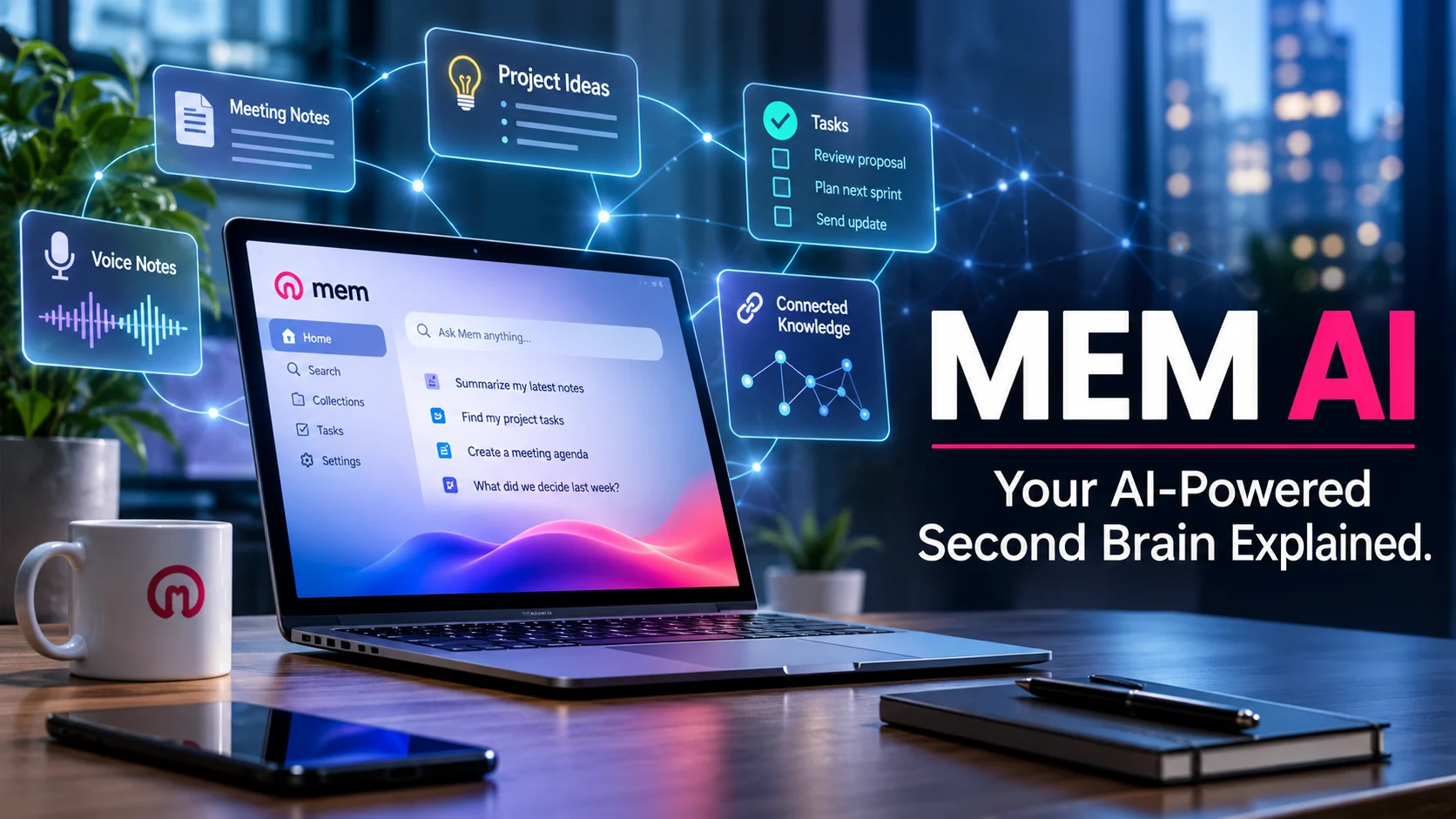
Mem AI is an AI-powered personal knowledge management platform that captures information connects related notes and helps users retrieve useful context through natural-language conversations. Its evolving Mem Agent also helps track projects identify tasks organize information and support everyday work using saved knowledge.
Mem AI at a Glance
- Category: AI note-taking and personal knowledge management.
- Main purpose: Build an intelligent searchable personal knowledge base.
- Key technology: AI-powered retrieval contextual understanding and agent-assisted workflows.
- Core features: Smart notes AI chat voice capture meeting notes and task tracking.
- Integrations: Connections with supported external services including selected productivity tools.
- Pricing: Free plan, plus paid subscriptions with usage limits.
- Best suited for: Professionals researchers founders writers and people managing large amounts of information.
Research note: The original article text was not attached so this is a fresh article written around the current Mem AI product. Product details and pricing below reflect information available on October 30, 2026.
What Is Mem AI?
Mem AI is a personal knowledge management platform designed to help people remember organize and use information more effectively.
Traditional note-taking applications depend heavily on folders notebooks tags and manual organization. Mem takes a different approach by using artificial intelligence to connect information and make it easier to retrieve.
The platform has two closely related components:
- Mem Workspace: Stores notes ideas meeting information research and other knowledge.
- Mem Agent: Uses the information in the workspace to understand ongoing activities identify priorities and help users complete work.
Mem now describes itself as an AI chief of staff rather than simply an AI note taking application. Its product direction focuses on maintaining useful context and taking action when needed.
What Makes Mem Different From Traditional Note-Taking Apps?
Consider a common situation.
You save meeting notes project ideas client information and research throughout the week. A few days later you need to remember a particular decision.
With a traditional notes app you might search folders or remember the exact title.
With Mem you can ask a natural-language question such as:
- What did we decide during last week’s meeting?
- Which tasks are still outstanding?
- What were my original ideas for this project?
- What did the client say about the new deadline?
Mem searches relevant information in your workspace and uses that context to respond.
The main difference is its emphasis on contextual retrieval rather than manual filing.
How Does Mem AI Work?
Mem combines information capture AI-powered retrieval and agent-assisted workflows.
Its basic process involves several stages.
1. Capturing Information
Users can add information through different capture methods.
These include:
- Writing traditional notes.
- Recording voice notes.
- Capturing meeting information.
- Saving webpages and research.
- Using desktop shortcuts.
- Connecting supported external services.
Mem’s Push-to-Remember feature lets users capture thoughts through a keyboard shortcut on supported Mac and Windows applications.
Instead of opening a document and organizing everything manually, users can simply describe what they want to remember.
2. Understanding Context
Mem Agent processes newly captured information and connects it with existing knowledge.
For example, imagine saving three separate notes:
- A discussion about a marketing campaign.
- A meeting summary containing a launch date.
- A reminder about the campaign’s advertising budget.
Mem can use these related details to build a more useful picture of the project.
This helps reduce the need to manually connect every piece of information.
3. Retrieving Information Through AI Chat
Mem Chat allows users to interact with their saved information through natural-language questions.
It can retrieve relevant notes, summarize previous discussions, organize information, and help create new documents.
For example, a user might ask:
“Create a project update using my latest meeting notes and outstanding tasks.”
Mem can use the relevant workspace context to prepare a draft and save it as a note. Mem
4. Tracking Tasks and Projects
Mem Agent can identify tasks and projects from notes that users create or edit.
It can maintain a picture of outstanding work and help users recognize deadlines, responsibilities, and priorities.
Paid plans also support custom routines. These can prepare briefings, conduct research, organize notes, and send scheduled reminders.
The important distinction is that Mem’s automation depends on the information it can access and the permissions users provide. Your AI chief of staff+1
Key Features of Mem AI
Mem’s feature set extends beyond basic note-taking. Its main capabilities focus on capturing information connecting knowledge and supporting everyday workflows.
1. AI-Powered Note Organization
Mem helps organize information without requiring users to maintain complicated folder structures.
It can understand the context of notes and organize information when asked.
This approach is particularly useful for people who collect information from multiple projects and frequently struggle to locate older notes.
2. Mem Chat
Mem Chat is one of the platform’s central features.
Users can ask questions about their saved knowledge and request practical actions.
Examples include:
- Summarizing research.
- Finding previous decisions.
- Updating existing notes.
- Creating project plans.
- Drafting meeting agendas.
- Preparing weekly summaries.
Mem also documents model selection for Pro accounts, including options from different AI model providers. Free accounts can use its automatic model selection. Mem
3. Voice Mode
Voice Mode allows users to record thoughts, conversations, and meetings.
Mem converts captured audio into structured notes and keeps the transcript associated with the relevant information.
This can help professionals who prefer speaking instead of typing.
However, users should check their plan’s voice allowance before relying on it for frequent, lengthy recordings.
4. Push-to-Remember
Push-to-Remember is designed for capturing information without interrupting an existing workflow.
Users can quickly communicate an idea or reminder through a desktop shortcut.
Mem then interprets the information and determines where it fits within the existing knowledge base.
This is useful for spontaneous ideas, quick reminders, and small details that might otherwise be forgotten. Your AI chief of staff
5. Smart Search and Deep Search
Mem supports searching information by meaning rather than depending entirely on exact keywords.
For example, searching for a previous discussion about customer complaints may surface notes that use different wording.
The platform also lists Deep Search among its available features.
This makes the application more useful as a growing personal knowledge repository. Mem+1
6. Custom Routines
Custom Routines introduce scheduled automation into the Mem experience.
Users can configure routines to perform activities such as:
- Preparing recurring briefings.
- Researching specific topics.
- Organizing saved information.
- Creating notes.
- Sending reminders.
Custom Routines are available with Mem Pro and higher-capacity Pro plans, not the Free or Plus subscription. Mem
7. External Connections
Mem can connect with supported external services to bring additional context into its workflows.
Its pricing documentation gives Gmail, Slack, and Todoist as examples.
The available number of connections depends on the subscription.
Mem also supports integrations through the Model Context Protocol (MCP), allowing compatible AI platforms to retrieve and manage Mem content with user authorization. Mem – Your AI Thought Partner+1
Main Use Cases Who Can Benefit From Mem AI?
Mem is particularly relevant to people who manage large amounts of information and want to retrieve it without constantly reorganizing their notes.
Mem AI for Business Owners
|
User type |
Practical use case |
|
Entrepreneurs |
Track business ideas priorities and projects |
|
Researchers |
Store findings and retrieve previous research |
|
Content creators |
Organize content ideas and editorial plans |
|
Consultants |
Maintain client information and meeting notes |
|
Managers |
Track decisions responsibilities and follow-ups |
|
Students |
Organize learning materials and personal notes |
|
Freelancers |
Manage projects reminders and client discussions |
Business owners often deal with scattered information across meetings, messages, documents, and project discussions.
Mem can provide a central knowledge space where important details become easier to retrieve.
For example, a founder could ask for a summary of outstanding product decisions using previously captured meeting notes.
This can reduce repetitive information searches.
Mem AI for Researchers
Researchers regularly collect observations, references, ideas, and findings.
Mem can help connect related notes and retrieve information from earlier research sessions.
It may also help prepare summaries from saved research material.
However, users should independently verify factual claims and original sources before publishing academic or professional research.
Mem AI for Content Creators
Content creators can use Mem to manage:
- Article ideas.
- Keyword research notes.
- Content calendars.
- Competitor observations.
- Editorial discussions.
- Draft outlines.
For example, a writer could ask Mem to find previous notes about an AI product and use them to prepare a new article outline.
It is particularly useful when content projects involve recurring research.
Mem AI Pricing How Much Does It Cost?
Free plan available
Mem uses a subscription model with different monthly usage allowances.
Its published pricing page lists the following plans in US dollars.
| Plan | Monthly price | Main allowances |
|---|---|---|
| Mem Free | $0 | 25 messages, 25 new notes, 3 voice hours |
| Mem Plus | $9 | 50 messages, 50 new notes, 10 voice hours |
| Mem Pro | $29 | 100 messages, 100 new notes, routines and one connection |
| Mem Pro 2× | $49 | 200 messages, 200 new notes, 2 routines |
| Mem Pro 5× | $99 | 500 messages, 500 new notes, 5 routines |
| Mem Pro 10× | $149 | 1,000 messages, 1,000 new notes, 10 routines |
| Mem Pro 20× | $199 | 2,000 messages, 2,000 new notes, 20 routines |
Prices are those displayed on Mem’s pricing page on October 30, 2026. Confirm checkout terms, taxes, and regional availability before subscribing.
What Is Included in the Free Plan?
The Free plan provides:
- 25 messages to Mem each month.
- 25 new notes per month.
- Tracking across 25 notes.
- Up to 15 open tasks and projects.
- Three hours of Voice Mode.
It also includes access to Deep Search and templates.
This makes the free subscription useful for evaluating the platform before purchasing a larger plan. Mem+1
Is Mem Pro Worth the Price?
Mem Pro costs $29 per month and provides more room for regular usage.
Its allowances include:
- 100 messages each month.
- 100 new notes each month.
- Tracking across 100 notes.
- Up to 50 open tasks and projects.
- One custom routine.
- One external connection.
- 25 hours of Voice Mode.
The main reason to upgrade is not simply access to more notes. It is the ability to use proactive routines and connected workflows.
However, someone who only needs occasional note-taking may find the Free or Plus plan sufficient.
Hidden Pricing Considerations
One important detail is that Mem measures several different types of activity.
A message, a newly created note, voice usage, and active task tracking are separate allowances.
For example, sending an email to Mem counts as a message. If that email creates a note, the new note also counts toward the monthly note allowance.
The limits reset each billing period. Higher-capacity plans can also purchase additional usage in $50 monthly increments under the published Extra Usage arrangement. Mem
This means users should estimate their actual monthly activity before choosing a subscription.
Mem AI Privacy and Security Is Your Data Safe?
Privacy deserves particular attention because Mem may contain personal notes, business information, meeting transcripts, and connected account data.
According to its privacy policy, Mem states that it does not sell user data or use personal information and notes to train generalized AI or machine-learning models. Mem – Your AI Thought Partner
Data Encryption
Mem’s pricing documentation states that:
- Data is encrypted at rest using AES-256.
- Data is encrypted during transmission using TLS.
- Notes are not protected by end-to-end encryption.
The last point is important.
End-to-end encryption prevents the service provider from accessing readable user content. Mem explains that it needs to process stored knowledge to provide its AI functionality.
Therefore, encryption should not be confused with complete privacy from the service provider. Mem
Third-Party Integrations
When users connect external services, Mem may access information permitted by the integration.
For example, a connected productivity service could provide relevant messages, documents, events, or tasks.
Users should review permissions before connecting sensitive business accounts.
Mem also explains that connected AI platforms have their own privacy policies. Mem – Your AI Thought Partner
Is Mem Suitable for Confidential Business Information?
It depends on the organization’s requirements.
Before storing sensitive information, businesses should investigate:
- Available administrative controls.
- Data retention arrangements.
- Third-party subprocessors.
- Integration permissions.
- Account deletion procedures.
- Contractual data protection commitments.
- Applicable security certifications.
Mem’s published encryption statements alone do not establish SOC 2 certification or Zero Data Retention.
Organizations with strict compliance requirements should request current documentation through Mem’s Trust Center before deployment.
Benefits of Using Mem AI
Mem offers several practical advantages for people who regularly collect and revisit information.
Less Manual Organization
Users can spend less time deciding where every note belongs.
The AI-assisted approach makes capturing information easier, particularly for people who dislike complicated folder systems.
Better Information Retrieval
Natural-language search helps users locate information even when they cannot remember its exact wording.
This is valuable when a knowledge base contains hundreds or thousands of notes.
Connected Knowledge
Mem can connect information across notes, meetings, and supported external services.
This creates more context for answering questions and preparing useful summaries.
More Efficient Workflows
Voice capture, AI-assisted writing, task tracking, and custom routines can reduce repetitive administrative work.
Flexible Information Capture
Users can capture ideas through writing, voice, desktop shortcuts, and supported external connections.
This makes the platform useful for different working styles.
Limitations and Disadvantages of Mem AI
Despite its capabilities, Mem is not suitable for every user.
Understanding its limitations can help prevent disappointment.
1. Subscription Limits
The Free plan has defined limits for messages, new notes, voice usage, and tracked tasks.
People who frequently use AI assistance may need a paid subscription.
2. Dependence on Cloud Services
Mem’s AI functionality depends on its online infrastructure.
Users who prefer complete local control over their information may find this approach restrictive.
3. AI Accuracy Is Not Guaranteed
Mem can misunderstand context, overlook relevant information, or produce inaccurate summaries.
Its responses should not automatically be treated as verified facts.
This is especially important when working with financial information, client commitments, or research findings.
4. Limited Control Compared With Traditional Knowledge Systems
Some users prefer manually maintained folders, detailed databases, backlinks, and custom organizational structures.
Mem prioritizes AI-assisted organization instead.
That approach may not satisfy people who want complete control over their knowledge architecture.
5. Privacy Trade-Offs
Mem processes information to provide contextual AI assistance.
Although the company describes its encryption and data-use practices, the absence of end-to-end encryption may matter to users handling highly confidential information.
6. Integrations and Usage Need Careful Evaluation
External connections depend on the services supported by Mem and the permissions granted.
Higher subscription tiers provide more connections, so users managing multiple external tools should calculate the cost of their intended workflow.
Mem AI vs. Competitors Which Alternative Should You Choose?
Mem operates in a competitive market that includes AI note-taking applications, personal knowledge management systems, and general productivity workspaces.
The closest alternatives depend on whether someone values automation customization privacy or team collaboration.
a simple student dashboard Template | Notion Marketplace
Leading Mem AI Alternatives
| Platform | Target user | Key strength | Pricing transparency | Core limitation |
|---|---|---|---|---|
| Notion | Teams and professionals | Databases, documents, AI, project management | Public plans | Requires more workspace organization |
| Obsidian | Researchers and knowledge enthusiasts | Local Markdown files and linking | Free core app; optional paid services | More manual configuration |
| Evernote | General note-taking users | Document capture and organization | Public plans | Different AI-centered workflow |
| Reflect | Individual professionals | Connected notes and voice capture | Public subscription pricing | Smaller ecosystem than broad workspaces |
These products serve overlapping needs but use different organizational approaches.
Mem AI vs. Notion
Notion is a broader productivity workspace.
It combines documents, databases, project management, collaboration, and AI capabilities.
Mem focuses more heavily on capturing information and making it available through contextual AI assistance.
Choose Notion if you need structured databases, collaborative documents, and team workflows.
Choose Mem if you prefer an AI-centered personal knowledge system that reduces manual organization.
Notion’s published pricing also distinguishes between individual and business subscriptions, with advanced AI capabilities included in higher tiers. Notion
Mem AI vs. Obsidian
Obsidian takes a different approach to knowledge management.
It stores notes as local Markdown files and supports backlinks, graph views, and community plugins.
Mem emphasizes cloud-based AI assistance, while Obsidian gives users more direct control over their files.
Choose Obsidian if local file ownership and customization matter most.
Choose Mem if you want an integrated AI assistant to work with your saved information.
Mem AI vs. Evernote
Evernote focuses on traditional note-taking, document capture, and organization.
It is suitable for users who want to save information and maintain a searchable digital archive.
Mem places more emphasis on conversational retrieval, contextual connections, and agent-assisted work.
The right choice depends on whether you want a conventional note-taking environment or a more AI-driven knowledge system.
Mem AI vs. Reflect
Reflect is another option for people who want connected personal notes.
It emphasizes linked notes, writing, and voice-to-text workflows.
Mem offers a more extensive agent-oriented approach through task tracking, custom routines, and external connections.
Users should compare the two based on their preferred workflow rather than relying on feature counts alone.
How to Get Started With Mem AI
Getting started is relatively straightforward.
Follow these steps to establish a useful personal knowledge workspace.
Step 1: Visit the official website.
Open Mem’s official website and review the available product features.
Step 2: Create an account.
Register using an available sign-in option and explore the initial workspace.
Step 3: Start capturing information.
Add notes, ideas, reminders, and project details.
Begin with information you regularly need rather than importing everything immediately.
Step 4: Test AI Chat.
Ask questions about your saved information.
For example:
- Summarize my latest project notes.
- Find my previous discussion about pricing.
- Identify outstanding tasks.
- Create an outline using my research notes.
Step 5: Explore Voice Mode.
Record a short thought or meeting summary and examine how Mem structures the information.
Step 6: Evaluate integrations.
Connect only the external services you actually need.
Check permissions before allowing access to business or personal information.
Step 7: Monitor usage.
Review your message, note, and voice allowances before upgrading.
This helps determine whether a paid subscription provides enough practical value.
Latest Developments How Mem Is Evolving
Mem’s product positioning has developed beyond its earlier identity as an automatically organized note-taking application.
Its current direction emphasizes two connected capabilities: a persistent knowledge workspace and an AI agent that uses that knowledge to support ongoing work.
Three developments are particularly relevant.
From Notes to an AI Chief of Staff
Mem Agent is designed to maintain an evolving understanding of tasks, projects, and goals.
Rather than waiting for users to search manually, it aims to identify situations where reminders or assistance may be useful. Your AI chief of staff
More Connected Workflows
Mem’s plans now include external connections and scheduled custom routines.
These features allow it to work with selected external information sources and perform recurring activities. Mem
Greater Model Flexibility
Mem Chat documentation describes model selection for Pro users.
Its model picker includes options associated with different AI providers, while automatic selection is available for users who do not want to choose manually. Mem
These developments show Mem’s broader ambition: becoming a context-aware assistant rather than remaining only a digital notebook.
Common Mistakes to Avoid When Using Mem AI
Even a capable AI knowledge platform depends on how users interact with it.
Avoid these common mistakes:
- Saving everything without reviewing it: Large amounts of irrelevant information can make knowledge management less useful.
- Trusting every AI response: Check important details against original notes and sources.
- Ignoring subscription allowances: Monitor messages, notes, and voice usage.
- Connecting unnecessary services: Grant only the permissions required for your workflow.
- Expecting perfect automation: AI may misunderstand incomplete or ambiguous information.
- Ignoring data portability: Test exports and backups before making Mem your primary knowledge repository.
One useful habit is to review important notes weekly. This keeps projects, tasks, and saved information more meaningful.
Is Mem AI Worth Trying?
Mem is worth exploring if you regularly collect information but struggle to retrieve it later.
Its biggest advantage is the combination of contextual notes, conversational AI, and agent-assisted productivity.
However, its value depends on your working habits.
Someone who only needs a basic notebook may not benefit enough to justify a subscription. Someone managing multiple projects, meetings, and research topics may find its contextual capabilities more useful.
The best way to evaluate it is to test a realistic workflow using the free plan before committing to a paid subscription.
Frequently Asked Questions About Mem AI
1. What is Mem AI used for?
Mem AI is used for capturing, organizing, and retrieving personal or professional information. It helps users manage notes, meeting details, ideas, and projects through AI-powered search and conversational assistance.
2. Is Mem AI free to use?
Yes. Mem offers a free plan with 25 messages, 25 new notes, and three hours of Voice Mode per month. Paid plans provide higher usage limits, additional connections, and custom routines.
3. Does Mem AI use ChatGPT?
Mem supports different AI models through its model-selection functionality. Its Chat documentation identifies options associated with Claude, Gemini, and GPT models. Pro users can choose available models, while automatic selection is available.
4. Is Mem AI safe for storing personal information?
Mem states that it encrypts information at rest using AES-256 and during transmission using TLS. However, it does not offer end-to-end encryption. Users should review its privacy policy before storing sensitive information.
5. What are the best alternatives to Mem AI?
Popular alternatives include Notion, Obsidian, Evernote, and Reflect. Notion suits structured collaboration, Obsidian offers local Markdown-based knowledge management, Evernote supports conventional note-taking, and Reflect focuses on connected personal notes.
Conclusion
Mem AI is an evolving personal knowledge management platform that combines intelligent note-taking contextual search and AI agent capabilities.
Its biggest strength is helping users capture information and retrieve it when needed. Voice Mode Mem Chat task tracking and custom routines make it useful for professionals managing multiple projects.
However subscription limits cloud dependency and the absence of end-to-end encryption deserve consideration.
Mem may suit researchers entrepreneurs writers and professionals who want an AI-powered second brain. Before subscribing evaluate its usage allowances privacy practices integrations and export options.

Oliver Wilson is an AI researcher and tech writer living at the intersection of human creativity and machine intelligence. At AixOrbit.com, he decodes complex neural networks, generative AI and emerging tech trends into actionable insights making sure humans stay one step ahead of the algorithms.