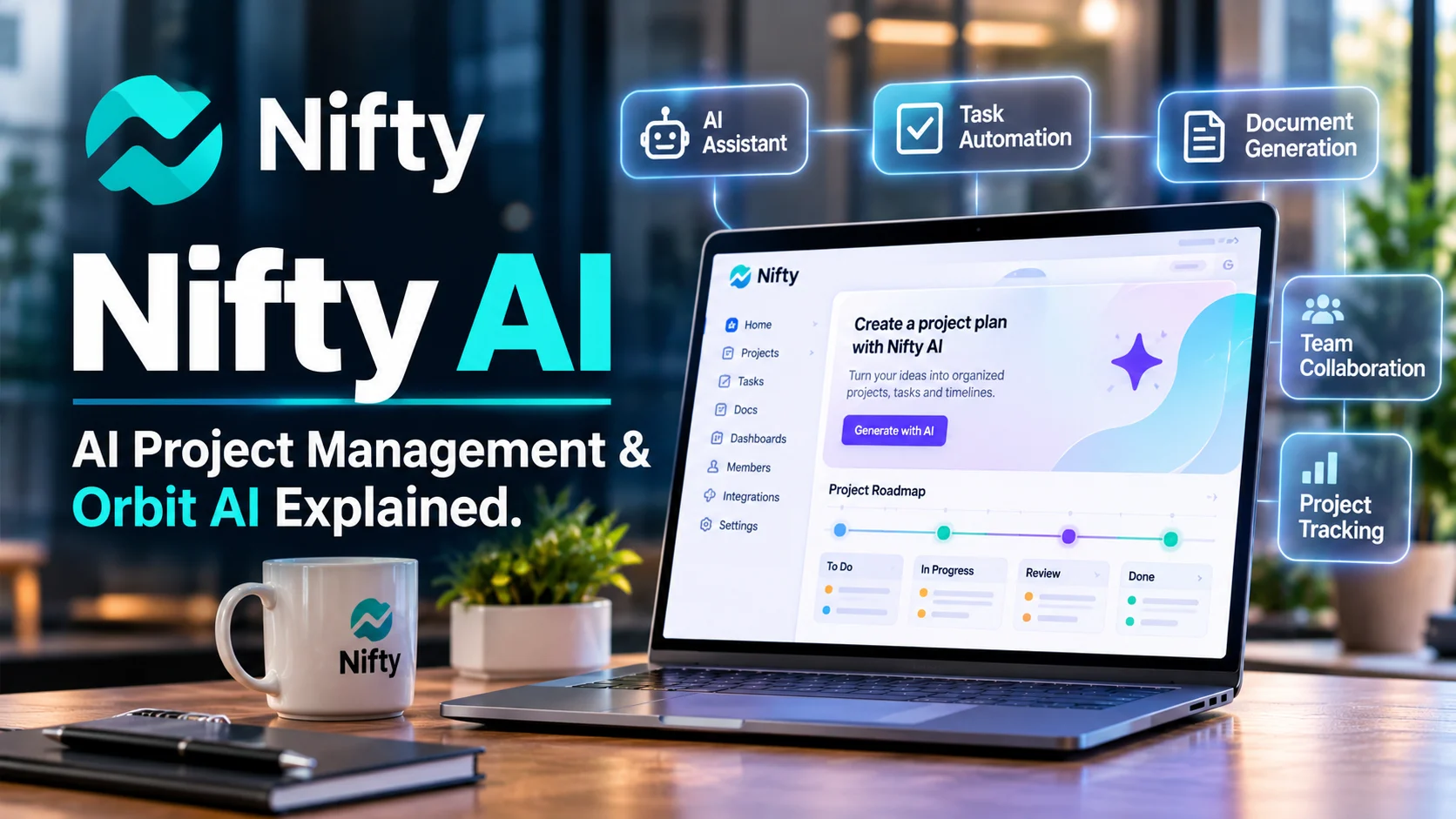
Nifty AI is the artificial intelligence capability built into Nifty a project management and team collaboration platform. It helps teams generate project plans create tasks and documents organize workflows and automate parts of their project management process.
Nifty AI at a Glance
- Product: Nifty project management software with integrated AI capabilities.
- AI system: Orbit AI.
- Main purpose: Simplify project planning, task creation, documentation, and workflow management.
- Key capabilities: AI project templates, task generation, document generation, and AI-assisted workflows.
- Target audience: Agencies, businesses, project managers, freelancers, and collaborative teams.
- Access: Available through Nifty’s project management platform, with features depending on the subscription.
What Is Nifty AI?
Nifty is a project management platform designed to bring tasks, milestones, documents, conversations, and team collaboration into one workspace.
Its AI capabilities are branded as Nifty Orbit AI. Rather than functioning as a general-purpose chatbot, Orbit AI helps users complete practical project management activities.
For example, a project manager can describe a marketing campaign and generate a starting project structure. Nifty can create task lists, statuses, tasks, and subtasks based on that description.
The platform also supports AI document generation and task creation from team conversations.
This makes Nifty AI particularly relevant to teams that want AI assistance inside their existing project workflows.
Nifty AI vs. Nifty: What’s the Difference?
These names are closely related, but they describe different things.
| Name | Meaning |
|---|---|
| Nifty | The complete project management platform |
| Nifty Orbit AI | The platform’s built-in generative AI capabilities |
| AI Workflow Builder | A tool for creating project structures from descriptions |
| Nifty MCP | A connection that lets external AI assistants interact with Nifty |
Understanding this distinction prevents a common misunderstanding: Nifty AI is not simply another standalone chatbot competing directly with ChatGPT.
It is an AI-enabled project management environment.
How Does Nifty AI Work?
Nifty AI uses natural-language instructions to help users create and organize project information.
You describe the work, and the platform generates a proposed structure.
The general workflow looks like this:
How Nifty AI works
- Describe your projectEnter a project description, brief, specification, or work outline.
- AI interprets the requirementsOrbit AI identifies relevant project components and workflow requirements.
- Generate project contentCreate suggested lists, statuses, tasks, subtasks, and custom fields.
- Review and customizeEdit the generated structure before creating or using the project.
- Manage the workAssign responsibilities, track progress, and collaborate with team members.
Based on Nifty’s published AI Workflow Builder documentation.
Does Nifty AI use ChatGPT?
Nifty’s current data protection documentation states that Orbit AI features are powered by OpenAI.
When a workspace member uses an AI feature, the submitted content is sent to OpenAI to generate a response. Nifty states that it does not permit this content to be used for training OpenAI models. niftypm.com
This is an important distinction for organizations evaluating AI-assisted project management.
Nifty provides the project management environment, while OpenAI supplies the underlying AI capabilities for Orbit AI.
Key Features of Nifty AI
Nifty combines AI-assisted creation with conventional project management tools. The following features explain where its AI capabilities provide practical value.
1. AI Project Template Generator
Creating a project from scratch can involve considerable preparation.
Project managers must define tasks, organize work into lists, establish statuses, and identify important milestones.
Nifty Orbit AI helps simplify this process.
Users can provide a short prompt, project outline, or specification document. The AI can then generate a proposed project structure.
For example, a digital marketing agency could enter:
Create a three-month digital marketing campaign covering SEO, content production, social media, paid advertising, and performance reporting.
Nifty can generate relevant project lists, statuses, tasks, and subtasks.
This gives the team a starting structure instead of requiring every item to be created manually.
2. AI Workflow Builder
The AI Workflow Builder helps teams create workflows based on their actual operations.
Instead of forcing every department into the same project template, users can describe their processes.
Nifty provides examples for:
- Real estate lead management.
- Property maintenance.
- Marketing campaigns.
- Software development sprints.
- E-commerce operations.
- Customer support requests.
- Internal approval processes.
The builder can generate statuses, lists, and relevant custom fields. Users can review and edit the proposed workflow before creating the project. Nifty Help Center
This is useful because a marketing agency and a software development team rarely follow identical processes.
3. AI Task Generator
Task creation is another important part of Nifty Orbit AI.
Users can generate task content directly or convert messages from project discussions and direct chats into tasks.
According to Nifty’s documentation, Orbit AI can also populate information such as:
- Task descriptions.
- Assigned team members.
- Due dates.
- Custom fields.
Example: A team discussion contains a decision to redesign a website homepage by the end of the month.
A user can convert that conversation into a structured task rather than manually recreating the information.
However, generated assignments and deadlines should be checked. AI may misunderstand responsibility or infer a date that the team never formally approved.
4. AI Document Generator
Project documentation often includes briefs, specifications, meeting notes, project outlines, and internal procedures.
Nifty’s document generator helps users create these materials from natural-language instructions.
A typical workflow involves:
- Opening the Docs section.
- Selecting the document generation option.
- Describing the document.
- Reviewing the generated fields.
- Editing the information.
- Creating the document.
Nifty also provides AI commands within its native documents.
These include:
- Improve writing.
- Make text longer.
- Make text shorter.
- Fix spelling and grammar.
- Simplify language.
- Add comments.
- Adjust writing style.
These capabilities are useful for teams that want project documentation close to their tasks and discussions.
5. AI Assistance Through Nifty MCP
Important 2026 development
One of Nifty’s more significant developments is its Model Context Protocol integration.
The Model Context Protocol (MCP) allows compatible AI assistants to interact with external applications through a standardized connection.
Nifty’s MCP server allows supported assistants, including ChatGPT, Claude, Microsoft Copilot, and Cursor, to interact with Nifty workspaces.
Examples include:
- Asking an assistant for a project status report.
- Turning a conversation into assigned tasks.
- Creating project documents.
- Finding overdue tasks.
- Identifying work without owners or deadlines.
- Posting project updates.
- Organizing documents and files.
This goes beyond generating text in a separate chatbot.
The assistant can work with actual project information and, when authorized, make changes inside Nifty.
How MCP permissions work
Nifty documents three permission options:
| Permission | Capability | Suitable use |
|---|---|---|
| Read-only | View and retrieve information | Reporting and analysis |
| Full access | Read, create, update, and delete supported information | Extensive automation |
| Custom | Select individual permissions | Controlled workflows |
Nifty also states that MCP access is opt-in, uses scoped access tokens, and allows tokens to be revoked. The external AI provider receives the data within the authorized scope under its own privacy terms. Nifty Help Center
For most businesses, read-only access is a sensible starting point.
6. Project Management and Task Tracking
AI is only one part of Nifty’s value.
The underlying project management system includes tools for organizing and monitoring work.
Its main capabilities include:
- Task and subtask management.
- Kanban boards.
- Project roadmaps.
- Milestones.
- Task dependencies.
- Recurring tasks.
- Custom fields.
- Team discussions.
- File management.
- Project dashboards.
These features allow teams to track work from initial planning through completion.
Nifty’s milestone system can also connect task progress to project roadmaps.
7. Time Tracking and Reporting
Nifty includes a time-tracking system for recording work against tasks.
Team members can start timers from supported task views and review time records.
Managers can generate reports at project, user, and workspace levels, subject to their permissions. Reports can also be exported. Nifty Help Center
This is particularly useful for agencies that need to monitor client work and understand how much time projects require.
8. Workflow Automation and Integrations
Nifty supports workflow automation using conditional rules.
For example, a team could configure an automation to trigger an action when a task changes status.
Its integrations and connection options include tools such as:
- Slack.
- GitHub.
- Google services.
- Zoom.
- Zapier.
- Microsoft services.
Nifty also supports an API and webhooks for custom integrations. Its published help center documents integrations with more than 2,000 applications through Zapier.
These integrations help teams connect project management with their existing business systems.
What Can You Use Nifty AI For?
Nifty AI is most useful when AI-generated content needs to become organized, trackable work.
Here are some practical applications.
Marketing Project Management
A marketing manager can describe a campaign and generate its initial structure.
The project could include:
- Keyword research.
- Content planning.
- Blog writing.
- Social media production.
- Graphic design.
- Advertising campaigns.
- Performance reporting.
The team can then assign tasks and track deadlines.
Software Development
Development teams can use Nifty to organize sprint workflows.
For example, a project description could generate statuses such as Backlog, In Progress, In Review, and Shipped.
The team can customize the workflow and add relevant fields for priorities, releases, and technical requirements.
Agency and Client Management
Agencies often manage several client projects simultaneously.
Nifty provides project discussions, guest access, tasks, files, and roadmaps.
AI-generated briefs and tasks can reduce repetitive setup work.
However, client-facing approvals and important commitments still require human oversight.
Real Estate Operations
Real estate professionals can create workflows for leads, property listings, showings, offers, and contracts.
Nifty’s own AI Workflow Builder documentation includes real estate as an example. Nifty Help Center
Business Operations
Operations teams can use project workflows to manage internal requests, approvals, recurring work, and responsibilities.
An AI-generated starting structure can help standardize processes across departments.
Benefits of Nifty AI
Nifty AI offers several practical advantages for teams that manage multiple projects.
1. Faster Project Setup
Creating project structures manually takes time.
Nifty can generate initial workflows from descriptions, helping teams get started faster.
2. Less Repetitive Administrative Work
AI-assisted task creation and document generation reduce repetitive data entry.
Teams can spend more time reviewing work and coordinating responsibilities.
3. Better Workflow Organization
The AI Workflow Builder helps teams create processes around their actual operations.
This can make project structures more consistent across departments.
4. AI Connected to Real Project Data
Nifty MCP is particularly valuable because compatible AI assistants can interact with actual workspace information.
This helps bridge the gap between AI-generated suggestions and completed project actions.
5. Centralized Team Collaboration
Tasks, documents, discussions, milestones, and files live within the same platform.
This reduces the need to manage every project through separate applications.
6. Flexible Team Pricing
Nifty offers both per-member and flat-rate subscription structures.
This gives teams different ways to manage software costs as their membership grows.
Nifty AI Pricing
Nifty offers a free plan and several paid subscriptions.
Its pricing model is slightly different from traditional per-user-only project management software. Depending on team size, customers can choose per-member pricing or flat-rate team plans.
Nifty pricing comparison
The following prices are based on the official pricing page reviewed on November 4, 2026.
| Plan | Per-member monthly price | Flat monthly price |
|---|---|---|
| Free | $0 | $0 |
| Pro | $10/member | $79 for up to 10 members |
| Business | $16/member | $124 for up to 30 members |
| Unlimited | Not applicable | $399 for unlimited members |
| Enterprise | Custom | Custom |
Is Nifty AI Included in the Subscription?
Nifty’s AI features are presented as part of its platform rather than as a separately priced standalone AI product.
However, users should confirm which AI capabilities are available under their chosen subscription before purchasing.
The public pricing page does not provide a complete, separate AI-credit schedule for every Orbit AI operation.
Therefore, do not assume every AI capability has unlimited usage.
My recommendation: Try the free plan first. If your team needs more projects, automation, reporting, or collaboration controls, compare the Pro and Business subscriptions.
Nifty AI Limitations
Nifty AI has useful capabilities, but several considerations matter before adopting it.
1. AI-Generated Work Needs Human Review
AI can misunderstand project requirements.
It may generate unnecessary tasks, assign inappropriate deadlines, or overlook important dependencies.
Project managers should review generated structures before distributing work.
2. AI Capabilities Are Not the Same as a Dedicated AI Assistant
Nifty Orbit AI focuses on project-related tasks.
It is not designed to replace every capability of general-purpose assistants such as ChatGPT or Claude.
For advanced research, broad reasoning, or specialized content creation, another AI tool may be more appropriate.
3. Learning a New Workflow Takes Time
Although AI can simplify project setup, teams still need to understand Nifty’s project structure.
They must learn how lists, statuses, milestones, permissions, and dependencies work together.
This can require onboarding, especially for larger organizations.
4. AI Features Depend on External Infrastructure
Nifty’s documentation identifies OpenAI as the provider powering Orbit AI.
Consequently, its AI functionality depends partly on an external model provider.
Organizations should consider provider availability, data processing arrangements, and potential changes to the underlying service.
5. Some Advanced Capabilities Require Higher Plans
Features such as advanced permissions, workloads, reporting and additional account controls vary by subscription.
Small teams may find the free plan sufficient, while larger teams may need a paid plan.
6. Not Every Business Workflow Fits a Standard Template
AI-generated workflows provide a starting point, not a complete operational strategy.
Businesses with complex approval chains, regulatory requirements, or specialized processes may need custom fields, integrations, and additional configuration.
Nifty AI Privacy and Security
Privacy is especially important when AI processes project documents, client information, internal discussions, and business records.
Nifty publishes a dedicated data protection FAQ and privacy policy.
Its data protection documentation, effective October 27, 2026, provides several useful disclosures.
| Privacy consideration | Nifty’s published position |
|---|---|
| Hosting | Amazon Web Services |
| Data location | United States |
| AI provider | OpenAI |
| AI model training | Nifty states submitted AI content is not permitted to train OpenAI models |
| Account deletion | Associated data is generally purged within 30 days, subject to exceptions |
| Data processing agreement | Available through its Data Processing Addendum |
Is Nifty AI Safe for Business Data?
Nifty documents security measures, data-processing arrangements, and controls for its MCP integration.
However, businesses should distinguish between the platform’s own privacy protections and the privacy terms of external AI providers.
For example, Nifty MCP shares authorized workspace information with the connected AI assistant under that provider’s terms.
Before adopting Nifty, businesses should:
- Review the current privacy policy.
- Examine its Data Processing Addendum.
- Check the subprocessor list.
- Review AI data-sharing arrangements.
- Use read-only MCP access initially.
- Avoid sharing unnecessary sensitive information.
- Establish appropriate team permissions.
Nifty’s statement about preventing AI training is useful, but it should not be confused with a blanket Zero Data Retention guarantee.
Likewise, security controls do not automatically establish SOC 2 certification or ZDR.
Organizations with strict compliance requirements should request the relevant documentation directly.
Nifty AI vs. Competitors Which Platform Should You Choose?
Nifty operates in a competitive project management market.
Several established platforms offer similar combinations of task management, collaboration, automation, and AI-assisted workflows.
1. ClickUp
ClickUp combines project management, task tracking, documentation, collaboration, and AI capabilities.
It is relevant for teams that want extensive customization and a broad collection of productivity features.
Best for: Teams managing complex workflows and multiple types of work.
2. Asana
Asana focuses on work management, project coordination, goals, and team collaboration.
Its AI capabilities support productivity and workflow management.
Best for: Businesses coordinating projects across departments.
Official website: Asana.
3. monday.com
monday.com offers customizable workspaces, boards, dashboards, and automation.
Its AI features support different work management activities.
Best for: Teams that want customizable workflows and visual project tracking.
4. Trello
Trello uses boards, lists, and cards to organize work.
It is particularly suitable for teams that prefer straightforward visual task management.
Best for: Freelancers, small teams, and simple project workflows.
Nifty AI Competitor Comparison
| Platform | Target user | Key strength | Pricing transparency | Main limitation |
|---|---|---|---|---|
| Nifty | Agencies and project teams | Integrated project management and Orbit AI | Public pricing | Less specialized AI functionality |
| ClickUp | Complex project teams | Broad productivity ecosystem | Public plans | Can require configuration |
| Asana | Business teams | Work coordination and goals | Public plans | Different features across tiers |
| monday.com | Operations teams | Customizable visual workflows | Public plans | Costs can increase with seats and features |
| Trello | Small teams | Simple Kanban boards | Public plans | Advanced workflows need additional capabilities |
These are editorial comparisons, not controlled performance benchmarks. Pricing and features vary by subscription.
Nifty AI vs. Chat GPT What Is the Difference?
This comparison matters because Nifty now supports connections with external AI assistants.
| Category | Nifty AI | ChatGPT |
|---|---|---|
| Main purpose | AI-assisted project management | General-purpose AI assistant |
| Primary environment | Nifty workspace | ChatGPT |
| Project creation | Integrated AI project builder | Can help design project plans |
| Task management | Native task management | Can assist through connected tools |
| Document generation | Nifty Docs | AI-generated documents and content |
| External integrations | Project integrations and MCP | Apps and connected services |
| Best suited for | Managing organized team work | Broad reasoning and assistance |
The two products can also complement each other.
For example, ChatGPT can help develop a project strategy, while Nifty MCP can help turn that strategy into structured tasks and documents.
This is particularly useful when teams want to combine general-purpose AI reasoning with a dedicated project management system.
How to Get Started With Nifty AI
Getting started is relatively straightforward.
Follow these steps:
- Visit the official Nifty website.
- Create an account.
- Set up your workspace.
- Create a new project.
- Select the AI Project Builder option.
- Describe your project or provide a specification.
- Review the generated tasks, lists, statuses, and fields.
- Customize the project and invite team members.
Nifty also provides a free plan, so users can explore its core project management experience before upgrading.
Tips for Getting Better Results From Nifty AI
The quality of an AI-generated workflow depends heavily on the information provided.
Use these practices:
- Describe the objective: Explain what the project must accomplish.
- Define the workflow: Mention the major project phases.
- Identify responsibilities: Specify departments or team roles.
- Include deadlines: Provide realistic dates where known.
- Explain dependencies: Identify tasks that must happen first.
- Review generated content: Check ownership, priorities, and deadlines.
For example, instead of entering “Create a website project,” provide a detailed description of the website’s purpose, design requirements, development stages, testing process, and launch date.
This gives the AI more useful context.
Who Should Use Nifty AI?
Nifty AI is particularly relevant to people who organize work through projects and collaborative teams.
| User type | How Nifty AI can help |
|---|---|
| Project managers | Generate project structures and tasks |
| Marketing agencies | Organize client campaigns |
| Software teams | Build sprint workflows |
| Freelancers | Manage client projects |
| Operations teams | Standardize internal processes |
| Business owners | Coordinate team responsibilities |
| Creative teams | Manage content and design production |
Who May Not Need Nifty AI?
Nifty may be less suitable for:
- Individuals who only need a basic to-do list.
- Users seeking a standalone AI chatbot.
- Developers requiring a dedicated AI model API.
- Organizations needing highly specialized enterprise project controls without customization.
- Teams that already have a mature project management system.
The right choice depends on workflow complexity, team size, integrations, and budget.
Is Nifty AI Worth It in 2026?
Nifty AI is worth considering for teams that want AI assistance directly inside their project management environment.
Its Orbit AI capabilities can help generate projects, organize tasks, and create documents. Its MCP integration adds another layer by connecting external AI assistants to actual workspace information.
However, the value depends on how much of the platform your team will use.
A small team managing two simple projects may be comfortable with the free plan. A growing agency may benefit more from Pro or Business features.
The most important consideration is whether AI-generated project structures and connected workflows save enough administrative effort to justify the subscription.
Frequently Asked Questions
1. What is Nifty AI used for?
Nifty AI is used for AI-assisted project planning, workflow creation, task generation, and document creation. Its Orbit AI capabilities help teams organize work and manage projects within the Nifty collaboration platform.
2. Is Nifty AI free?
Nifty offers a free project management plan with unlimited members, two active projects, and 100 MB of storage. Paid subscriptions provide additional project management features and higher workspace allowances.
3. What is Nifty Orbit AI?
Nifty Orbit AI is the platform’s built-in generative AI system. It helps users generate project templates, create documents, improve writing, and convert team conversations into structured tasks.
4. Does Nifty AI integrate with ChatGPT?
Yes. Nifty provides an MCP server that allows compatible external assistants, including ChatGPT, to access authorized workspace information and perform supported actions. Permissions depend on the connection settings selected by the user.
5. Is Nifty AI suitable for small businesses?
Yes. Small businesses can use Nifty to organize projects, assign tasks, coordinate team communication, and generate workflow structures. The free plan provides an entry point, while paid plans support more advanced requirements.
Conclusion
Nifty AI combines artificial intelligence with practical project management capabilities.
Its Orbit AI features help teams generate workflows, create tasks, and produce project documents. Its MCP integration also makes it possible to connect external AI assistants with real project information.
The platform may suit agencies, growing businesses, project managers, and collaborative teams.
However, generated work still requires human review. Subscription limits, integration permissions, and data privacy also deserve attention.
If your team wants AI-assisted project planning alongside task management and collaboration, Nifty is worth testing. Start with the free plan and evaluate its usefulness before committing to a paid subscription.

Oliver Wilson is an AI researcher and tech writer living at the intersection of human creativity and machine intelligence. At AixOrbit.com, he decodes complex neural networks, generative AI and emerging tech trends into actionable insights making sure humans stay one step ahead of the algorithms.