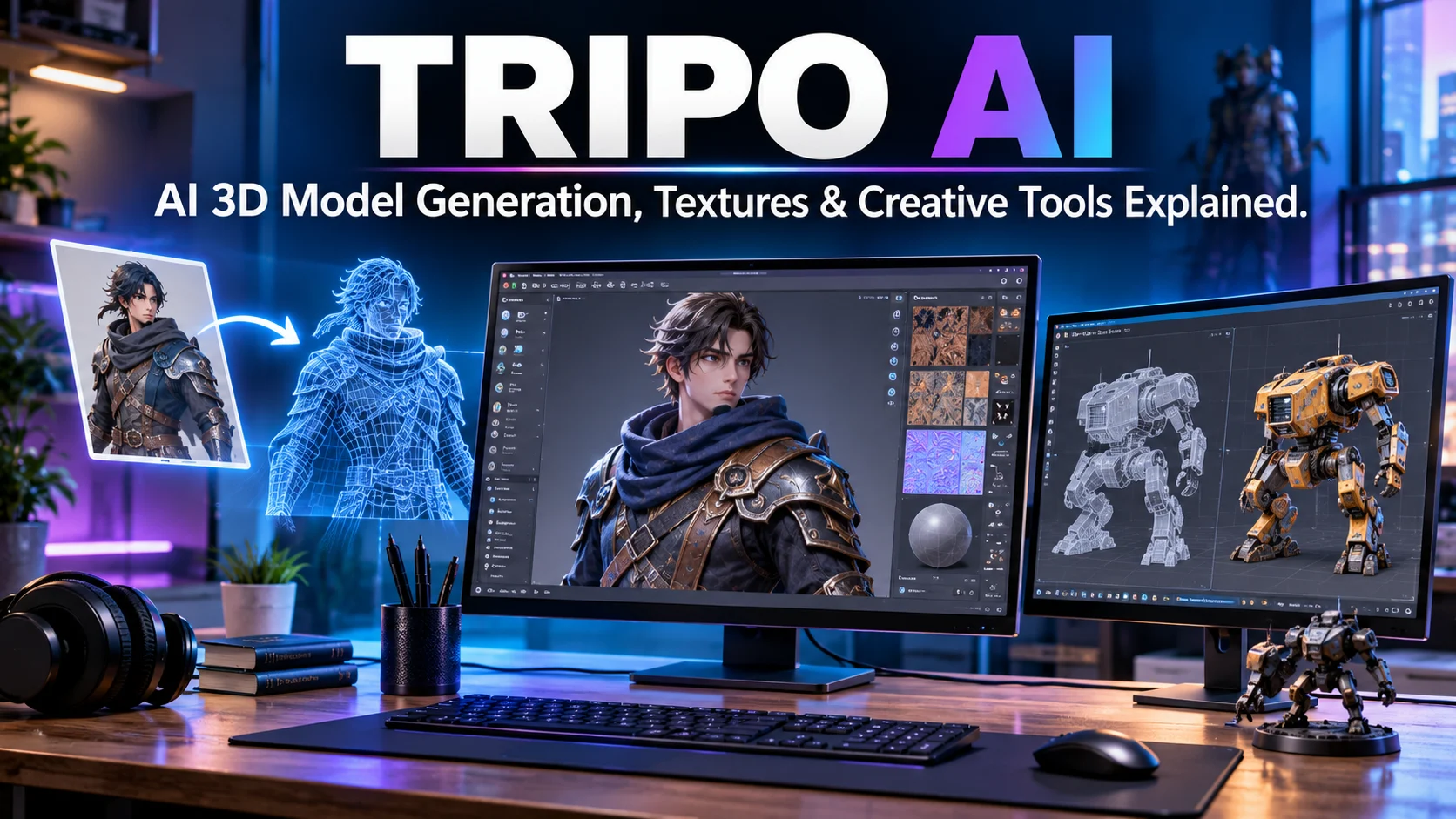
Tripo AI is an AI-powered 3D modeling platform that transforms text prompts images and multiple reference views into 3D assets. It also provides tools for texturing retopology segmentation rigging animation and exporting models for creative workflows.
Tripo AI at a Glance
- Main purpose: Generate and process 3D models using AI.
- Input options: Text prompts, single images, and multiple reference images.
- Core features: 3D generation, AI texturing, Smart Mesh, retopology, UV mapping, rigging, and animation.
- Export formats: FBX, OBJ, GLB, USDZ, STL, and 3MF.
- Free access: A free plan includes 200 monthly credits, with restrictions.
What Is Tripo AI?
Tripo AI is a generative AI platform that helps users create 3D models without building every object manually.
Traditional 3D modeling often requires knowledge of geometry, mesh construction, materials, and digital sculpting. Tripo reduces some of that manual work by generating a starting model from a written description or visual reference.
For example, a game developer could upload a concept image of a fantasy sword. Tripo can turn that image into a 3D asset that the developer can inspect, refine, texture, and export.
The platform goes beyond basic model generation. It includes tools for preparing assets for animation, game engines, product visualization, and 3D printing.
Tripo’s product documentation describes two broad generation approaches:
- HD Model: Designed for detailed geometry and high-fidelity assets.
- Smart Mesh: Designed to produce cleaner topology for workflows such as games and animation.
These options serve different production needs. A visually detailed model is not automatically the most suitable model for a real-time game engine. Tripo Help Center
How Does Tripo AI Work?
Tripo uses generative AI to interpret text or visual references and produce a three-dimensional asset.
The exact processing depends on the selected generation method and model version.
1. Text-to-3D Generation
Text-to-3D allows users to describe an object in natural language.
For example:
Create a medieval wooden treasure chest with iron hinges, carved details, and realistic weathering.
Tripo interprets the description and generates a corresponding 3D model.
This method is useful when a creator has an idea but does not have a reference image.
2. Image-to-3D Generation
Image-to-3D converts a visual reference into a three-dimensional object.
Users can upload a photograph, illustration, or concept sketch. Tripo analyzes the visible subject and generates a model with estimated depth and geometry.
For better results, use:
- A clear subject.
- Good lighting.
- A simple background.
- Minimal obstruction.
- A recognizable object shape.
A single image does not show every side of an object. The AI must estimate hidden surfaces, so the generated model may differ from the real object.
3. Multi-View-to-3D Generation
Multi-view generation uses multiple reference images of the same subject.
Tripo’s documentation describes support for two to four reference images. These additional views can provide more information about the object’s shape and structure. Tripo Help Center
This approach can be helpful when a single photograph does not provide enough visual information.
For example, a product designer might upload front, side, and rear images of a chair. Multiple views give the generation system more information than one photograph alone.
4. Review and Export the Model
After generation, users can inspect the result and apply additional processing.
Depending on the selected tools, they can adjust topology, generate textures, separate model parts, create UV maps, or prepare a character for animation.
The finished asset can then be exported into a supported format for another application.
Key Features of Tripo AI
Tripo combines generation and post-processing tools in one environment. These are its most important capabilities.
1. AI 3D Model Generator
The central feature is its ability to create 3D assets from text and images.
Users can generate objects, characters, props, and other visual assets without starting from an empty modeling workspace.
This can speed up early-stage creative work, particularly when developers need concept models or placeholders.
However, generated geometry may still need manual editing before production.
2. HD Model Generation
Tripo’s HD Model workflow focuses on detailed geometry and visual quality.
The company describes support for models with up to two million polygons. This can suit detailed rendering, visual effects, product visualization, and workflows where artists plan to refine the geometry further. Tripo Help Center
High polygon counts can preserve detail, but they also increase file size and processing requirements.
A model designed for a close-up render may need optimization before it can run efficiently in a real-time environment.
3. Smart Mesh
Smart Mesh focuses on topology, which describes how the vertices, edges, and faces of a 3D model connect.
This matters because a model can look attractive while having a mesh structure that is difficult to animate or edit.
Tripo describes its Smart Mesh output as using structured quad topology for game, animation, and interactive 3D workflows. Its documentation lists output ranges that vary by model and configuration. Tripo Help Center
For artists, cleaner topology can reduce some manual preparation. It does not remove the need to inspect edge flow, deformation, and polygon distribution.
4. AI Texturing
Texturing adds surface appearance to a 3D model.
A basic model may have the right shape but lack realistic materials. Tripo’s AI texturing tools can generate or apply surface details, colors, and materials.
Possible uses include:
- Wood grain on furniture.
- Metal surfaces on mechanical objects.
- Fabric on clothing.
- Skin and clothing details on characters.
- Surface materials for product visualization.
The platform also describes support for physically based rendering, commonly called PBR. This workflow uses material properties to help objects respond more realistically to lighting in compatible 3D applications.
5. Retopology and Mesh Optimization
Retopology changes the structure of a 3D mesh.
A generated model may contain too many polygons, uneven geometry, or a structure that is difficult to edit. Retopology can help create a more manageable mesh.
Tripo offers tools for mesh decimation and quad conversion. These can help users prepare assets for different production requirements. Tripo Help Center
The important point is that fewer polygons do not automatically mean better topology. Artists should inspect important areas such as joints, curved surfaces, and deformation zones.
6. Smart UV and Segmentation
UV mapping prepares a 3D surface for textures.
Think of it as unfolding a three-dimensional object into a two-dimensional layout. This lets a texture image align with the model’s surface.
Tripo’s Smart UV feature automates parts of this process.
Its segmentation tools can also separate a model into editable sections. This can be useful when a character, machine, or product needs individual components adjusted.
For example, a designer may want to change a vehicle’s wheels without rebuilding the entire model.
7. AI Rigging and Animation
Rigging adds a skeletal structure that allows a model to move.
This is especially important for characters and creatures used in games, animation, and interactive experiences.
Tripo provides automatic rigging and animation tools. Its developer documentation also describes different rigging options for humanoid and non-humanoid characters. Tripo Help Center
Automatic rigging can provide a useful starting point, but it does not guarantee perfect deformation. Check joints, skin weighting, and movement before using the character in a finished production.
8. DCC Bridge and Software Integration
DCC stands for Digital Content Creation. It refers to software used for creating and editing digital assets.
Tripo provides bridge integrations that help transfer models into supported applications and game engines.
Its documentation lists integrations involving:
- Blender
- Maya
- Unity
- Unreal Engine
- ZBrush
- 3ds Max
- Cinema 4D
- Godot
- Roblox Studio
The exact bridge availability depends on the application and operating system. Check the current compatibility documentation before planning a production workflow. Tripo Help Center
What Can You Create With Tripo AI?
Tripo can support several creative workflows, depending on the quality and structure required for the final asset.
| Use case | Example |
|---|---|
| Game development | Characters, props, weapons, and environmental assets |
| Animation | Characters and creatures prepared for rigging |
| 3D printing | Figurines, prototypes, and decorative objects |
| Product design | Early-stage product concepts |
| E-commerce | 3D product visualization |
| Architecture | Concept objects and visual elements |
| Education | Models for explaining scientific or technical concepts |
| AR and VR | Assets for immersive applications |
Game Development
Game developers can use Tripo to generate early asset concepts and reduce repetitive modeling work.
Smart Mesh may be useful when topology matters. However, developers should still check polygon budgets, UV layouts, material performance, collision geometry, and engine compatibility.
3D Printing
Tripo supports export formats such as STL and 3MF.
These formats can be used in 3D printing workflows, but an exported model is not automatically ready for printing.
Before sending an asset to a slicer, check:
- Whether the mesh is watertight.
- Whether wall thickness is suitable.
- Whether the object has non-manifold geometry.
- Whether the scale is correct.
- Whether small details can be printed by your machine.
STL stores geometry without embedded texture information. 3MF can preserve additional information, including color in supported workflows. Tripo Help Center
Product Visualization
Designers can turn concept images into rough 3D product models.
This can help with early presentations, visual exploration, and mockups.
For final manufacturing, however, an AI-generated model may require accurate dimensions, engineering constraints, and detailed CAD work. Tripo should not be treated as a substitute for engineering-grade CAD software.
Tripo AI Pricing: Is It Free?
Tripo offers a free plan and paid subscriptions. The current pricing page lists Free, Pro, Max, and Team options. Plans for Every 3D Creator
Published Studio pricing snapshot
USD prices displayed on Tripo’s pricing page, checked November 3, 2026. Promotional offers and checkout prices may vary.
| Plan | Displayed price | Monthly credits |
| Free | $0 | 200 |
| Pro | $20/month, billed annually | 3,000 |
| Max | $90/month, billed annually | 25,000 |
| Team | $55/seat/month, billed annually | 30,000/seat |
The Team page also displays a three-seat total. Check the live checkout for the complete commitment and billing amount. Plans for Every 3D Creator
How Do Tripo Credits Work?
Credits are the platform’s usage currency. Different operations consume different amounts.
The October 2026 pricing documentation lists examples:
| Operation | Published credit cost |
|---|---|
| HD Model H3.1 generation | 15 credits |
| HD Model H3.0 generation | 15 credits |
| HD Model H2.5 generation | 15 credits |
| Smart Mesh P2.0 generation | 100 credits |
| Smart Mesh P1.0 generation | 35 credits |
| Smart UV | 20 credits |
| Rigging | 20 credits |
| Animation | 20 credits |
| Segmentation | 30 credits |
| Normal retopology | 10 credits |
These figures are published reference costs. Texture generation and other operations can have additional charges. The platform shows the applicable cost before generation. Tripo 3D
A useful detail: monthly credits reset with the billing cycle and do not roll over. The glossary also describes this monthly reset policy. Tripo 3D
A Pricing Documentation Detail Worth Checking
Tripo’s October 2026 pricing documentation and its live pricing page do not present exactly the same plan names and figures.
The documentation refers to Free, Starter, Professional, Max, and Team. The live pricing page displays Free, Pro, Max, and Team, with different annual price figures in some places.
This makes the live checkout the safest place to confirm your actual subscription. Do not rely on an older pricing screenshot or an article that lists only one price. Tripo 3D
Tripo API Pricing Is Separate
Developers can also integrate Tripo through its API.
The developer platform describes usage-based pricing, with one API credit valued at $0.01 USD. Generation and processing operations consume credits according to the selected task. AI 3D Generation API
This is separate from the Studio subscription table. Developers should calculate costs based on their expected generation volume, texturing, processing, and animation requirements.
Tripo AI Commercial Rights, Privacy, and Data Use
Commercial licensing is one of the most important issues to understand before using generated models in a paid project.
Tripo’s help documentation distinguishes between free and paid users.
Can You Use Tripo AI Models Commercially?
According to Tripo’s published licensing guidance:
- Free users: Models are subject to Tripo’s stated free-plan ownership and attribution conditions. The pricing page describes free models as public and non-commercial.
- Paid users: Paid-plan users receive commercial-use rights when the model is set to private, subject to the platform’s terms.
The company lists commercial games, client projects, 3D asset packs, product sales, advertising, and film production among permitted paid-plan uses. Tripo Help Center
However, the license for a generated model does not automatically clear the rights to its source material.
If you upload a copyrighted character, brand mascot, or artwork without permission, the resulting model may still create intellectual-property problems.
Practical advice: Use original or properly licensed reference images, and check the current terms before distributing generated assets.
Does Tripo Use Uploaded Content for AI Training?
Tripo’s privacy guidance makes a distinction between paid and free accounts.
The company says it will not use paid users’ inputs and outputs as training data to train, validate, test, or improve AI technology. Its documentation does not provide the same restriction for free users. Tripo Help Center
This is an important difference for professional creators working with unreleased designs or client assets.
Still, a statement about AI training is not the same as a guarantee of zero data retention or complete confidentiality.
What Data Should You Avoid Uploading?
Tripo’s guidance advises against uploading materials such as:
- Classified or NDA-protected documents.
- Confidential client files without permission.
- Government-restricted materials.
- Personal information belonging to other people.
The platform also explains that it collects account, input, output, usage, device, and payment-related information. Tripo Help Center
For sensitive business projects, review the complete privacy policy and request the contractual information your organization requires.
Tripo AI Export Formats and Compatibility
A generated model is useful only if it can move into the software or production pipeline where it is needed.
Tripo lists six main export formats:
| Format | Typical use |
|---|---|
| FBX | Game engines, animation, and 3D editing |
| GLB / GLTF | Web-based 3D viewing and real-time applications |
| OBJ | General 3D editing and geometry exchange |
| USDZ | Apple AR workflows |
| STL | Geometry-only 3D printing |
| 3MF | 3D printing with additional model information |
Tripo Help Center
The format matters. For example, STL does not preserve texture information, while FBX can carry rigging and animation data in supported exports.
Before choosing a format, consider your target software, materials, animation requirements, and whether the model will be printed or displayed digitally.
Best Tripo AI Alternatives
Tripo is part of a growing category of AI 3D generation tools. A few alternatives are worth comparing.
AI 3D模型生成服务API接口介绍及对接-Meshy – 超全API平台 – 幂简集成
1. Meshy
Meshy supports text-to-3D, image-to-3D, texturing, remeshing, rigging, animation, and API workflows. It is a close alternative for creators who want a broad hosted 3D asset pipeline.Visit Meshy
Best AI 3D Model Generators (2026): Text/Image to 3D | Alignify
2. Rodin by Hyper3D
Rodin offers text-to-3D and image-to-3D generation, with controls for mesh and texture workflows. It is worth evaluating when detailed asset generation is a priority.Visit Hyper3D
腾讯混元 3D 初体验:解锁超现实的数字新境界!-腾讯云开发者社区-腾讯云
3. Hunyuan3D
Hunyuan3D is relevant for developers and technical teams exploring model-based 3D generation and more customizable deployment workflows. Local use depends on hardware, model availability, and applicable licenses.Explore Hunyuan projects
Tripo AI vs. Other 3D Generators
| Platform | Main strength | Best suited for | Main consideration |
|---|---|---|---|
| Tripo AI | Generation plus post-processing and workflow tools | Creators seeking an integrated pipeline | Credit costs and licensing depend on plan |
| Meshy | Broad generation, texturing, and animation features | Game artists and general 3D creators | Separate generation and refinement costs |
| Rodin | Multiple generation tiers and geometry controls | Detailed asset exploration | Check current tier and credit pricing |
| Hunyuan3D | Model-based generation options | Technical users and developers | Deployment and licensing require evaluation |
No platform automatically produces a perfect production-ready asset for every task. Compare the output geometry, texture quality, export options, licensing, and editing time for your specific project. Tripo Help Center
Who Should Use Tripo AI?
Tripo may be useful for several types of creators.
3D Artists
Artists can use it to generate starting models, explore concepts, and reduce repetitive asset creation.
It can complement existing tools such as Blender, Maya, and ZBrush.
Game Developers
Game developers may find Smart Mesh, rigging, texturing, and export integrations useful.
However, they should test generated models in their actual game engine. A model that looks good in a preview may still need adjustments to topology, materials, performance, or animation.
3D Printing Enthusiasts
Users can create visual concepts and export suitable files for a printing workflow.
They should still inspect wall thickness, geometry, scale, and printability before production.
Product Designers and E-Commerce Teams
Tripo can help turn product concepts and reference images into 3D visual assets.
For precise engineering, dimensionally accurate CAD models may still be necessary.
Developers and Technical Teams
The API gives developers a way to integrate 3D generation into their own applications and automated workflows.
It is worth evaluating API cost, task concurrency, processing time, output consistency, and file handling before building a product around it. Tripo’s API documentation describes asynchronous generation: an application submits a task and checks its status using the returned task ID. AI 3D Generation API
Limitations of Tripo AI
AI generation can reduce manual work, but it does not eliminate the technical challenges of 3D production.
Important limitations include:
- Geometry errors: Generated models may contain distorted or incomplete areas.
- Hidden surfaces: Single-image generation must estimate parts that the reference does not show.
- Topology quality: A visually attractive model may still need mesh cleanup.
- Animation issues: Automatic rigging does not guarantee natural movement.
- Texture inconsistencies: Generated materials may require editing.
- Credit consumption: Repeated generations and post-processing can increase costs.
- Licensing differences: Free and paid plans have different rights.
- Production checks: Models need testing in their intended application.
The most useful way to evaluate Tripo is to test it with real project assets, not just attractive demonstration models.
Common Mistakes to Avoid
A few simple practices can improve results and prevent unnecessary costs.
- Writing vague prompts: Describe the object’s shape, material, proportions, and style.
- Using poor reference images: Choose clear images with visible subject boundaries.
- Ignoring multiple views: Provide additional angles when the subject has complex geometry.
- Choosing the wrong model type: Match HD Model or Smart Mesh to the final workflow.
- Skipping mesh inspection: Check topology before animation or game-engine use.
- Ignoring export settings: Confirm the target format supports the required materials and animation.
- Assuming free outputs are commercially licensed: Read the current licensing terms before selling or distributing models.
- Forgetting credit costs: Check the cost of generation and every post-processing step before starting.
Frequently Asked Questions About Tripo AI
1. Is Tripo AI free to use?
Yes. Tripo offers a free plan with 200 monthly credits, according to its published pricing page. The free plan has restrictions on model privacy, commercial use, exports, and available features. Plans for Every 3D Creator
2. Can Tripo AI generate 3D models from images?
Yes. Tripo supports image-to-3D generation and multi-view generation using multiple reference images. The platform also offers text-to-3D generation for users who want to create models from written prompts. Tripo Help Center
3. Can I use Tripo AI models commercially?
Paid users can use generated models commercially when the models are set to private, subject to Tripo’s terms. Free-plan outputs have different ownership and attribution conditions. Users must also have appropriate rights to their input images. Tripo Help Center
4. Does Tripo AI work with Blender and Unity?
Tripo supports workflows involving Blender and Unity through export formats and integration tools. It also lists support for applications such as Unreal Engine, Maya, ZBrush, and other creative software. Check the current bridge compatibility requirements before installing.
5. Is Tripo AI suitable for 3D printing?
It can create models for 3D printing workflows and supports formats such as STL and 3MF. However, users should inspect mesh integrity, wall thickness, scale, and printability before sending a model to a printer.
Conclusion
Tripo AI is a generative 3D platform that turns text prompts and visual references into editable 3D assets. Its tools for texturing, Smart Mesh, retopology, segmentation, rigging, and export make it relevant to artists, game developers, designers, and 3D printing enthusiasts.

Oliver Wilson is an AI researcher and tech writer living at the intersection of human creativity and machine intelligence. At AixOrbit.com, he decodes complex neural networks, generative AI and emerging tech trends into actionable insights making sure humans stay one step ahead of the algorithms.