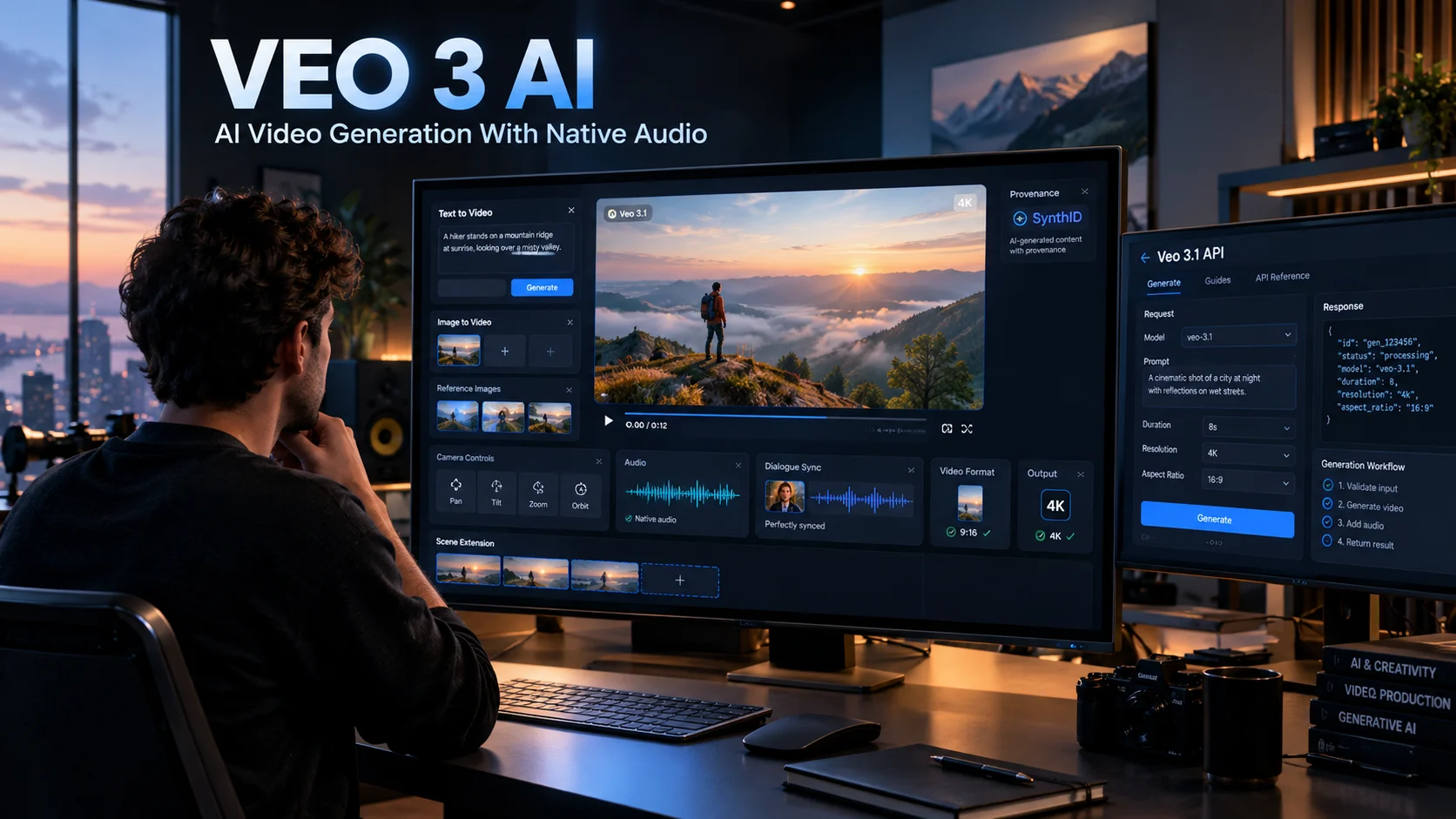
Veo 3 AI is Google’s generative video technology for creating short videos from text and images, with natively generated audio, dialogue, sound effects, and cinematic controls. The current generation is Veo 3.1, which adds stronger reference-image control, vertical video, video extension, higher-resolution output, and improved consistency. (Google AI for Developers)
Veo 3 AI at a Glance
| Key point | Current reality |
|---|---|
| Developer model | Veo 3.1, with Standard, Fast, and Lite variants |
| Original Veo 3 | Still relevant historically, but original Gemini API endpoints are deprecated |
| Video generation | Text-to-video and image-to-video |
| Native audio | Yes, including dialogue, sound effects, and ambient audio |
| Typical API duration | 4, 6, or 8 seconds, depending on configuration |
| Resolution | Up to 4K with Veo 3.1 Standard |
| Portrait video | 9:16 supported |
| Watermarking | SynthID |
| API pricing | From $0.05 per second for Veo 3.1 Lite |
| Best fit | Creators, marketers, developers, filmmakers, and businesses |
What Is Veo 3 AI?
Veo 3 AI refers to Google DeepMind’s generative video technology designed to turn natural-language instructions and visual references into video.
The original Veo 3 became notable because it could generate video with audio rather than producing a silent clip that needed a separate soundtrack. Google says Veo can generate dialogue, sound effects, and ambient audio natively alongside the visual content. (Google DeepMind)
The technology has since moved forward to Veo 3.1. Google currently describes Veo 3.1 as its leading video-generation model, with capabilities spanning text-to-video, image-to-video, audio-video generation, reference images, scene extension, camera controls, object manipulation, and professional-resolution output. (Google DeepMind)
That distinction matters when researching “Veo 3 AI” today. Many older articles still describe the original Veo 3, while Google’s current developer documentation centers on Veo 3.1.
How Does Veo 3 AI Work?
At a practical level, Veo works by interpreting a prompt describing a scene, its subjects, movement, camera behavior, visual style, and audio.
For example, instead of writing:
“A dog running.”
A stronger video prompt might specify the environment, camera movement, lighting, action, and sound:
“A golden retriever runs along a wet beach at sunrise as the camera tracks beside it, with waves breaking softly in the background and paws splashing through shallow water.”
Google’s own prompt guidance recommends specifying shot framing, camera motion, style, lighting, characters, location, action, and dialogue when those details matter. (Google DeepMind)
Text-to-Video
Text-to-video starts with a written description and generates the visual scene from that instruction.
Veo 3.1 supports 720p, 1080p, and 4K output, although resolution and duration combinations have specific constraints. For example, 1080p and 4K generation require an 8-second generation in the Gemini API. (Google AI for Developers)
Image-to-Video
You can also provide an image as the starting point.
This is useful when you already have:
- A product photograph
- Character artwork
- A concept frame
- A storyboard image
- A marketing visual
- A location reference
Veo then interprets the image and prompt to create movement.
Reference Images
Veo 3.1 goes beyond simple image animation.
Google’s Gemini API documentation supports up to three reference images for Veo 3.1 and Veo 3.1 Fast. These can help guide content and style, making the workflow more useful for maintaining visual identity across generated clips. (Google AI for Developers)
Key Veo 3 AI Features
Native Audio Generation
Audio is one of Veo’s defining capabilities.
The model can generate:
- Dialogue
- Sound effects
- Ambient sounds
- Music-like audio elements
- Audio synchronized with visual action
Google specifically identifies native audio and improved audio-video alignment as major parts of Veo’s development. (Google DeepMind)
However, native audio does not mean perfect audio every time. Google acknowledges that natural, consistent spoken audio, particularly short speech segments, remains an active area of development. (Google DeepMind)
Character and Scene Consistency
Veo 3.1 supports reference-based generation intended to maintain characters, environments, and visual identity more consistently.
This matters for storytelling because a creator can establish a character visually before generating additional scenes.
Consistency is still not equivalent to traditional filmmaking continuity, however. Generative video can produce subtle changes in faces, clothing, objects, lighting, or backgrounds between generations.
Camera Controls
Veo supports prompts that describe camera behavior, including movement and framing.
Creators can request concepts such as:
- Tracking shots
- Push-ins
- Pull-outs
- Wide shots
- Close-ups
- Low-angle views
- Cinematic camera movement
Google’s prompt guide specifically recommends describing both the shot and camera movement when they are important to the intended result. (Google DeepMind)
First and Last Frame
Veo 3.1 can use a starting image and ending image to generate a transition between them.
This is useful for visual transformations, product demonstrations, scene changes, and controlled storytelling. (Google AI for Developers)
Scene Extension
Veo 3.1 and Veo 3.1 Fast can extend previously generated Veo video.
The Gemini API documentation states that generated clips can be extended by 7 seconds, with extensions possible repeatedly under the documented constraints. The API can produce a combined output of up to 148 seconds through this extension workflow. (Google AI for Developers)
That does not mean Veo simply generates a continuous two-minute scene from one prompt. It means creators can build longer sequences through successive generation and extension.
Vertical Video
Veo 3.1 supports native 9:16 portrait video, making it relevant to mobile-first formats such as Shorts and other vertical social content. (blog.google)
This is more useful than simply cropping a landscape video because the model can compose the scene specifically for the vertical frame.
1080p and 4K
Veo 3.1 supports professional-resolution generation.
Google’s current API documentation lists:
- 720p
- 1080p
- 4K
The 4K option is available with the Standard Veo 3.1 model and is limited to 8-second generations. (Google AI for Developers)
What Can You Use Veo 3 AI For?
Veo 3 AI is not limited to entertainment.
Marketing and Advertising
Marketing teams can use generative video for:
- Product concepts
- Social advertisements
- B-roll
- Promotional clips
- Campaign variations
- Visual storytelling
- Creative testing
For developers, the API also makes automated video generation possible.
Social Media Content
Short-form video is a natural fit because Veo generates short clips quickly enough to support iterative creative workflows.
Native 9:16 generation is particularly relevant for vertical social formats. (blog.google)
Film and Previsualization
Filmmakers can use generative video to explore:
- Shot concepts
- Camera movement
- Storyboards
- Visual effects ideas
- Character concepts
- Environment design
- Transitional sequences
Google has also positioned Flow as a filmmaking environment built around Veo and other Google generative models. (Google DeepMind)
Education
Educators can create short visual demonstrations, historical reconstructions, animated explanations, or scenario-based learning material.
The main advantage is not simply automation. It is the ability to turn an abstract concept into a visual scene without traditional production equipment.
Prototyping
Product and design teams can create visual prototypes before committing to expensive production.
For example, a company could turn a rough product concept into several short advertising scenes and compare creative directions before filming.
Veo 3 AI Pricing
Pricing depends on how you access Veo.
For developers using the Gemini API, Google’s current pricing lists these rates for Veo 3.1: (Google AI for Developers)
| Model | 720p | 1080p | 4K |
|---|---|---|---|
| Veo 3.1 Standard | $0.40/sec | $0.40/sec | $0.60/sec |
| Veo 3.1 Fast | $0.10/sec | $0.12/sec | $0.30/sec |
| Veo 3.1 Lite | $0.05/sec | $0.08/sec | Not supported |
All three listed API variants include native audio. (Google AI for Developers)
An 8-second generation therefore costs approximately:
- Veo 3.1 Lite 720p: $0.40
- Veo 3.1 Fast 720p: $0.80
- Veo 3.1 Standard 720p: $3.20
- Veo 3.1 Standard 4K: $4.80
These are API generation costs, not consumer subscription prices.
Google also offers Veo access through products such as Gemini, Flow, Google Vids, and other Google AI experiences, where access is governed by product-specific plans, credits, and usage limits rather than simply the API’s per-second rate. (Google One)
Veo 3 AI API: What Developers Should Know
The Gemini API makes Veo useful beyond a web interface.
Developers can programmatically generate video and integrate generation into applications, creative platforms, marketing workflows, or internal tools.
Current Veo 3.1 API capabilities include:
- Text-to-video
- Image-to-video
- Video extension
- First-and-last-frame generation
- Reference-image generation
- 16:9 and 9:16 output
- 720p, 1080p, and 4K options
- Native audio
The API currently identifies Veo 3.1, Fast, and Lite endpoints as preview models. The original Veo 3 and Veo 3 Fast models are listed as deprecated in the current developer documentation. (Google AI for Developers)
API Latency and Limits
Video generation is not an instant text-generation workflow.
Google documents request latency ranging from approximately 11 seconds to six minutes, depending on conditions and demand. Generated videos are also stored for only two days, so applications that need long-term retention should download and store them themselves. (Google AI for Developers)
This is an important operational consideration for production systems.
Privacy, Data Retention and SynthID
Privacy should be evaluated according to the specific Google product being used.
For the paid Gemini API, Google says prompts and responses are not used to improve its products. However, Google also documents limited logging for abuse monitoring. Therefore, “not used for training” and “zero data retention” should not be treated as identical claims. (Google AI for Developers)
Google provides separate zero-data-retention guidance explaining the conditions customers must meet to achieve ZDR. (Google AI for Developers)
For enterprise deployments through Vertex AI, Google states that customer data is not used to train or fine-tune AI/ML models without prior permission or instruction. (Google Cloud Documentation)
SynthID Watermarking
Veo-generated videos include SynthID, Google’s technology for identifying AI-generated content.
The watermark is designed to be imperceptible while remaining detectable by Google’s verification technology. (Google DeepMind)
This is useful for provenance, but watermarking should not be confused with a guarantee that every AI-generated video across the internet can be reliably detected.
Limitations of Veo 3 AI
Veo is powerful, but it is not a replacement for every part of a production pipeline.
Short Native Clips
The API is optimized around short generations. Veo 3.1 commonly produces 4-, 6-, or 8-second clips, with longer sequences assembled through extension workflows. (Google AI for Developers)
Audio Can Still Fail
Google acknowledges that spoken audio consistency remains an area of active development. Some generations can also fail because of audio safety filters or processing issues. (Google DeepMind)
Prompt Quality Matters
A vague prompt can produce a technically attractive but creatively incorrect result.
Veo responds better when the prompt clearly defines the subject, action, camera, setting, style, lighting, and audio requirements. (Google DeepMind)
Costs Can Multiply Quickly
The per-second API price may look manageable for one clip.
Production workflows are different.
If a creator generates ten variations, rejects eight, changes the prompt repeatedly, and then requests higher resolution, the total generation cost can increase rapidly.
Generative Continuity Is Not Perfect
Reference images improve consistency, but creators should still expect occasional changes in facial details, object appearance, spatial relationships, or background elements.
That means professional projects still benefit from human review and conventional editing.
Veo 3 AI vs Other AI Video Tools
The competitive landscape is broader than a simple Veo-versus-one-model comparison.
| Platform/Tool | Target User | Key Strength | Pricing Transparency | Core Limitation |
|---|---|---|---|---|
| Google Veo 3.1 | Creators, developers, filmmakers | Native audio, reference controls, high-resolution video | High for API | Short generation windows and model-specific constraints |
| Runway Gen-4.5 | Creative professionals | Motion quality, prompt adherence and creative control | High | Current Gen-4.5 output is primarily 720p |
| Adobe Firefly | Designers, marketers, creative teams | Multi-model creative workflow | High | Best understood as a broader creative platform rather than one model |
| Hugging Face video models | Developers, researchers | Large ecosystem of open and community models | Varies | Model quality, licensing and deployment requirements vary |
Runway’s current documentation lists Gen-4.5 for text-to-video and image-to-video, with 2-to-10-second durations and 720p output. (Runway)
Adobe Firefly takes a different approach by bringing multiple video models into one creative environment, including Veo 3.1, Runway, Luma and Kling models. (Adobe)
Hugging Face offers a much broader ecosystem of video-generation models, including open and community-developed options. This can provide more control for technical users, but licensing, hardware, model quality, and deployment complexity must be evaluated individually. (Hugging Face)
OpenAI’s Sora 2 is historically relevant to comparisons because it also focused on video with synchronized audio, physics, realism, and steerability. However, OpenAI states that its Sora product was no longer available as of April 26, 2026, so it should not be treated as a currently available consumer alternative without checking the latest product status. (OpenAI)
Who Should Use Veo 3 AI?
Veo 3.1 makes the most sense for users who need short, visually rich AI-generated video and synchronized audio.
It can be particularly relevant to:
- Content creators producing short-form video
- Marketers developing creative variations
- Filmmakers exploring concepts and previsualization
- Developers building AI-video applications
- Businesses automating parts of their creative workflow
- Researchers evaluating multimodal generative systems
It is less suitable when a project requires predictable frame-by-frame control, conventional actor performances, guaranteed continuity, or a fully deterministic production pipeline.
How to Get Better Results From Veo 3 AI
A useful Veo prompt behaves more like a miniature shot description than a simple keyword list.
Include five core elements:
- Subject: Who or what appears?
- Action: What happens?
- Camera: How does the camera move?
- Visual style: What should the scene look like?
- Audio: What should the viewer hear?
For example:
“A cinematic close-up of an elderly astronomer inside a dark observatory, slowly adjusting a brass telescope toward a bright comet. The camera gently pushes forward while moonlight illuminates his face. Distant mechanical clicks, soft room ambience, and a quiet whispered line accompany the scene.”
This approach gives the model more useful constraints without turning the prompt into unnecessary technical jargon.
Latest Veo 3 AI Developments
The most important development is the transition from the original Veo 3 to the broader Veo 3.1 family.
Google introduced enhanced Veo 3.1 capabilities including better reference-image handling, native vertical generation, improved 1080p output, and 4K support. (blog.google)
Google subsequently introduced Veo 3.1 Lite for developers, positioning it as a lower-cost option for high-volume generation. Google says Lite costs less than half the price of Veo 3.1 Fast at launch while retaining the same speed. (blog.google)
The broader Google ecosystem has also expanded. Veo 3.1 is available through environments including Gemini, Flow, Gemini API, Vertex AI, and Google Vids, although capabilities and limits differ by product. (blog.google)
This distinction is increasingly important for anyone researching “Veo 3 AI.” The model, consumer application, developer API, and Google Flow filmmaking environment are related, but they are not interchangeable products.
Frequently Asked Questions
What is Veo 3 AI?
Veo 3 AI is Google’s generative video technology for creating short videos from text and images, with natively generated audio. The current generation is Veo 3.1, which adds stronger creative controls, reference images, vertical video, video extension, and higher-resolution output. (Google DeepMind)
Is Veo 3 AI free?
Access depends on the Google product you use. Google offers Veo-related capabilities through products such as Gemini, Flow, Google Vids, and the Gemini API, with different usage limits, credits, subscriptions, and developer pricing. (Google One)
Can Veo 3 AI generate audio?
Yes. Veo 3 and Veo 3.1 can generate audio natively with the video, including dialogue, sound effects, and ambient sounds. Google notes that spoken-audio consistency is still an active area of development. (Google DeepMind)
Does Veo 3 AI support 4K video?
Veo 3.1 Standard supports 4K generation through the Gemini API. The API documentation states that 4K generation requires an 8-second video, and the 4K price is currently $0.60 per second. (Google AI for Developers)
Is Veo 3.1 better than Veo 3?
Veo 3.1 is the newer generation and expands the original system with additional creative controls, reference-image workflows, vertical video, higher-resolution generation, and video extension. However, whether those improvements matter depends on the specific production workflow and requirements. (Google DeepMind)
Conclusion
Veo 3 AI remains an important search term for Google’s generative video technology, but the current product landscape has moved to Veo 3.1.
Its strongest differentiators are native audio, cinematic generation, reference-image control, vertical video, scene extension, and high-resolution output. For developers, the API also makes programmatic video generation practical, with pricing that varies significantly by model and resolution.
The main limitations are equally important: short native clips, generation costs, imperfect continuity, audio inconsistencies, latency, and product-specific usage restrictions.
For anyone evaluating Veo, the key question is not simply whether the generated videos look impressive. It is whether Veo 3.1’s controls, cost structure, API access, privacy model, and workflow fit the actual production requireme.

Oliver Wilson is an AI researcher and tech writer living at the intersection of human creativity and machine intelligence. At AixOrbit.com, he decodes complex neural networks, generative AI and emerging tech trends into actionable insights making sure humans stay one step ahead of the algorithms.