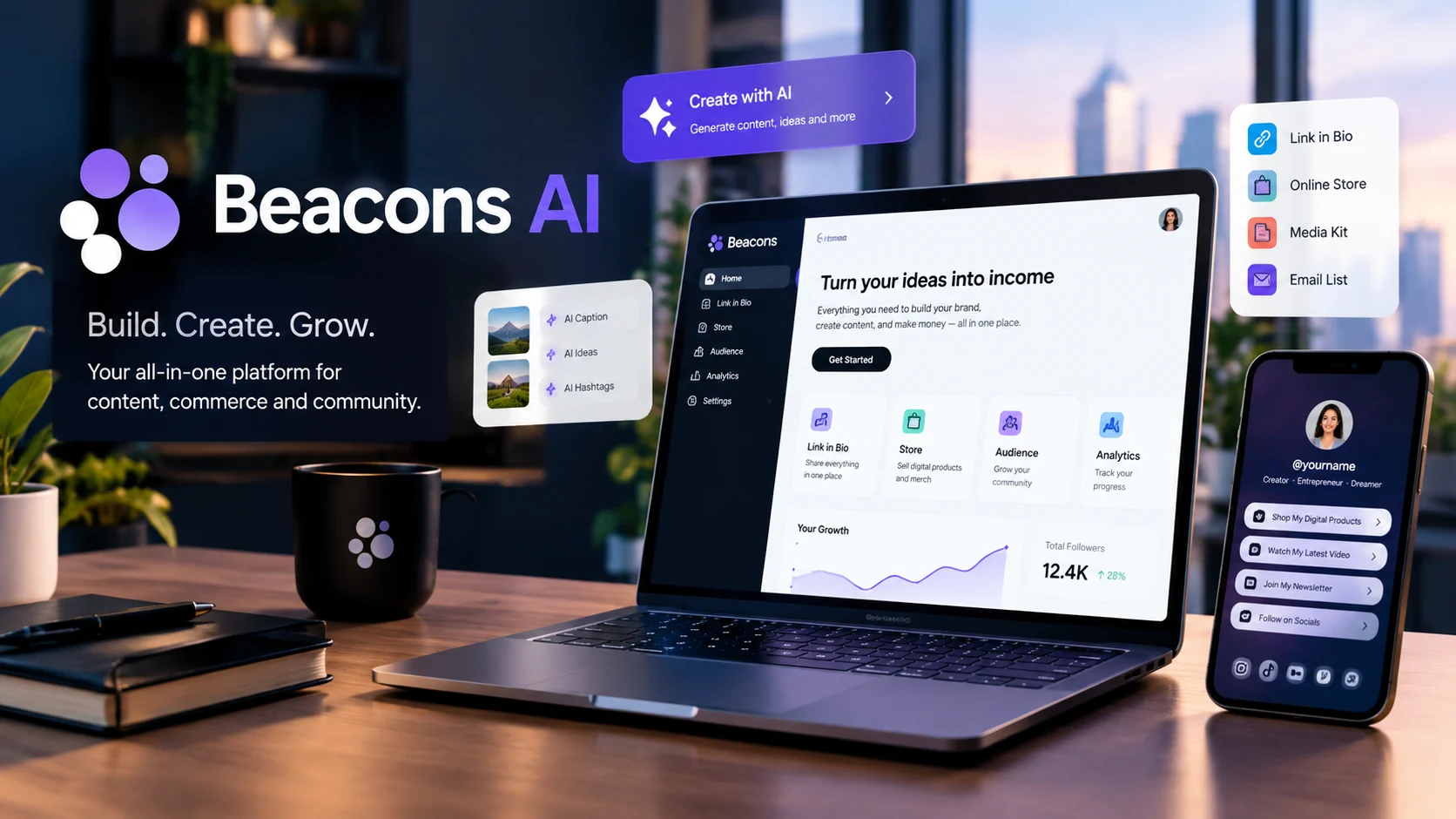
Beacons AI is an all-in-one creator platform that combines AI-powered content tools, a customizable link-in-bio page, digital product sales, email marketing, media kits, and audience analytics. Its AI assistant, Beam, helps creators plan content, understand performance, and prepare brand outreach, while the platform offers free and paid plans with different usage limits and selling fees.
At a Glance
- Platform: An AI-assisted business toolkit for content creators, influencers, and online entrepreneurs.
- AI assistant: Beam supports content planning, creator analytics, growth strategy, and brand partnership workflows.
- Main features: Link-in-bio pages, media kits, digital storefronts, email marketing, and analytics.
- Pricing: A free plan is available, with paid subscriptions for additional features and higher AI usage limits.
- Selling fees: The Free and Creator plans list a 9% seller fee, while Creator Plus and Creator Max advertise 0% platform seller fees.
- Main consideration: AI usage limits, transaction costs, privacy terms, and dependence on a single platform deserve careful review.
What Is Beacons AI?
Beacons AI is a creator-focused platform designed to help people build an online presence, connect with audiences, and generate income from their content. Instead of requiring separate services for a landing page, digital storefront, media kit, and email marketing, Beacons brings these functions together.
The platform has expanded beyond its original link-in-bio concept. Its AI features can help creators produce marketing copy, develop page designs, discover content trends, and make sense of their creator businesses.
A key part of the experience is Beam, Beacons’ AI assistant for creative entrepreneurs. According to the company, Beam can support content strategy, growth analysis, brand outreach, rate planning, and deal tracking. Some capabilities may be subject to availability or product changes.
Beacons AI is particularly relevant to creators who use platforms such as Instagram, TikTok, YouTube, or other social channels to attract followers and promote products.
It is not simply a general-purpose chatbot. Its value comes from connecting AI-assisted tasks with the practical tools creators use to publish content, showcase their work, and monetize their audience.
How Does Beacons AI Work?
Beacons combines a creator’s public-facing page, business tools, and AI assistance in one account.
1. Build a creator page
You can create a customizable link-in-bio page that directs visitors to your social profiles, videos, products, services, and other destinations.
This page functions as a central hub for traffic arriving from different social networks. Customization options let creators adapt the layout, appearance, and branding to their needs.
2. Generate content with AI
Beacons provides AI-assisted text and image generation, along with tools for designing pages and creating marketing materials.
For example, a fitness creator could draft a product description for a workout guide, prepare promotional email copy, or generate a visual for a digital product. The creator should still check the output for accuracy, tone, and originality.
3. Use Beam for creator strategy
Beam adds a conversational layer to the platform. Rather than handling only isolated writing requests, it is designed to help creators think about their content, audience, analytics, and brand partnerships.
The quality of its suggestions depends on the available information and the task. AI-generated recommendations should be treated as decision support, not guaranteed predictions about audience growth or earnings.
4. Convert attention into revenue
Creators can use their Beacons page to sell digital products, promote affiliate links, collect subscriber information, and support brand partnership activities.
This creates a practical workflow: attract an audience on social media, direct visitors to a central page, and offer products or services there.
The platform can simplify the process, but it does not guarantee traffic, sales, or sponsorships. Those outcomes still depend on the creator’s audience, offer, marketing, and execution.
Key Beacons AI Features for Content Creators
Beacons combines several creator-business functions. The most useful features depend on whether you want to grow an audience, secure sponsorships, sell products, or reduce repetitive work.
1. Link-in-bio website builder
Create a mobile-friendly landing page with links, content, products, and calls to action. AI-assisted design can help generate a starting layout from a text prompt, which you can then customize.
2. Creator media kits
Present your audience information, engagement metrics, and brand partnership details in a professional format. Beacons offers media kits that update automatically, although the update frequency depends on the plan.
3. Digital product sales
Sell downloads such as ebooks, templates, guides, and other digital goods through your creator page. Paid tiers add features such as courses, memberships, and additional checkout options.
4. Email marketing and audience growth
Collect subscriber information and send promotional emails. The Free plan has a limited monthly sending allowance, while higher tiers provide larger allowances or unlimited email sends.
5. Beam AI assistant
Use conversational AI to brainstorm content, review creator-business information, plan growth activities, and prepare brand outreach. Suggested strategies still need human judgment and verification.
These capabilities are described in Beacons’ current product and pricing materials. Features and limits can change, so check the official Beacons pricing page before subscribing.
What Is Beam AI, and How Does It Help Creators?
Beam is Beacons’ AI teammate, designed around the needs of people building creator businesses.
General AI chatbots can help write captions or brainstorm ideas. Beam’s intended role is more specialized: it connects AI assistance with creator workflows, including content planning, audience analysis, brand outreach, and partnership preparation.
Practical ways to use Beam
- Content planning: Generate topic ideas based on your niche and publishing goals.
- Audience analysis: Ask questions about available performance information and identify areas worth investigating.
- Brand pitches: Draft personalized outreach messages for potential sponsors.
- Rate planning: Explore suggested rates for different deliverables, such as short-form videos and social stories.
- Growth strategy: Organize possible next steps based on your content and business objectives.
Beacons announced Beam publicly in April 2026 and described additional capabilities related to creator rates and brand deals. Its published product updates have also distinguished some capabilities as forthcoming, so not every advertised workflow should be assumed to be fully available to every account.
Example: A YouTube creator seeking sponsorships
Imagine a creator who publishes educational videos and wants to attract software companies as sponsors.
They could use Beacons to present a media kit, organize their links, and direct potential partners to a dedicated page. Beam could help draft a sponsorship email and develop questions to consider when setting rates.
The creator should still verify audience figures, check the proposed rate against comparable deals, and personalize the message before sending it.
The important distinction: Beam can assist with preparation and decision-making, but it cannot guarantee a sponsorship, a specific engagement rate, or higher revenue.
Beacons AI Pricing in 2026
Beacons offers a free tier and three main paid subscription tiers. Its published pricing distinguishes monthly billing from discounted annual billing.
The following prices are listed in US dollars on the official pricing page. Confirm the final amount and plan terms at checkout before purchasing.
| Plan | Monthly billing | Annual billing, monthly equivalent | Notable features |
|---|---|---|---|
| Free | $0 | $0 | Basic creator tools, limited AI usage, 50 email sends per month, 9% seller fees |
| Creator | $10/month | $100/year, or $8.33/month | Custom domain, 300 daily AI credits, 500 email sends per month |
| Creator Plus | $30/month | $300/year, or $25/month | Unlimited daily AI credits, 0% seller fees, unlimited emails and memberships |
| Creator Max | $90/month | $900/year, or $75/month | Creator Plus features, Google Workspace, priority support, and additional premium benefits |
Pricing shown is based on Beacons’ published pricing information reviewed on October 12, 2026. Features, billing options, and prices may change.
Which Beacons plan makes sense?
Free: Suitable for testing the platform, creating a landing page, and exploring creator tools without a subscription.
Creator: Worth considering if you need a custom domain, more AI credits, and a higher email allowance.
Creator Plus: Relevant for creators who sell regularly, send frequent emails, or need courses and memberships. The absence of platform seller fees can make this tier financially attractive at sufficient sales volume.
Creator Max: Intended for larger creator businesses, brands, agencies, and managers who can use its additional business and support features.
The hidden cost of selling on Beacons
A subscription price does not tell the entire story. Seller fees can materially affect your total cost, particularly if your business generates regular sales.
Consider a creator who sells $1,000 worth of products in a month. A 9% seller fee would equal $90, before accounting for any other applicable charges. A plan with 0% platform seller fees could therefore become more economical, depending on the subscription cost and other payment-processing expenses.
Beacons advertises 0% seller fees on Creator Plus and Creator Max. That does not automatically mean every transaction-related cost disappears, so check the payment processor’s charges and the terms that apply to your sales.
How to calculate your break-even point
Use this simple comparison:
- Free versus Creator Plus: If the only difference being considered is the 9% seller fee versus the $30 monthly subscription, the basic break-even point is approximately $333.33 in monthly sales.
- Creator versus Creator Plus: The $20 difference between monthly subscription prices offsets a 9% seller fee at approximately $222.22 in monthly sales, assuming the same fee treatment and no other differences.
These are simplified estimates, not a complete accounting of platform expenses. Actual savings depend on your billing cycle, transaction types, other fees, and the features you need.
Beacons AI Credit Limits: What to Know
Beacons’ AI features do not all consume resources at the same rate. The company lists daily allowances for several generation tools, with different credit costs for different tasks.
Its published comparison includes examples such as:
- AI text generation: one credit per generation.
- AI chat exchanges with Beam: three credits per exchange.
- AI image generation: ten credits per generation.
- AI link-in-bio design: twenty credits per generation.
- AI email generation: thirty credits per generation.
The Free plan lists 30 daily AI credits, while Creator lists 300. Creator Plus and Creator Max advertise unlimited daily AI credits. Specific daily generation limits may also apply, so the credit total alone does not necessarily describe every usage restriction.
Before choosing a paid plan, check how often you expect to use each AI feature. Someone who generates a few captions per week may not need the same allowance as a creator producing marketing assets every day.
Also distinguish AI credits from product access. A generous credit allowance does not establish that every feature is available, that every generation will meet your needs, or that the output will be ready to publish without editing.
Benefits of Using Beacons AI
Beacons can be useful when a creator wants fewer disconnected tools and a clearer path from social media attention to business activity.
1. Multiple creator tools in one place
A separate website builder, email marketing service, storefront, media-kit generator, and analytics tool can create extra work. Beacons brings many of these functions together, which may simplify day-to-day management.
However, consolidation is not automatically cheaper. Compare the subscription, seller fees, feature restrictions, and any services you still need to pay for separately.
2. Faster content preparation
AI can help generate first drafts of product descriptions, promotional emails, page copy, and other routine materials. This is useful when you need a starting point but want to spend your time on creative decisions rather than repetitive writing.
Review the output for factual errors, generic wording, and brand consistency before publishing.
3. More professional brand presentations
A customizable page and media kit give potential sponsors a central place to review your work and contact you. This can make it easier to present your audience and partnership opportunities professionally.
The presentation itself does not guarantee brand deals. Sponsors still evaluate audience relevance, engagement quality, content suitability, and campaign performance.
4. Opportunities to diversify income
Creators can combine sponsorships, affiliate promotions, digital products, and paid memberships rather than relying entirely on advertising revenue.
Beacons provides infrastructure for these activities. The commercial results depend on demand, pricing, marketing, and the value of the creator’s offering.
5. A low-cost way to experiment
The free plan allows new creators to test the platform before committing to a paid subscription. That makes it possible to explore the workflow and determine whether the tools fit your needs.
The key is to evaluate actual usage and business results rather than upgrading simply because more AI features are available.
Limitations and Potential Drawbacks
Beacons AI is not a complete solution for every creator business. Several practical considerations deserve attention before you rely on it.
AI output still needs human review
Generated text can sound generic, misinterpret your audience, or make unsupported suggestions. Brand outreach also requires personalization, accurate claims, and a clear understanding of the recipient.
Treat AI-generated content as a draft rather than a finished product.
Transaction fees may reduce earnings
The Free and Creator plans list a 9% seller fee. For creators with substantial product sales, that charge can outweigh the savings from a lower subscription cost.
Calculate your expected monthly sales and compare the complete cost of each plan before upgrading.
Some features have usage limits
The Free and Creator plans have defined daily AI allowances. Email sends and certain generation tasks are also limited by plan.
These restrictions matter if you depend on frequent content production or run campaigns at scale. Check the current plan comparison instead of assuming that all features are unlimited.
Platform dependence creates switching costs
Keeping your website, products, email marketing, and creator information in one service can be convenient. It can also make moving to another platform more complicated.
Before building your entire business around Beacons, investigate which information you can export, how subscriber data can be transferred, and whether your existing links will continue to work after a migration.
AI does not replace a business strategy
A page builder cannot create a loyal audience on its own. AI-generated content does not guarantee reach, and suggested brand rates do not guarantee that sponsors will accept them.
Your niche, product quality, relationships, audience trust, and distribution strategy remain central to growth.
Beacons AI Privacy and Security: What Should You Check?
Privacy deserves particular attention because creator platforms can handle contact information, audience details, business communications, media kits, and AI prompts.
Beacons’ published privacy policy explains that the company may share personal information with AI service providers, including OpenAI and Google, to generate content. It also describes collection, retention, and sharing practices associated with operating the service.
Its legal terms also discuss the possible use of submitted content by Beacons and third-party AI providers to develop, improve, or train services, subject to applicable account settings and terms.
These disclosures do not establish that every prompt is used for training. They do mean users should read the applicable terms rather than assume that all AI interactions remain confidential.
Practical privacy precautions
- Avoid entering passwords, financial account details, government identification numbers, or other sensitive personal information into AI prompts.
- Check the current privacy policy and terms governing AI services before uploading private business documents.
- Review connected social accounts and email permissions before authorizing access.
- Understand what subscriber information is collected and which parties may receive it.
- Check the available account-deletion, data-export, and retention procedures before committing to long-term use.
Important: Do not assume that using an established AI provider automatically gives Beacons users zero data retention. The reviewed documentation does not establish a blanket Zero Data Retention (ZDR) guarantee for all Beacons AI workflows.
Likewise, this review does not establish SOC 2 certification for Beacons. Security certifications should only be claimed when supported by appropriate, current evidence.
For official details, consult the Beacons privacy policy and legal terms.
Beacons AI vs. Competitors and Alternatives
The right alternative depends on what you need most. Some creators primarily want a simple link page, while others need digital product sales, email marketing, or AI-assisted planning.
The comparison below focuses on positioning and publicly described features, not independent performance benchmarks.
| Platform | Target user | Main strength | Pricing transparency | Main consideration |
|---|---|---|---|---|
| Beacons AI | Creators building a broader online business | AI assistance, link-in-bio, media kits, selling, and email tools | Published free and paid plans | Seller fees and AI limits vary by tier |
| Linktree | Creators and individuals who need a central link page | Link management, audience tools, and paid marketing features | Public pricing page | Compare the specific commerce and AI features you need |
| Stan Store | Creators selling products, courses, and services | Creator-focused storefront and monetization workflows | Check current official plan details | Evaluate subscription costs, transaction terms, and available marketing features |
Linktree publishes a free tier and paid plans, with features varying by subscription.
Stan Store is another relevant platform for creator commerce, but its current prices and terms should be checked directly before making a financial comparison.
When should you choose Beacons?
Consider Beacons if you want to combine your public creator page with digital products, brand materials, email marketing, and AI assistance.
Linktree may be sufficient if your main goal is to organize links and direct followers to existing content. A creator-store platform may be more suitable if your business centers on selling products or services and you need a storefront-first workflow.
The comparison should be based on your required features, total costs, data portability, and ease of use, not just the number of tools each company advertises.
Who Should Use Beacons AI?
Beacons is most relevant to people who want to turn an online audience into a more organized creator business.
Influencers and social media creators
Useful for centralizing social links, presenting audience metrics, and preparing brand partnership materials.
Digital product sellers
Worth considering if you sell ebooks, templates, guides, or other downloadable products and want a connected storefront.
Coaches and educators
Potentially useful for promoting services, selling learning materials, and offering courses or memberships through supported plans.
Small creator-led businesses
A practical candidate when you want to reduce the number of separate tools used for landing pages, marketing, and sales.
Beacons may be less suitable if you need advanced custom development, extensive control over your technical infrastructure, strict contractual data-handling guarantees, or sophisticated enterprise integrations. In those cases, evaluate dedicated tools and their contractual terms before choosing an all-in-one platform.
How to Get Started With Beacons AI
If you want to test the platform, follow this straightforward process.
- Create an account. Visit the official Beacons website and review the available plans.
- Build your page. Add your biography, social links, featured content, and primary call to action.
- Explore AI tools. Test Beam and the available text, image, and page-generation features.
- Set up your business tools. Add products, prepare your media kit, and configure email collection if needed.
- Review analytics. Monitor visitor activity and link engagement to understand what attracts attention.
- Calculate your costs. Estimate your monthly sales, email volume, and AI usage before choosing a paid plan.
Start with one measurable objective, such as increasing product-page visits or collecting newsletter subscribers. This makes it easier to decide whether the platform provides enough value to justify its cost.
Frequently Asked Questions About Beacons AI
1. Is Beacons AI free to use?
Yes. Beacons offers a free plan that includes a customizable link-in-bio page, creator tools, limited AI usage, and digital product sales. The free plan also lists a 9% seller fee and 50 email sends per month, so check the current terms before selling products.
2. What is Beam AI in Beacons?
Beam is Beacons’ AI assistant for creators. It is designed to help with content planning, creator analytics, growth strategy, and brand partnership tasks. The exact capabilities available can vary as the product develops, so review the current feature list before relying on a specific workflow.
3. How much does Beacons AI cost per month?
Beacons lists Free at $0, Creator at $10 per month, Creator Plus at $30 per month, and Creator Max at $90 per month under monthly billing. Annual subscriptions reduce the effective monthly price. Verify the latest pricing and feature limits on the official pricing page before subscribing.
4. Can you make money with Beacons AI?
Yes, creators can use Beacons to sell digital products, promote affiliate links, market memberships, and support sponsorship activities. However, the platform does not guarantee income. Your results depend on audience demand, product quality, pricing, promotion, and the costs associated with your chosen plan.
5. Is Beacons AI safe for private information?
Review Beacons’ privacy policy and legal terms before sharing sensitive information. Its documentation describes sharing certain personal information with third-party AI services to generate content. Do not assume that every AI interaction has zero data retention or that all submitted content remains confidential.
Conclusion
Beacons AI combines creator-focused AI assistance with the practical tools needed to manage an online presence and monetize content. Its main appeal is the ability to bring link-in-bio pages, media kits, digital sales, email marketing, and AI-assisted workflows together.
It may suit influencers, educators, digital product sellers, and small creator businesses that value convenience. Before choosing a paid plan, compare seller fees, AI limits, email allowances, privacy terms, and data portability against your actual needs.
Start with the free plan if it covers your essential tasks, then upgrade only when the additional features provide measurable value.
SEO note: Valid FAQPage markup does not guarantee a Google FAQ rich result. Google currently limits FAQ rich results primarily to well-known authoritative government and health websites. Use the schema only when it accurately represents the visible page content.

Oliver Wilson is an AI researcher and tech writer living at the intersection of human creativity and machine intelligence. At AixOrbit.com, he decodes complex neural networks, generative AI and emerging tech trends into actionable insights making sure humans stay one step ahead of the algorithms.