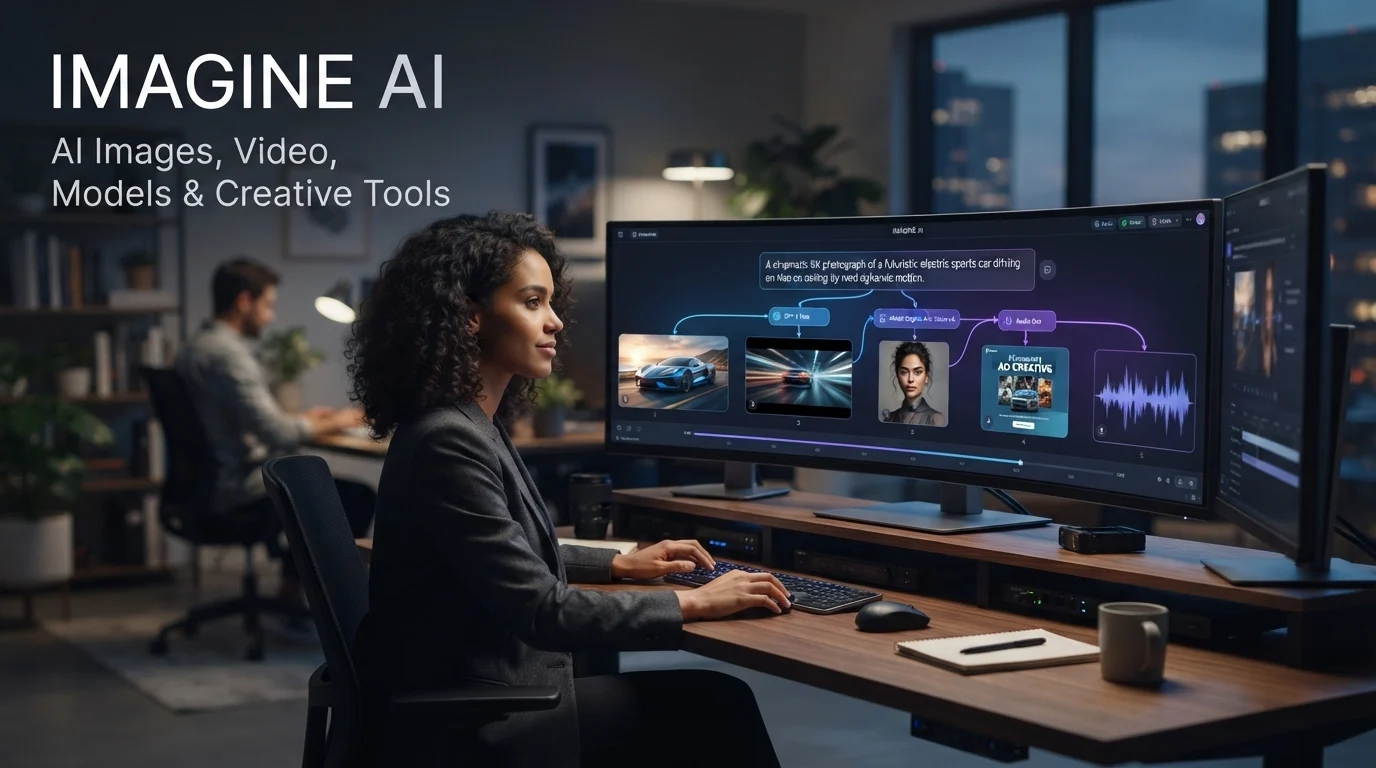
Imagine AI is best understood today as ImagineArt, an AI creative platform for generating and editing images, videos, audio, and other media from prompts, references, and creative workflows. It combines proprietary models with third-party AI models, making it more of a multi-model creative suite than a single AI image generator. (Imagine.Art)
Imagine AI at a Glance
| Key Point | Details |
|---|---|
| What it is | Multi-modal AI creative platform |
| Primary uses | Image generation, image editing, video, audio, ads, workflows |
| Image generation | Text-to-image and reference-based generation |
| Models | ImagineArt models plus third-party models |
| Free access | Available with monthly credits and daily free-credit allocation |
| For developers | Image, video, editing, and related APIs are available |
| Best suited for | Creators, marketers, designers, businesses, and developers |
Important naming note: Searchers may use “Imagine AI” to refer to several products. This guide focuses on ImagineArt at imagine.art, the current platform that combines AI image generation with video, audio, editing, workflows, and multiple AI models. (Imagine.Art)
What Is Imagine AI?
Imagine AI, in the context of the current ImagineArt platform, is an AI-powered creative suite designed to turn text prompts, reference images, and other inputs into visual and multimedia content.
Its scope is much broader than basic text-to-image generation. The platform currently brings together AI image generation, video generation, image editing, upscaling, audio creation, film production, advertising tools, and workflow automation in one environment. (Imagine.Art)
ImagineArt also combines its own image models with models from other AI providers. That multi-model approach gives users more choice than a tool built around one generation engine.
For example, the platform currently lists tools and models including GPT Image, Flux, Recraft, Nano Banana, Runway, Kling, Veo, Seedance, and its own Imagine models, although availability can vary by plan and product area. (Imagine.Art)
That makes the platform particularly relevant to users who want one workspace for experimenting with different generative AI models.
How Does Imagine AI Work?
The basic workflow is straightforward.
1. Start With a Prompt or Reference
Users can describe what they want in natural language. They can also use reference images or other inputs depending on the selected tool.
For example, a marketer could request:
“Create a premium product photograph of a black smartwatch on a minimalist stone desk, soft studio lighting, 16:9.”
The selected model then interprets the prompt and generates the requested output.
2. Choose the Appropriate Model
ImagineArt provides access to multiple image and video models. This matters because different models can behave differently with photorealism, typography, artistic styles, editing, motion, and other tasks.
Instead of committing to one model, users can experiment within the same platform.
3. Refine the Result
Generation is only part of the workflow. ImagineArt also provides tools for editing, inpainting, outpainting, background manipulation, style references, personalization, and upscaling. (Imagine.Art)
This makes it possible to move from a rough AI generation toward a more usable final asset.
4. Build Repeatable Workflows
More advanced users can connect multiple generation and editing steps through the platform’s node-based workflow system.
This is useful when a creative process involves repeated operations rather than one isolated prompt. (Imagine.Art)
Key Imagine AI Features
ImagineArt has expanded considerably beyond its original AI art-generator positioning.
AI Image Generation
The core feature remains image creation from text prompts and references.
The platform supports multiple visual styles, including photorealistic, anime, watercolor, oil-painting, 3D, and surreal approaches. It also provides image editing tools that can modify selected parts of an image without regenerating everything. (Imagine.Art)
AI Image Editing
ImagineArt can be used for more than creating images from scratch.
Its editing tools include capabilities such as:
- Inpainting
- Outpainting
- Background replacement
- Background removal
- Image resizing
- Upscaling
- Retouching
- Style references
- Object changes
This distinction is important for professional workflows. Designers often need to modify an existing asset rather than start over.
AI Video Generation
ImagineArt now includes text-to-video and image-to-video capabilities alongside multiple video models.
The platform also promotes tools for camera movement, video extension, upscaling, and cinematic workflows. (Imagine.Art)
Film Studio
For more advanced creators, Film Studio focuses on longer-form visual production.
ImagineArt describes features including storyboards, start and end frame controls, and cinematic camera configuration. (Imagine.Art)
This moves the product closer to a creative production environment than a simple AI art website.
Ad Studio
Ad Studio is designed around advertising workflows.
The platform says users can start from a product link and create production-oriented advertising assets without building every prompt manually. (Imagine.Art)
That could be particularly useful for e-commerce teams and marketers who need variations of product creatives.
AI Workflows
The workflow canvas is one of the more interesting features for advanced users.
Instead of running individual prompts manually, users can chain models and processing steps together. This creates repeatable pipelines for recurring creative jobs. (Imagine.Art)
What Can You Create With Imagine AI?
The platform’s broader toolset supports a wide range of creative tasks.
For Content Creators
Creators can use ImagineArt for:
- YouTube thumbnails
- Blog illustrations
- Social media graphics
- Character concepts
- Backgrounds
- Promotional visuals
- Short-form videos
The main advantage is speed. A creator can move from an idea to several visual concepts without commissioning every asset manually.
For Marketers
Marketing teams can use AI generation for:
- Campaign concepts
- Product imagery
- Social ads
- Promotional graphics
- Creative variations
- Video advertisements
For commercial work, however, users should review the applicable plan and commercial-use terms rather than assuming every output has identical rights.
For Designers
Designers can use image generation as an ideation tool before moving into conventional design software.
Reference images, editing, inpainting, and upscaling are particularly useful when the objective is controlled iteration rather than random image generation.
For Developers
ImagineArt also offers an API layer.
Its developer platform exposes image generation and other creative capabilities through APIs, with documentation covering endpoints, parameters, authentication, responses, and error handling. (Imagine.Art)
That opens a different use case: embedding AI media generation into another application instead of working exclusively inside the ImagineArt interface.
Imagine AI Models and the Multi-Model Advantage
One of ImagineArt’s defining characteristics is its multi-model approach.
The platform provides access to its own models alongside third-party models. Its current product pages list options spanning image and video generation from several model families. (Imagine.Art)
This creates an important advantage for creators.
A single model rarely performs equally well for every task. One may be stronger at photorealism, another at typography, another at animation, and another at stylistic consistency.
A multi-model platform lets users compare outputs without maintaining as many separate subscriptions or workflows.
The Trade-Off
The downside is complexity.
Having many models does not automatically make the workflow better. Beginners can become overwhelmed by model names, credit costs, quality settings, aspect ratios, and different generation behaviors.
The best results still depend on choosing the appropriate model and giving it a useful prompt.
Imagine AI Pricing and Credits
ImagineArt uses a credit-based system, with both free and paid access.
The current image-generator page lists a free option with 3,000 credits per month, including a daily allocation of free credits, while paid plans provide larger monthly credit pools and access to additional models and capabilities. (Imagine.Art)
Current plan structures shown by ImagineArt include Basic, Standard, Ultimate, and higher-volume Creator options, with different credit allowances and model access. (Imagine.Art)
The important point is that a simple “monthly price” comparison can be misleading.
Why Credits Matter
AI image and video generation can consume credits at different rates depending on the model, resolution, quality, and task.
Therefore, prospective users should evaluate:
- Monthly credit allowance
- Credit cost per generation
- Which models are included
- Whether credits roll over
- Concurrent generation limits
- Whether private generation is available
- Commercial-use terms
- Extra credit-pack pricing
ImagineArt’s terms also state that subscriptions can renew automatically until canceled. (Imagine.Art)
Because pricing and model availability change frequently, checking the live plan interface before purchasing is more reliable than relying on an old review.
Is Imagine AI Free?
Yes, ImagineArt currently provides a free tier.
The current product page lists 3,000 credits per month for the free option, with in-house models and a limited concurrency allowance. (Imagine.Art)
Free access is useful for testing the interface before paying.
However, free access should not be interpreted as unlimited AI generation. Credit consumption, model availability, and generation limits still matter.
Imagine AI Privacy and Security
Privacy deserves particular attention when using any cloud-based generative AI platform.
ImagineArt’s enterprise materials describe controls including SOC 2 Type II, SSO, MFA, audit trails, encryption, and zero-data-retention options for enterprise customers. (Imagine.Art)
There is an important distinction here.
SOC 2 and Zero Data Retention are different concepts. SOC 2 relates to audited controls around security and related operational processes. Zero Data Retention concerns whether submitted data and outputs are retained.
ImagineArt specifically advertises zero data retention as an enterprise security capability. (Imagine.Art)
Individual users should therefore check the terms applicable to their specific plan rather than assuming enterprise privacy controls automatically apply to every account.
Imagine AI API for Developers
Developers can use ImagineArt’s API to integrate generative media into their own products.
The API documentation covers image-generation endpoints and parameters such as prompts, styles, aspect ratios, seeds, and related generation settings. (Imagine Art)
The broader API offering also covers image and video generation, background removal, image editing, and upscaling. (Imagine.Art)
This creates several potential applications:
- E-commerce image generation
- Automated marketing creatives
- Product visualization
- Design applications
- Content platforms
- AI-powered media editors
For developers, the key evaluation points are not just output quality. API pricing, latency, rate limits, reliability, supported models, authentication, and output consistency can have a greater effect on production costs.
Imagine AI vs Other AI Creative Platforms
ImagineArt is not competing with only one type of product. It sits between standalone image generators, multi-model AI platforms, creative suites, and developer APIs.
| Platform/Tool | Target User | Key Strength | Pricing Transparency | Core Limitation |
|---|---|---|---|---|
| ImagineArt | Creators, marketers, teams, developers | Broad multi-model creative suite | Credit-based; plans are published | Many models and credits can add complexity |
| Midjourney | Artists and visual creators | Strong creative image generation | Subscription-based | Less focused on being an all-in-one media/API suite |
| Adobe Firefly | Designers and creative teams | Integration with Adobe ecosystem | Plan-dependent | Best experience is tied closely to Adobe’s ecosystem |
| Leonardo AI | Creators and designers | Image generation and creative controls | Credit/plan dependent | Feature breadth can make model selection complex |
| Hugging Face Hub | Developers and researchers | Huge open-model ecosystem | Highly variable | Requires more technical knowledge |
This comparison should not be interpreted as a universal ranking.
The right choice depends on whether you prioritize model variety, creative control, existing design software, open models, API access, or a simpler workflow.
For developers and researchers, the Hugging Face Hub is fundamentally different because it functions as a broad model and dataset ecosystem rather than a single consumer creative application.
Who Should Use Imagine AI?
ImagineArt makes the most sense for people who need multiple forms of AI-generated media in one workspace.
Good Fit
It can be a strong fit for:
- Content creators
- Social media managers
- Digital marketers
- Graphic designers
- E-commerce teams
- Agencies
- Video creators
- Developers building creative applications
The multi-model approach is especially useful when different projects require different generation engines.
Who May Want Something Else?
A specialist tool may be preferable if you already know exactly which model or ecosystem you want.
For example, someone who only wants a narrowly focused image-generation workflow may not need a large platform containing video, audio, advertising, workflows, and developer tools.
Likewise, highly technical researchers may prefer direct access to open models and infrastructure rather than a managed creative interface.
Strengths and Limitations
Strengths
- Broad image, video, and audio capabilities
- Multiple AI models in one platform
- Proprietary ImagineArt models
- Image editing and enhancement tools
- Workflow automation
- API access
- Free entry point
- Dedicated enterprise features
Limitations
- Credit systems can make usage costs difficult to predict
- Model availability varies by subscription
- More options can increase the learning curve
- AI-generated content still requires human review
- Commercial rights should be checked for the specific plan and use case
- Cloud-based workflows may not suit every privacy-sensitive project
The biggest practical issue is not whether ImagineArt has enough features. It is whether the platform’s model access and credit economics match your workflow.
Common Mistakes When Using Imagine AI
Choosing a Model Without Testing It
Do not assume the newest model will produce the best result for every prompt.
Test several relevant models with the same prompt before building a larger workflow around one.
Treating AI Output as Final
AI-generated images can contain unwanted details, inconsistent objects, strange hands, inaccurate text, or brand inconsistencies.
Professional content still needs review and editing.
Ignoring Credit Consumption
A workflow that looks inexpensive at low volume can become expensive when you generate hundreds of images or high-cost videos.
Track actual credits consumed per finished asset.
Uploading Sensitive Material Without Checking Terms
Do not upload confidential business information, unreleased products, private customer material, or sensitive personal data without first reviewing the applicable privacy and data-handling terms.
Is Imagine AI Worth Using in 2026?
ImagineArt is worth considering if you want one creative environment that combines multiple AI models with image, video, editing, workflow, and production tools.
Its biggest differentiator is breadth rather than one isolated feature. The platform has evolved from an AI image-generation product into a broader creative system with proprietary models, third-party model access, APIs, enterprise controls, and specialized studios. (Imagine.Art)
For casual users, the free tier offers a practical way to test the service.
For professional users, the more important question is whether the selected plan provides enough credits, model access, privacy controls, and commercial rights for the intended workload.
FAQs About Imagine AI
What is Imagine AI used for?
Imagine AI, referring to the current ImagineArt platform, is used to generate and edit images, create videos and audio, build advertising assets, and automate creative workflows. It also provides APIs for developers who want to integrate AI media generation into their own products. (Imagine.Art)
Is Imagine AI free?
Yes. ImagineArt currently offers a free option with a monthly credit allocation and access to selected in-house models. Paid plans provide larger credit pools and broader access to models and features. (Imagine.Art)
Can Imagine AI generate videos?
Yes. ImagineArt includes AI video generation alongside image creation. Its platform currently provides text-to-video, image-to-video, video editing, video extension, and access to multiple video models. (Imagine.Art)
Does Imagine AI offer an API?
Yes. ImagineArt provides APIs for developers, including image-generation capabilities and additional media tools such as video generation, background removal, editing, and upscaling. (Imagine.Art)
Is Imagine AI suitable for businesses?
It can be, particularly for teams that need AI-generated creative assets at scale. ImagineArt offers business and enterprise capabilities including shared workspaces, role-based permissions, audit controls, SSO, and enterprise security features. (Imagine.Art)
Conclusion
Imagine AI, now represented by the broader ImagineArt platform, has grown into a multi-model AI creative suite rather than a simple image generator. It combines image and video creation, editing, workflows, audio, advertising tools, proprietary models, third-party models, and APIs in one ecosystem.
For creators and marketers, the biggest attraction is convenience and model variety. For businesses and developers, APIs, workflow automation, collaboration, and enterprise controls add another layer of usefulness.
Before choosing a plan, evaluate credit consumption, model availability, privacy requirements, commercial rights, API costs, and the tools you actually need. Those factors matter more than the size of the feature list.

Oliver Wilson is an AI researcher and tech writer living at the intersection of human creativity and machine intelligence. At AixOrbit.com, he decodes complex neural networks, generative AI and emerging tech trends into actionable insights making sure humans stay one step ahead of the algorithms.