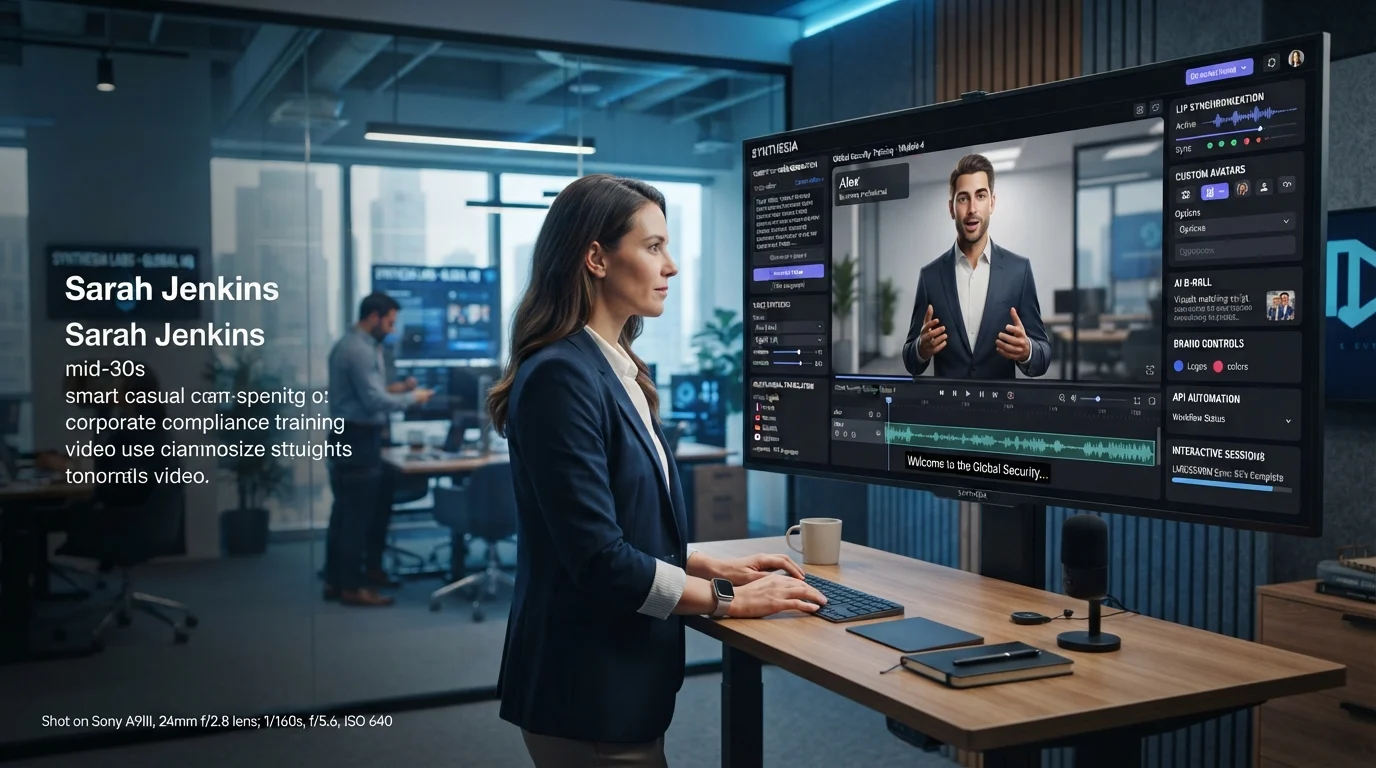
Synthesia AI is an AI video platform that turns scripts, documents, prompts, and other content into videos featuring AI avatars, voiceovers, visuals, and multilingual localization. It is particularly designed for business communication, training, sales enablement, marketing, onboarding, and other repeatable video workflows. (Synthesia)
Synthesia AI at a Glance
| Key point | What to know |
|---|---|
| What it does | Creates AI-generated videos from text and other content |
| AI avatars | 240+ stock avatars are currently advertised |
| Languages | 160+ languages and accents |
| AI voices | 1,000+ voices are advertised across the platform |
| Free option | Basic plan with 1,200 credits per month |
| Business focus | Training, L&D, sales, marketing, support and internal communications |
| Enterprise features | SSO/SCIM, higher API limits, shared workspaces and enterprise controls |
Synthesia has evolved beyond a simple AI talking-head generator. Its current platform includes AI video creation, dubbing, voice cloning, custom avatars, AI-generated visuals, collaboration, APIs, and interactive avatar experiences. (Synthesia)
What Is Synthesia AI?
Synthesia AI is a browser-based AI video creation platform built around digital presenters and automated video production.
Instead of recording a presenter with a camera and microphone, you can provide a script or other source material, select an avatar, choose a voice, and generate a video. Synthesia combines text-to-speech technology with avatar animation, lip synchronization, visual elements, and editing tools. (Synthesia)
The platform is strongly oriented toward organizations that need to produce and update videos repeatedly.
Typical examples include:
- Employee onboarding
- Product training
- Customer education
- Sales enablement
- Internal announcements
- Software tutorials
- Compliance communication
- Product explainers
- Marketing videos
- Multilingual training
- Customer support content
Synthesia also supports personal avatars and voice cloning, allowing approved users to create a reusable digital version of themselves. (Synthesia)
Is Synthesia an AI video generator?
Yes. Synthesia can generate videos from text prompts, scripts, documents, URLs, and other source material. Its current text-to-video workflow can automatically assemble scenes, narration, avatars, and visual elements before users edit the result. (Synthesia)
The important distinction is that Synthesia focuses heavily on business video communication, rather than being only a cinematic text-to-video generator.
How Does Synthesia AI Work?
The basic workflow is relatively straightforward.
1. Start with a script or source
You can write a script manually or use source material such as a document, URL, or prompt.
Synthesia’s AI Video Assistant can help transform existing information into video content rather than requiring users to start with a blank timeline. (Synthesia)
2. Choose an AI avatar
Users can select from Synthesia’s library of stock presenters or create a personal avatar.
The company currently advertises more than 240 stock avatars. Some customizable avatars can also be directed to perform actions and appear in different environments. (Synthesia)
3. Select the voice and language
Synthesia generates spoken narration using AI voices.
Its current product pages advertise more than 1,000 AI voices and support for more than 160 languages and accents. Voice cloning is also available for eligible workflows. (Synthesia)
4. Build and edit the video
The platform combines the avatar with backgrounds, text, media, captions, animations, and other visual elements.
Users can then adjust scenes instead of filming the entire presentation again.
5. Generate and distribute
Once the video is ready, it can be generated and exported according to the user’s plan and workflow.
For organizations, Synthesia also provides API capabilities for integrating video generation into broader systems. (Synthesia)
Key Synthesia AI Features
Synthesia’s feature set has expanded significantly, making it more useful to view the platform as a broader AI video production system.
AI Avatars
Avatars are the platform’s most recognizable feature.
The current library includes more than 240 ready-made presenters, while personal and custom avatar options allow organizations to build more consistent digital presenters. (Synthesia)
Synthesia says its AI actors are based on real actors who provide consent and are compensated for the use of their likeness. (Synthesia)
That consent-based approach matters because synthetic identity and digital likenesses create important legal and ethical risks.
AI Voice Generation and Voice Cloning
Synthesia uses text-to-speech to convert written scripts into spoken narration.
The platform advertises more than 1,000 AI voices, alongside support for more than 160 languages and accents. Voice cloning allows eligible users to reproduce their own voice for AI-generated content. (Synthesia)
Pronunciation controls can also help users handle names, abbreviations, and specialized terminology.
AI Video Translation
Localization is another major Synthesia use case.
The platform supports translating scripts, audio, subtitles, and on-screen elements into additional languages. Its multilingual video player can also present videos in a viewer’s preferred language. (Synthesia)
For international companies, this can reduce the need to record the same presentation repeatedly.
AI Video Assistant
AI Video Assistant helps transform existing information into video.
Instead of writing every scene manually, users can provide source material and allow Synthesia to create an initial video structure. The result can then be edited before publication. (Synthesia)
This is especially useful for internal documentation and training teams that already maintain large libraries of written material.
AI-Generated B-Roll and Visuals
Synthesia now extends beyond talking-head presentations.
Its platform includes AI-generated B-roll, motion graphics, and integrations with newer video-generation models. Recent updates also added improved resolution choices for generated B-roll. (Synthesia)
This addresses one traditional weakness of avatar video: a talking presenter alone can become visually repetitive.
Interactive Avatars and Sessions
One of the biggest recent changes is Synthesia’s move toward interactive experiences.
In October 2026, Synthesia launched Sessions, which supports two-way conversations with AI avatars. Roleplay Sessions are designed for scenarios such as sales enablement and manager coaching, while Survey Sessions can turn surveys or forms into conversational interviews. (Synthesia)
This changes the product from a purely one-way video tool toward an interactive communication platform.
Synthesia AI Use Cases
Employee Training and Onboarding
Training is one of the clearest applications.
Organizations can create instructional videos without scheduling presenters or reshooting footage whenever a policy changes.
A company could create videos covering:
- Workplace procedures
- Software training
- Security awareness
- New employee onboarding
- Product knowledge
- Compliance information
For enterprise learning teams, Synthesia supports SCORM 1.2 and SCORM 2004 exports on Enterprise plans. (Synthesia)
Sales Enablement
Sales teams can use AI presenters for product explanations, onboarding materials, sales training, and localized messaging.
A script can be updated without arranging another recording session.
Marketing and Product Explainers
Synthesia can create presenter-led product videos, announcements, demonstrations, and explainers.
It is particularly relevant when the goal is clear communication rather than traditional cinematic production.
Internal Communications
Executives and communications teams can turn written announcements into consistent videos.
This can be useful for distributed organizations where the same message needs to reach employees across countries and languages.
Customer Education
Companies can create tutorials, how-to videos, product introductions, and support materials.
When documentation changes, the corresponding video can be revised without rebuilding a physical production setup.
Synthesia AI Pricing in 2026
Synthesia’s pricing changed on October 1, 2026, so older articles may now contain outdated plan names or allowances. (Synthesia Knowledge Base)
The current structure includes Basic, Starter, Pro, Pro 2×, Pro 4×, Pro 6×, Pro 8×, and Enterprise options.
The Basic plan is free. Synthesia currently states that every plan includes 10 minutes of video, three survey responses, and 500 credits each month, with additional credits depending on the paid plan. (Synthesia Knowledge Base)
The published pricing page lists Starter at $29 per month when billed monthly, with annual billing offering a lower effective rate. (Synthesia)
The October 2026 credit system is particularly important because Synthesia now uses a shared credit balance across usage-based features.
| Activity | Approximate credit use |
|---|---|
| Video creation | About 100 credits per finished minute |
| Dubbing with lip-sync | 80 credits/minute |
| Dubbing without lip-sync | 40 credits/minute |
| Survey | 350 credits/response |
| Interactive Avatar, avatar only | 10 credits/minute |
| Interactive Avatar with widget | 20 credits/minute |
| API video | 160 credits/minute |
| Bulk personalization | 180 credits/minute |
These are Synthesia’s published October 2026 usage figures, not independent performance measurements. Actual consumption can vary depending on the workflow. (Synthesia Knowledge Base)
Important pricing insight: comparing AI video platforms purely by monthly subscription price can be misleading. Synthesia now has several different credit-consuming features, so businesses should estimate their actual mix of video creation, dubbing, API generation, personalization, and interactive usage before selecting a plan.
Synthesia AI Security and Privacy
Security can be more important than avatar quality for enterprise buyers.
Synthesia states that it uses Amazon Web Services for its public cloud infrastructure and operates a multi-tenant SaaS architecture with logical separation of customer data. (Synthesia)
Its security documentation says the company undergoes periodic ISO 42001, ISO 27001, and SOC 2 Type II audits. (Synthesia)
However, a certification should not be interpreted as proof that every possible privacy configuration or retention requirement is automatically satisfied.
Does Synthesia use customer data to train AI?
Synthesia states that it does not use customer data, including inputs or outputs, to pre-train its AI components. It says customer-data processing that involves fine-tuning is performed according to written customer instructions and the governing agreement. (Synthesia)
That distinction is important for businesses handling confidential material.
How long is customer data retained?
Synthesia’s security documentation states that customers can request deletion of Customer Data and that, following a deletion request, Customer Data is deleted within up to 90 days. It also notes that residual backup copies may remain for a limited period. (Synthesia)
Therefore, SOC 2 Type II and data-retention policies are separate considerations. Enterprise buyers should review the applicable agreement, data-processing terms, retention settings, subprocessors, and security documentation rather than assuming certification equals zero retention.
Synthesia AI Alternatives and Competitors
Synthesia operates in a crowded AI video market.
Two frequently compared platforms are HeyGen and Colossyan. Their positioning overlaps with Synthesia, but their product emphasis and pricing models differ.
| Platform / Tool | Target user | Key strength | Pricing transparency | Core consideration |
|---|---|---|---|---|
| Synthesia AI | Businesses and enterprise teams | Training, business video, localization and interactive avatars | Published self-serve plans plus enterprise pricing | Credit usage and enterprise plan requirements |
| HeyGen | Creators, marketers and businesses | AI avatars, localization and creator-focused video workflows | Public plans | Credit-based usage and feature differences by plan |
| Colossyan | Training and L&D teams | Training-oriented video and interactive learning workflows | Public and enterprise options | Feature and model differences by plan |
HeyGen currently lists a free plan, a $29/month Creator plan, and higher tiers, while its pricing model uses credits for paid plans. (HeyGen)
Colossyan is also frequently positioned as an alternative for training-focused teams, particularly where instructional features are central to the workflow. Independent comparisons should be treated carefully because prices and included features change frequently. (Colossyan)
The practical comparison is therefore less about which platform has the largest feature list and more about workflow fit.
A marketing team may prioritize speed and visual flexibility. An L&D department may care more about LMS compatibility. An enterprise IT team may prioritize identity management, data processing, governance, and API controls.
Who Should Use Synthesia AI?
Synthesia is particularly relevant for teams that produce repetitive, instructional, multilingual, or business-focused videos.
It may make sense for:
- Corporate learning teams
- HR departments
- Sales enablement teams
- Customer education teams
- Marketing departments
- Internal communications teams
- Global organizations
- Businesses building video into software workflows
It can also be useful for individuals who want to experiment with AI avatar video without traditional filming equipment.
However, not every video project needs an AI avatar.
If the goal is cinematic storytelling, documentary production, highly emotional acting, or highly customized filmmaking, a traditional production workflow may remain more appropriate.
What to Evaluate Before Choosing Synthesia
Before subscribing, evaluate the complete production workflow rather than simply testing one short video.
Calculate your real usage
Estimate how many minutes you need each month and whether you will also use dubbing, API generation, personalization, or interactive avatars.
Test pronunciation
Create a sample containing:
- Product names
- Technical terminology
- Names
- Acronyms
- Industry-specific vocabulary
AI narration quality can vary depending on the language and terminology.
Test localization
If multilingual video is important, test the actual languages your organization needs rather than assuming every supported language will perform identically.
Review privacy requirements
If videos contain confidential information, review the relevant privacy policy, DPA, security documentation, subprocessors, retention settings, and contractual terms.
Test your LMS
If SCORM matters, test an actual export in your organization’s LMS before committing. Synthesia itself notes that SCORM implementations can vary between LMS environments. (Synthesia)
Consider vendor dependency
An AI video platform can become part of a company’s content infrastructure.
Before moving hundreds of training videos into one system, determine how easily your organization can export finished content, manage source files, preserve brand assets, and transition workflows if requirements change.
Latest Synthesia AI Developments
Synthesia has been expanding from AI-generated presenter videos toward a broader AI communication platform.
Recent updates include:
- Sessions, launched in October 2026, for interactive AI avatar conversations. (Synthesia)
- Synthesia MCP, allowing video creation from ChatGPT and Claude workflows. (Synthesia)
- Improved AI-generated B-roll resolution options, including 720p, 1080p, and 4K for applicable generation workflows. (Synthesia)
- A Billing API for tracking credit usage. (Synthesia)
- Automatic credit top-ups for longer-running workflows. (Synthesia)
- Continued expansion of AI actors, multilingual video, voice capabilities, and interactive experiences. (Synthesia)
This direction is significant because Synthesia is increasingly treating video as an interactive business interface, rather than only a rendered media file.
Common Questions About Synthesia AI
Is Synthesia AI free?
Synthesia offers a free Basic plan. As of October 2026, the company says every plan includes 10 minutes of video, three survey responses, and 500 credits per month, while paid plans provide additional credits and features. (Synthesia Knowledge Base)
Can Synthesia create videos from text?
Yes. Synthesia can convert prompts, scripts, documents, URLs, and other text-based sources into videos containing scenes, AI narration, avatars, and visual elements. (Synthesia)
How many languages does Synthesia support?
Synthesia currently advertises more than 160 languages and accents. It also offers multilingual video localization and AI voice capabilities across supported languages. (Synthesia)
Does Synthesia use customer videos to train its AI?
Synthesia states that customer data, including inputs and outputs, is not used to pre-train its AI components. Any customer-data processing that results in fine-tuning is subject to written customer instructions and the applicable agreement. (Synthesia)
Is Synthesia suitable for enterprise training?
Yes. Enterprise-oriented capabilities include features such as SCORM exports, SSO/SCIM, shared workspaces, enterprise administration, and higher API limits. SCORM export is available on Enterprise plans. (Synthesia Knowledge Base)
Conclusion
Synthesia AI has grown from an AI avatar video generator into a broader business communication platform. Its strongest use cases center on training, onboarding, sales enablement, internal communication, localization, and other workflows where organizations need to produce and update video at scale.
Its 240+ avatars, 160+ languages, AI voices, translation tools, APIs, and new interactive Sessions make the platform considerably broader than a basic talking-head generator. (Synthesia)
The key evaluation points are actual credit consumption, required features, video quality, localization needs, LMS compatibility, privacy requirements, and enterprise controls.
For businesses considering Synthesia, the most useful test is not simply whether one generated video looks convincing. It is whether the entire workflow remains efficient, controllable, secure, and cost-effective at the volume your organization actually needs.

Oliver Wilson is an AI researcher and tech writer living at the intersection of human creativity and machine intelligence. At AixOrbit.com, he decodes complex neural networks, generative AI and emerging tech trends into actionable insights making sure humans stay one step ahead of the algorithms.